> For the complete documentation index, see [llms.txt](https://ism-docs.xnarum.com/llms.txt). Markdown versions of documentation pages are available by appending `.md` to page URLs; this page is available as [Markdown](https://ism-docs.xnarum.com/ism-admin-ui/channel/amqp.md).
# AMQP
Advanced Message Queuing Protocol (AMQP) is created as an open standard protocol that allows messaging interoperability between systems, regardless of message broker vendor or platform used; With AMQP, you can use whatever AMQP-compliant client library you want, and any AMQP-compliant broker you want. Message clients using AMQP are completely agnostic.AMQP is an application layer protocol that lets client applications talk to the server and interact. However, AMQP should not just be considered a protocol used for over-the-wire communication; AMQP defines both the network layer protocol and a high-level architecture for message brokers.It defines a set of messages capabilities which must be made available by an AMQP compliant server implementation (like RabbitMQ). Including rules of how messages must be routed and stored within the broker to follow the AMQ Model.
## **Trigger a flow**
You need to configura an an amqp job to trigger the flow. The attributes of the job are these.
Name
Description
Job Name
Name of the job
Broker
The url of the AMQP broker.
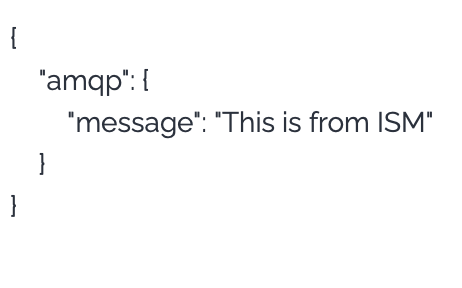
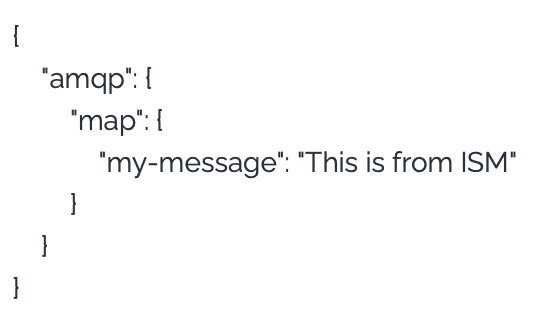
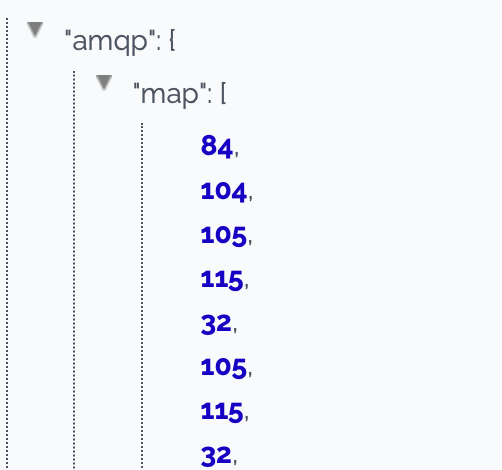
When AMQP subscriber receives a message, the message is passed to the flow as an input data and the formats are like this.
TextMessage
MapMessage
BytesMessage