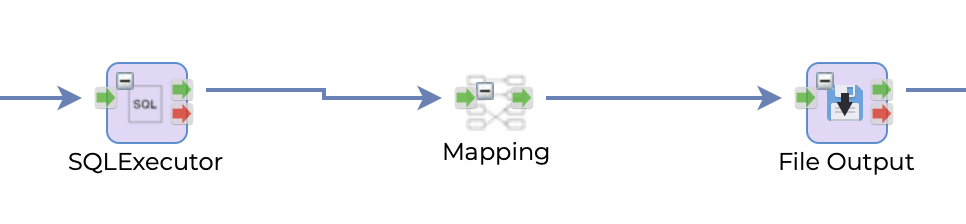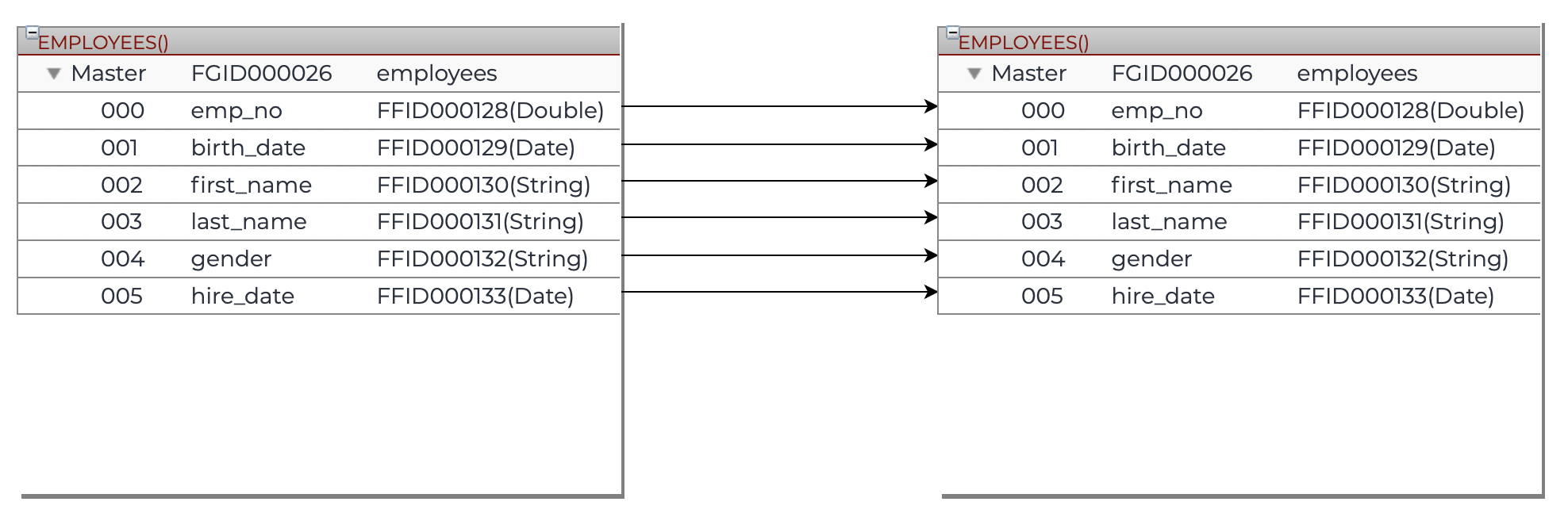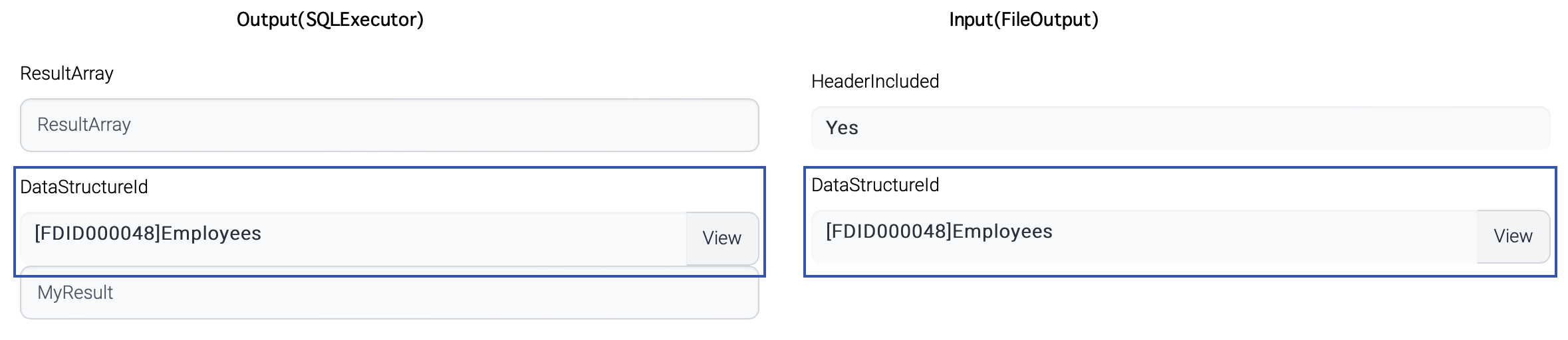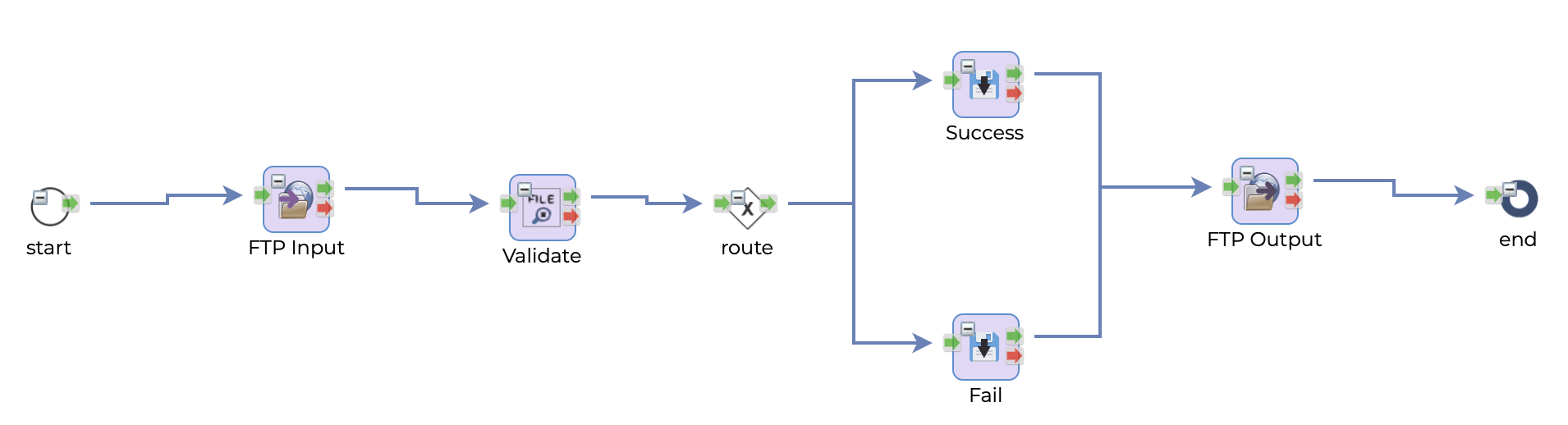
# Overview

ISM's flexible and customizable architecture allows for the implementation of complex business processes in a simple and intuitive way. The flow designer provides a visual interface for building flows, where components can be easily added, configured, and connected to create a customized workflow.

ISM also provides a wide range of components that can handle various business operations such as validation, retries, and error handling. These components can be easily integrated into a flow to perform the required operations before transferring data from source to target.

In addition, ISM's monitoring and reporting capabilities provide good visibility into the execution of flows and business operations, allowing users to easily track the progress and status of their workflows.

Overall, ISM's design philosophy emphasizes ease of use and maintenance, making it accessible to less technical users while still providing the necessary flexibility and customization for complex business requirements.

ISM provides following components to implement business processes.

* Flow : Entire business process regarding interface.
* Task : Business logic inside a business process, which is executed step by step or by condition.

In addition to Flows and Tasks, ISM also provides the following components to implement business processes:

* Conditions: Used to define conditions that determine the path the flow should take based on the data being processed.
* Loops: Used to iterate over a set of data or execute a set of tasks repeatedly until a certain condition is met.
* Subflows: Used to modularize and reuse parts of a flow in multiple places.
* Event triggers: Used to trigger a flow based on a specific event, such as a file being dropped into a directory or a message arriving on a queue.
* Error handlers: Used to handle errors and exceptions that may occur during the execution of a flow or task.

While ISM allows for unlimited depth of subflow invocation, it is generally recommended to limit subflow invocations to three levels or less to maintain clarity and simplicity in the design of the flow. Deeply nested subflows can become difficult to manage and debug, and may lead to performance issues. It is best to use subflows sparingly and only when necessary to achieve the desired functionality.

Tasks can be divided into two types:

* Control Task
* Function Task

&#x20;

&#x20;

Once a flow has been designed in ISM, it can be published to the runtime environment where it can be executed. The flow's progress and performance can then be monitored through the ISM Admin UI, which provides users with a centralized location to manage and maintain all of their flows. This includes monitoring flow status, debugging any issues that may arise, and making any necessary updates or changes to the flow's configuration over time.


# Features

## Use case of ISM

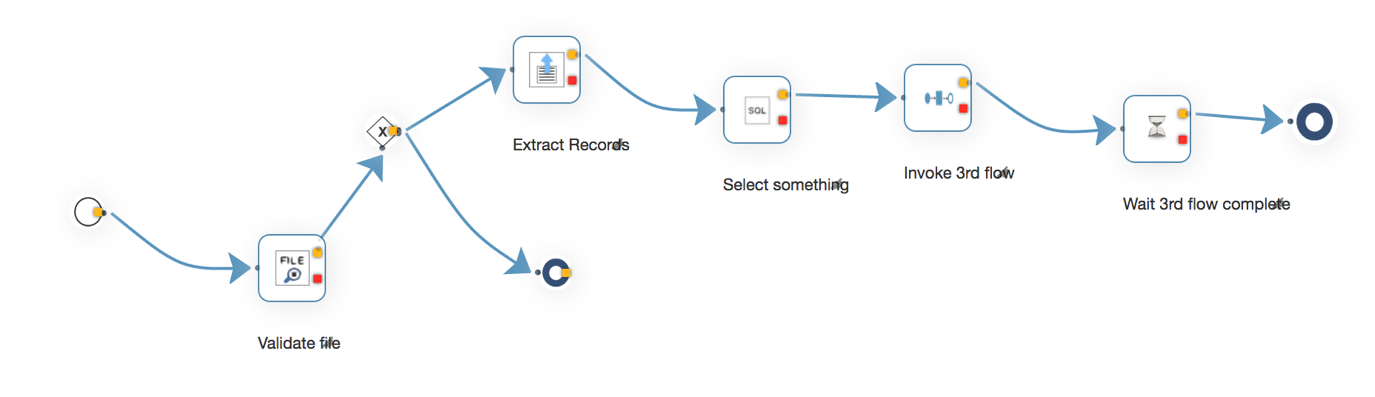
This picture shows a business flow designedvthrough Flow Manager.

&#x20;

<figure><img src="https://support.xnarum.com/download/manuals/ISM-Manual-2023.fld/image002.png" alt=""><figcaption></figcaption></figure>

While the captured picture may not exactly match the described scenario, it is similar enough to help illustrate the usage of ISM.

The scenario of this process is this.

Our clients submit information in fixed length format via text files to our (s)FTP server. To update and synchronize this information with our database, we collect and process these files. Prior to processing, we validate the file's structure and contents of each record to ensure accuracy. Once a record passes validation, we process it.

1. Validate input file
2. Route to the next step by some condition.
3. If the condition matches, extract the records from file.
4. Retrieve data from database.
5. Invoke another process, so called sub flow, with the records.
6. Wait until all the sub flows are complete.

Once the request for the flow arrives, the flow is executed from the start to the end.

## Retry

ISM has retry function for a flow execution. The scenario for retry is this.

When our clients send us a file, they expect a result from our operations. While the file is expected to have the correct structure and format, this cannot always be guaranteed. If the structure or format is incorrect, we generate an error file that provides a description of the failure cause. For example, 'File validation error: the 103rd record is incorrect'.

Upon receiving a valid file, we perform validation on each record. If a record passes validation, we execute and update it onto our database. In the event that a record fails validation, it will not be processed. It is necessary for us to notify our clients of the success and failure of each record. During record processing, we may encounter unexpected problems such as a timeout from the database or other systems, which are not related to the record itself but rather a system malfunction. When this occurs, our processing will fail. After the environment has been recovered, we must reprocess the affected records. However, the business logic for retry is not always straightforward. There may be updates that occurred during the initial processing, so we must skip those updates when reprocessing the record. The Flow Manager retry functionality considers this condition, allowing the Flow Designer to decide whether a task can be skipped or not. If 'skip' is chosen, the Flow Manager will reuse the result of that task from the last successful execution. The default option for retry is 'skip'.

## Sub flow Invocation

After validating a file's structure and contents, each record needs to be processed by executing the appropriate business logic and generating a result. This process involves picking up a record, executing the logic, and generating the result repeatedly. While this operation can be done in order by a single thread, the number of records in a file is unpredictable, and processing them all can take hours. To avoid this risk, the Flow Manager provides a task called FlowTask. Flow designers can use this task to design a repeating operation in a different flow that is executed per record and invoked by the main flow. When a sub flow is invoked, there is an option for synchronous or asynchronous invocation. Synchronous invocation waits until the sub flow is complete, while asynchronous invocation does not. If the result of the entire sub flow executions is required, the WaitSubTask is used to check the result of the sub flow executions.

!\[A screenshot of a computer

Description automatically generated with medium confidence]\(<https://support.xnarum.com/download/manuals/ISM-Manual-2023.fld/image003.png>)

## Flow Execution

### Scheduler

In the previous scenario, files are transferred on a schedule, and the flow must also be executed on that same schedule. Flow Manager provides a scheduler that can be used to set up cron-style schedules for flow execution. The scheduler offers three types of schedule invocation, allowing for greater flexibility in managing the flow's execution.

* Flow - invokes a flow with predefined parameters.
* Flow Trigger - involves file(s). If a file or files exist(s) in the specified (s)FTP directory, the designated flow is invoked.

&#x20;

### Exposing flow

Or the files may need to be processed by the external request. Flow Manager provides 2 types of endpoints.

* Web service endpoint
* RESTful service endpoint

A flow can be exposed as a SOAP web service by web service generation utility or exposed as REST endpoint automatically by publishing.

&#x20;

## Task

A task represents business logic of a specific step within a business process. Task has three types of attributes.

* Common - common attribute for all the tasks
* Input - parameters of a task
* Output - result data of a task

Common attributes are used by flow controller to determine common parameters and execution. Retry option is one of the common attributes. And some tasks use common attribute to construct dynamic input attribute list.

Input attributes are used by the task. Input attributes depends on the task. If the task is about file read operation, the path of file will be the input.

Output attributes are used by next tasks which will use result of previous task as input, which means input attributes of a task can be parameterized.

If you want to pick up the first FLOWID from the input below,

!\[A picture containing table

Description automatically generated]\(<https://support.xnarum.com/download/manuals/ISM-Manual-2023.fld/image004.png>)

The syntax of the parameter definition either of these two. But these two cannot be used together in one attribute.

| #ResultArray\[0].FLOWID#  |
| ------------------------- |
| ${ResultArray\[0].FLOWID} |

The meaning of the parameter is this.

Input value comes from the output attribute named ResultArray of one of previous tasks and ResultArray is an array or list. That array or list contains FLOWID property and the first FLOWID will be used as input.

Task is a pluggable component. A custom task can be added on the fly and custom task needs to be implemented using java annotation.

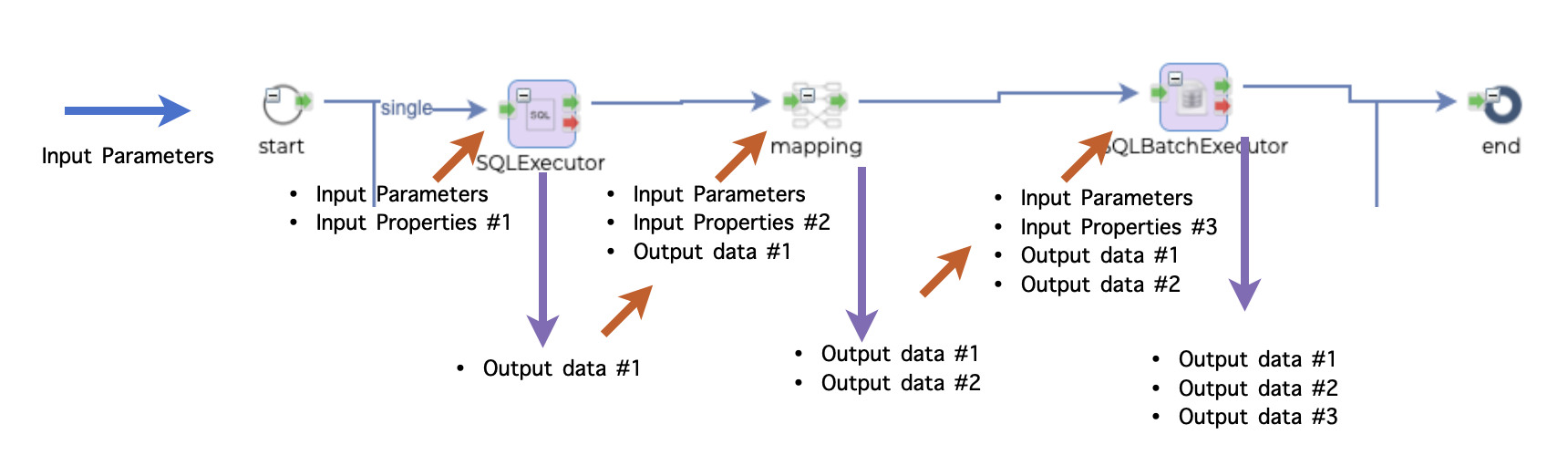
The flow of data or parameters inside flow is this.

<figure><img src="https://support.xnarum.com/download/manuals/ISM-Manual-2023.fld/image005.png" alt=""><figcaption></figcaption></figure>

Input parameters can come from 2 sources.

* From the client as request body of REST call or XML contents of the web service
* From the flow definition

Every output data of each step is passed to the next step as input data.

<figure><img src="https://support.xnarum.com/download/manuals/ISM-Manual-2023.fld/image006.png" alt=""><figcaption></figcaption></figure>

If an output name is duplicate, it is overwritten with the last one. In the picture above, the second component generates Output A, and this Output A is already generated by the first component. Output A of the first component is replaced with the second Output A and passed to the third component.

&#x20;

## Access control

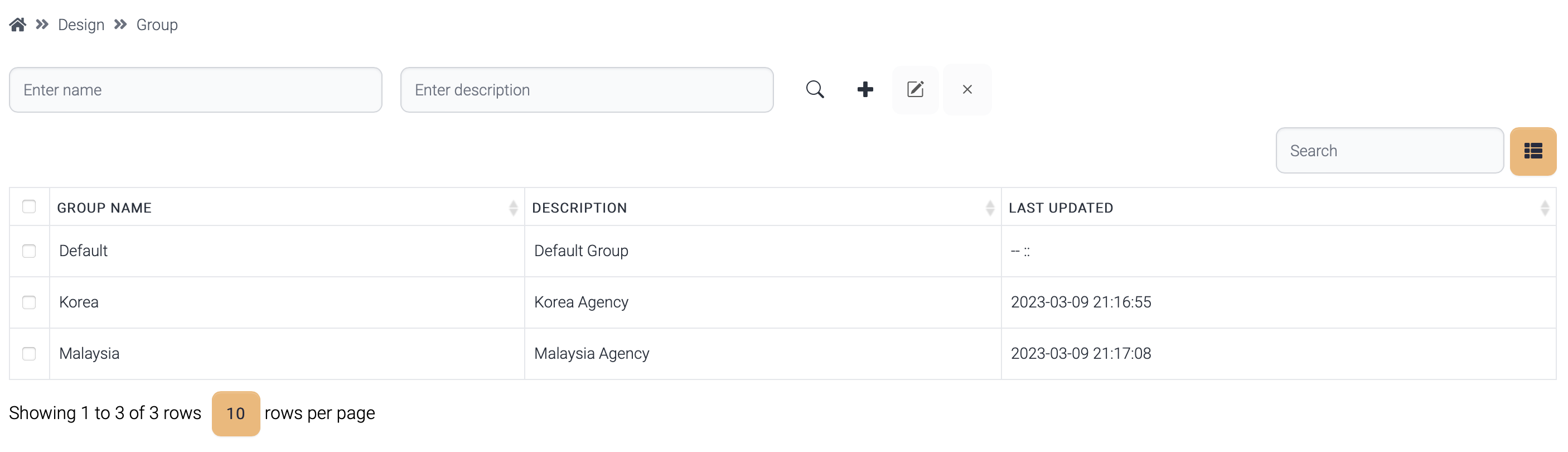
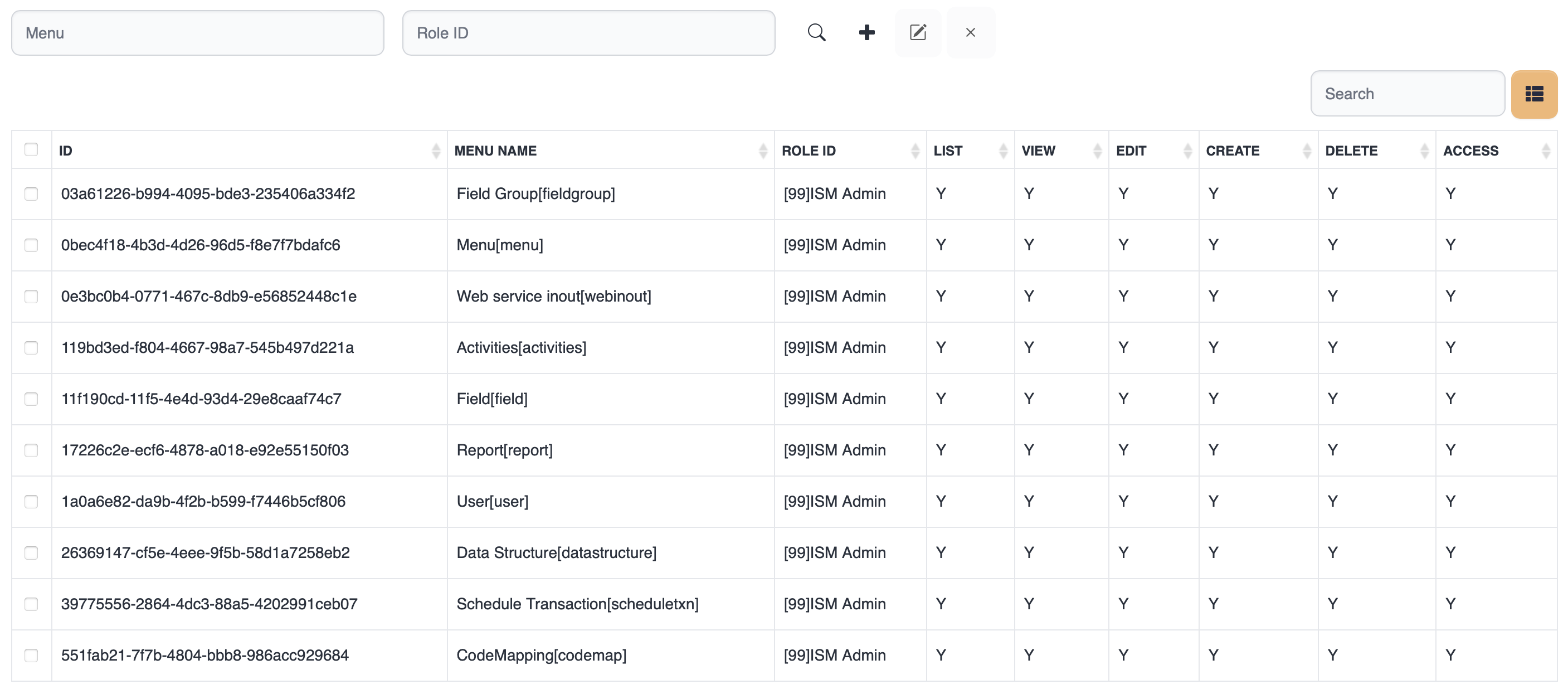
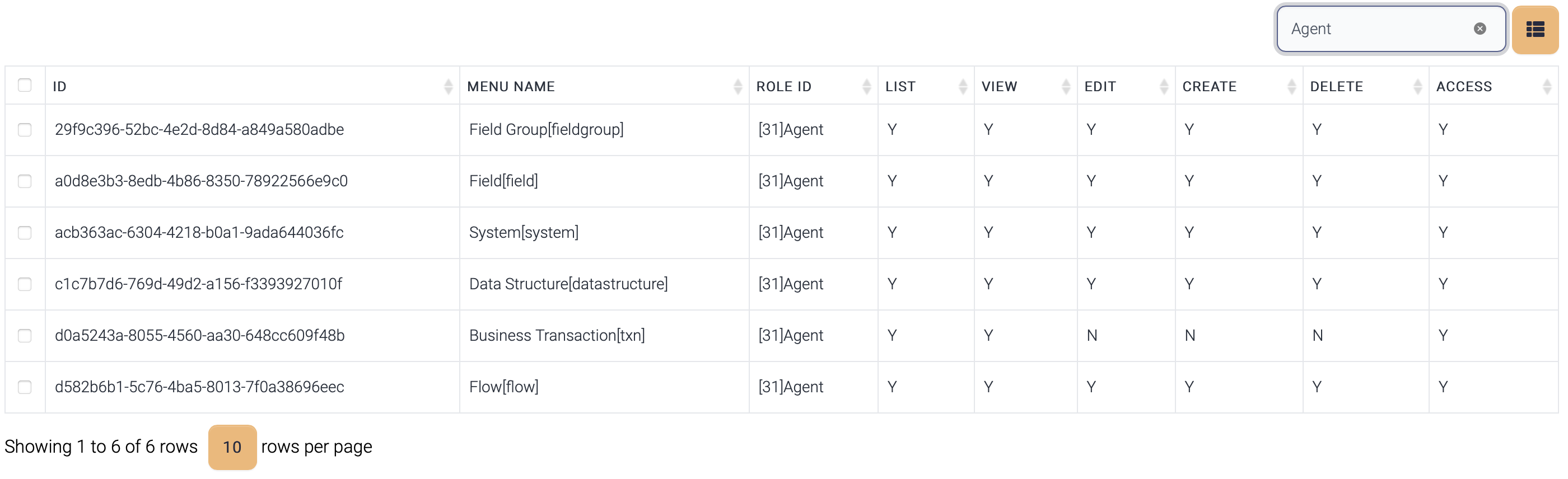
Flow Manager provides finer access control than Swordfish. Swordfish provides only menu based access control. Access control of Flow Manager is about activities. And access control is about role not user. All the users with same role have same access privileges.

These are the access control list of ISM.

* Access - access the menu(page)
* List - list up the information.
* View - View detail information.
* Edit - Modify an item.
* Delete - Delete item(s).

And if activity log flag is on, all the activities are logged.


# Components

This is the component diagram of ISM.

\<img src="<https://support.xnarum.com/download/manuals/ISM-Manual-2023.fld/image007.png>" alt="Graphical user interface

Description automatically generated with medium confidence" width="400">

## Runtime engine

This component is the running instance of ISM and this engine can be multiple per machine. This engine runs as a web server for web services or REST services. ISM uses Wildfly-10 version currently. &#x20;

## Cache

Two caches are used for faster transaction processing. H2 and Derby contain flow caches and these caches consist of the followings.

·       Flow definition

·       System information

·       Data structure

The information can be loaded when the request arrives, but It??�s recommended to load data to cache before the transaction. The data in the database are just flat records. The data need to be transformed into an object to be used and several tables are used to store a flow information. Loading and converting into a flow takes time and this degrades the performance.

The information in the cache is already binary object, retrieved once and used until the instance is shutdown during runtime. Loading data into cache is called publishing in ISM. If a flow is modified, publishing is used to update the cache.

## Flow controller

Flow controller controls the processing of flows. Flow controller finds the entry point of a flow and execute the flow according to the path. The component in each step is a plugin called Task and Flow controller loads this plugin and executes. Flow controller receives parameter from the external client or scheduler and passes to the components.

Two types of tasks are used.

1\.      Control Task

These tasks are used to determine the direction of the processing.

·       Start

·       End

·       Router

·       Split/Join

&#x20;

2\.      Function Task &#x20;

These tasks are specific functions like file operation, (s)ftp operation, database operation and others.

If a flow is executed asynchronously and retry count is greater than 0, when this transaction fails in a certain step, it is executed again where it failed with same parameters.

If email notification is enabled for a flow and it fails, email notification is sent.  &#x20;

## Plugins

Plugins are java classes which implement TaskHandler interface and loaded dynamically by Flow controller. Flow controller scans a specific directory ??? custom and this directory is where all the custom classes are located. If a new plugin is uploaded to custom directory, that function is loaded automatically and used via Admin UI.

If a new version of a function is uploaded, that new version is used right after the upload.

## Admin UI

Admin UI is a single web console for entire user operations and jetty web server is used.

Designing flows, monitoring transactions, configuring schedules and other operations are performed through Admin UI.


# Directory Structure

<table data-header-hidden><thead><tr><th width="201"></th><th></th></tr></thead><tbody><tr><td>Directory</td><td>Description</td></tr><tr><td>bin</td><td><p>Directory for the scripts to start/stop ISM</p><p>run.sh - start ISM processes.</p><p>stop.sh - stop ISM processes.</p><p>servicex64.bat - register ISM RuleCache as windows service.</p><p>ismadmin/ismadmin.bat - ISM Administration script</p></td></tr><tr><td>custom</td><td><p>Directory for custom classes, custom functions, and the default tasks</p><p>New tasks can be added automatically once the class files are located in this directory.</p><p>flow.jar - default tasks</p></td></tr><tr><td>data</td><td><p>Directory for cache and other ISM data.</p><p>schema.xml - ISM DB schema file.</p><p>license.txt - ISM license file</p><p>Flow-Report-Template.docx - Flow report template</p></td></tr><tr><td>jetty-9.4.7</td><td>Admin UI web server directory</td></tr><tr><td>lib</td><td>Directory for ISM libraries</td></tr><tr><td>Properties</td><td><p>Directory for configuration</p><p>ism.xml - ISM main configuration file</p><p>logback.xml - Configuration for logging</p><p>sftp.config.yml - sFTP server configuration file</p></td></tr><tr><td>logs</td><td><p>Directory for log files</p><p>admin.log - Admin script log file</p></td></tr><tr><td>tmp</td><td>Directory for storing temporary files for web service generation</td></tr><tr><td>wildfly-10.1.0.Final</td><td>Directory for ISM main runtime process</td></tr></tbody></table>

&#x20;

## Admin Script

·       Unix/linux - ismadmin

·       Windows - ismadmin.bat

&#x20;

·       Start admin processes.

$>ismadmin pmgr start

&#x20;

·       Stop admin processes.

$>ismadmin pmgr stopall

&#x20;

·       Update DB schema

$>ismadmin schema import schema\_file -m update/skip

·       Update - overwrite the existing table.

·       Skip - skip if the table exists.

&#x20;

## H2 directory

&#x20;

<table data-header-hidden><thead><tr><th width="169"></th><th></th></tr></thead><tbody><tr><td>Directory</td><td>Description</td></tr><tr><td>bin</td><td><p>Directory for the scripts to start/stop h2</p><p>This directory is used in unix/linux environments</p><p>h2-1.4.193.jar - h2 library</p><p>start.sh - start h2</p><p>stop.sh - stop h2</p></td></tr><tr><td>service</td><td><p>Directory for windows service management.</p><p>This directory contains scripts for windows service.</p></td></tr></tbody></table>

&#x20;

## jetty-9.4.7 directory

&#x20;

<table data-header-hidden><thead><tr><th width="171"></th><th></th></tr></thead><tbody><tr><td>Directory</td><td>Description</td></tr><tr><td>bin</td><td><p>Directory for the scripts to start/stop jetty</p><p>jetty.sh - start/stop jetty processes.</p><p>servicex64.bat - register jetty process as windows service.</p></td></tr><tr><td>etc</td><td><p>Directory for jetty properties</p><p>xnarum.xml - ISM properties</p></td></tr><tr><td>lib</td><td><p>Directory for jetty library.</p><p>ext directory contains JDBC libraries.</p><p>(*) Put the JDBC driver of the target database, if not exists</p></td></tr><tr><td>resources</td><td>Directory for logging properties</td></tr><tr><td>webapps</td><td>Directory for Admin UI application</td></tr><tr><td>work</td><td><p>Directory for deployed applications.</p><p>.war files of webapps directory are uncompressed under this directory while jetty is starting.</p></td></tr></tbody></table>

&#x20;

## Wildfly-10.1.0.Fnial directory

&#x20;

<table data-header-hidden><thead><tr><th width="168"></th><th></th></tr></thead><tbody><tr><td>Directory</td><td>Description</td></tr><tr><td>bin</td><td><p>Directory for the scripts to start/stop wildlfy</p><p>start.sh - start wildfly process.</p><p>service-jboss.bat - register wildfly process as windows service.</p><p>add-user.sh - create a new user. Admin user is generated with this script</p><p>jboss-cli.sh - jboss admin client batch/interactive script.</p></td></tr><tr><td>modules</td><td><p>Directory for wildfly module libraries</p><p>com/ism/jdbc directory contains jdbc libraries for ISM</p></td></tr><tr><td>Standalone</td><td>Directory for ISM runtime module and other applications.</td></tr></tbody></table>

&#x20;

### Standalone directory

&#x20;

<table data-header-hidden><thead><tr><th width="176"></th><th></th></tr></thead><tbody><tr><td>Directory</td><td>Description</td></tr><tr><td>configuration</td><td><p>Directory for configuration of standalone instance</p><p>standalone.xml - main configuration file</p><p>logback.xml - Configuration for logging</p></td></tr><tr><td>data</td><td>Directory for runtime data</td></tr><tr><td>deployments</td><td><p>Directory for the applications</p><p>xnarum.ear - ISM main application</p><p>api.war - ISM REST application</p></td></tr><tr><td>log</td><td>Logging directory</td></tr><tr><td>tmp</td><td><p>Directory for uncompressed applications</p><p>File under deployments are uncompressed under this directory.</p></td></tr></tbody></table>


# Startup/Shutdown

## Process List

Current version (3.9) runs these processes.

<table data-header-hidden><thead><tr><th width="198"></th><th></th></tr></thead><tbody><tr><td>Name</td><td>Description</td></tr><tr><td>Wildfly</td><td>Main runtime process. ISM service module is running on this process.</td></tr><tr><td>Jetty</td><td>Admin UI web server</td></tr><tr><td>H2</td><td>H2 database for cache</td></tr><tr><td>Derby</td><td>Derby database for cache</td></tr><tr><td>RuleCache</td><td>Admin process for cache</td></tr></tbody></table>

&#x20;

## Start sequence

### Linux/Unix

You can start all the processes with this script&#x20;

```
$>cd bin
$>./run.sh
```

Or you can start the processes one by one.

1\. Derby and Rule cache

```
$>cd bin
$>ismadmin pmgr start
    
```

2\. H2

```
$>cd h2/bin
$>./start.sh
    
```

3\. Wildfly

```
$>cd wildfly-10.1.0.Final/bin
$>./start.sh
    
```

4\. Jetty

```
$>cd jetty-9.4.7/bin
$>./jetty.sh start    
    
```

### Windows

1\. Derby and Rule cache

```
$>ismadmin pmgr start
    
```

2\. H2

```
$>cd h2/bin
$>./start.sh
    
```

3\. Wildfly

```
$>cd wildfly-10.1.0.Final/bin
$>./start.sh
    
```

4\. Jetty

```
$>cd jetty-9.4.7/bin
$>./jetty.sh start    
    
```

## Shutdown sequence

### Linux/Unix

You can stop all the processes with this script.

```
$>cd bin
$>./stop.sh
```

Or you can stop the processes one by one with this order.

1\. Jetty

```
$>cd jetty-9.4.7/bin
$>./jetty.sh stop    
    
```

2\. Wildfly

```
$>cd wildfly-10.1.0.Final/bin
$>./shutdown.sh
    
```

3\. H2

```
$>cd h2/bin
$>./stop.sh
```

4\. Derby and Rule cache

```
$>cd bin
$>./ismadmin pmgr stopall    
    
```

### Windows


# ISM Admin UI

All the operational tasks and implementation of flows are performed through Admin UI except custom java class or script implementations. You may not need to implement custom scripts or functions. Most of the business flow implementations can be done inside Admin UI.

<figure><img src="https://support.xnarum.com/download/manuals/ISM-Manual-2023.fld/image008.png" alt=""><figcaption></figcaption></figure>

·       URL : [http://ISM\_HOST:18080/web](http://ism_host:18080/web)

·       ID : ism

·       Password : fiss

&#x20;

Admin UI has these functions.

·       Dashboard

o   Provides runtime status of entire services.

o   Provides runtime status of entire instances.

·       Flow design

o   Provides business flow implementation tool.

·       Job

o   Provides schedule management.

·       Transaction result

o   Provides the transaction results and the details.

o   Provides the summary of transactions ??? daily/hourly.

o   Provides the input/output messages of the transactions.

·       Interface

o   Manages system information.

o   Manages data structures.

·       Web service

o   Provides web service/client generation tool.

o   Provides REST API Key management.

·       Utility

o   Provides some useful functions during operation.

·       Admin

o   Manages users/access control/housekeeping.

o   Provides deployment tool from test/staging to production environment.

These are the menus of Admin UI.

<table data-header-hidden><thead><tr><th width="185.33333333333331"></th><th width="180"></th><th></th></tr></thead><tbody><tr><td>Category</td><td>Menu</td><td>Description</td></tr><tr><td>Dashboard</td><td> </td><td>Shows summary information of service and processes</td></tr><tr><td>Design</td><td>Flow</td><td>Design and control flows</td></tr><tr><td>Job</td><td>Schedule</td><td>Manages schedules</td></tr><tr><td> </td><td>Sftp</td><td>Manages sftp related jobs</td></tr><tr><td>Result</td><td>Transaction</td><td>Shows the result and the details of the transactions</td></tr><tr><td> </td><td>Report</td><td>Shows the summary data of the transactions</td></tr><tr><td> </td><td>Schedule</td><td>Shows the schedule execution results</td></tr><tr><td> </td><td>Web Inout</td><td>Shows raw input/output message of Web service/REST</td></tr><tr><td>Interface</td><td>System</td><td>Manages source/target systems</td></tr><tr><td> </td><td>Data Structure</td><td>Manages data structure</td></tr><tr><td> </td><td>Field Group</td><td>Manages a single unit of fields</td></tr><tr><td> </td><td>Field</td><td>Manages fields</td></tr><tr><td>Web Service</td><td>Service</td><td>Generates web services</td></tr><tr><td> </td><td>Client</td><td>Generates web service clients</td></tr><tr><td> </td><td>API Key (REST)</td><td>Generates API Keys for REST call</td></tr><tr><td>Utility</td><td>SQL Executor</td><td>Query executor for the registered databases</td></tr><tr><td> </td><td>File Parser</td><td>File parser downloaded from (s)FTP server</td></tr><tr><td>Admin</td><td>User</td><td>Manages users of Admin UI</td></tr><tr><td> </td><td>sFTP User</td><td>Manages sFTP users</td></tr><tr><td> </td><td>Role</td><td>Manages roles of Admin UI</td></tr><tr><td> </td><td>Application Group</td><td>Manages business groups</td></tr><tr><td> </td><td>ACL</td><td>Manages Access Control List</td></tr><tr><td> </td><td>Runtime Node</td><td>Manages runtime instances</td></tr><tr><td> </td><td>Import</td><td>Deployment tool from test/staging to production</td></tr><tr><td> </td><td>Housekeeping</td><td>Shows the status of the ISM tables and housekeeping of log tables </td></tr><tr><td> </td><td>Parameters</td><td>Global parameters for the entire flows</td></tr><tr><td> </td><td>Configuration</td><td>Global configuration</td></tr><tr><td> </td><td>Activities</td><td>Shows the list of activities of users</td></tr><tr><td> </td><td>Settings</td><td>General settings for UI</td></tr></tbody></table>

&#x20;

These are the menus to visit and the sequence to create a business flow.

·       System

o   If source or target systems are among database, (s)FTP, SMTP servers, system information should be registered before designing the flow.

·       Data structure

o   If mapping or predefined request/response is required, data structure should be registered before designing the flow.

·       Flow design

o   Implement the business logic in the flow.

·       Web service

o   If the flow will be served as a web service (SOAP), a new web service should be generated and deployed.

o   If the flow will be served as a REST service, it is automatically registered with this endpoint.

§  /api/flow\_id/flow\_version

·       Schedule

o   If the flow will be executed by scheduler, a new schedule should be registered.

And once the flow is complete and executed, these pages will be visited.

·       Transaction result

·       Summary


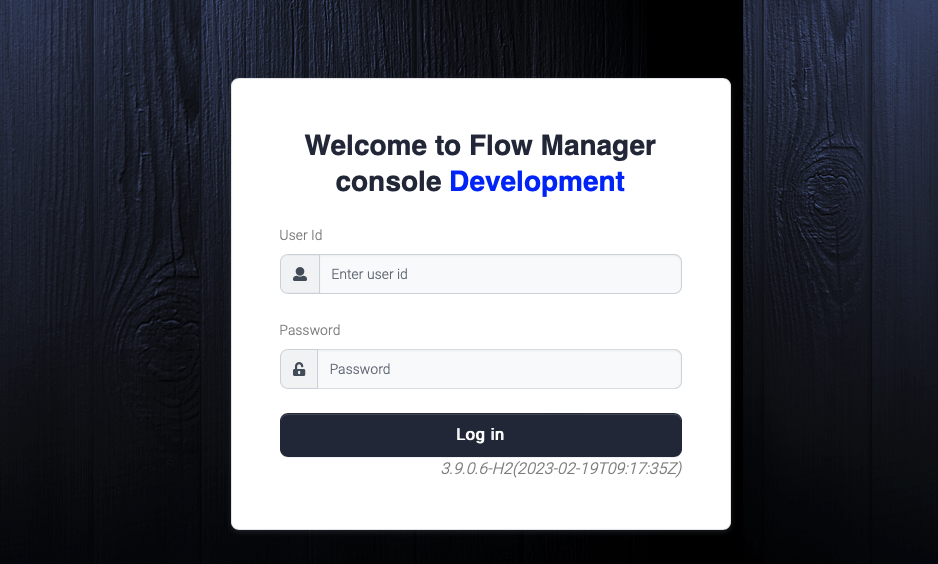
# Dashboard

<br>

<figure><img src="https://support.xnarum.com/download/manuals/ISM-Manual-2023.fld/image009.png" alt=""><figcaption></figcaption></figure>

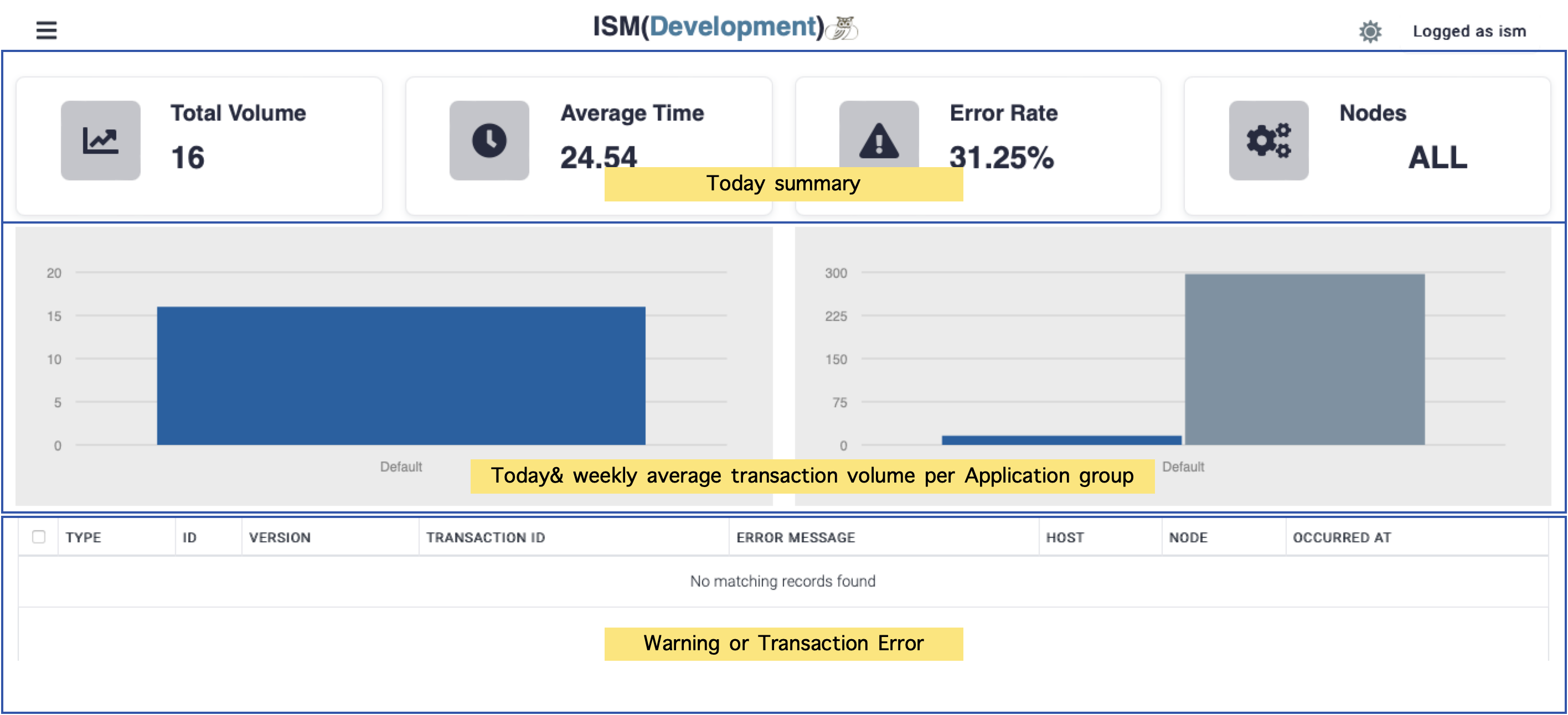
Dashboard consists of three categories.

·       Today summary shows the summary of today transactions and the status of instances.

·       Today & weekly average shows the volume of today and weekly average volume per application group.

·       Warning & Error shows the warning alert or transaction errors.

·       Transaction errors displays for 10 minutes and warnings are displayed when any threshold is defined and monitoring value is over that threshold.

This summary information is refreshed per 30 seconds.

## Nodes

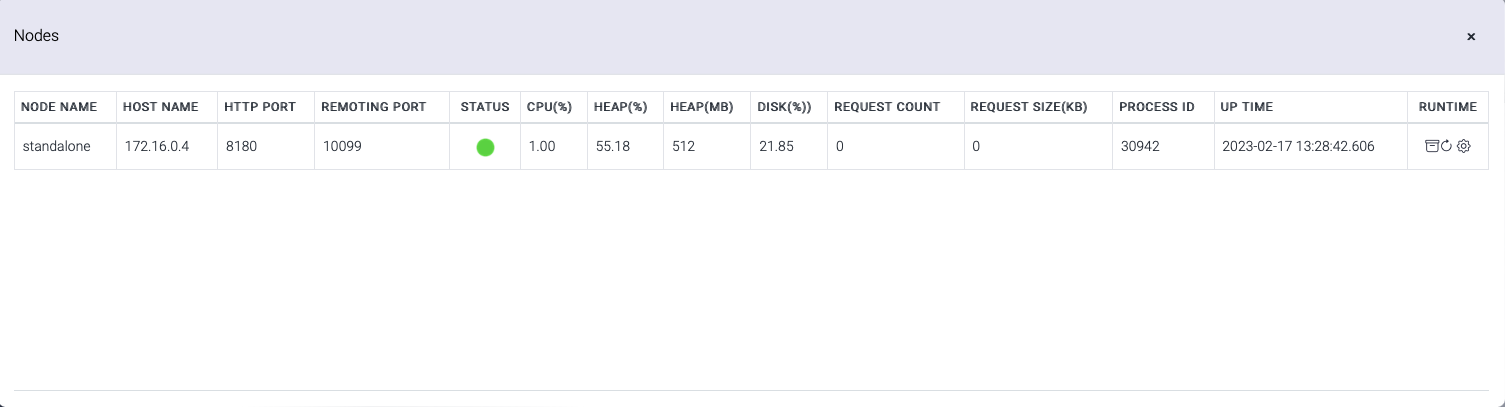
Nodes box shows the status of the instances. If not all the instances are running, it shows PARTIAL.

The status is displayed when PARTIAL/ALL is clicked.

<figure><img src="https://support.xnarum.com/download/manuals/ISM-Manual-2023.fld/image010.png" alt=""><figcaption></figcaption></figure>

These are the information of the displayed columns.

<table data-header-hidden><thead><tr><th width="234"></th><th></th></tr></thead><tbody><tr><td>Name</td><td>Description</td></tr><tr><td>Node Name</td><td>Instance name</td></tr><tr><td>Host Name</td><td>Host name of the instance</td></tr><tr><td>HTTP Port</td><td>Service port for the transactions</td></tr><tr><td>Remoting Port</td><td>Administrative port for the admin operations</td></tr><tr><td>Status</td><td><p>Instance status</p><p><img src="https://support.xnarum.com/download/manuals/ISM-Manual-2023.fld/image011.png" alt=""> up and running.</p><p><img src="https://support.xnarum.com/download/manuals/ISM-Manual-2023.fld/image012.png" alt=""> down</p></td></tr><tr><td>CPU(%)</td><td>CPU usage of this instance (%)</td></tr><tr><td>HEAP(%)</td><td>Heap memory usage (%)</td></tr><tr><td>HEAP(MB)</td><td>Maximum heap memory size (MB)</td></tr><tr><td>DISK(%)</td><td>Disk usage of this instance (%)</td></tr><tr><td>Request Count</td><td>Pending request count for sub flow</td></tr><tr><td>Request Size(KB)</td><td>Data size of pending requests for sub flow(KB)</td></tr><tr><td>Process ID</td><td>Process id of this instance</td></tr><tr><td>Up Time</td><td>Up time of this instance. This time means the uptime of JVM.</td></tr><tr><td>Runtime</td><td><p>This column has 3 action links.</p><ul><li>displays pending sub flow requests.</li><li>refreshes current row.</li><li>shows deployed applications.</li></ul></td></tr></tbody></table>

&#x20;

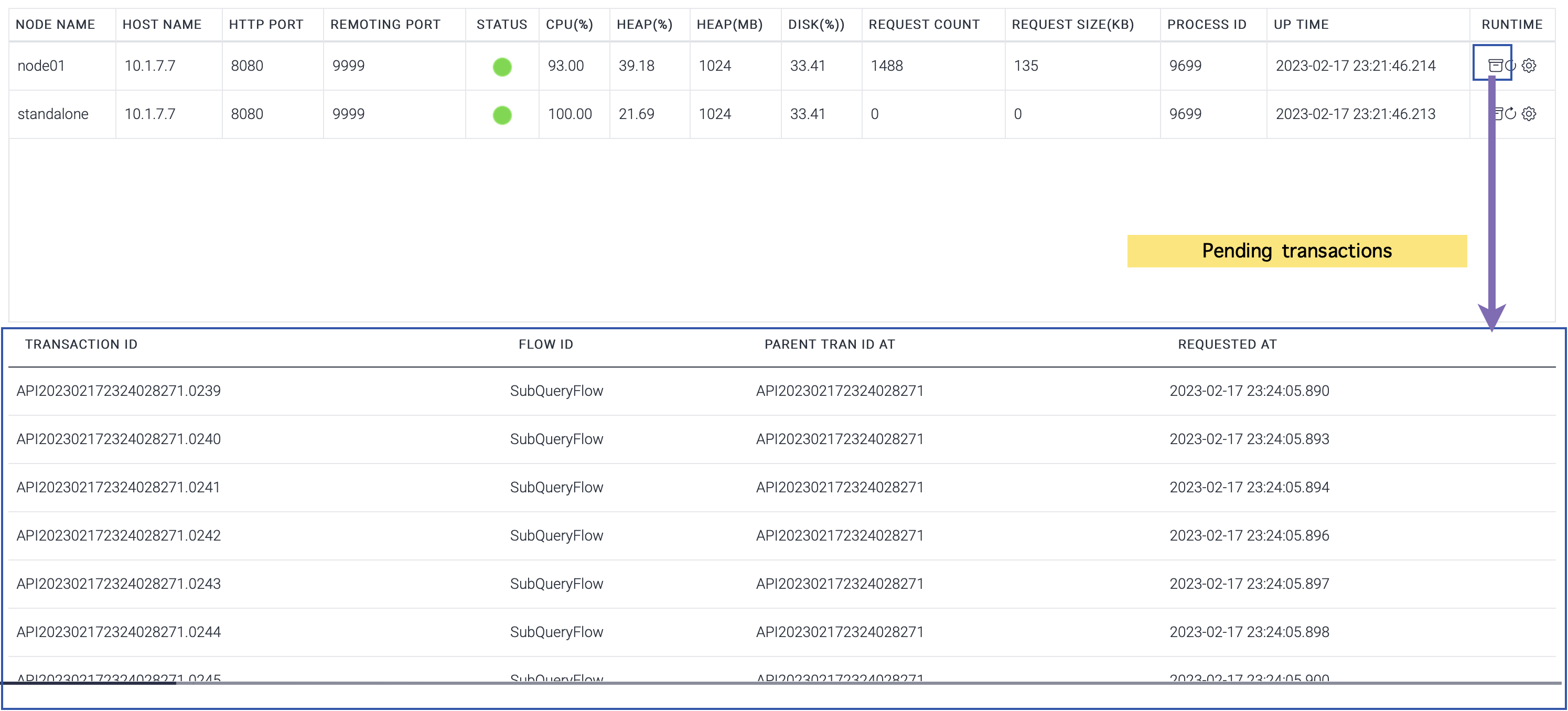
## **Pending subflow requests**

<figure><img src="https://support.xnarum.com/download/manuals/ISM-Manual-2023.fld/image016.png" alt=""><figcaption></figcaption></figure>

These are the information displayed in pending list.

| Name                  | Description                                |
| --------------------- | ------------------------------------------ |
|                       |                                            |
| Transaction ID        | Transaction id of the pending request      |
| Flow ID               | Flow id of the pending request             |
| Parent transaction ID | Parent transaction of this pending request |
| Requested At          | Request time                               |

&#x20;

## **Deployed applications**

The status of the deployed applications is displayed.

<figure><img src="https://support.xnarum.com/download/manuals/ISM-Manual-2023.fld/image017.png" alt=""><figcaption></figcaption></figure>


# Flow

## Flow

Flow menu provides designing and controlling the flows functions.

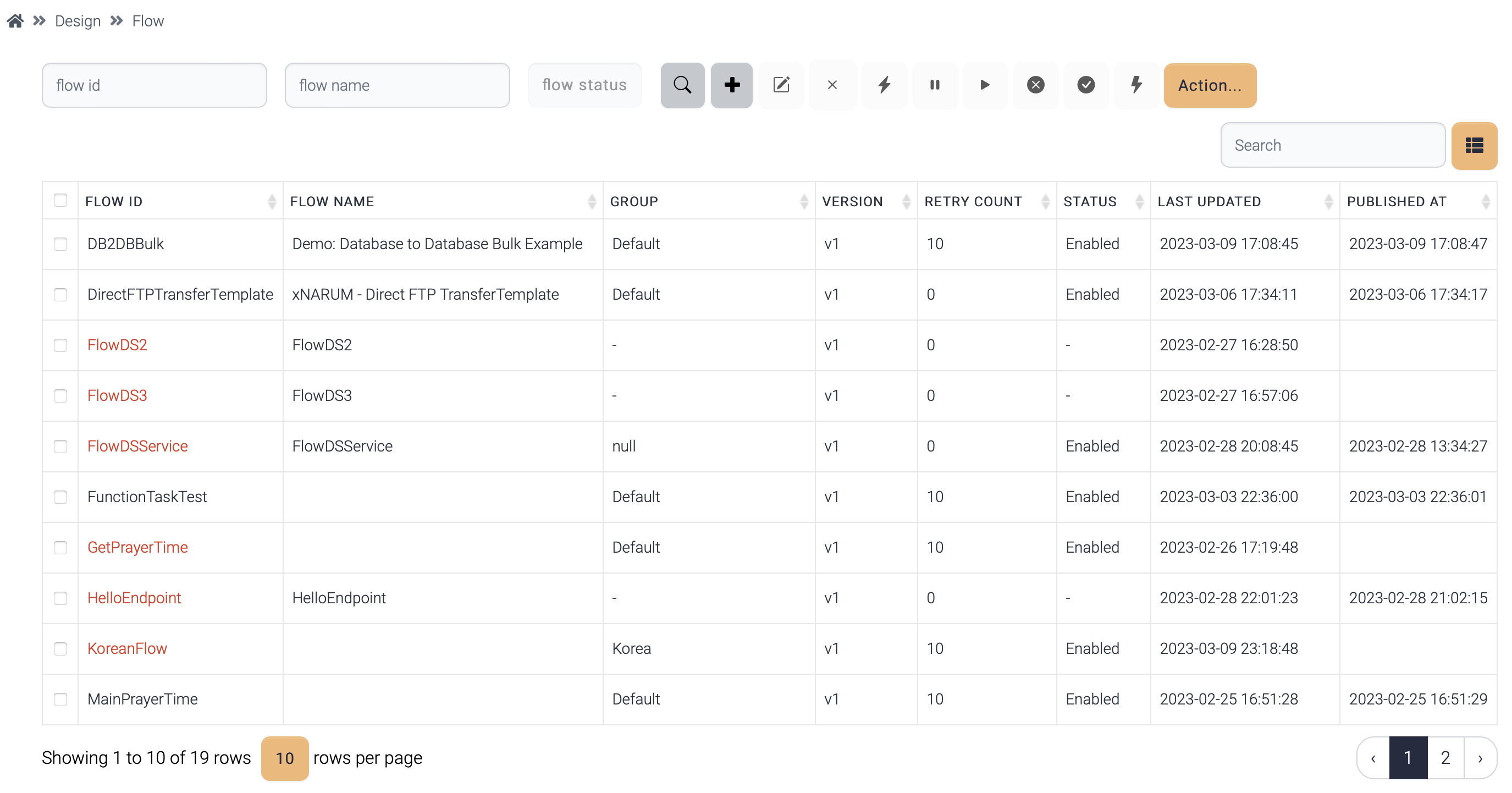
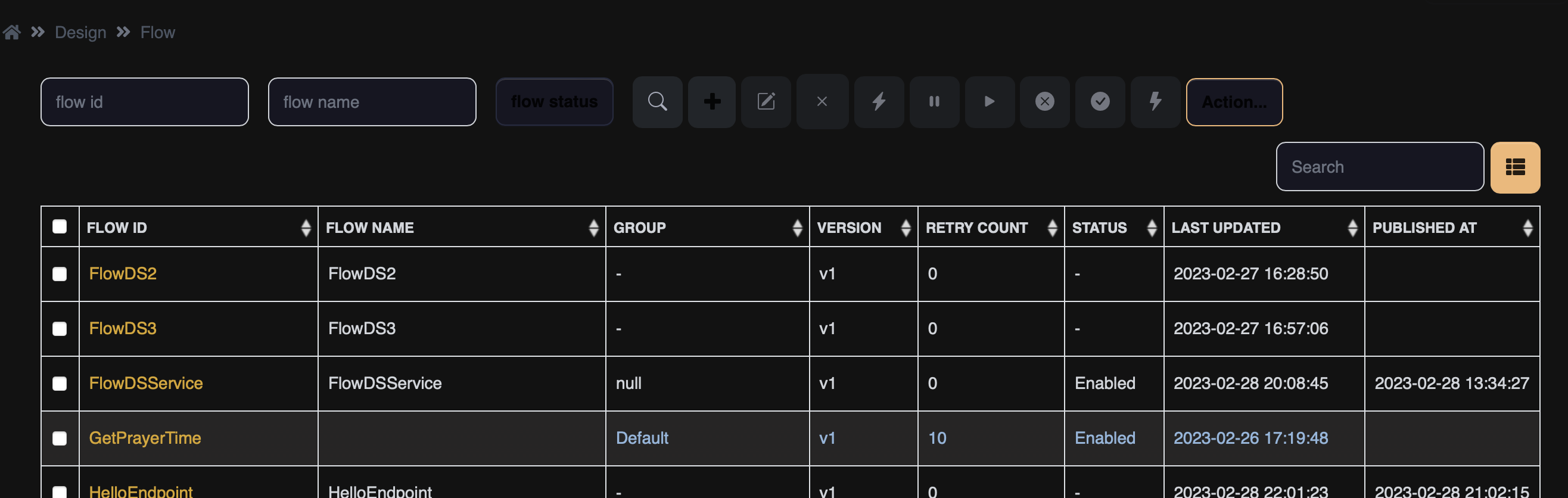
<figure><img src="https://support.xnarum.com/download/manuals/ISM-Manual-2023.fld/image018.png" alt=""><figcaption></figcaption></figure>

A flow generated by a normal user belongs to the group and this flow is not visible to the users of different groups. Likewise, system, data structure, field group, field are invisible to other groups.

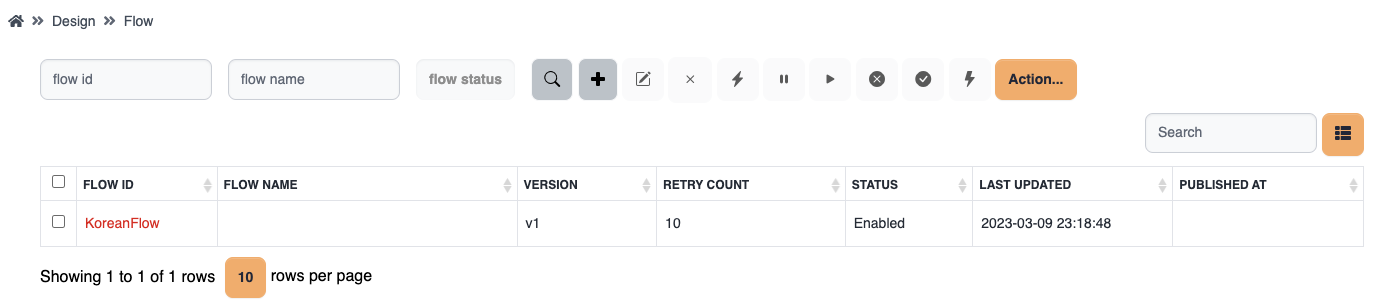
<figure><img src="https://support.xnarum.com/download/manuals/ISM-Manual-2023.fld/image019.png" alt=""><figcaption></figcaption></figure>

Admin users can view to which groups the flows belong.

### **State**

A flow can be executed only when enabled.

* Enabled - default state when a flow is published.
* Disabled - requests of disabled flow are discarded.
* Paused - requests of paused flow are kept only when invoked asynchronously.

### **Operations**

These are the available operations to the flows.

<table data-header-hidden><thead><tr><th width="228"></th><th></th></tr></thead><tbody><tr><td>Name</td><td>Description</td></tr><tr><td><img src="https://support.xnarum.com/download/manuals/ISM-Manual-2023.fld/image020.png" alt="" data-size="line"> Publish</td><td>Load selected flows to the cache. This operation asks to the instances to load flow information from database to cache.</td></tr><tr><td><img src="https://support.xnarum.com/download/manuals/ISM-Manual-2023.fld/image021.png" alt="" data-size="line"> Enable</td><td>Enable the disabled flows. This change is published automatically.</td></tr><tr><td><img src="https://support.xnarum.com/download/manuals/ISM-Manual-2023.fld/image022.png" alt="" data-size="line"> Disable</td><td>Disable the selected flows. This change is published automatically.</td></tr><tr><td><img src="https://support.xnarum.com/download/manuals/ISM-Manual-2023.fld/image023.png" alt="" data-size="line"> Pause</td><td>Pause the selected flows. This change is published automatically.. Pause has effect only when the flow is invoked asynchronously.</td></tr><tr><td><img src="https://support.xnarum.com/download/manuals/ISM-Manual-2023.fld/image024.png" alt="" data-size="line"> Runtime</td><td>View runtime flow information. Each instance has its own cache in its own memory</td></tr><tr><td><img src="https://support.xnarum.com/download/manuals/images/template-button.png" alt="" data-size="line"> New From Template</td><td><p>Create a new flow from the templates. The available templates are the followings:</p><ul><li>DB to DB</li><li>DB to File</li><li>File to DB</li><li>File to File(With mapping)</li><li>File to File(Get and Put) - The file is stored in the local disk before sending to the target server</li><li>File to File(Transfer) - No local disk is used to store a temporary file</li></ul></td></tr><tr><td>Export</td><td>Export the selected flows as json file</td></tr><tr><td>Import</td><td>Import flows from json file</td></tr><tr><td>Restore</td><td>Restore a flow from the backup</td></tr><tr><td>Execute(*)</td><td>Execute current flow manually.</td></tr><tr><td>Report(*)</td><td>Documentation about the flow is generated in word document(.docx).</td></tr><tr><td>Export(*)<img src="https://support.xnarum.com/download/manuals/ISM-Manual-2023.fld/image025.png" alt="" data-size="line"></td><td>Export the flow design only. This function is used to copy flow design to another flow.</td></tr><tr><td>Import(*)<img src="https://support.xnarum.com/download/manuals/ISM-Manual-2023.fld/image026.png" alt="" data-size="line"></td><td>Import the flow design only. This function is used to copy flow design to another flow.</td></tr></tbody></table>

(\*) These operations are available inside flow designer.

&#x20;

### **Attributes**

A flow has these attributes.

#### **Common**

&#x20;

<table data-header-hidden><thead><tr><th width="201"></th><th></th></tr></thead><tbody><tr><td>Name</td><td>Description</td></tr><tr><td></td><td></td></tr><tr><td>Flow ID</td><td>Flow ID</td></tr><tr><td>Flow Name</td><td>Name of the flow</td></tr><tr><td>Flow Version</td><td>Flow version. v1 is assigned if not specified</td></tr><tr><td>Group</td><td><p>Application group. Default is assigned if not chosen.</p><p>If this flow is generated by a normal user, the group of that user is assigned.</p></td></tr><tr><td>Retry Count</td><td>Retry count. Max retry count is 100.</td></tr><tr><td>Notification</td><td>If checked, an email notification is sent when the flow failed.</td></tr><tr><td>Single Transaction</td><td>If checked, all the sql operations are committed once after all the steps are compete. This attribute can work when one database is used for entire flow.</td></tr></tbody></table>

&#x20;

#### **Single Transaction**

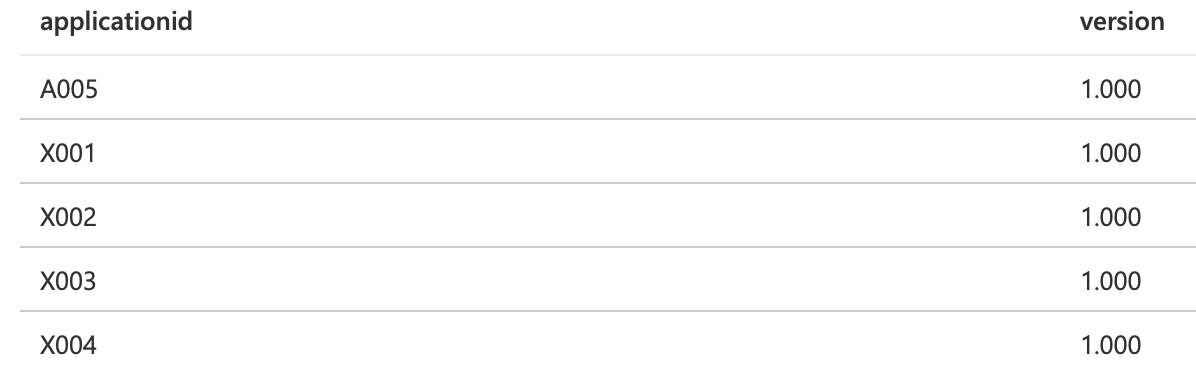
This flow inserts 4 records to the same table of the same database.

<figure><img src="https://support.xnarum.com/download/manuals/ISM-Manual-2023.fld/image027.png" alt=""><figcaption></figcaption></figure>

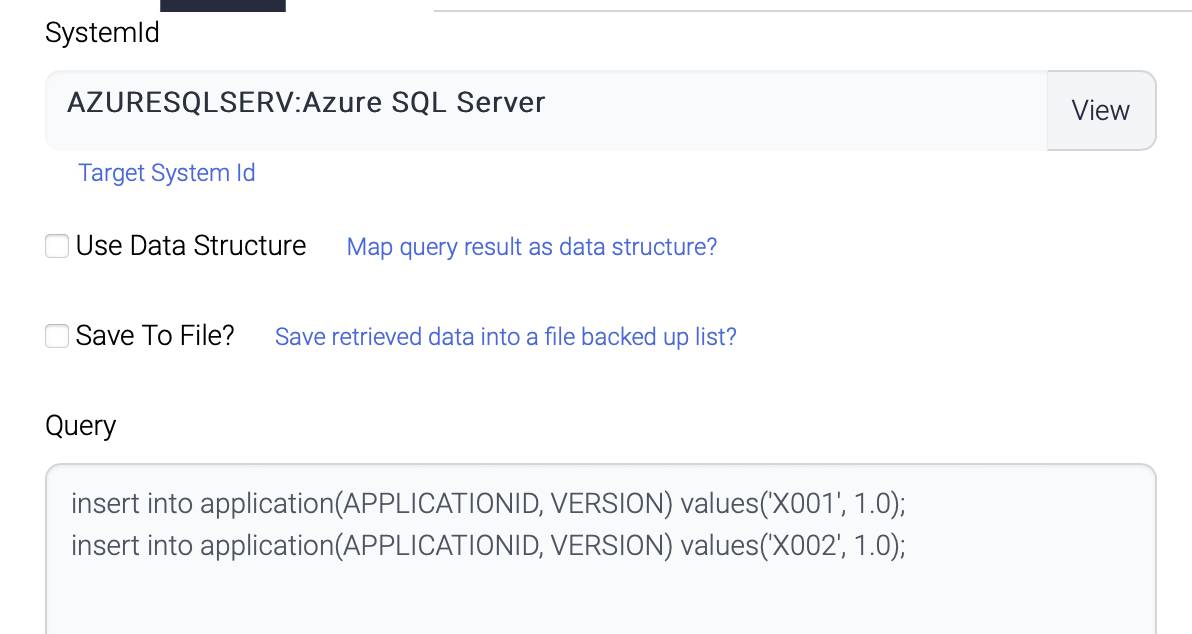
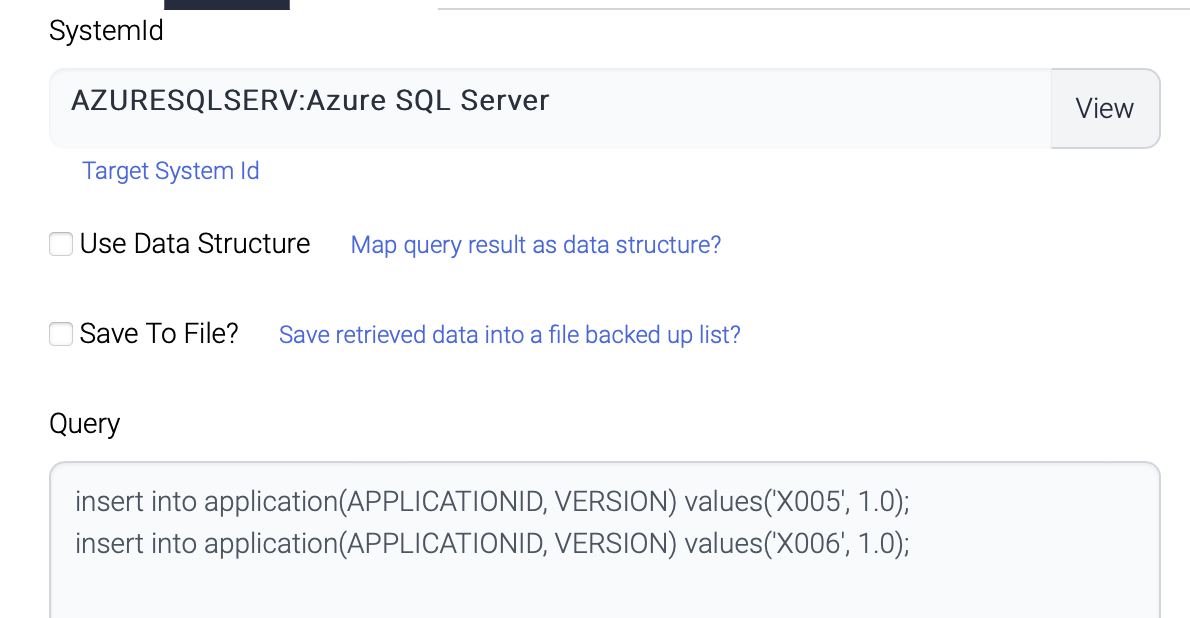
* InsertFirst

The first component inserts 2 records.

<figure><img src="https://support.xnarum.com/download/manuals/ISM-Manual-2023.fld/image028.png" alt="" width="563"><figcaption></figcaption></figure>

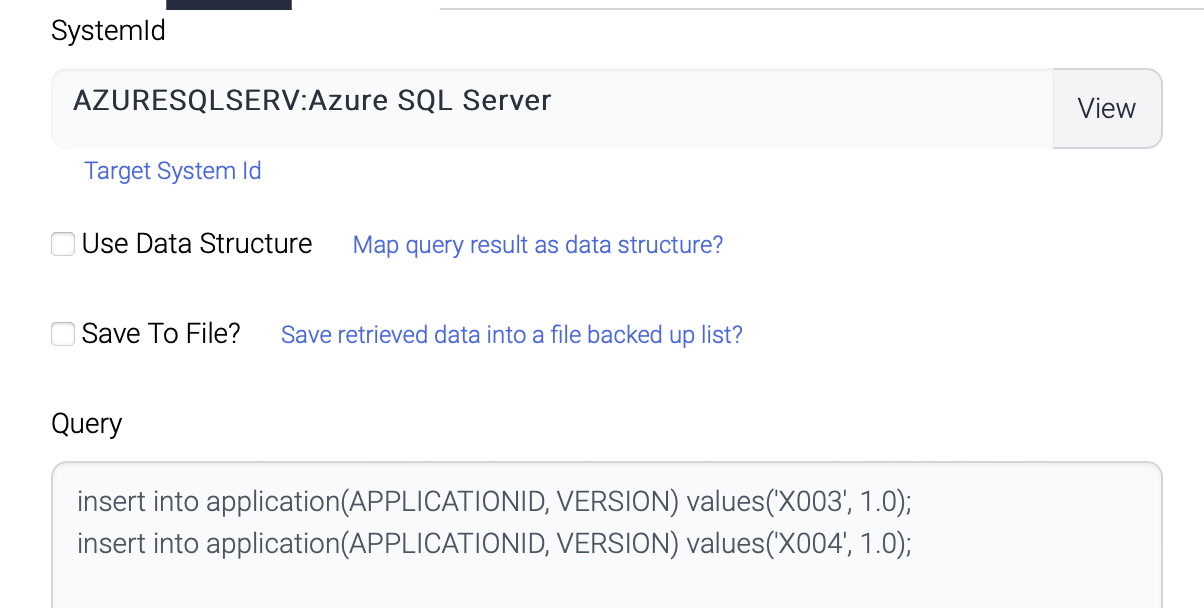
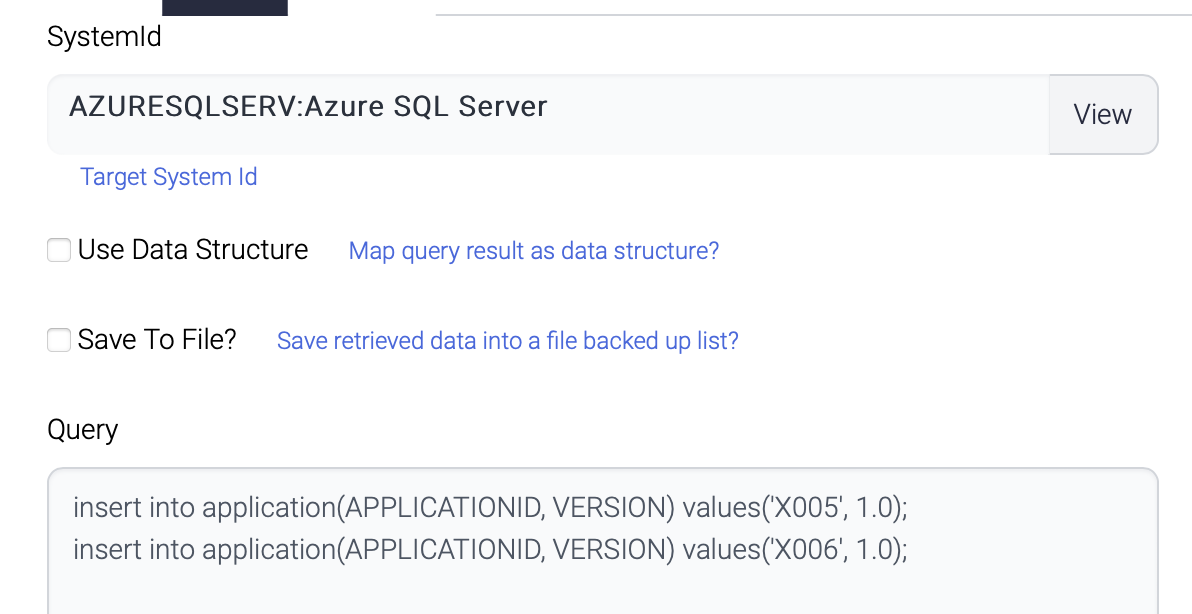
* InsertSecond

The second component also inserts another 2 records to the same table.

<figure><img src="https://support.xnarum.com/download/manuals/ISM-Manual-2023.fld/image029.png" alt="" width="563"><figcaption></figcaption></figure>

Both queries are not conflict and all the 4 records are inserted and committed.

<figure><img src="https://support.xnarum.com/download/manuals/ISM-Manual-2023.fld/image030.png" alt="" width="563"><figcaption></figcaption></figure>

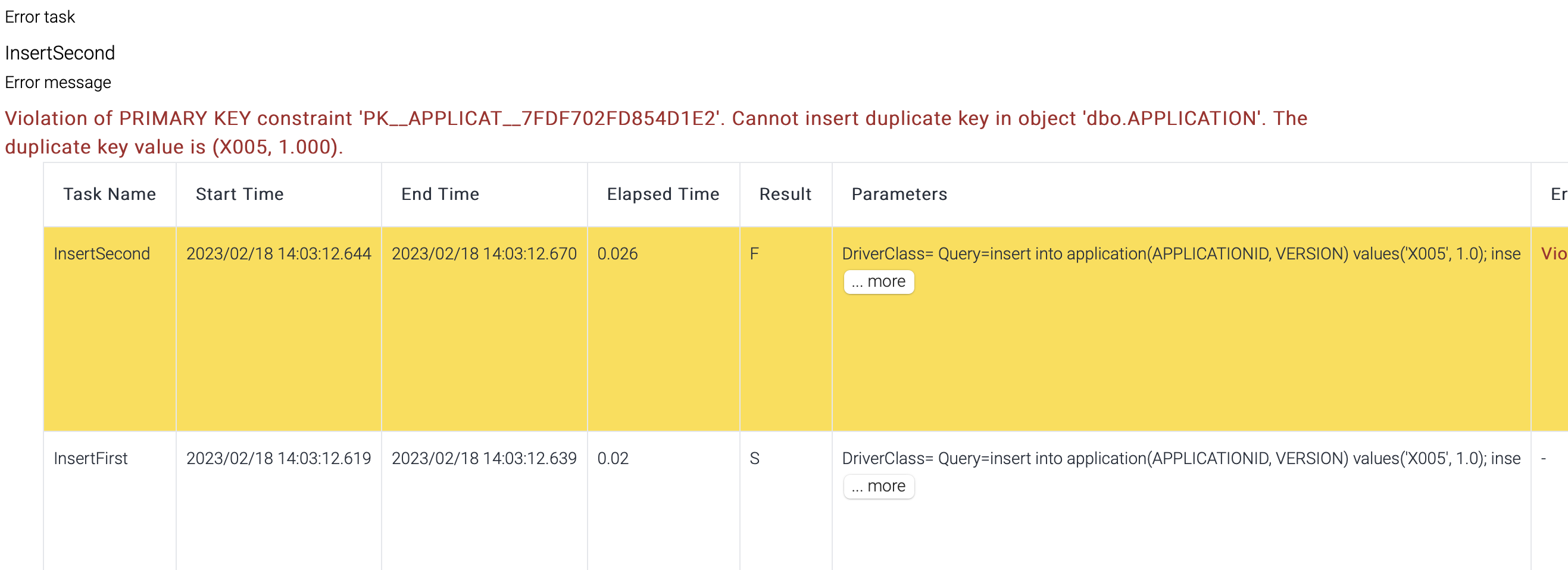
But if the second component inserts the same records as the first one, all the records are rollbacked.

&#x20;

<figure><img src="https://support.xnarum.com/download/manuals/ISM-Manual-2023.fld/image031.png" alt="" width="563"><figcaption></figcaption></figure>

<figure><img src="https://support.xnarum.com/download/manuals/ISM-Manual-2023.fld/image032.png" alt="" width="563"><figcaption></figcaption></figure>

Transaction result shows the second step failed and no records are inserted.

<figure><img src="https://support.xnarum.com/download/manuals/ISM-Manual-2023.fld/image033.png" alt=""><figcaption></figcaption></figure>

&#x20;

#### **Email notification**

Email notification is configured per flow.

&#x20;

<table data-header-hidden><thead><tr><th width="178"></th><th></th></tr></thead><tbody><tr><td>Name</td><td>Description</td></tr><tr><td>Subject</td><td>Email subject</td></tr><tr><td>Sender</td><td>Sender of this email</td></tr><tr><td>Receivers</td><td>Recipients of the email. Recipients are delimited with comma(,).</td></tr><tr><td>Host</td><td>SMPT Server</td></tr><tr><td>Port</td><td><p>SMTP Port</p><p>25 - default SMTP Port</p><p>465 - default TLS Port</p></td></tr><tr><td>Use ssl</td><td>If checked, TLS(SSL) is used to connect to SMTP server.</td></tr><tr><td>Password</td><td>Password of the sender</td></tr><tr><td>Policy</td><td><ul><li>Once - email will be sent only once for the first failure.</li><li>Every time - email will be sent whenever the transaction fails.</li><li>Failure and recovery - email will be sent only for the first failure and the final success.</li></ul><p>If the flow has retry count, email can be sent more than once.</p></td></tr></tbody></table>

&#x20;

#### **Parameters**

There are two types of parameters.

**Input parameters**

these are used to define global parameters in a flow.

<figure><img src="https://support.xnarum.com/download/manuals/ISM-Manual-2023.fld/image034.png" alt="" width="563"><figcaption></figcaption></figure>

This parameter can be used in the flow like this.

<figure><img src="https://support.xnarum.com/download/manuals/ISM-Manual-2023.fld/image035.png" alt="" width="563"><figcaption></figcaption></figure>

&#x20;

**Output parameters**

These are used to generate response data.

If no output parameters are defined, default response from a flow is the output data for the last step.

<figure><img src="https://support.xnarum.com/download/manuals/ISM-Manual-2023.fld/image005.png" alt=""><figcaption></figcaption></figure>

The response data of the flow above consists of

* Output data #1
* Output data #2
* Output data #3

But if any output parameter is defined, that parameter will be returned to the caller.

<figure><img src="https://support.xnarum.com/download/manuals/ISM-Manual-2023.fld/image036.png" alt="" width="563"><figcaption></figcaption></figure>

The response to the caller looks like this.

<figure><img src="https://support.xnarum.com/download/manuals/ISM-Manual-2023.fld/image037.png" alt="" width="375"><figcaption></figcaption></figure>

The priority of the response data is this.

1. ReturnComposer component in the flow.
2. Output parameter in the flow.
3. Output data of the final step in the flow.

ReturnComposer is used to pick up exact response data among the output data to the caller and this has the highest priority. If ReturnComposer does not exist, Output parameter is used. If no output parameter is defined, all the output data is returned to the caller.

&#x20;

## **Flow designer**

Flow Designer is the main place to design and test the flow.

<figure><img src="https://support.xnarum.com/download/manuals/ISM-Manual-2023.fld/image038.png" alt=""><figcaption></figcaption></figure>

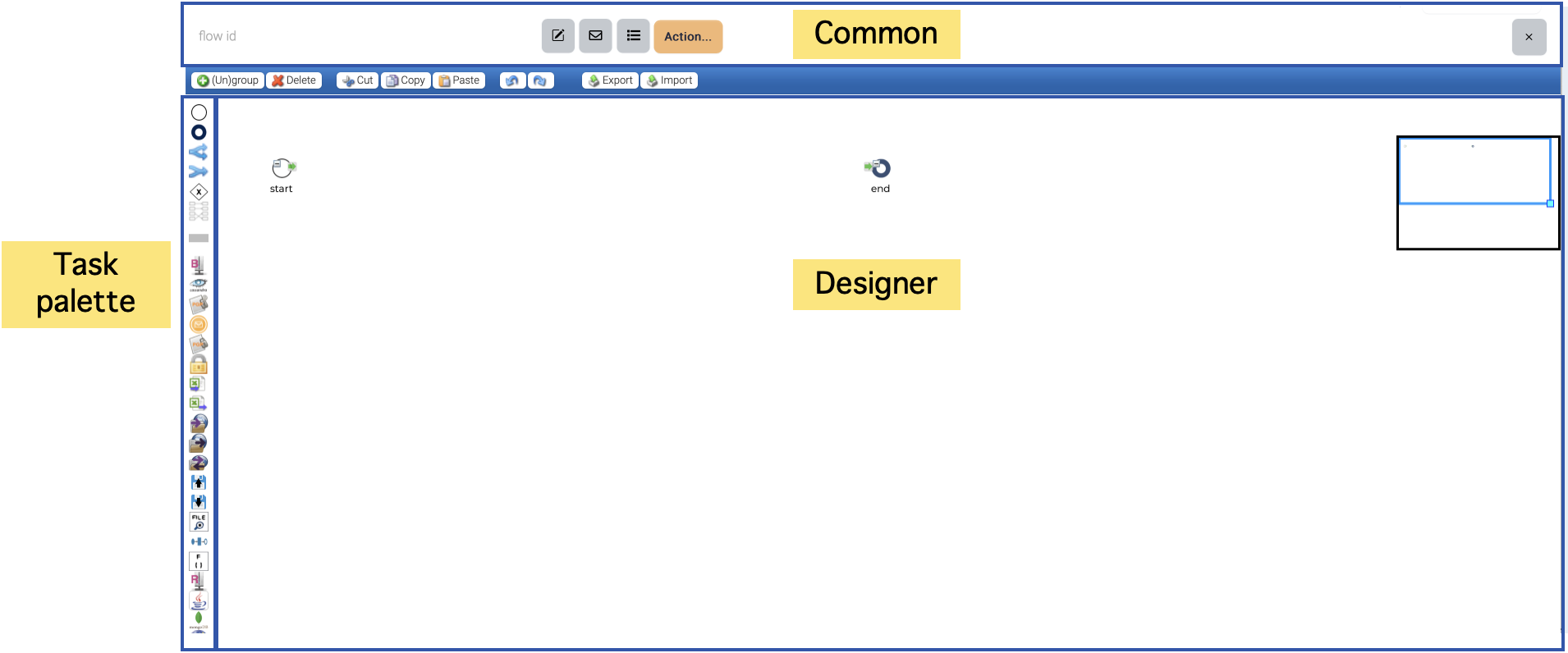
Designer consists of three parts. Top area is for common attributes of a flow ??? parameters, email notification and operations. Left area is for the plugins. The plugins have their own icons and just drag & drop the icons you want to use to the designer.

Designer area is where you design a flow with the plugins and control components.

Whenever a new flow is created, start and end nodes are automatically located.

Start node is the entry point of a flow and end node is the final step of a flow. But end node is not mandatory. If Flow controller cannot find the next step from the last executed step, Flow controller stops the execution.

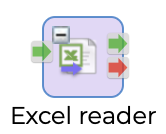
Every function component in the task palette has one input port and two output ports.

<figure><img src="https://support.xnarum.com/download/manuals/ISM-Manual-2023.fld/image039.png" alt="" width="188"><figcaption></figcaption></figure>

Input port is wired with one of the output ports of previous component.

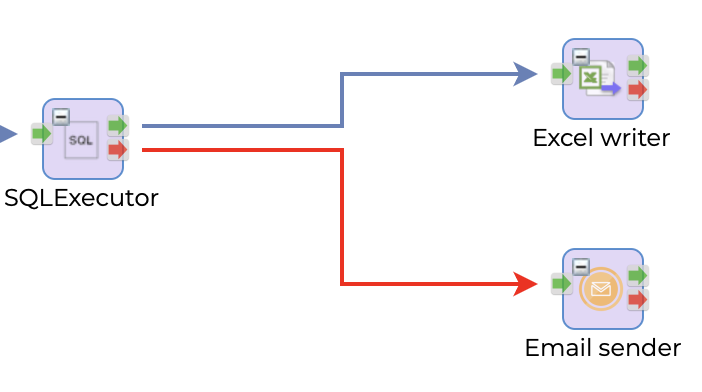
There are two types of output ports. Green one means success and Red one means failure. Either output port is wired to the input port of another component. Both output port can be wired.

<figure><img src="https://support.xnarum.com/download/manuals/ISM-Manual-2023.fld/image040.png" alt="" width="375"><figcaption></figcaption></figure>

This picture shows if SQLExecutor succeeds, execute ExcelWriter otherwise EmailSender.

The red arrow is exception handling path and when this red arrow is wired, the execution of current step failed but treated as success and continue the execution.

To connect the nodes, click the output port and drag to the input port of the target node.

To delete the connection, click the connection and click <img src="https://support.xnarum.com/download/manuals/ISM-Manual-2023.fld/image041.png" alt="" data-size="line">.

To delete a node, click the node and click <img src="https://support.xnarum.com/download/manuals/ISM-Manual-2023.fld/image041.png" alt="" data-size="line">.

To copy a node, click the node and click <img src="https://support.xnarum.com/download/manuals/ISM-Manual-2023.fld/image042.png" alt="" data-size="line"> and <img src="https://support.xnarum.com/download/manuals/ISM-Manual-2023.fld/image043.png" alt="" data-size="line">

&#x20;

<figure><img src="https://support.xnarum.com/download/manuals/ISM-Manual-2023.fld/image044.png" alt=""><figcaption></figcaption></figure>

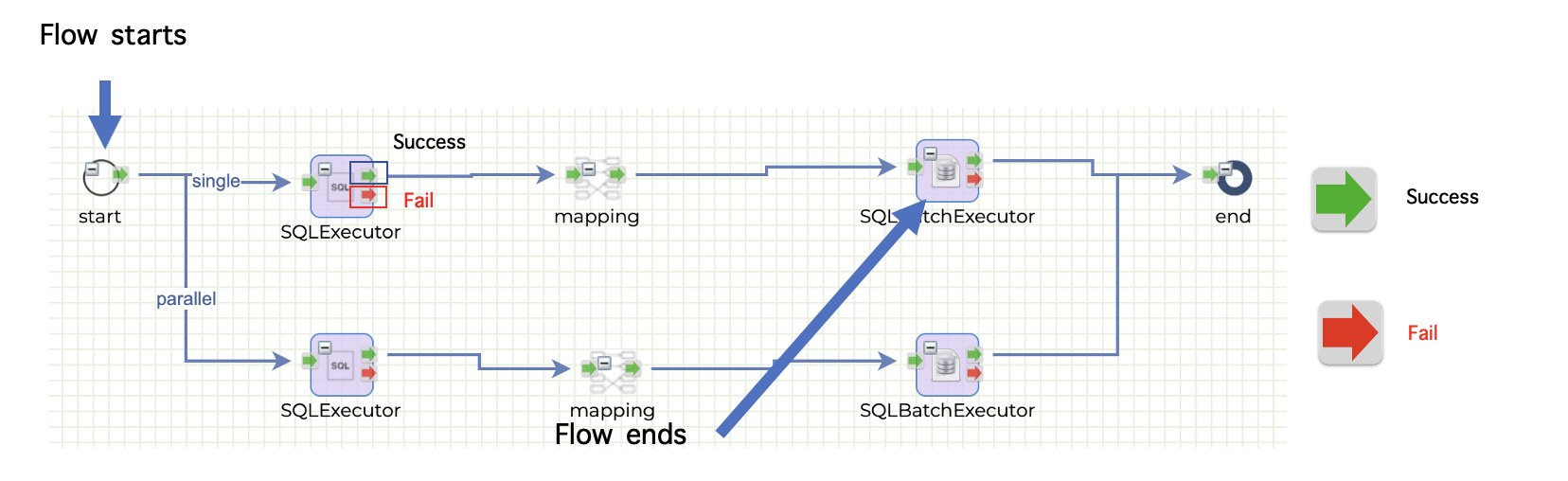
In a typical flow, the execution starts from the start node and proceeds through each subsequent node until it reaches the last node before the end node. This last node represents the end of the execution, and the flow terminates successfully. However, in cases where a node fails and no exception arrow is wired, the failed node becomes the end of the execution. This means that the flow will not continue beyond the failed node, and any subsequent nodes will not be executed. It is important to note that in such cases, the flow does not terminate successfully, and appropriate error handling or exception handling mechanisms must be in place to ensure that the failure is properly handled.

**Routing path**

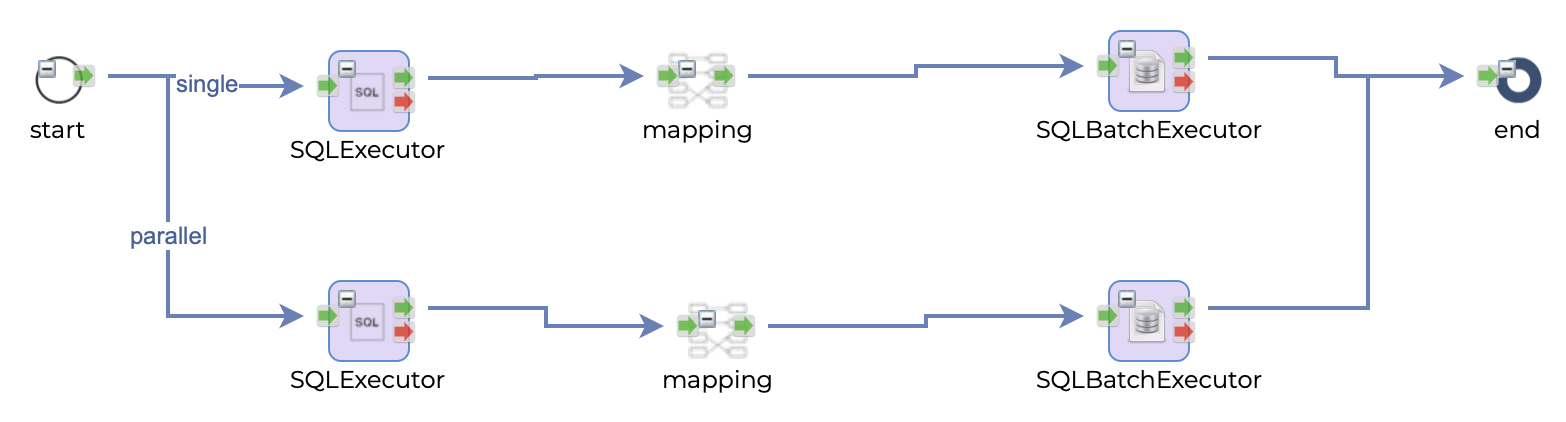
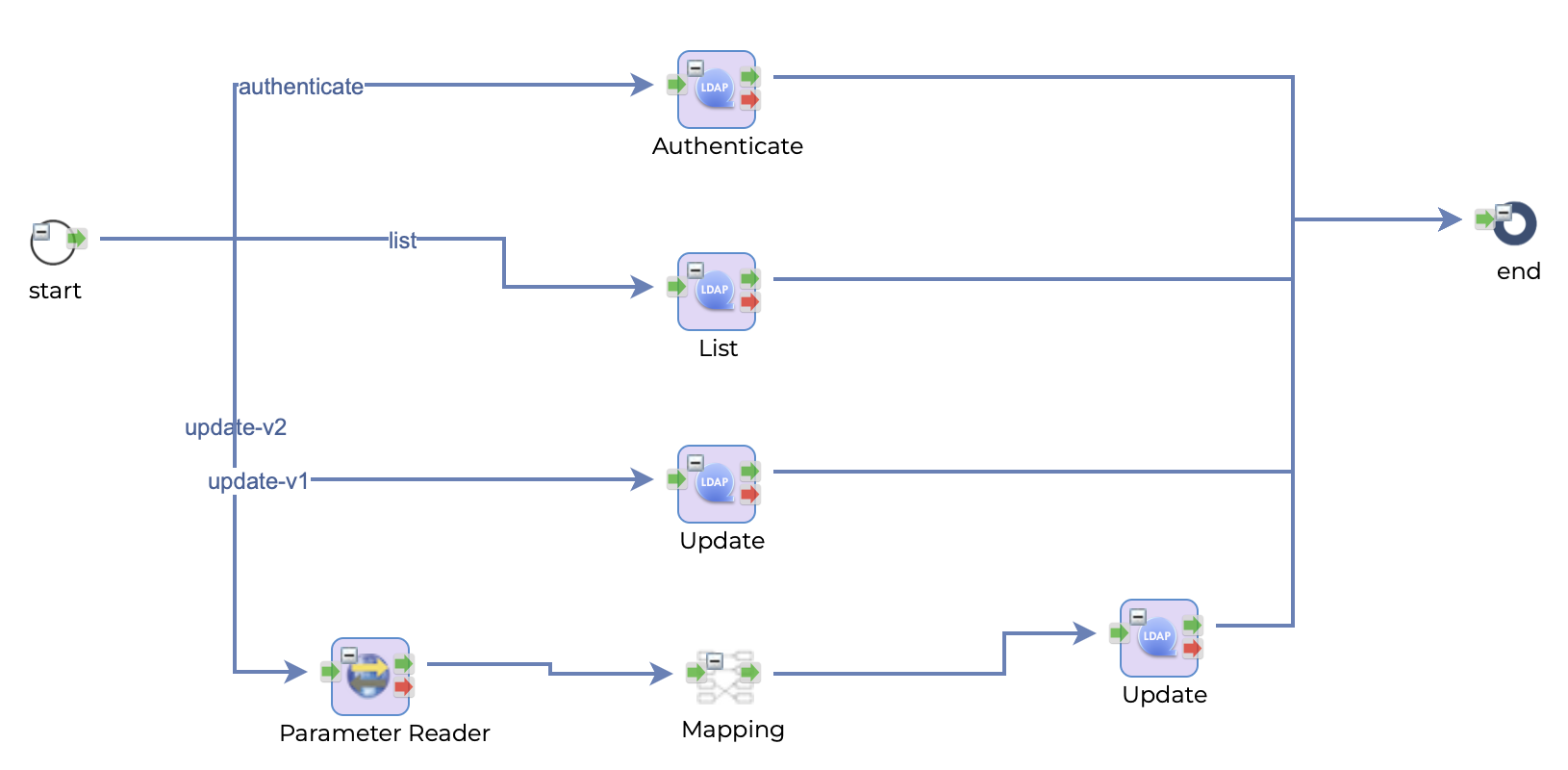
A flow can have routing paths. Routing path is used to determine the path of the flow.

Routing path can be specified with three types.

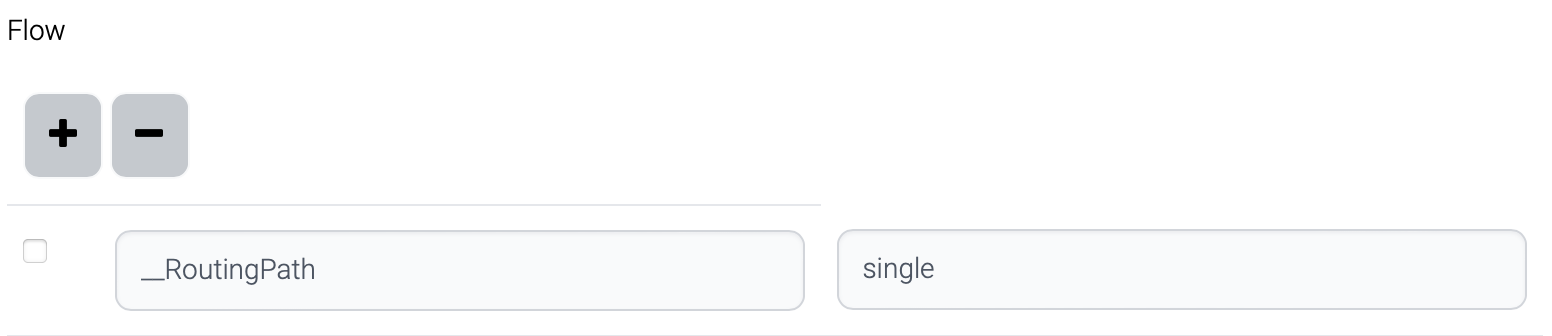
* Part of path : /api/DB2DBBulk/v1?\_\_RoutingPath=single
* Request body

  ```
                  
  {
      "__RoutingPath": "single",           
  }
                  
              
  ```
* Parameter of schedule<br>

  <figure><img src="https://support.xnarum.com/download/manuals/ISM-Manual-2023.fld/image045.png" alt=""><figcaption></figcaption></figure>

This is the logic to determine the path.

* All the paths from start node have routing path.
  * The request contains correct \_\_RoutingPath - find the path which contains the routing path and execute.
  * The request contains invalid \_\_RoutingPath - path is not found, and error is returned.
  * The request does not have \_\_RoutingPath - path is not found, and error is returned.
* Some of the paths from start node have routing path.
  * The request contains correct \_\_RoutingPath - find the path which contains the routing path and execute.
  * The request contains invalid \_\_RoutingPath - path is not found, and error is returned.
  * The request does not have \_\_RoutingPath - the last path from the start node is chosen and executed.

## **Task**

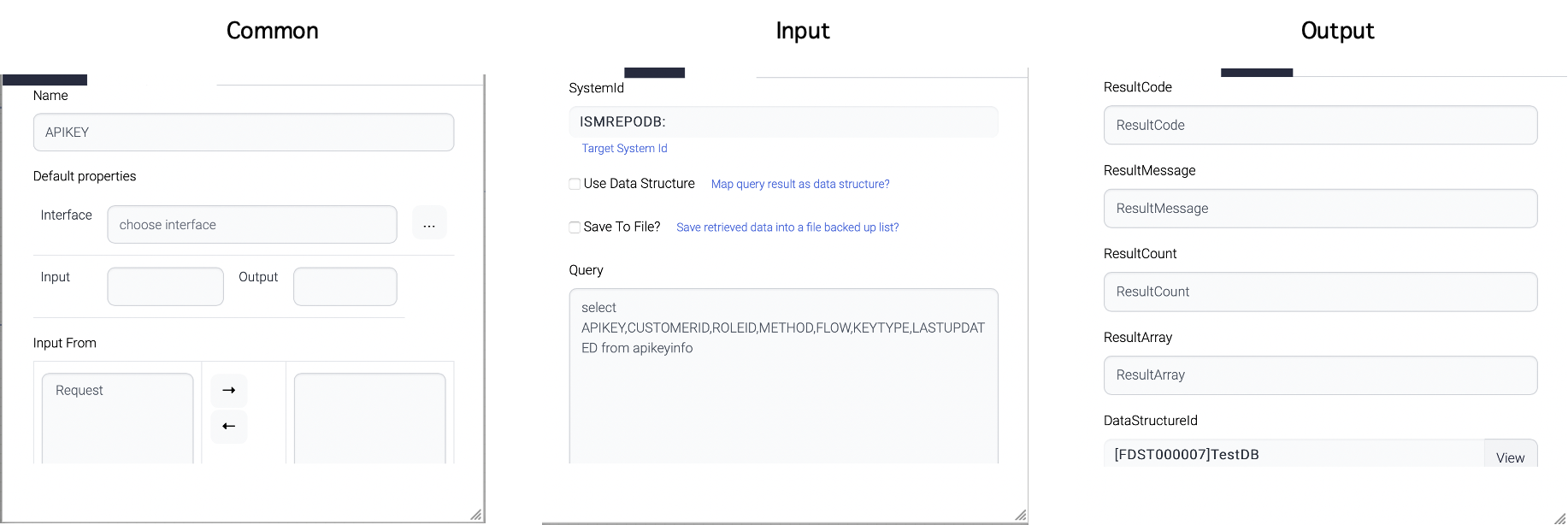
A task node is a key element in a flow that represents a specific action or operation to be executed as part of the workflow. To configure a task node, simply double-click on the node to open the task configuration window. This window provides access to the various input and output attributes associated with the task, allowing you to define the behavior and parameters of the task as required for your workflow. Each task node is unique and will have its own set of input and output attributes that are specific to the task being performed. These attributes can be configured as needed to ensure that the task operates as intended within the context of the larger workflow. Proper configuration of task nodes is essential for creating effective and reliable workflows that can efficiently automate business processes and other critical operations.

<figure><img src="https://support.xnarum.com/download/manuals/ISM-Manual-2023.fld/image046.png" alt=""><figcaption></figcaption></figure>

Common attributes are a set of attributes that are general for all tasks in a workflow. One of the example attribute is Name attribute. Most of the common attributes are maintained for backward-compatibility purposes.

<figure><img src="https://support.xnarum.com/download/manuals/ISM-Manual-2023.fld/image047.png" alt="" width="188"><figcaption></figcaption></figure>

One important common attribute is this - ignore previous success.

The "Ignore Previous Success" attribute is a useful feature in a workflow that is used during retry attempts. When a flow fails and has a retry count configured, the retry will typically resume from the point of failure and attempt to execute the failed step again.

However, when the "Ignore Previous Success" attribute is checked, the retry will execute the step again regardless of whether it was successful in previous attempts. This means that even if the previous execution of the step was successful, the retry will still attempt to execute the step again.

The "Ignore Previous Success" attribute can be useful in scenarios where the root cause of the failure is not clear, or when there is a suspicion that the previous success may have been due to an environmental factor or other variable that is no longer present. By forcing the retry to execute the step again, you can ensure that the failure is properly diagnosed and resolved, improving the overall reliability and effectiveness of your workflow.

&#x20;

Input attributes refer to the input arguments that are provided to a task within a workflow. These arguments can be defined as either constant values or as parameters that can be dynamically configured at runtime.

Constant input arguments are values that are set in advance and remain the same throughout the execution of the task. These arguments can include things like configuration values, default parameters, or other static values that are required for the task to function properly.

On the other hand, parameter input arguments are values that can be modified at runtime, either by the user or by the workflow itself. These arguments are typically defined as placeholders within the workflow, and their actual values are provided when the task is executed. This allows for greater flexibility and adaptability within the workflow, as parameters can be adjusted as needed to accommodate changing conditions or requirements.

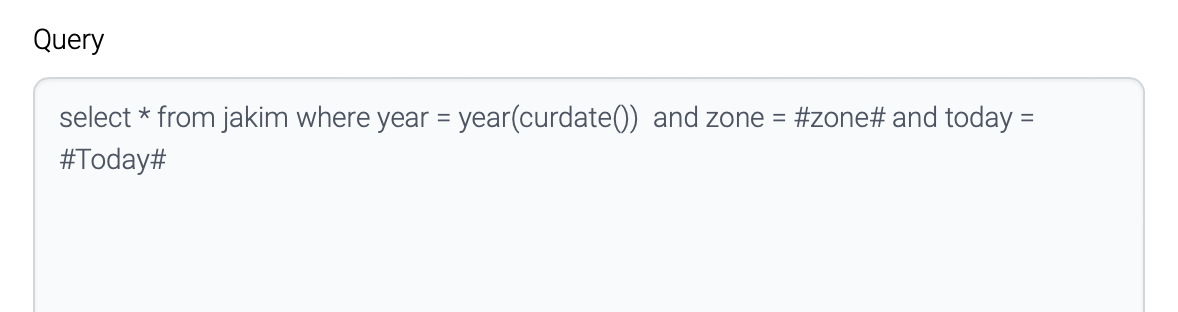
<figure><img src="https://support.xnarum.com/download/manuals/ISM-Manual-2023.fld/image048.png" alt="" width="563"><figcaption></figcaption></figure>

The "Query" attribute of the screenshot above has query with parameters - #zone# and #Today#. These parameters come from the nodes which were previously executed or from the parent flows.

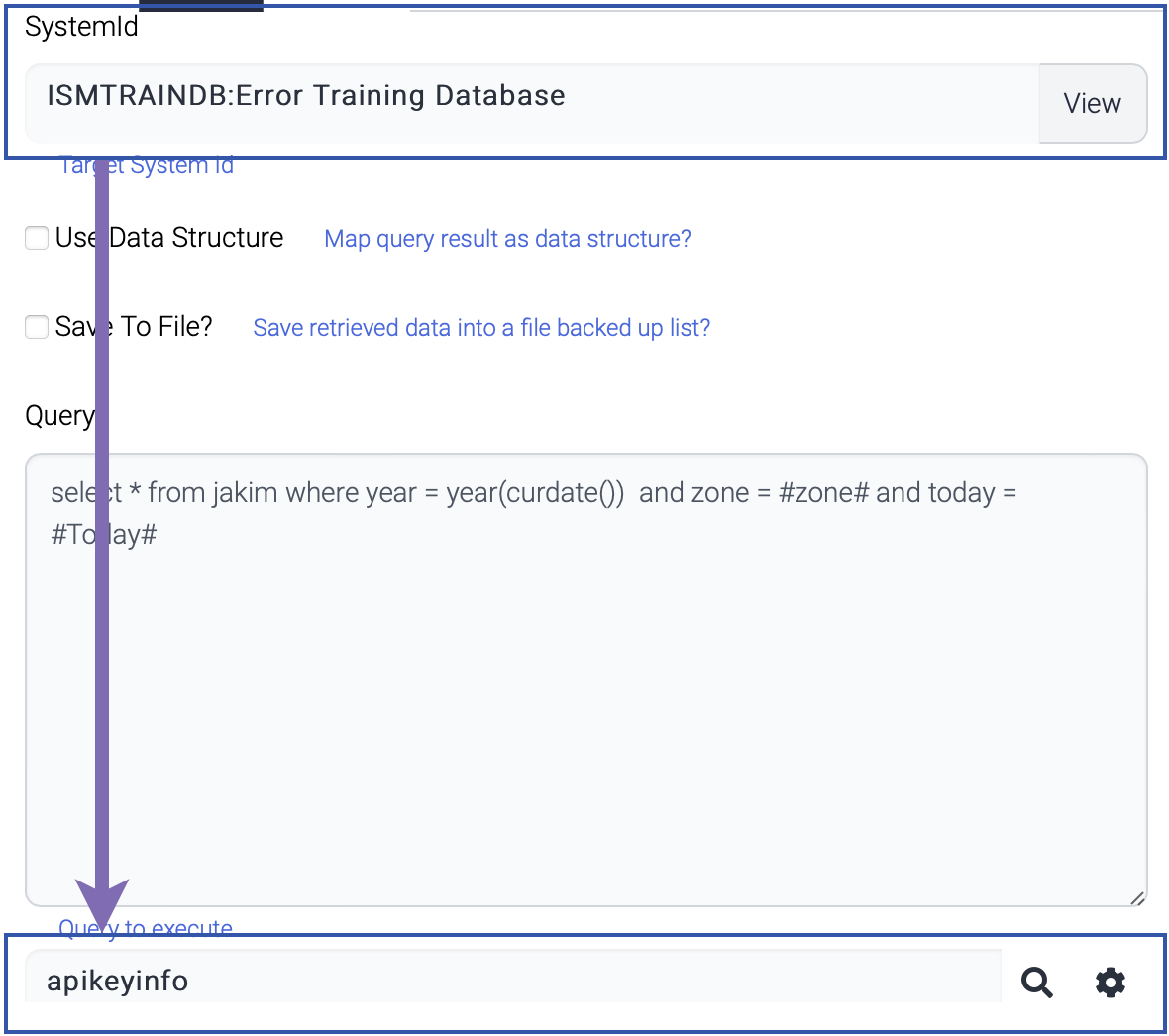
### **System**

Some tasks require system information like database. Appropriate system information should be registered before the component is used.

For example, SQLExecutor component use system information to retrieve table list while the popup window is displayed.

<figure><img src="https://support.xnarum.com/download/manuals/ISM-Manual-2023.fld/image049.png" alt="" width="563"><figcaption></figcaption></figure>

### **Data structure**

Data structure information is used in some components to generate output or read the input data against the predefined data structure.

One example of a component that relies on data structure information is Mapping, which uses predefined data structures to convert data from one format to another. By specifying the source and target data structures for the mapping, the component is able to automatically transform the data as needed, simplifying the mapping process and reducing the risk of errors or inconsistencies.

Another component that utilizes data structure information is ReturnComposer, which is responsible for constructing the response data that is returned from a workflow. By specifying the desired data structure for the response, the component is able to create a well-formed and consistent response object that meets the needs of downstream systems or applications.

Some components like FileValidator uses data structure information in the component and others link the output to data structure. The FileValidator component use data structure information to validate input data according to the predefined layout.

<figure><img src="https://support.xnarum.com/download/manuals/ISM-Manual-2023.fld/image050.png" alt=""><figcaption></figcaption></figure>

## **Publish**

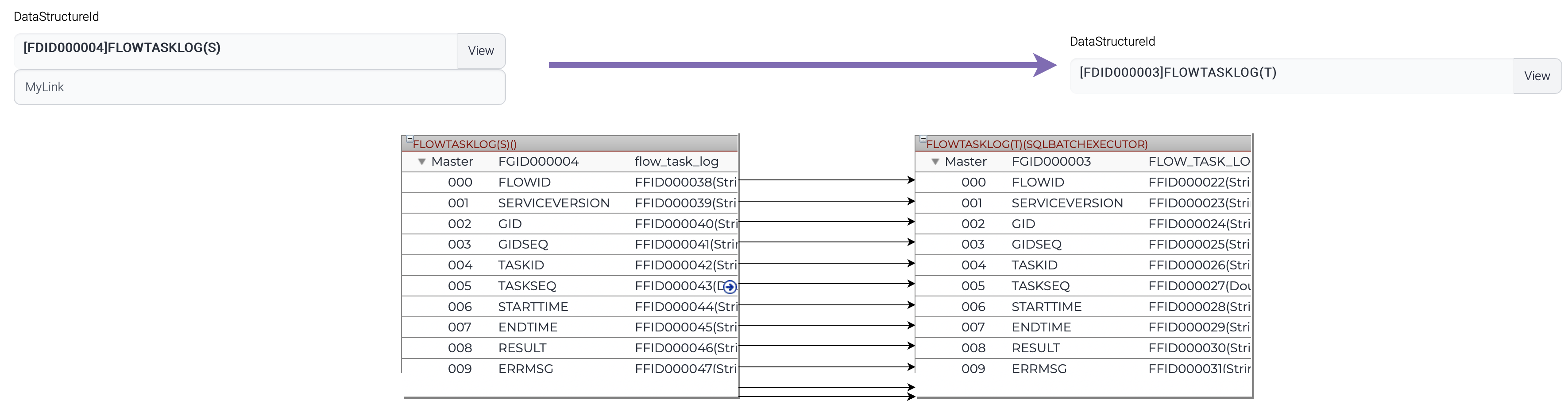
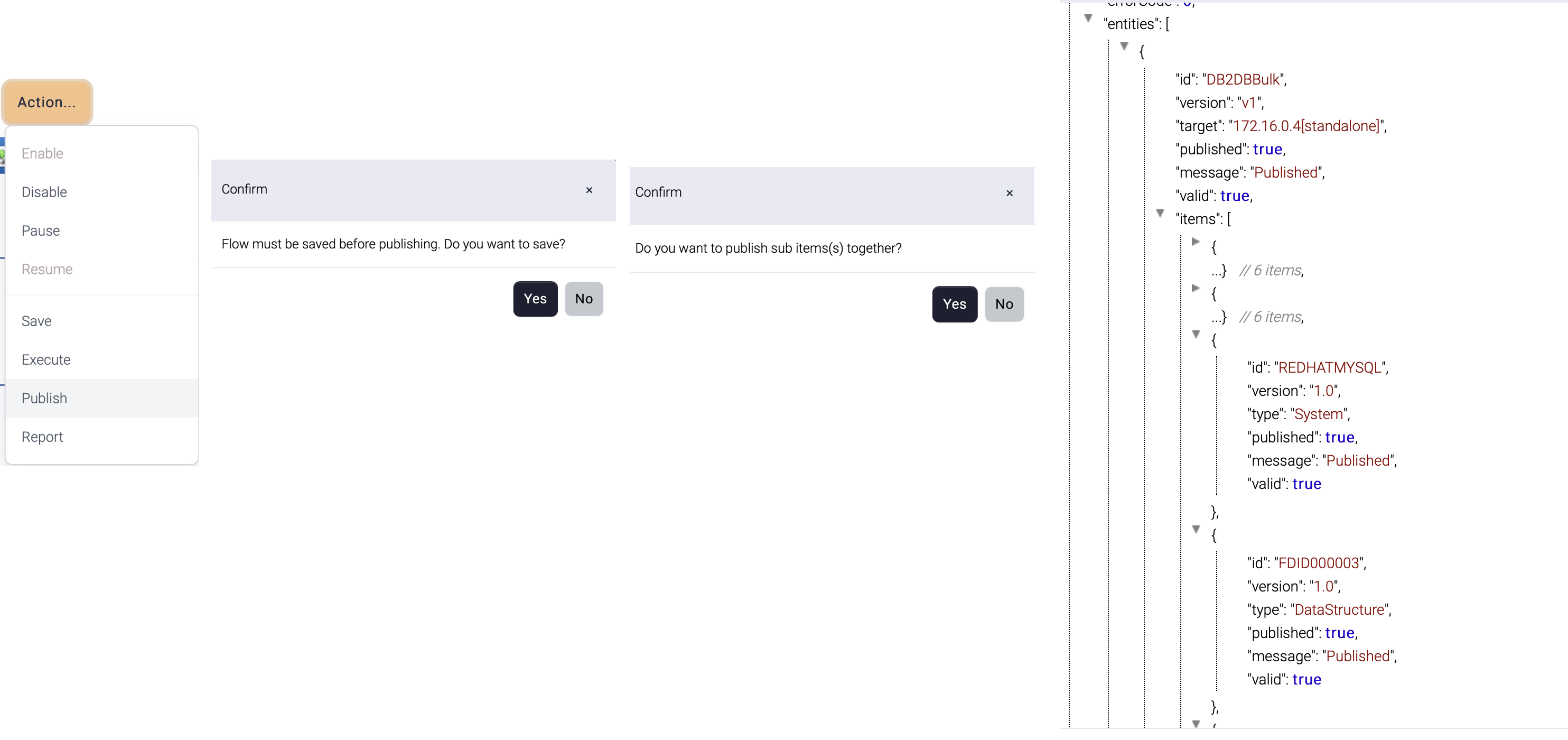
Once a flow design is complete, the flow should be published before used. When a flow is published, all the related items can be published together.

For example, the flow below contains three components

<figure><img src="https://support.xnarum.com/download/manuals/ISM-Manual-2023.fld/image051.png" alt=""><figcaption></figcaption></figure>

1. SQLExecutor
   * requires database information such as the server name, port, username, and password to establish a connection to the database.
   * generates result set according to the data structure for future mapping
2. Mapping
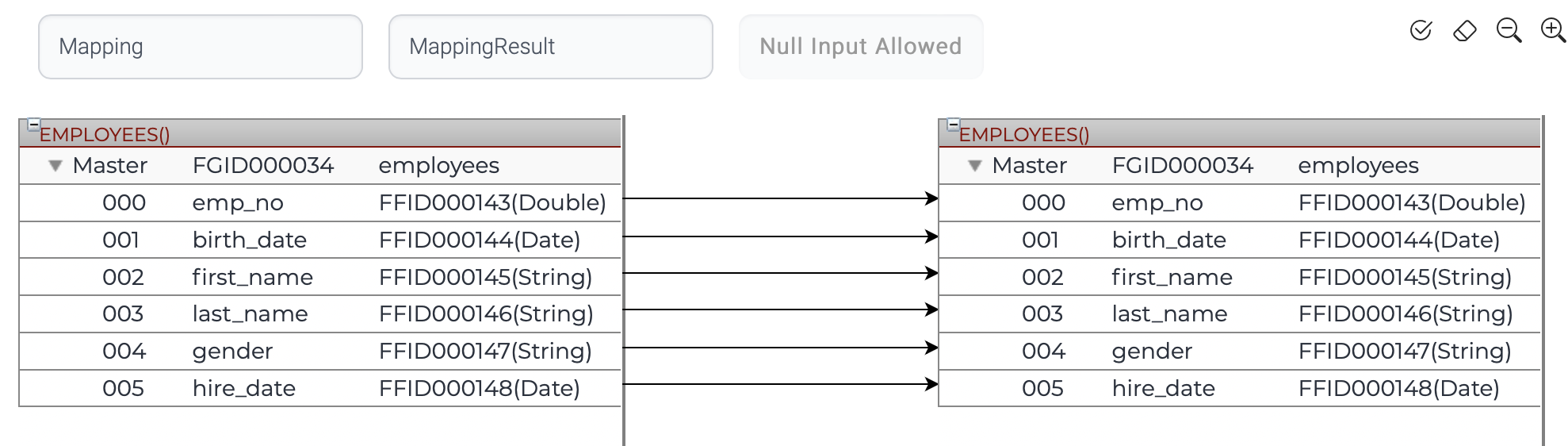
   * links the data structure information of both the input and output data.
3. SQLBatchExecutor
   * requires database information such as the server name, port, username, and password to establish a connection to the database.
   * requires data structure information to construct query according to the data structure

If the related items are not published, this flow cannot work correctly. So, the publish operation provides options to publish all items together.

<figure><img src="https://support.xnarum.com/download/manuals/ISM-Manual-2023.fld/image052.png" alt=""><figcaption></figcaption></figure>

## **Execute**

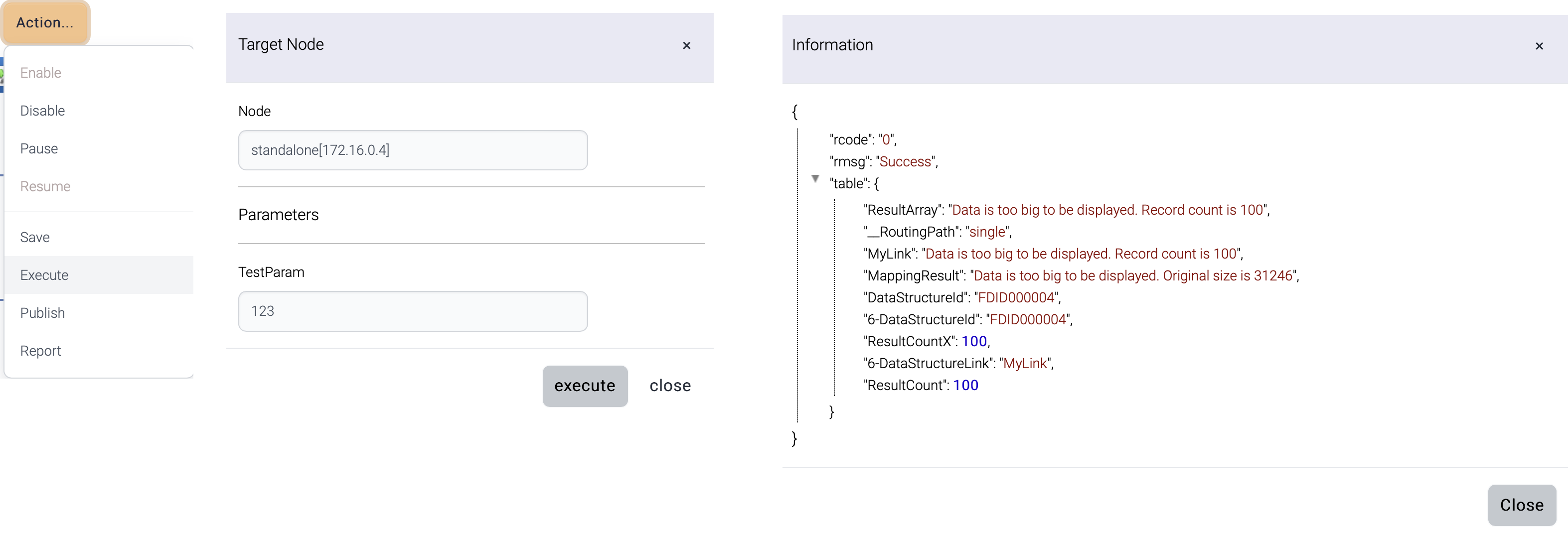
During the design and development of a flow, it's available to test the flow to ensure that it functions as intended using Admin UI.

This flow is executed at a specific instance. If this flow contains input parameters, input parameters can be passed together.

<figure><img src="https://support.xnarum.com/download/manuals/ISM-Manual-2023.fld/image053.png" alt=""><figcaption></figcaption></figure>

The target node list comes from the registered runtime nodes.

&#x20;

The result is displayed once the execution is complete.

<table data-header-hidden><thead><tr><th width="137"></th><th></th></tr></thead><tbody><tr><td>Name</td><td>Description</td></tr><tr><td>rcode</td><td><p>Result code</p><p>0 = success</p><p>9 = error</p></td></tr><tr><td>rmsg</td><td>Error message</td></tr><tr><td>table</td><td>Response data</td></tr></tbody></table>

&#x20;

## **Report**

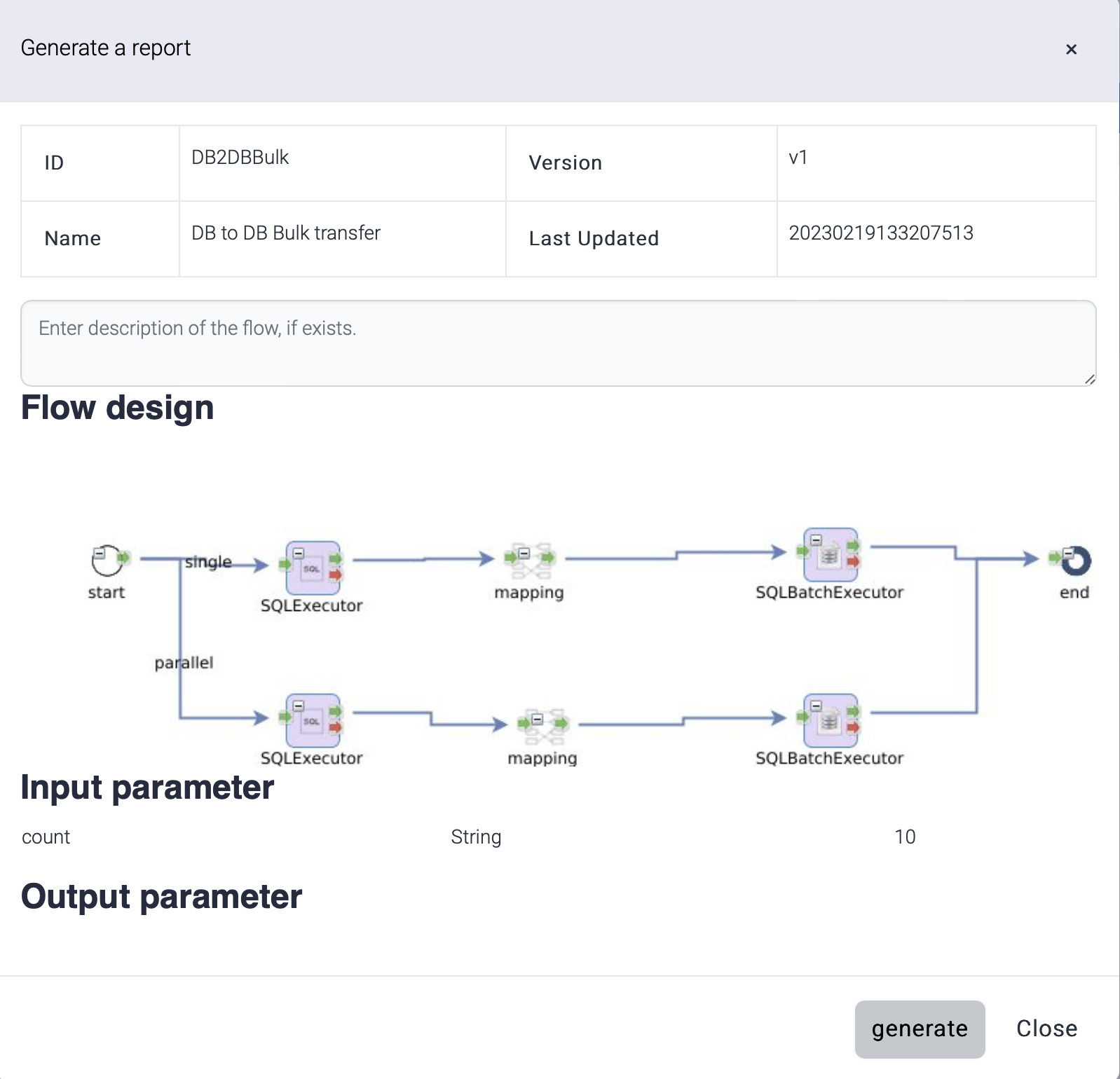
Documentation for a flow is generated and downloaded as .docx document. Additional description about the flow can be added.

<figure><img src="https://support.xnarum.com/download/manuals/ISM-Manual-2023.fld/image054.png" alt="" width="563"><figcaption></figcaption></figure>

Generated report file is saved as this name.

Report-*flow\_id-yyyyMMdd*.docx

The report contains the diagram of the flow and the properties of the tasks.

This report uses a template document (Flow-Report-Template.docx) and this template is located under data directory. If you want to use a different template, you can modify this document or set different template with this property. The property is configured in this file - install-dir/jetty-9.4.7/etc/xnarum.xml

```
        <Call class="java.lang.System" name="setProperty">
            <Arg>report.template.file</Arg>
            <Arg>install-dir/data/Flow-Report-Template.docx</Arg>
        </Call>            
    
```

&#x20;

## **Export/Import**

Click export (<img src="https://support.xnarum.com/download/manuals/ISM-Manual-2023.fld/image025.png" alt="" data-size="line">) button then a popup window with xml contents is displayed. Copy with Ctrl+A, Ctrl+C and close.

!\[Graphical user interface, text, application

Description automatically generated]\(<https://support.xnarum.com/download/manuals/ISM-Manual-2023.fld/image055.png>)

Create a new flow and click import (<img src="https://support.xnarum.com/download/manuals/ISM-Manual-2023.fld/image026.png" alt="" data-size="line">) button then a popup window is displayed. Paste the copied xml data into the dialog. Close the window then the imported flow design is displayed.

![Flow import dialog](https://support.xnarum.com/download/manuals/ISM-Manual-2023.fld/image056.png)

## **New flow from template**

A flow can be created from a template. The available templates are these.

* DB to DB
* DB to File
* File to DB
* File to File(With mapping)
* File to File(Get and Put) - The file is stored in the local disk before sending to the target server
* File to File(Transfer) - No local disk is used to store a temporary file

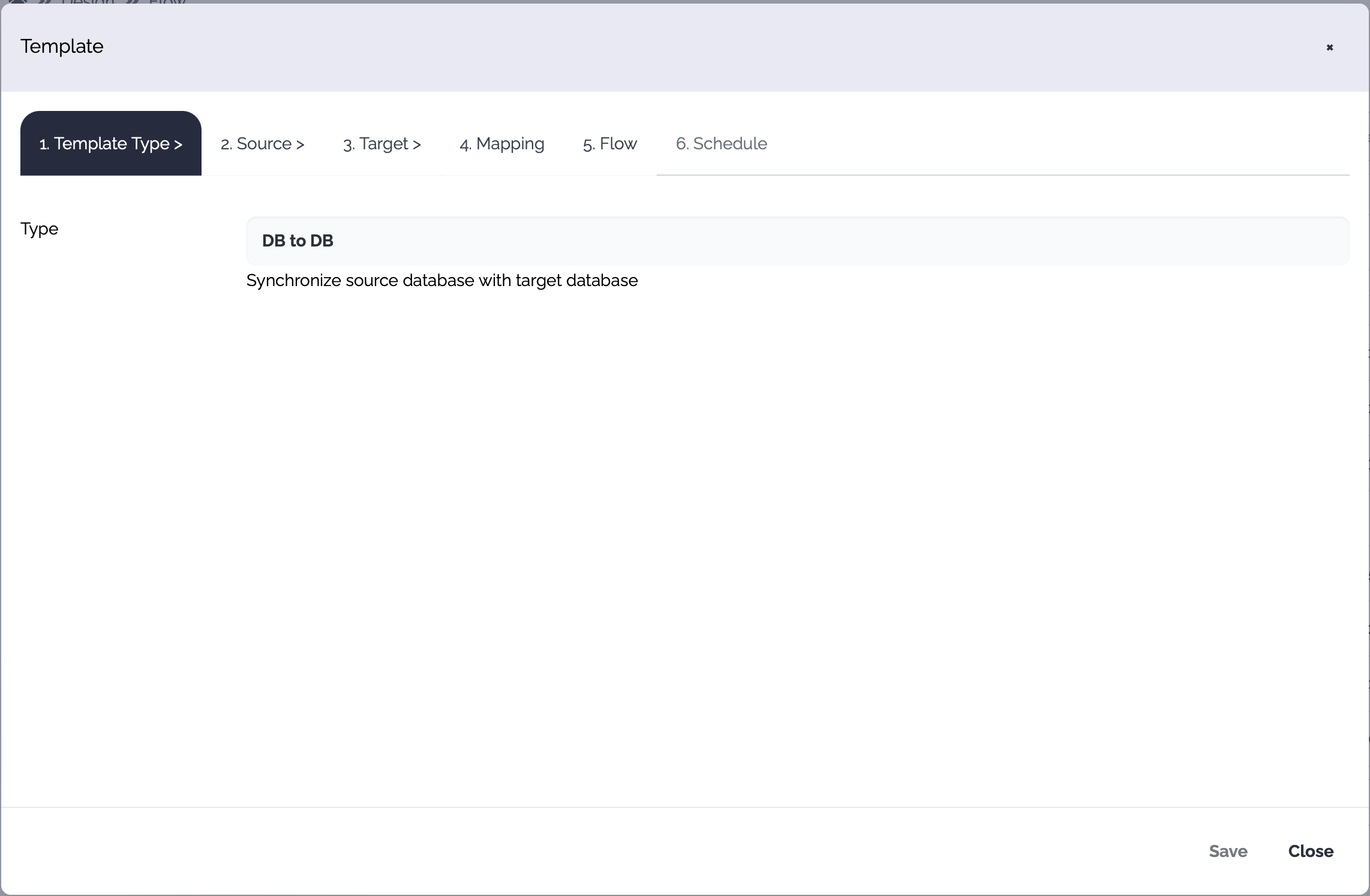
When you click New from template button, a new popup is displayed.
&#x20;

<figure><img src="https://support.xnarum.com/download/manuals/images/template-popup.png" alt=""><figcaption></figcaption></figure>

&#x20;

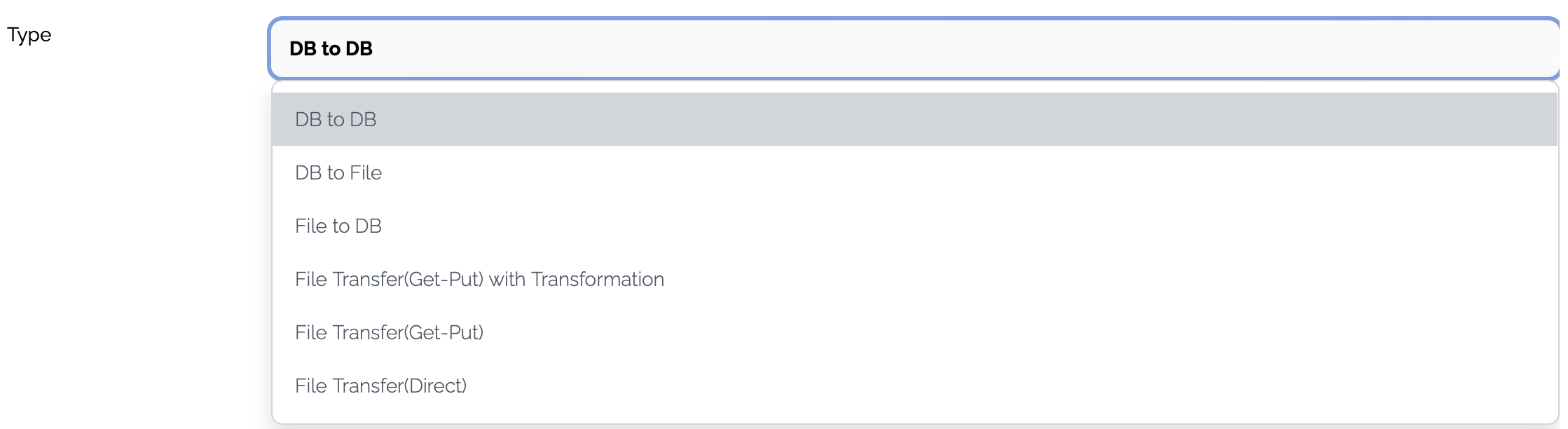
The template dialog consists of these tabs.

&#x20;

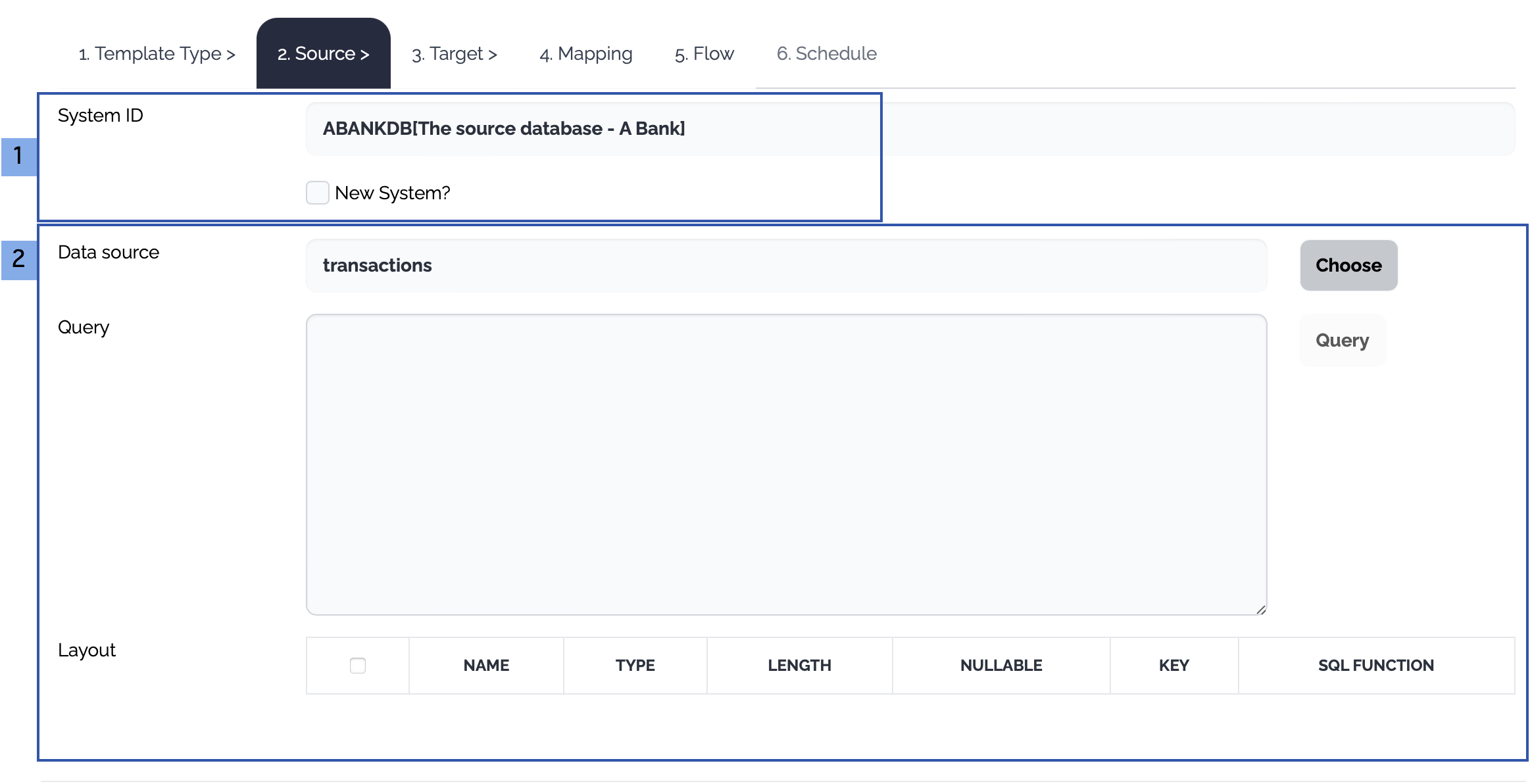
<table><thead><tr><th width="206">Tab</th><th>Description</th></tr></thead><tbody><tr><td>Template Type</td><td>Choose a template type</td></tr><tr><td>Source</td><td>The properties of the source system and operations are defined. A new system can be created through this flow generation and a new data structure can also be created.</td></tr><tr><td>Target</td><td>The properties of the target system and operations are defined. A new system can be created through this flow generation and a new data structure can also be created.</td></tr><tr><td>Mapping</td><td>Mapping between the input and output can be generated.</td></tr><tr><td>Flow</td><td>Default properties of the flow are defined.</td></tr><tr><td>Schedule</td><td>A schedule can be created but this schedule should be enabled manually later.</td></tr></tbody></table>

### **1. Template Type**

Choose the template type<br>

<figure><img src="https://support.xnarum.com/download/manuals/images/template-type.png" alt=""><figcaption></figcaption></figure>

&#x20;

### **2. Source**

Choose the source system and the operation

&#x20;

<figure><img src="https://support.xnarum.com/download/manuals/images/template-source-configuration.png" alt=""><figcaption></figcaption></figure>

&#x20;

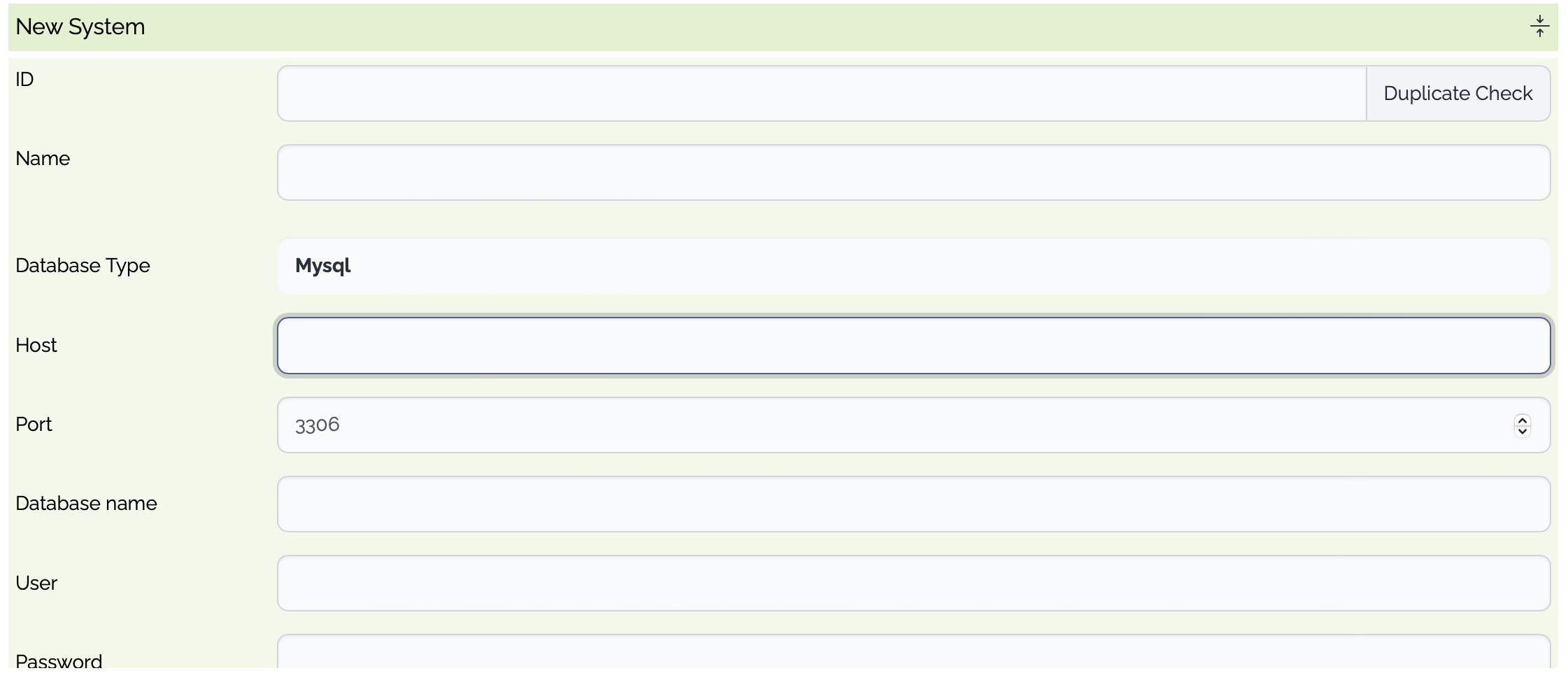
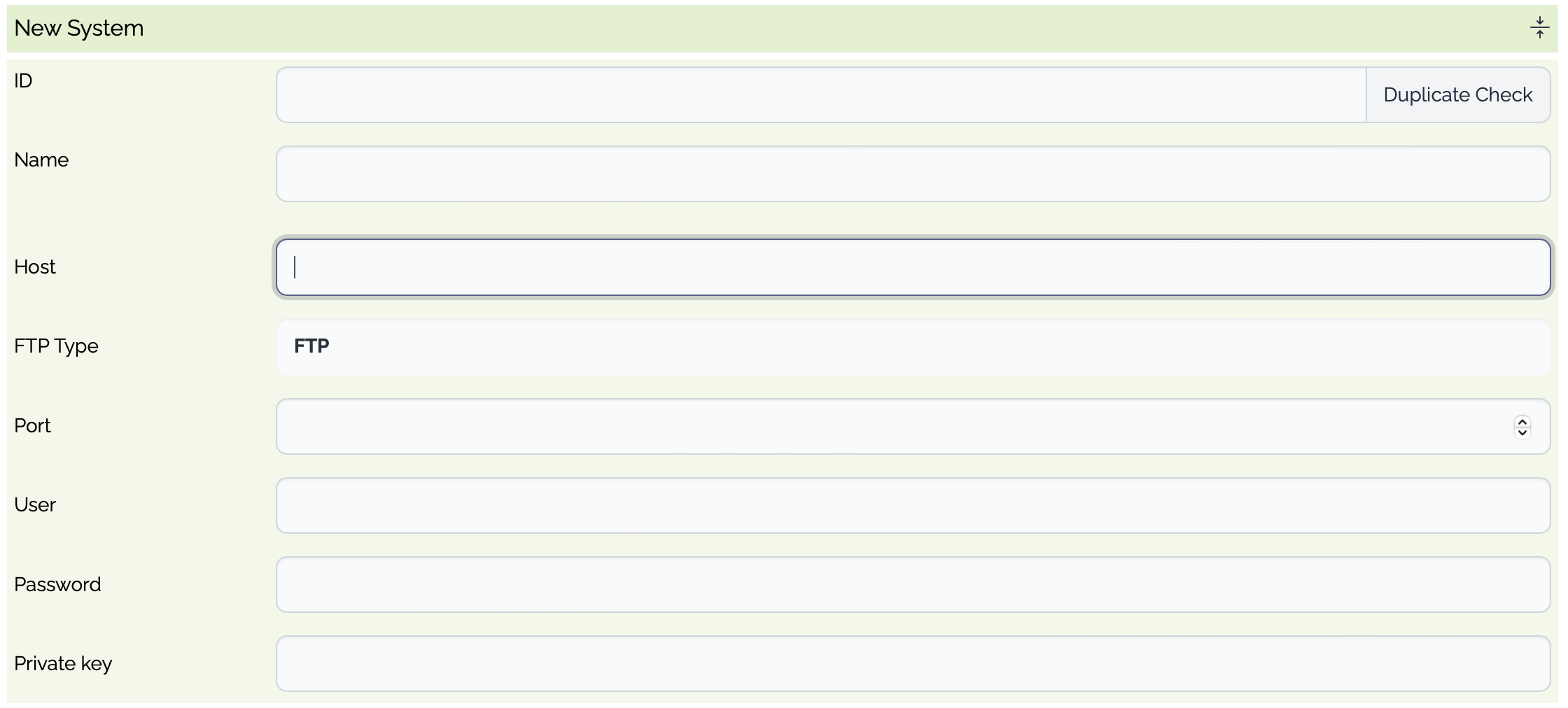
1. The source systems of the selected template type are displayed. Choose an existing system or click New System checkbox.<br>
   * Database<br>

     <table><thead><tr><th width="212.33333333333334">Property</th><th width="148">Type</th><th>Description</th></tr></thead><tbody><tr><td>ID</td><td>Optional</td><td>System ID. If empty, a random system id is generated.</td></tr><tr><td>Name</td><td>Optional</td><td>System Name</td></tr><tr><td>Database Type</td><td>Mandatory</td><td><ul><li>Mysql</li><li>Postgresql</li><li>SqlServer</li><li>Oracle</li><li>DB2</li><li>DB2AS400</li><li>Informix</li><li>Custom</li></ul></td></tr><tr><td>Host</td><td>Mandatory</td><td>Database Host</td></tr><tr><td>Port</td><td>Mandatory</td><td>The listening port of the database</td></tr><tr><td>User</td><td>Mandatory</td><td>The user of the database</td></tr><tr><td>Password</td><td>Mandatory</td><td>The password of the user</td></tr><tr><td>Connection Pool Size</td><td>Optional</td><td>The maximum size of the connection pool</td></tr><tr><td>Validation Query</td><td>Optional</td><td>The query used to validate the connection</td></tr><tr><td>Connection String</td><td>Mandatory</td><td>The connection string used to connect to the database. If empty, a new connection string is generated automatically from the properties</td></tr></tbody></table>

     <figure><img src="https://support.xnarum.com/download/manuals/images/template-source-new-db.png" alt=""><figcaption></figcaption></figure>
   * File<br>

     <table><thead><tr><th width="184.33333333333334">Property</th><th width="167">Type</th><th>Description</th></tr></thead><tbody><tr><td>ID</td><td>Optional</td><td>System ID. If empty, a random system id is generated.</td></tr><tr><td>Name</td><td>Optional</td><td>System Name</td></tr><tr><td>Type</td><td>Mandatory</td><td><p>File Transfer Type</p><ul><li>sFTP</li><li>SCP</li><li>FTPs</li><li>FTP</li></ul></td></tr><tr><td>Host</td><td>Mandatory</td><td>File Host</td></tr><tr><td>Port</td><td>Mandatory</td><td>The listening port of the (s)FTP server</td></tr><tr><td>User</td><td>Mandatory</td><td>The user of the (s)FTP server</td></tr><tr><td>Password</td><td>Mandatory</td><td>The password of the user</td></tr><tr><td>Private Key</td><td>Optional</td><td>The private key of the user, if used</td></tr><tr><td>Passphrase</td><td>Optional</td><td>The passphrase to access the private key, if used</td></tr></tbody></table>

     <figure><img src="https://support.xnarum.com/download/manuals/images/template-source-new-file.png" alt=""><figcaption></figcaption></figure>
2. Define the operation on the source data

   * Database

     &#x20;

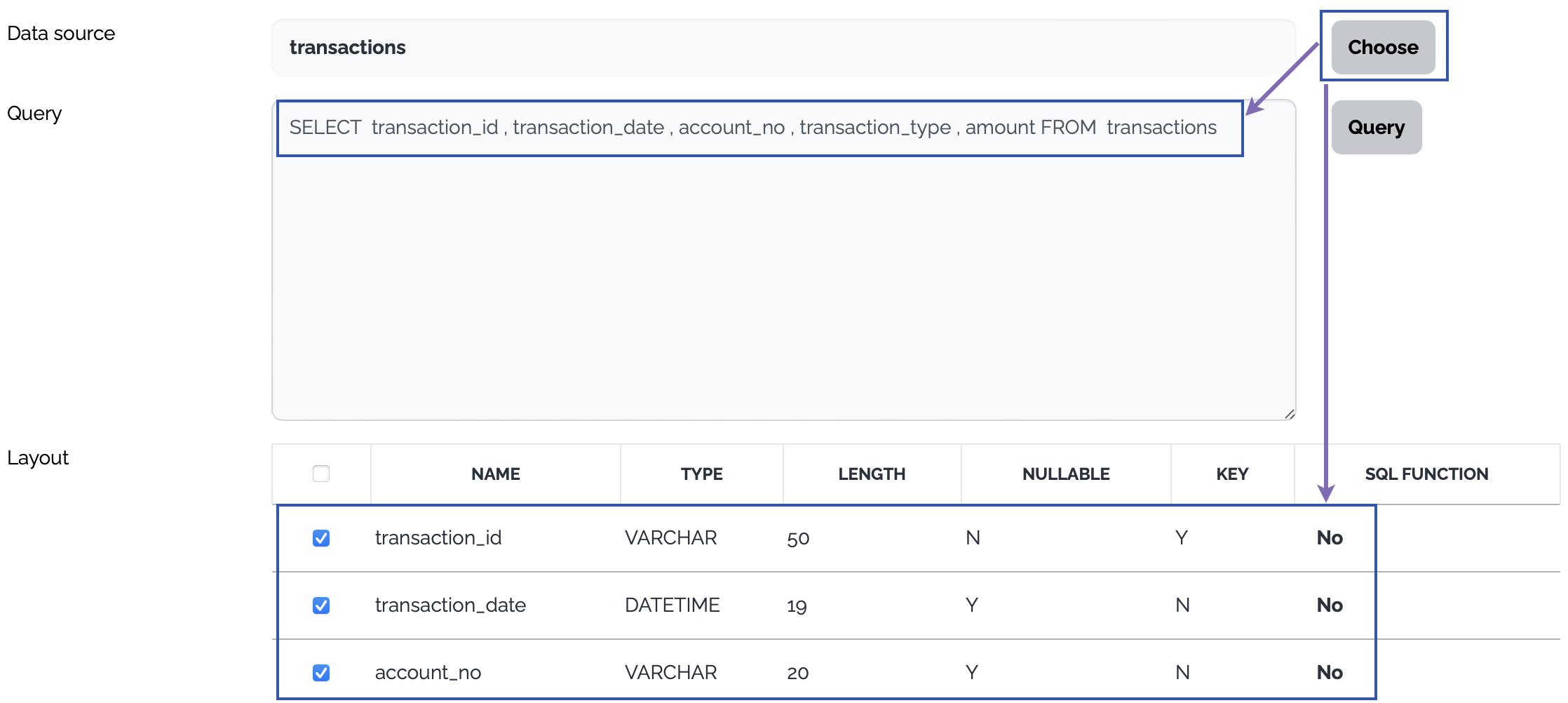
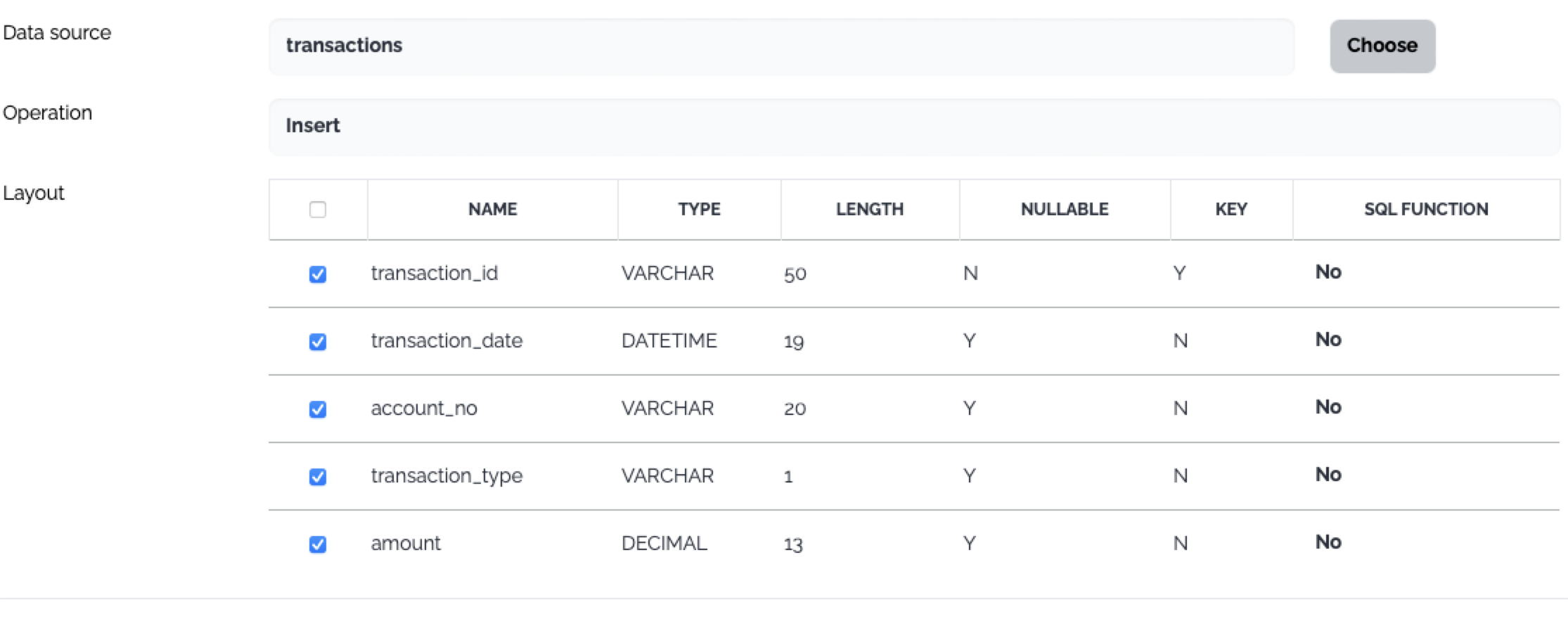
     Click Choose button, a select query is generated from the layout of the selected table and the columns of the select query are displayed as a data structure.

   &#x20;

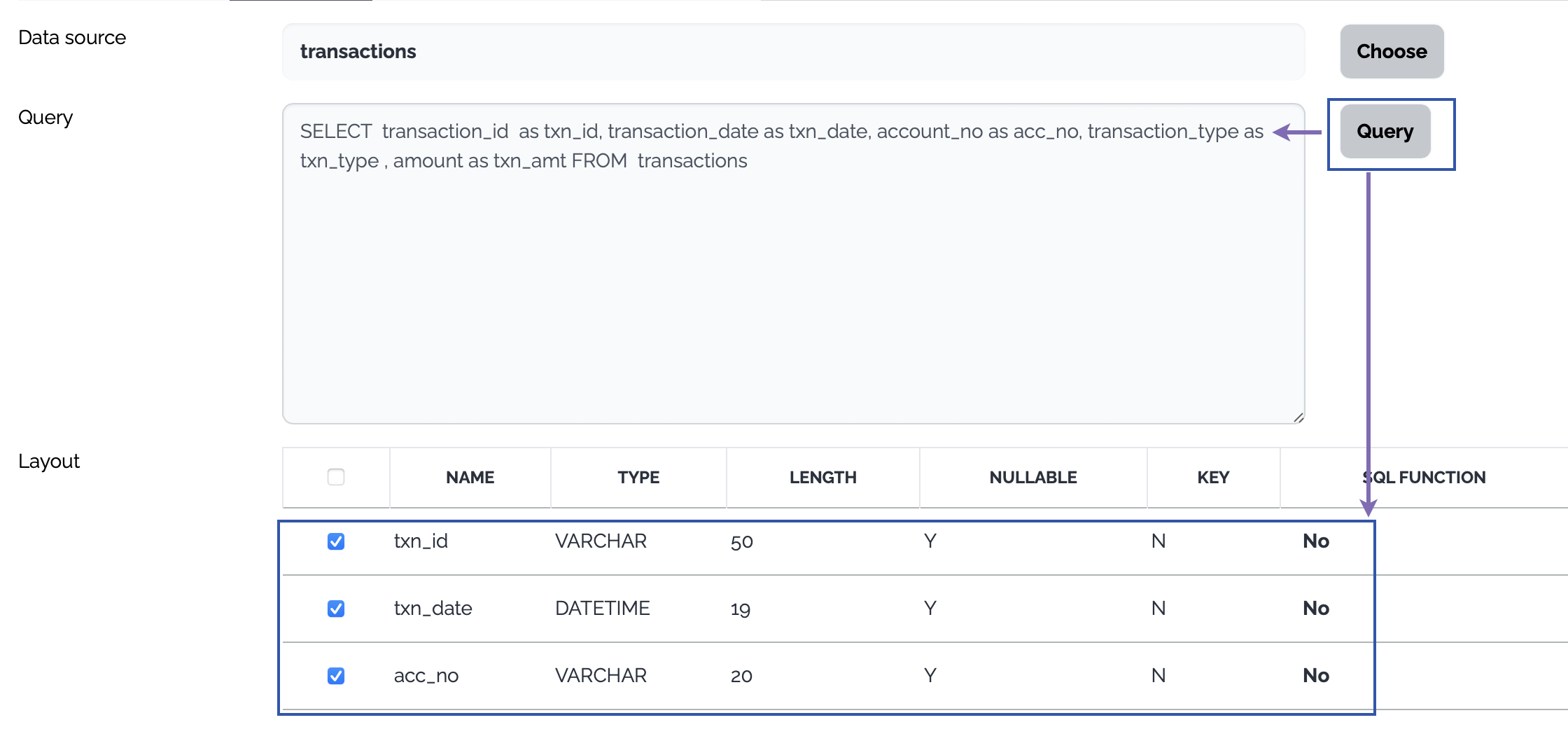
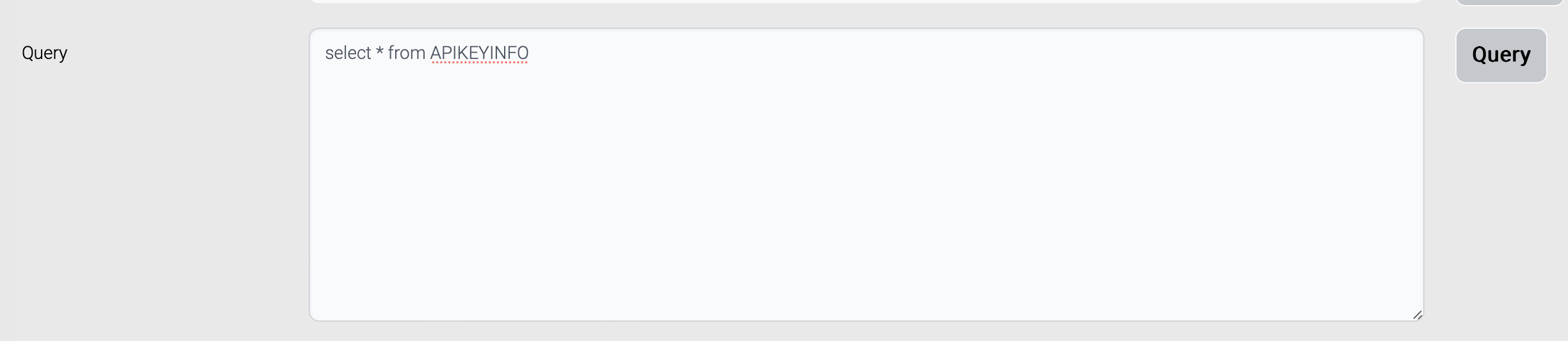
   &#x20;Or type a query to select data from the source database and click Query button. The columns of the query are displayed as a data structure.

   &#x20;

   <figure><img src="https://support.xnarum.com/download/manuals/images/template-source-db-query01.png" alt=""><figcaption></figcaption></figure>

   <figure><img src="https://support.xnarum.com/download/manuals/images/template-source-db-query02.png" alt=""><figcaption></figcaption></figure>

   * File

     &#x20;

     &#x20;

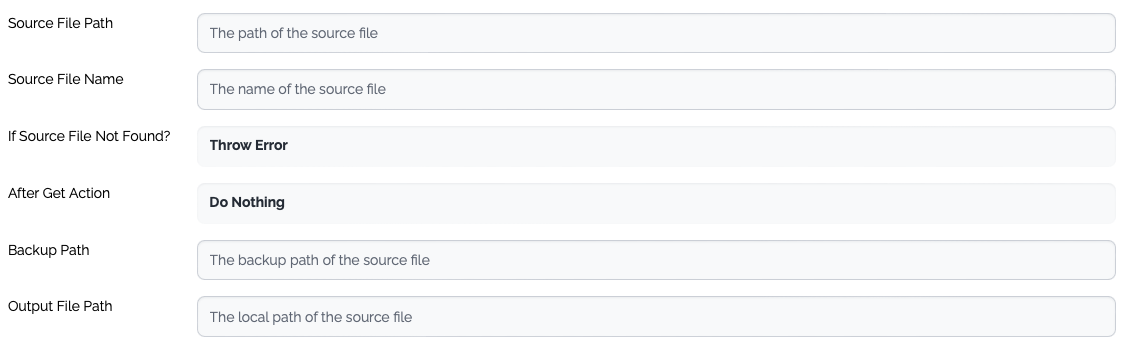
     <table><thead><tr><th width="182">Property</th><th width="126.33333333333334">Type</th><th>Description</th></tr></thead><tbody><tr><td>Source File Path</td><td>Mandatory</td><td>The path of the source file - directory</td></tr><tr><td>Source File Name</td><td>Optional</td><td>The name of the source file. Only one file is processed for the template types which involves the mapping.</td></tr><tr><td>If Source File Not Found?</td><td>Mandatory</td><td><p>The action when the source file is not found.</p><ul><li>Throw Error</li><li>Ignore - If the template type requires mapping, an exception is thrown.</li></ul></td></tr><tr><td>After Get Action</td><td>Mandatory</td><td><p>The action after the source file is collected.</p><ul><li>Do Nothing</li><li>Backup - Move the source file to the backup directory of the remote server</li><li>Delete - Delete the source file from the remote server</li></ul></td></tr><tr><td>Backup Path</td><td>Optional</td><td>The name of the backup directory of the remote server.</td></tr><tr><td>Output File Path</td><td>Mandatory</td><td>The local path where the source file(s) are stored.</td></tr><tr><td>Need Data Structure</td><td>Optional</td><td>If the template types involve mapping, this property must be checked, and a new data structure should be created accordingly.</td></tr></tbody></table>

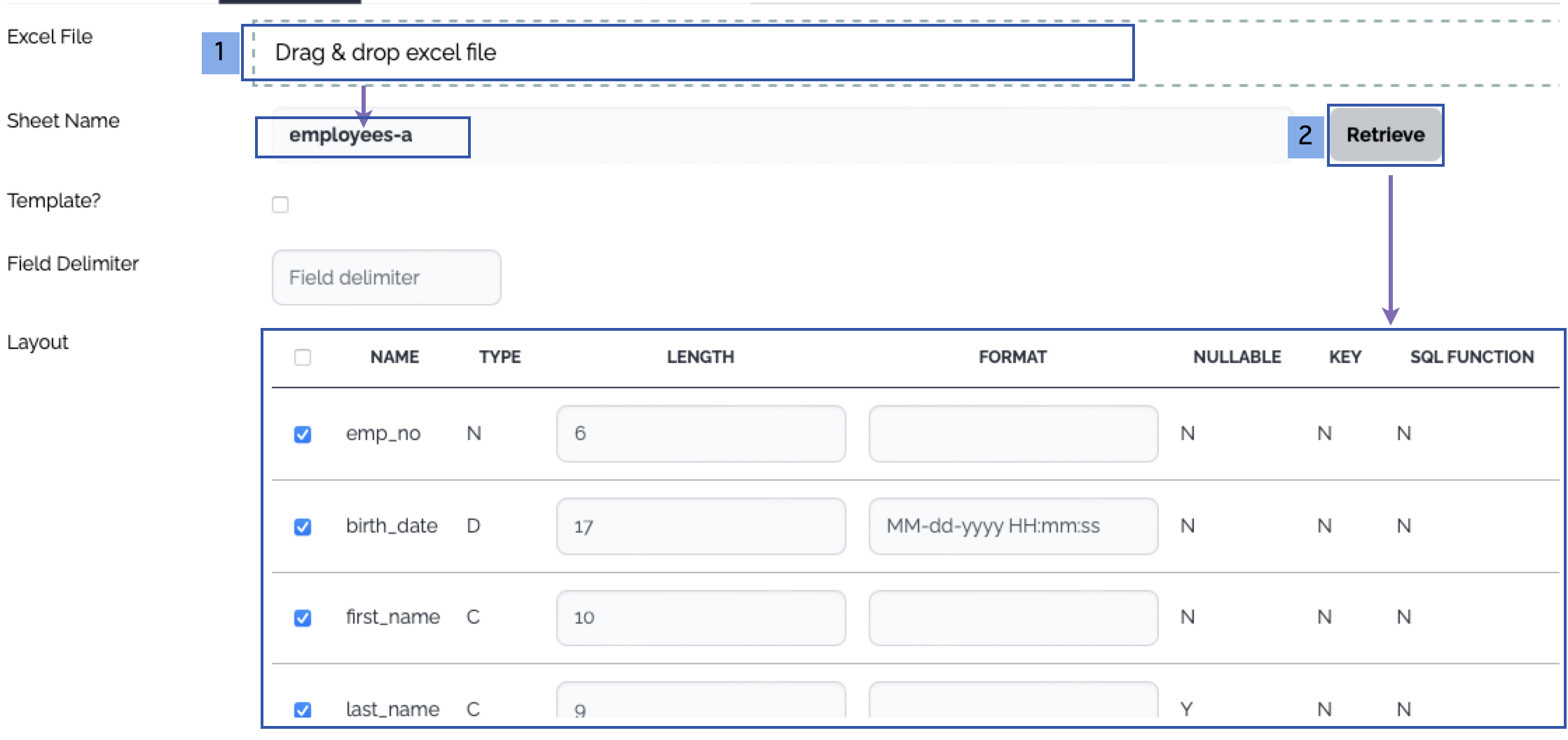
     Generation of the data structure of the file type

     &#x20;

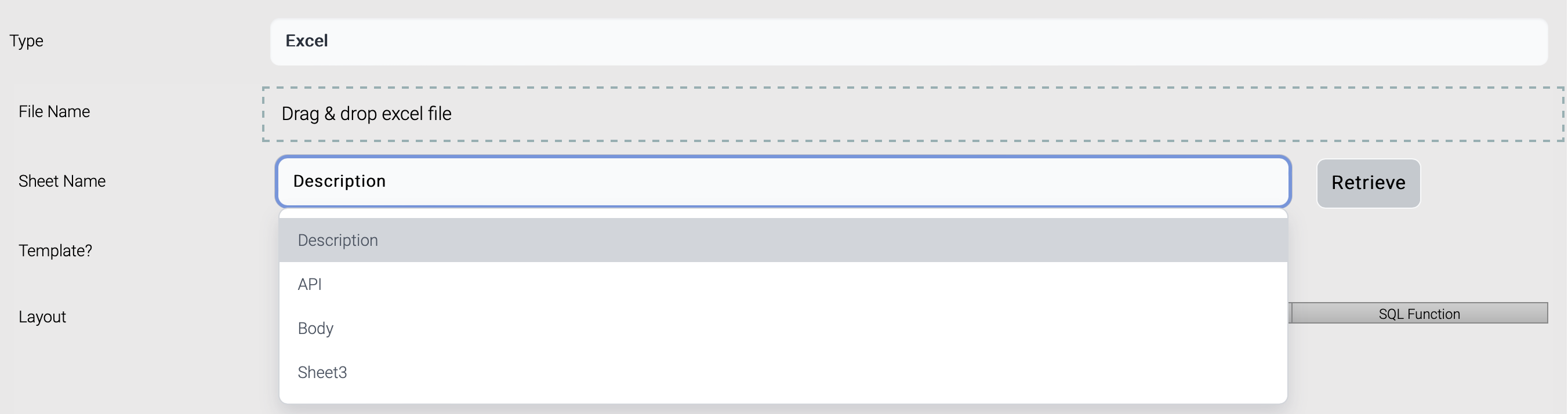
     1. Drag and drop an excel file which contains data with header or a template excel file. The list of the sheets of the excel file is displayed.
     2. Choose a sheet and click Retrieve button, then the columns are displayed. The first row is treated as the header - column names.

     &#x20;

     <figure><img src="https://support.xnarum.com/download/manuals/images/template-source-file-excel.png" alt=""><figcaption></figcaption></figure>

     <figure><img src="https://support.xnarum.com/download/manuals/images/template-source-file-operation.png" alt=""><figcaption></figcaption></figure>

### **3. Target**

Choose the target system and the operation

1. Choose or create a new target system just like the source system
2. Define the operation on the target data
   * Database

     &#x20;

     &#x20;The operations on the target database do not use user provided query. There are predefined operations instead.

     * Insert
     * Update
     * Delete
     * Insert\&Update
     * Update\&Insert
     * Insert\&Skip
     * Update\&Skip

     <figure><img src="https://support.xnarum.com/download/manuals/images/template-target-db-operation.png" alt=""><figcaption></figcaption></figure>
   * File

     &#x20;

     <table><thead><tr><th width="187.33333333333334">Property</th><th>Type</th><th>Description</th></tr></thead><tbody><tr><td>File Path</td><td>Mandatory</td><td>The path of the target file - directory</td></tr><tr><td>File Name</td><td>Mandatory</td><td>The name of the target file.</td></tr><tr><td>Create Folders If Not Exist?</td><td>Mandatory</td><td><ul><li>No - If the target folders does not exist, an exception is thrown.</li><li>Yes - If the target folders does not exist, the target folders are created</li></ul></td></tr><tr><td>File Already Exist?</td><td>Mandatory</td><td><ul><li>Skip - If the target file already exists, an exception is thrown.</li><li>Overwrite - If the target file already exists, the target file is overwritten.</li><li>Append - If the target file already exists, the source file or the contents are appended to the target file.</li></ul></td></tr></tbody></table>

### **4. Mapping**

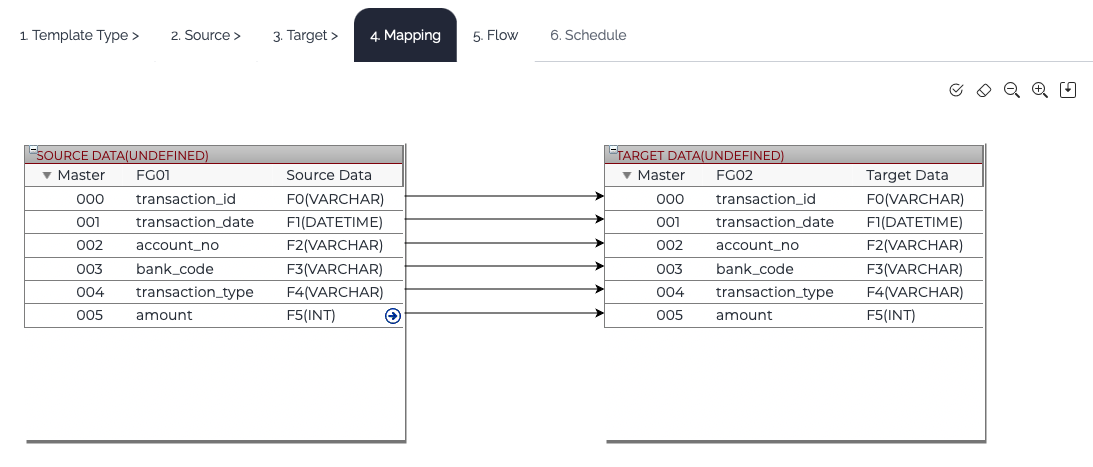
If the template type requires mapping, Mapping tab is enabled. Connect the input fields to the output fields. Refer to this [link](https://support.xnarum.com/download/manual.php#) for the mapping in detail.

&#x20;

<figure><img src="https://support.xnarum.com/download/manuals/images/template-mapping.png" alt=""><figcaption></figcaption></figure>

### **5. Flow**

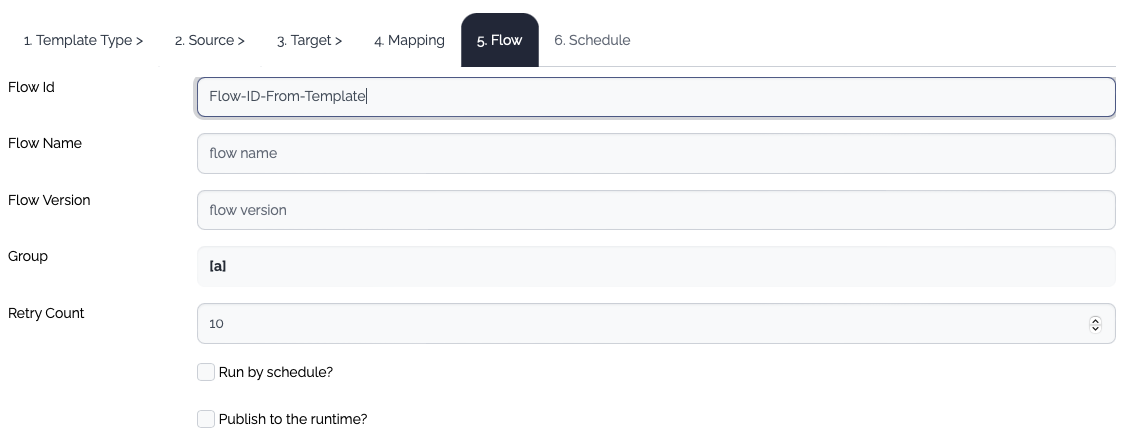
Enter the flow information. The properties of a flow in the template are not the full set of the properties. If you need further configuration, edit the generated flow manually later.

&#x20;

<figure><img src="https://support.xnarum.com/download/manuals/images/template-flow.png" alt=""><figcaption></figcaption></figure>

<table><thead><tr><th width="226">Property</th><th width="142.33333333333331">Type</th><th>Description</th></tr></thead><tbody><tr><td>Flow ID</td><td>Mandatory</td><td>The id of the flow</td></tr><tr><td>Flow Name</td><td>Optional</td><td>The name of the flow</td></tr><tr><td>Flow Version</td><td>Optional</td><td>The version of the flow. If the version is empty, the default version name(v1) is assigned.</td></tr><tr><td>Group</td><td>Optional</td><td>The group of the flow</td></tr><tr><td>Retry Count</td><td>Optional</td><td>The retry count of the flow. The default value is 10.</td></tr><tr><td>Run by schedule?</td><td>Optional</td><td>If checked, The Schedule tab is enabled.</td></tr><tr><td>Publish to Rruntime?</td><td>Optional</td><td>If checked, all the items - data structure, system, flow - are published to the runtime.</td></tr></tbody></table>

### **6. Schedule**

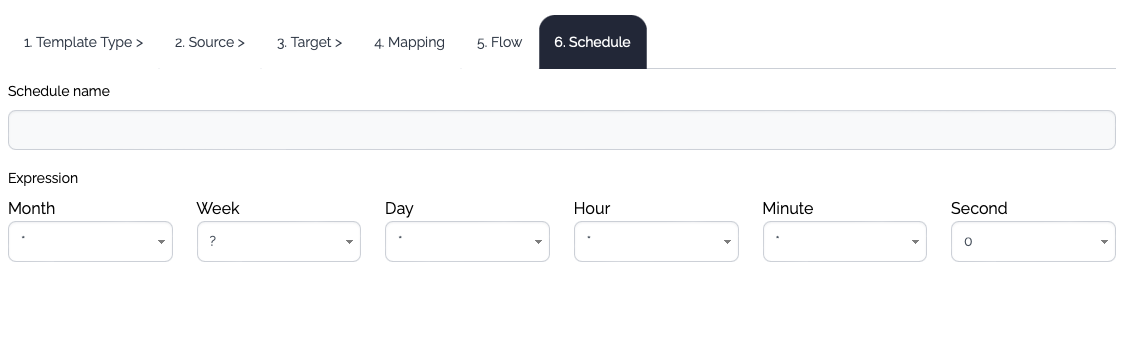
If this flow will be executed by scheduler, define the schedule. The properties provided in the template dialog are not the full set of the properties. If you need further configuration, edit the schedule later manually.

&#x20;

&#x20;After all the configurations are complete, save the template.

<figure><img src="https://support.xnarum.com/download/manuals/images/template-schedule.png" alt=""><figcaption></figcaption></figure>


# Job


# Schedule

Schedule is used to define scheduled jobs. Schedule provides three types of schedules.

* Flow - Execute the specified flow at the scheduled time or interval.
* Trigger Flow - Execute the specified flow if file(s) exist in the source (s)FTP server.
* Script - Execute a script file(.bat/.sh) at the scheduled time or interval.

A schedule has two states and default state when a schedule is created, it is paused.

* Paused
* Running

&#x20;

<figure><img src="https://support.xnarum.com/download/manuals/ISM-Manual-2023.fld/image057.png" alt="" width="563"><figcaption></figcaption></figure>

Schedule follows cron syntax to define a schedule.

(\*) Only either week or day can be used in one schedule definition.

A cron expression is a string comprised of 6 or 7 fields separated by white space. Fields can contain any of the allowed values, along with various combinations of the allowed special characters for that field. The fields are explained in the following table:

&#x20;

<table><thead><tr><th>Field Name</th><th width="134">Mandatory?</th><th>Allowed Values</th><th>Allowed special Characters</th></tr></thead><tbody><tr><td>Seconds</td><td>Yes</td><td>0-59</td><td>, - * /</td></tr><tr><td>Minutes</td><td>Yes</td><td>0-59</td><td>, - * /</td></tr><tr><td>Hours</td><td>Yes</td><td>0-23</td><td>, - * /</td></tr><tr><td>Day of the Month</td><td>Yes</td><td>31-Jan</td><td>, - * ? / L W</td></tr><tr><td>Month</td><td>Yes</td><td>1-12 or JAN-DEC</td><td>, - * /</td></tr><tr><td>Day of the Week</td><td>Yes</td><td>1-7 OR SUN-SAT</td><td>, - * ? / L #</td></tr><tr><td>Year</td><td>No</td><td>EMPTY, 1970-2099</td><td>, - * /</td></tr></tbody></table>

&#x20;

<table><thead><tr><th width="194.33333333333331">Operator</th><th>Purpose</th><th>Example</th></tr></thead><tbody><tr><td>asterisk ( * )</td><td>Specifies all possible values for a field</td><td>An asterisk in the hour time field is equivalent to "every hour".</td></tr><tr><td>question mark (?)</td><td>A question mark ( ? ) is allowed in the day-of-month and day-of-week fields. It is used to specify "no specific value", which is useful when you need to specify something in one of these two fields, but not in the other.</td><td>If you want a trigger to fire on a particular day of the month (for example, the 10th), but you don't care what day of the week that is, enter 10 in the day-of-month field, and ? in the day-of-week field.</td></tr><tr><td>dash ( - )</td><td>Specifies a range of values</td><td>2-5, which is equivalent to 2,3,4,5</td></tr><tr><td>comma ( , )</td><td>Specifies a list of values</td><td>1,3,4,7,8</td></tr><tr><td>slash ( / )</td><td>Used to skip a given number of values</td><td><p>*/3 in the hour time field is equivalent to 0,3,6,9,12,15,18,21. The asterisk ( * ) specifies "every hour", but the /3 means only the first, fourth, seventh. </p><p>You can use a number in front of the slash to set the initial value. For example, 2/3 means 2,5,8,11, and so on.</p></td></tr><tr><td>L ("last")</td><td>The L character is allowed for the day-of-month and day-of-week fields.</td><td>The value L in the day-of-month field means "the last day of the month", which is day 31 for January, or day 28 for February in non-leap years. If you use L in the day-of-week field by itself, it simply means 7 or SAT. But if you use it in the day-of-week field after another value, it means "the last xxx day of the month". For example, 6L means "the last Friday of the month".</td></tr><tr><td>Specifies either the last day of the month, or the last xxxday of the month.</td><td>HINT:When you use the L option, be careful not to specify lists or ranges of values. Doing so causes confusing results.</td><td></td></tr><tr><td>W ("weekday")</td><td>The W character is allowed for the day-of-month field. </td><td>If you specify 15W as the value for the day-of-month field, the meaning is "the nearest weekday to the 15th of the month". So if the 15th is a Saturday, the trigger fires on Friday the 14th. If the 15th is a Sunday, the trigger fires on Monday the 16th. If the 15th is a Tuesday, it fires on Tuesday the 15th. However, if you specify 1W as the value for day-of-month, and the 1st is a Saturday, the trigger fires on Monday the 3rd, because it does not "jump" over the boundary of a month's days. The W character can only be specified when the day-of-month is a single day, not a range or list of days.</td></tr><tr><td>Specifies the weekday (Monday-Friday) nearest the given day.</td><td>HINT:You can combine the L and W characters for the day-of-month expression to yield LW, which translates to "last weekday of the month".</td><td></td></tr><tr><td>pound sign ( # )</td><td>The pound sign ( # ) character is allowed for the day-of-week field. This character is used to specify "the nth" xxxday of the month.</td><td>The value of 6#3 in the day-of-week field means the third Friday of the month (day 6 = Friday and #3 = the 3rd one in the month).  Other Examples: 2#1 specifies the first Monday of the month and 4#5 specifies the fifth Wednesday of the month. However, if you specify #5 and there are fewer than 5 of the given day-of-week in the month, no firing occurs that month.</td></tr></tbody></table>

&#x20;

If previous schedule is not complete when the next interval reached, the next scheduled job can be skipped with this option.

<figure><img src="https://support.xnarum.com/download/manuals/ISM-Manual-2023.fld/image058.png" alt=""><figcaption></figcaption></figure>

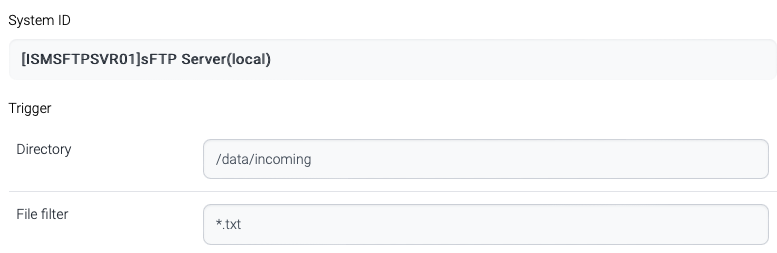
Trigger flow type requires (s)FTP server and file information. ISM scheduler connects to the (s)FTP server and checks the files exist. If the condition matches, the linked flow is executed.

<figure><img src="https://support.xnarum.com/download/manuals/ISM-Manual-2023.fld/image059.png" alt="" width="563"><figcaption></figcaption></figure>

<table><thead><tr><th width="148">Name</th><th>Description</th></tr></thead><tbody><tr><td>Directory</td><td>(s)FTP directory. This directory is not the system directory. For example, windows directory starts with drive name like c:\. But (s)FTP directory starts with slash like /data/src.</td></tr><tr><td>File Filter</td><td>File filter. Wildcard (*) can be used.</td></tr></tbody></table>

Schedule list are loaded every 30 seconds, and scheduled if not exits, or rescheduled if the schedule is updated.


# Channel


# AMQP

Advanced Message Queuing Protocol (AMQP) is created as an open standard protocol that allows messaging interoperability between systems, regardless of message broker vendor or platform used; With AMQP, you can use whatever AMQP-compliant client library you want, and any AMQP-compliant broker you want. Message clients using AMQP are completely agnostic.AMQP is an application layer protocol that lets client applications talk to the server and interact. However, AMQP should not just be considered a protocol used for over-the-wire communication; AMQP defines both the network layer protocol and a high-level architecture for message brokers.It defines a set of messages capabilities which must be made available by an AMQP compliant server implementation (like RabbitMQ). Including rules of how messages must be routed and stored within the broker to follow the AMQ Model.

## **Trigger a flow**

You need to configura an an amqp job to trigger the flow. The attributes of the job are these.

<table data-header-hidden><thead><tr><th width="185"></th><th></th></tr></thead><tbody><tr><td>Name</td><td>Description</td></tr><tr><td>Job Name</td><td>Name of the job</td></tr><tr><td>Broker</td><td>The url of the AMQP broker.</td></tr></tbody></table>

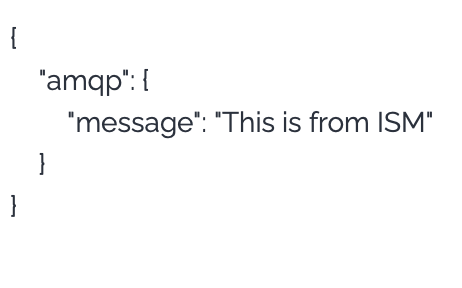
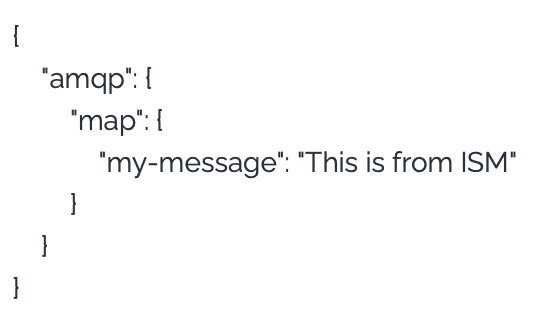
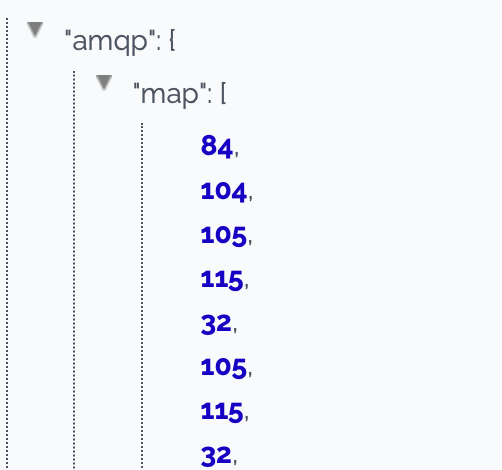
When AMQP subscriber receives a message, the message is passed to the flow as an input data and the formats are like this.

TextMessage

<figure><img src="https://support.xnarum.com/download/manuals/images/amqp-text-message.png" alt="" width="188"><figcaption></figcaption></figure>

MapMessage

<figure><img src="https://support.xnarum.com/download/manuals/images/amqp-map-message.png" alt="" width="188"><figcaption></figcaption></figure>

BytesMessage

<figure><img src="https://support.xnarum.com/download/manuals/images/amqp-bytes-message.png" alt="" width="188"><figcaption></figcaption></figure>


# Mqtt

MQTT is an OASIS standard messaging protocol for the Internet of Things (IoT). It is designed as an extremely lightweight publish/subscribe messaging transport that is ideal for connecting remote devices with a small code footprint and minimal network bandwidth. MQTT today is used in a wide variety of industries, such as automotive, manufacturing, telecommunications, oil and gas, etc.

## **Trigger a flow**

You need to configura an an mqtt job to trigger the flow. The attributes of the job are these.

<table><thead><tr><th width="159">Name</th><th>Description</th></tr></thead><tbody><tr><td>Job Name</td><td>Name of the job</td></tr><tr><td>Broker</td><td>The url of the MQTT broker.<br>The url starts with tcp://</td></tr></tbody></table>

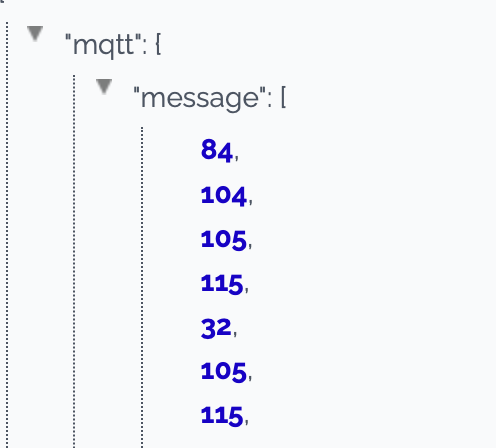
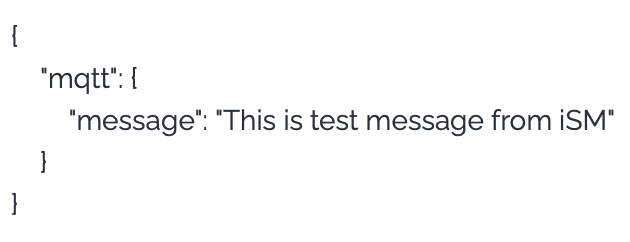
When MQTT subscriber receives a message, the message is passed to the flow as an input data and the format is like this.

PayloadFormat : 0

<figure><img src="https://support.xnarum.com/download/manuals/images/mqtt-format-binary.png" alt="" width="188"><figcaption></figcaption></figure>

PayloadFormat : 1

<figure><img src="https://support.xnarum.com/download/manuals/images/mqtt-format-utf8.png" alt="" width="375"><figcaption></figcaption></figure>


# sFTP

Sftp manages jobs related to files transferred to ISM sFTP server. ISM provides bundled sFTP server. The users are managed through Admin/sFTP User menu. The users of this sFTP are not the system user but sFTP only user.

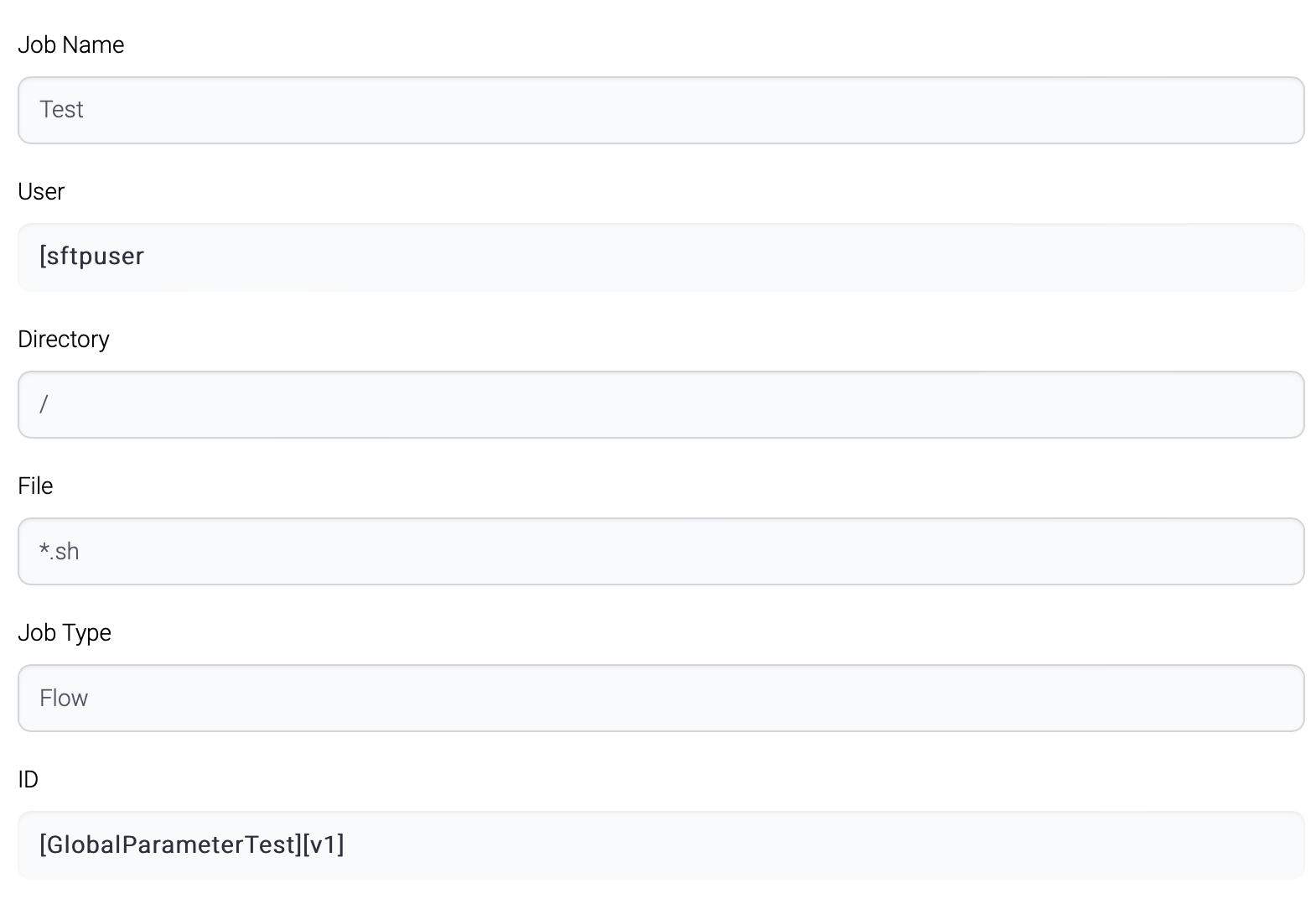
Once a file arrives at ISM sFTP server, sFTP server checks whether the file matches registered job trigger. If a matched job is found, the linked flow is executed.

&#x20;

<figure><img src="https://support.xnarum.com/download/manuals/ISM-Manual-2023.fld/image060.png" alt=""><figcaption></figcaption></figure>

&#x20;

<table><thead><tr><th width="179">Name</th><th>Description</th></tr></thead><tbody><tr><td>Job Name</td><td>Name of the job</td></tr><tr><td>User</td><td>Sftp user</td></tr><tr><td>Directory</td><td>The directory to check files</td></tr><tr><td>File</td><td><p>Target file. Wildcard (*) can be used.</p><p>For example, *.sh can be used.</p></td></tr><tr><td>Job Type</td><td><p>Flow - execute a flow.</p><p>Script - execute a batch script file.</p></td></tr><tr><td>ID</td><td>Flow ID</td></tr></tbody></table>

&#x20;

<figure><img src="https://support.xnarum.com/download/manuals/ISM-Manual-2023.fld/image061.png" alt="" width="563"><figcaption></figcaption></figure>

The port and directory for sFTP is configured in properties/sftp.config.yml file.

This file contains these properties.

<table><thead><tr><th width="198">Name</th><th>Description</th></tr></thead><tbody><tr><td>port</td><td>sFTP listening port</td></tr><tr><td>root-directory</td><td><p>sFTP root directory.</p><p>All the user directories are created under this root directory.</p><p>Default directory is data/sftp.</p></td></tr></tbody></table>

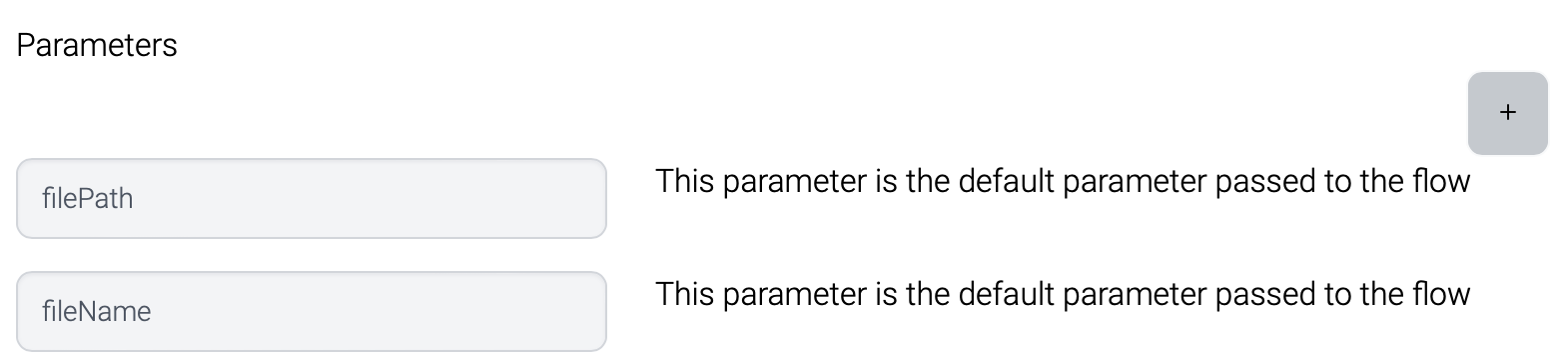
When a file is transferred, these two parameters are generated and passed to the flow.

<img src="https://support.xnarum.com/download/manuals/images/sftp-parameters.png" alt="" width="563">

Those values are wrapped in sftp parameter.
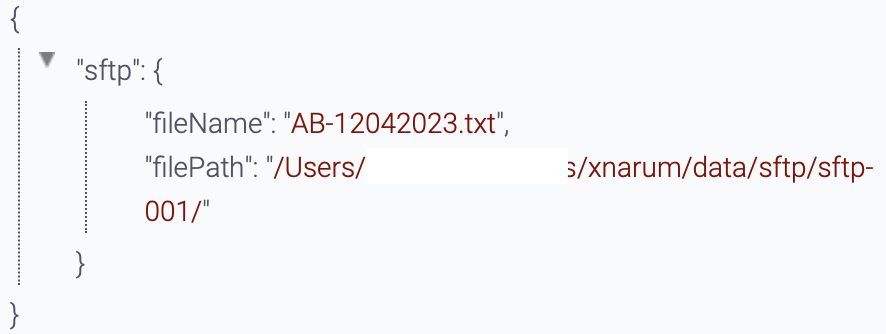
<img src="https://support.xnarum.com/download/manuals/images/sftp-parameters-result.png" alt="" width="563">

Additional parameters can be configured and passed too.


# Interface


# System

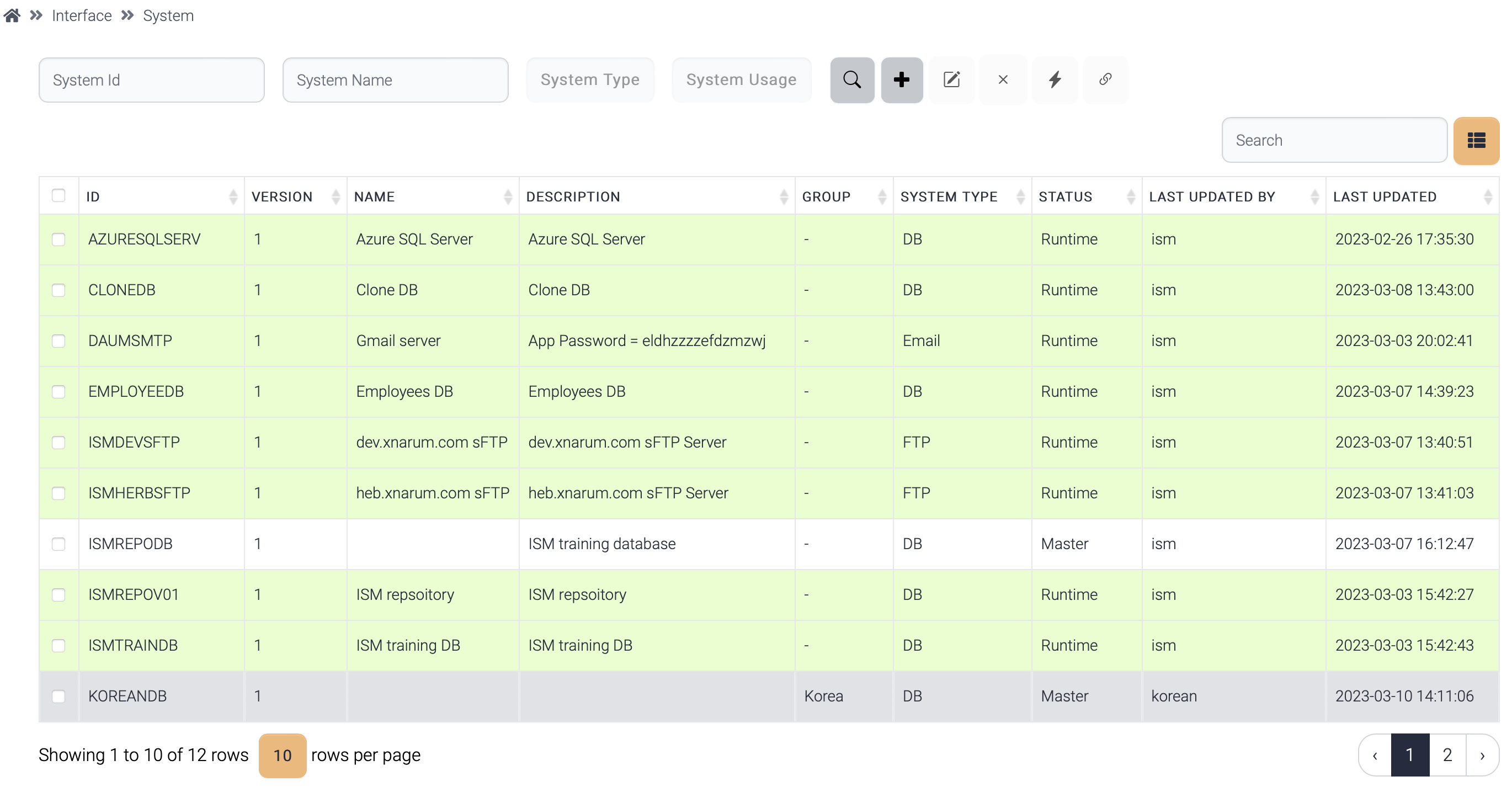
System manages system information of these types. These systems are published to the runtime and loaded into memory before being used for incoming transactions.

* Database
* (s)FTP
* Http(s)
* Socket
* SMTP
* IBM MQ
<figure><img src="https://support.xnarum.com/download/manuals/ISM-Manual-2023.fld/image073.png" alt=""><figcaption></figcaption></figure>

The systems created by a normal user of a group belongs to the group. And other users of different groups cannot see the systems. But the admin user can see all the systems.

!\[Graphical user interface, text, application, email

Description automatically generated]\(<https://support.xnarum.com/download/manuals/ISM-Manual-2023.fld/image074.png>)

## **Available operations**

These operations are common for system, data structure, field group, field.

### **Publish (**<img src="https://support.xnarum.com/download/manuals/ISM-Manual-2023.fld/image075.png" alt="" data-size="line">**)**

System information is loaded from database, converted into an object, and saved into a memory cache. If the system is used by the running instances, the object is replaced with the new one.
<figure><img src="https://support.xnarum.com/download/manuals/ISM-Manual-2023.fld/image076.png" alt="" width="563"><figcaption></figcaption></figure>

When a system is published, if that system has sub items, all the sub items are published together.

### **Reference (**<img src="https://support.xnarum.com/download/manuals/ISM-Manual-2023.fld/image077.png" alt="" data-size="line">**)**

If a system is used by any flow, this system is displayed in green background.

The hierarchies of the items are these.

·       Flow > system

·       Flow > data structure > field group > field

!\[Graphical user interface

Description automatically generated]\(<https://support.xnarum.com/download/manuals/ISM-Manual-2023.fld/image078.png>)

## **Database**

Database manages these properties.

| Property             | Description                                                           |
| -------------------- | --------------------------------------------------------------------- |
| Database Type        | Database type                                                         |
| Host                 | Database host                                                         |
| Port                 | Database port                                                         |
| Database name        | Database name                                                         |
| User                 | Database user                                                         |
| Password             | User password                                                         |
| Connection Pool Size | Connection pool size. Default size is 10                              |
| Driver class         | If database type is not listed in ISM, custom driver class can be set |
| Driver URL           | Driver class url - file:///jdbc\_driver\_path/jdbc\_driver\_jar\_file |
| Validation Query     | Validation for the connection. Ex) select 1                           |
| Connection String    | JDBC connection String. Refer to Help                                 |

&#x20;

·       Connection String

| Database   | Connection String                                                                                |
| ---------- | ------------------------------------------------------------------------------------------------ |
| mysql      | jdbc:mysql://localhost:3306/database\_name                                                       |
| oracle     | <p>jdbc:oracle:thin:@localhost:1521/service\_name</p><p>jdbc:oracle:thin:@localhost:1521:SID</p> |
| Sqlserver  | jdbc:sqlserver://localhost:1433;databaseName=database\_name                                      |
| Postgresql | jdbc:postgresql://localhost:5432/database\_name                                                  |
| DB2        | jdbc:db2://localhost:446/dbname                                                                  |
| DB2 AS 400 | jdbc:as400://hostname/default-schema                                                             |

Click test button, then the connection information can be verified.

!\[Graphical user interface, application

Description automatically generated]\(<https://support.xnarum.com/download/manuals/ISM-Manual-2023.fld/image079.png>)

&#x20;

&#x20;

&#x20;

&#x20;

## **(s)FTP**

(s)FTP manages these properties.

| Database    | Connection String                                        |
| ----------- | -------------------------------------------------------- |
| Host        | (s)FTP Host                                              |
| Port        | (s)FTP Port                                              |
| FTP Type    | <p>File transfer protocol</p><p>FTP, sFTP, SCP, FTPs</p> |
| User        | File user                                                |
| Password    | User password                                            |
| Private key | Private key for sFTP or FTPS connection                  |
| Passphrase  | Passphrase to access private key                         |

(s)FTP connection can be verified like database.

·       Creating a private key

Run this command at the server. If you want a passphrase, enter passphrase otherwise press enter.

$>ssh-keygen -f my-private.key

!\[Diagram

Description automatically generated with low confidence]\(<https://support.xnarum.com/download/manuals/ISM-Manual-2023.fld/image080.png>)

Private and public key pair is generated as my-private.key and my-private.key.pub.

Add public key to the authorized\_keys file.

$>cat my-private.key.pub >> \~/.ssh/authorized\_keys

Use my-private.key to login sFTP server.

&#x20;

## **Http(s)**

Http manages these properties.

!\[Graphical user interface, text, application

Description automatically generated]\(<https://support.xnarum.com/download/manuals/ISM-Manual-2023.fld/image081.png>)

| Property       | Description                                                                                                                                                                                                            |
| -------------- | ---------------------------------------------------------------------------------------------------------------------------------------------------------------------------------------------------------------------- |
| URL            | Endpoint of the target Http(s) server                                                                                                                                                                                  |
| Authenticaiton | <ul><li>None - no authentication</li><li>Basic - basic authentication in HTTP header</li><li>Digest - Digest authentication</li><li>JWT - JWT Token</li><li>Custom - Custom authentication with custom class</li></ul> |

&#x20;

·       Basic authentication

!\[Background pattern

Description automatically generated]\(<https://support.xnarum.com/download/manuals/ISM-Manual-2023.fld/image082.png>)

| Property | Description |
| -------- | ----------- |
| User     | User id     |
| Password | Password    |

Basic authentication adds Authorization header to HTTP header with base64 encoding.

Authorization : Basic a2FpemVuOjEyMzQ1(usename:password)

&#x20;

·       Digest authentication

Digest access authentication is one of the agreed-upon methods a [web server](https://en.wikipedia.org/wiki/Web_server) can use to negotiate credentials, such as username or password, with a user's [web browser](https://en.wikipedia.org/wiki/Web_browser). This can be used to confirm the identity of a user before sending sensitive information, such as online banking transaction history. It applies a [hash function](https://en.wikipedia.org/wiki/Hash_function) to the username and [password](https://en.wikipedia.org/wiki/Password) before sending them over the network. In contrast, [basic access authentication](https://en.wikipedia.org/wiki/Basic_access_authentication) uses the easily reversible [Base64](https://en.wikipedia.org/wiki/Base64) encoding instead of hashing, making it non-secure unless used in conjunction with [TLS](https://en.wikipedia.org/wiki/Transport_Layer_Security).

Technically, digest authentication is an application of [MD5](https://en.wikipedia.org/wiki/MD5) [cryptographic hashing](https://en.wikipedia.org/wiki/Cryptographic_hash) with usage of [nonce](https://en.wikipedia.org/wiki/Cryptographic_nonce) values to prevent [replay attacks](https://en.wikipedia.org/wiki/Replay_attack). It uses the [HTTP](https://en.wikipedia.org/wiki/Hypertext_Transfer_Protocol) protocol.

!\[Text

Description automatically generated]\(<https://support.xnarum.com/download/manuals/ISM-Manual-2023.fld/image083.png>)

&#x20;

·       JWT Token

&#x20;

| <p>JSON Web Token (JWT) is an open standard (<a href="https://tools.ietf.org/html/rfc7519">RFC 7519</a>) that defines a compact and self-contained way for securely transmitting information between parties as a JSON object. This information can be verified and trusted because it is digitally signed. JWTs can be signed using a secret (with the HMAC algorithm) or a public/private key pair using RSA or ECDSA.</p><p>Although JWTs can be encrypted to also provide secrecy between parties, we will focus on signed tokens. Signed tokens can verify the integrity of the claims contained within it, while encrypted tokens hide those claims from other parties. When tokens are signed using public/private key pairs, the signature also certifies that only the party holding the private key is the one that signed it.</p><p> </p> |
| ---------------------------------------------------------------------------------------------------------------------------------------------------------------------------------------------------------------------------------------------------------------------------------------------------------------------------------------------------------------------------------------------------------------------------------------------------------------------------------------------------------------------------------------------------------------------------------------------------------------------------------------------------------------------------------------------------------------------------------------------------------------------------------------------------------------------------------------------------- |

(From <https://jwt.io/introduction>)

JWT token is used to authorize a user after authenticated. JWT Token is generated at the server side with the authentication information sent from the client. If the authentication information is valid, a new JWT Token is generated and returned. This token should be included in all the requests afterwards.

Typically, the server for authentication/authorization has different endpoint.

The token is valid for a finite period. Once the token is expired, a new token should be acquired with the same authentication information.

&#x20;

The token should be included in the HTTP header like this.

| Authorization: Bearer \<token> |
| ------------------------------ |

This type of authentication requires these properties.

<table><thead><tr><th width="233">Property</th><th>Description</th></tr></thead><tbody><tr><td>User</td><td>User id</td></tr><tr><td>Password</td><td>Password</td></tr><tr><td>User Field</td><td>Field name of the user field</td></tr><tr><td>Password Field</td><td>Field name of the password field</td></tr><tr><td>Content Type</td><td><p>Content type of the authentication request</p><ul><li>application/json</li><li>application/x-www-form-urlencoded</li></ul></td></tr><tr><td>Authentication URL</td><td>Endpoint for the authentication</td></tr></tbody></table>

&#x20;

&#x20;

·       Custom authentication

Custom authentication is used to add authentication header to the request. The authentication information can come from a database, a service, or others. Once the authentication information is acquired, that information is added into HTTP header.

This type of authentication requires these properties.

<table><thead><tr><th width="203">Property</th><th>Description</th></tr></thead><tbody><tr><td>User</td><td>User id. Optional</td></tr><tr><td>Password</td><td>Password. Optional</td></tr><tr><td>Class Name</td><td>The java class which generates authentication information.</td></tr></tbody></table>

&#x20;

The class should have execute() method and that method should return NameValuePair list.

```
public List<NameValuePair> execute(HashMap map, String id, String password, String authUrl) throws Exception {
    ArrayList<NameValuePair> rtn = new ArrayList<NameValuePair>();
 
    String tokenValue = getToken(id, password, authUrl); //Get authentication info from somewhere else
    rtn.add(new BasicNameValuePair(X-Auth-Token-, token);
 
    return rtn;
}
```

&#x20;

&#x20;

## **Socket**

Socket manages these properties.

<figure><img src="https://support.xnarum.com/download/manuals/ISM-Manual-2023.fld/image084.png" alt="" width="375"><figcaption></figcaption></figure>

<table><thead><tr><th width="234">Property</th><th>Description</th></tr></thead><tbody><tr><td>Host</td><td>Target host</td></tr><tr><td>Port</td><td>Listening port of the target server</td></tr><tr><td>Length Type</td><td><p>Length field type</p><p>·       Short - 2 bytes length</p><p>·       Integer - 4 bytes length</p><p>·       Character - Stringified length</p><p>Short/Integer length is binary data and Character expresses length in character.</p><p>ex) 00001200 - Length of the data is 1200 bytes</p></td></tr><tr><td>Size of Length</td><td><p>Size of length field</p><ul><li>Short - 2</li><li>Integer - 4</li><li>Character - Not fixed</li></ul></td></tr><tr><td>Header Length</td><td><p>The length of header data.</p><p>Header data contains meta data of the message like followings:</p><p>·       Length</p><p>·       Message Type</p><p>·       Transaction ID</p></td></tr><tr><td>Length Offset</td><td><p>The position of the length field.</p><p>Mostly the first few bytes are the length and offset is 0.</p></td></tr><tr><td>Is Total Length?</td><td><p>Does the value of the length field include length field?</p><p>·       Yes - length field is part of the length.</p><p>·       No - length field is not part of the length.</p></td></tr></tbody></table>

&#x20;

## **Email Server**

SMTP system manages these properties.

<table><thead><tr><th width="221">Property</th><th>Description</th></tr></thead><tbody><tr><td>SMTP Server</td><td>SMTP Host. Main and backup, if exists.</td></tr><tr><td>Port</td><td><p>SMTP Port. Mostly used ports are these:</p><p>25 - non-SSL port</p><p>465 - SSL port</p></td></tr><tr><td>Use SSL?</td><td>If use ssl, SSL modules are used to connect SMTP server.</td></tr><tr><td>User ID</td><td><p>User id of the email server.</p><p>Mostly id is the email address of the sender.</p></td></tr><tr><td>Password</td><td>Password of the email sender.</td></tr></tbody></table>

&#x20;

&#x20;

## **IBM MQ**

MQ system manages these properties.

<table><thead><tr><th width="235">Property</th><th>Description</th></tr></thead><tbody><tr><td>Host</td><td>MQ Queue manager host</td></tr><tr><td>Port</td><td>MQ Listener port</td></tr><tr><td>Queue Manager</td><td>Queue Manager name</td></tr><tr><td>Queue Name</td><td>Request queue</td></tr><tr><td>Channel Name</td><td>SVRCONN name</td></tr><tr><td>Reply Queue manager</td><td>Reply queue manager</td></tr><tr><td>Reply Queue Name</td><td>Reply queue name</td></tr><tr><td>Character Set</td><td>Character encoding. Necessary when conversion is required. EBCDIC &#x3C;-> UTF8</td></tr><tr><td>User</td><td>User id of the host which MQ is running on</td></tr><tr><td>Password</td><td>Password</td></tr></tbody></table>


# Data Structure

ISM data structures come from these source types.

<table><thead><tr><th width="175">Type</th><th>Description</th></tr></thead><tbody><tr><td>Manual</td><td><p>This type consists of field groups, and field groups are comprised by fields. This type data has master-detail hierarchy.</p><p>This type data structure is generated with this order.</p><p>·       Field - create fields one by one.</p><p>·       Field group - create field groups with fields.</p><p>·       Master/Detail - Assemble master/detail with field groups.</p></td></tr><tr><td>DB</td><td><p>This is from table. There are two types of data structure generation.</p><p>·       From table layout - ISM connects to the target database, retrieves table information, and choose a table.</p><p>·       From user query - ISM executes the query and generate a data structure.</p></td></tr><tr><td>Excel</td><td><p>This type is from an excel file.</p><p>There are two types of data structure generation.</p><p>From template - the excel sheet follows ISM data structure template.</p><p>From header - the values of the first row of the excel sheet are the names of the fields.</p></td></tr><tr><td>XML</td><td>This type is from a sample xml content.</td></tr><tr><td>JSON</td><td>This type is from a sample json content.</td></tr><tr><td>WSDL</td><td>This type is from a WSDL.</td></tr></tbody></table>

&#x20;

## **Manual**

This is the original type of data structure of ISM. This type of data structure consists of multiple (1..N) masters and multiple (0..N) details.

Master and detail are field groups. One master field group can have multiple (0..N) detail field groups.

!\[A screenshot of a computer

Description automatically generated with low confidence]\(<https://support.xnarum.com/download/manuals/ISM-Manual-2023.fld/image085.png>)

Detail field groups can be repeated.

<figure><img src="https://support.xnarum.com/download/manuals/ISM-Manual-2023.fld/image086.png" alt=""><figcaption></figcaption></figure>

The data above screenshot consists of one header part and repeated body part. This is the data structure of the data.

<figure><img src="https://support.xnarum.com/download/manuals/ISM-Manual-2023.fld/image087.png" alt=""><figcaption></figcaption></figure>

The header has 3 fields and body has 2 fields and repeatable. The repeat count, i.e., the record count is determined by the 3rd field of the header. The 3rd field of the header indicates repeat count is 5, and body part is repeated 5 times. If the repeat count is fixed, then no indicator is used.

This data has a record delimiter, and this record delimiter is used to separate master records and detail records in the master. If a record delimiter is set, then the same delimiter is used to separate the detail records.

These are the steps to create a new data structure.

·       Choose type - Manual(ISM)

<figure><img src="https://support.xnarum.com/download/manuals/ISM-Manual-2023.fld/image088.png" alt=""><figcaption></figcaption></figure>

·       Add master field group

&#x20;

1\)     Click Add Master button.

2\)     Double click a field group.

3\)     Selected field group is added as a master.

!\[A screenshot of a computer

Description automatically generated]\(<https://support.xnarum.com/download/manuals/ISM-Manual-2023.fld/image089.png>)

·       Add detail field group.

&#x20;

1\)     Click Add Detail button.

2\)     Double click a field group.

3\)     Selected field group is added as detail field group.

<figure><img src="https://support.xnarum.com/download/manuals/ISM-Manual-2023.fld/image090.png" alt=""><figcaption></figcaption></figure>

If this detail group is repeated, set the repeat count or indicator.

If any record delimiter is used, set the record delimiter. If no record delimiter is set, master records are separated by length.

## **DB**

The data structure from database requires system information. The target database should be registered before this step. These are the steps to create a data structure from database.

1\)     Choose the target database.

2\)     Click Retrieve button to load tables.

3\)     Select the target table and click Choose.

Then the fields are displayed.

&#x20;

<figure><img src="https://support.xnarum.com/download/manuals/ISM-Manual-2023.fld/image091.png" alt=""><figcaption></figcaption></figure>

Or these fields can be generated from a query.

<figure><img src="https://support.xnarum.com/download/manuals/ISM-Manual-2023.fld/image092.png" alt=""><figcaption></figcaption></figure>

The generated data structure is the same as ISM data structure. This data structure has one master field group.

&#x20;

## **Excel**

The data structure from an excel file comes from a sheet. The excel sheet can be a template excel sheet or just records with column names.

<figure><img src="https://support.xnarum.com/download/manuals/ISM-Manual-2023.fld/image093.png" alt=""><figcaption></figcaption></figure>

Drag and drop excel file and sheets are listed. Choose the target sheet, check/uncheck Template, and click Retrieve.

!\[Shape

Description automatically generated with low confidence]\(<https://support.xnarum.com/download/manuals/ISM-Manual-2023.fld/image094.png>)

### **Template**

Template excel sheet looks like this screenshot. The sample template file(fieldgroup\_meta.xls) is located under data directory.

<figure><img src="https://support.xnarum.com/download/manuals/ISM-Manual-2023.fld/image095.png" alt=""><figcaption></figcaption></figure>

&#x20;

These are the attributes of the template sheet.

<table><thead><tr><th>Column Name</th><th width="258">Column Description</th><th>Input Type</th><th>Allowed Values</th></tr></thead><tbody><tr><td>FIDLE ID</td><td>Field ID to use. Automatically generated</td><td>not allowed</td><td> </td></tr><tr><td>Field Name</td><td>real field name : table column, message field</td><td>mandatory</td><td> </td></tr><tr><td>Field Description</td><td>Field description</td><td>optional</td><td> </td></tr><tr><td>Type</td><td>Field type</td><td>mandatory</td><td><ul><li>C - Char</li><li>N - Number</li><li>D - Date</li><li>B - Binary</li></ul></td></tr><tr><td>Length</td><td>Field length. If length is not fixed, just enter 0</td><td>mandatory</td><td>only number<br>for binary type, only 4 is allowed</td></tr><tr><td>format</td><td>Field format. Used for Number and Date<br>for Number, use NNNN.NN. The dot means a point. This point is included in the field length.<br>for Date, use java date format</td><td>optional<br>mandatory for date</td><td> </td></tr><tr><td>fill letter</td><td>this letter is used to fill remaining bytes, when the field is used for fixed length data<br>For Number type default fill letter is 0.<br>For char type default fill letter is ' '</td><td>optional</td><td>one byte letter.</td></tr><tr><td>alignment</td><td>alignment type - left, right.<br>For char type, left alighment is defult.<br>For number type, right alignment is default.</td><td>optional</td><td>L - left<br>R - right</td></tr><tr><td>length field type</td><td>indicates this field shows the length of partial or entire data</td><td>optional</td><td><ul><li>T - whole length</li><li>P - partial length</li><li>F - field group length</li><li>N - not a length field</li></ul></td></tr><tr><td>adjustment value</td><td>Used when this field is length field which shows partial or entire length of message. If the length shows the entire length, adjustment value is 0. But when this value doesn't include all the fields in the field group or entire message, the correct length should be adjusted by this adjustment value.<br>Add the adjustment value after calculating the length value.<br>for example,<br>length value is 100 and adjustment value is 8.<br>Result length value is 108.<br>length value is 100 and adjustment value is -8.<br>Result length value is 92.</td><td>optional</td><td>> 0<br>= 0<br>&#x3C; 0</td></tr><tr><td>is key</td><td>it shows this field is key field or not<br>several key fields are allowed for one field group</td><td>optional</td><td>Y = Key field<br>N = Normal field</td></tr><tr><td>nullable</td><td>used when this field stands for table column. If the input value is null, and nullable is true, then null data is inserted into table.<br>Default value is nullable</td><td>optional</td><td>Y = Nullable<br>N = Not null</td></tr><tr><td>is sql function</td><td>Used after transformation for table operation. If sql function flag is true, the result value of the transformation of this field is treated as a sql function and generated sql query contains the result as a part of the query, not the variable.</td><td>optional</td><td>Y = SQL Function<br>N = normal field</td></tr><tr><td>inout type</td><td>for stored procedure<br>default is input</td><td>optional</td><td>I = IN<br>O = OUT<br>B = INOUT</td></tr></tbody></table>

&#x20;

### **Data**

If the sheet is not a template, the first row is treated as header, parsed, and displayed. It is not necessary for the header to start from the first row of the sheet. The first row mean the first row which has data.

<figure><img src="https://support.xnarum.com/download/manuals/ISM-Manual-2023.fld/image096.png" alt=""><figcaption></figcaption></figure>

&#x20;

<figure><img src="https://support.xnarum.com/download/manuals/ISM-Manual-2023.fld/image097.png" alt=""><figcaption></figcaption></figure>

## **XML**

This type of data structure is generated from a sample xml. Enter a sample xml, click Parse button, and the parsed result is displayed at the bottom.

<figure><img src="https://support.xnarum.com/download/manuals/ISM-Manual-2023.fld/image098.png" alt=""><figcaption></figcaption></figure>

If an element is repeatable, set repeated attribute to the repeatable element.

<figure><img src="https://support.xnarum.com/download/manuals/ISM-Manual-2023.fld/image099.png" alt="" width="563"><figcaption></figcaption></figure>

The elements in the sample xml should contain dummy data. If the xml has empty element like this:

| <p>\<?xml version=-1.0- encoding="utf-8-"></p><p>\<doc></p><p>-</p><p>\<dummy>1\</dummy></p><p>\<empty1>\</empty1></p><p>\<empty2/></p><p>\</doc></p> |
| ----------------------------------------------------------------------------------------------------------------------------------------------------- |

\<empty1> and \<empty2> elements are ignored during the parsing.
If the sample xml is copied from an editor like Microsoft Word, xml parsing may fail. The single quotation('') and double quotation("") are not same as the text editor.

<figure><img src="https://support.xnarum.com/download/manuals/ISM-Manual-2023.fld/image100.png" alt=""><figcaption></figcaption></figure>

Quotation from MS Word - ![](https://support.xnarum.com/download/manuals/ISM-Manual-2023.fld/image101.png)

Quotation from text editor - ![](https://support.xnarum.com/download/manuals/ISM-Manual-2023.fld/image102.png)

There is a limit on XML data structure. Current XML data structure cannot handle the attributes of an element.

!\[Text

Description automatically generated]\(<https://support.xnarum.com/download/manuals/ISM-Manual-2023.fld/image103.png>)

The \<book> element above xml has id attribute. But this attribute is ignored and removed at the generated xml.

## **JSON**

This type of data structure is generated from a sample json. Enter a sample json, click Parse button, and the parsed result is displayed at the bottom.

!\[Graphical user interface, text, application, email

Description automatically generated]\(<https://support.xnarum.com/download/manuals/ISM-Manual-2023.fld/image104.png>)

There is a limit on JSON data structure. Current JSON data structure cannot handle primitive(number) and string array type.

!\[Graphical user interface, text, application

Description automatically generated]\(<https://support.xnarum.com/download/manuals/ISM-Manual-2023.fld/image105.png>)

GlossSeeAlso field from the above json is not parsed correctly.

## **WSDL**

This type of data structure is generated from WSDL url or file. Enter WSDL url, click Parse button, and the parsed result is displayed at the bottom.


# Field Group

Field group is a group of fields. Field group can be generated from excel, database, and manually.

Excel and database are same as data structure.

## **Manual**

To create a field group manually, fields must be generated before field group.

&#x20;

1\)     Click Add Field button.

2\)     Double click a field.

3\)     Selected field is displayed in the field list.

!\[Graphical user interface, application

Description automatically generated]\(<https://support.xnarum.com/download/manuals/ISM-Manual-2023.fld/image107.png)&#x20>;

Each field in the field list can be edited or moved.

&#x20;

<figure><img src="https://support.xnarum.com/download/manuals/ISM-Manual-2023.fld/image108.png" alt="" width="188"><figcaption></figcaption></figure>

1. Choose a field from field list
2. Delete a field
3. Move up a field
4. Move down a field.

Each field can be edited in field group menu. Click the field id, then field editor popup is displayed.

![](https://support.xnarum.com/download/manuals/ISM-Manual-2023.fld/image109.png)

The fields in a field group have these properties.

<table><thead><tr><th width="198">Property</th><th>Description</th></tr></thead><tbody><tr><td>Nullable</td><td><p>This property is used to set null data to columns for database operation.</p><p>If nullable, null value is set. Otherwise, an exception is thrown.</p></td></tr><tr><td>Key</td><td>If this property is yes, this field is used as one of key columns for update/delete/select operations.</td></tr><tr><td>SQL Function</td><td>If this property is yes, the value of this field treated as an SQL function.</td></tr></tbody></table>


# Field

Field has these properties.

<figure><img src="https://support.xnarum.com/download/manuals/ISM-Manual-2023.fld/image110.png" alt=""><figcaption></figcaption></figure>

<table><thead><tr><th width="180">Property</th><th>Description</th></tr></thead><tbody><tr><td>Type</td><td>Field type</td></tr><tr><td>Length</td><td>Length of this field</td></tr><tr><td>Format</td><td>Format of this field. If the type is date, this format is used to converting from string to date.</td></tr><tr><td>Filler</td><td>Fill character for padding. 0 is for number type, space is for string type.</td></tr><tr><td>Alignment</td><td>Align to left or right. Number type is right aligned, string is left aligned.</td></tr></tbody></table>


# Web Service

## Service

Web services can be generated from flow, data structure, or WSDL. Generated web services are deployed to the specific instances automatically.

When a web service is deleted, that web service is undeployed from the target nodes.

<figure><img src="https://support.xnarum.com/download/manuals/ISM-Manual-2023.fld/image111.png" alt=""><figcaption></figcaption></figure>

### **Authentication**

Web services can have these authentication methods.

·       Basic

Basic authentication adds Authorization header to HTTP header with base64 encoding.

Authorization: Basic a2FpemVuOjEyMzQ1(usename:password)

&#x20;

&#x20;

### **MTOM**

MTOM is the [W3C](https://en.wikipedia.org/wiki/World_Wide_Web_Consortium) Message Transmission Optimization Mechanism, a method of efficiently sending binary data to and from [Web services](https://en.wikipedia.org/wiki/Web_service).

MTOM is similar with the email attachment.

&#x20;

### **Web Service Generation**

Click save button, the target instance popup is displayed. This popup shows the available instances.

<figure><img src="https://support.xnarum.com/download/manuals/ISM-Manual-2023.fld/image112.png" alt="" width="563"><figcaption></figcaption></figure>

Once the target instance(s) are chosen, click Generate button, then web service is generated.

&#x20;

The generation procedure consists of these steps.

·       Generate web service source code.

o   Generated source codes are located under tmp directory.

o   Generate web service interface and implementation classes.

o   Generate request and response entity classes.

·       Compile the generated codes and package into .war file.

o   Ant build tool is used to package .war file.

·       Deploy the packaged .war to the running instance(s).

o   Admin port, user, and password of the runtime node is used to deploy the .war as web service.

If web services are used as endpoints of the flows, JDK is required to compile the generated source codes.

Generated WSDL is displayed with DNSHost property of the runtime node, if DNSHost is not empty.

The real WSDL uses the host name from wildfly configuration file -

·       wildfly-10.1.0.Final/standalone/configuration/standalone.xml.

<figure><img src="https://support.xnarum.com/download/manuals/ISM-Manual-2023.fld/image113.png" alt="" width="563"><figcaption></figcaption></figure>

#### **Target namespace**

Target namespace of the generated web service is http\://[flow.webservice.xnarum.com](http://ws.xnarum.com/) by default. This name comes from the default package name of the generated java classes and is in the exactly reversed order of the package.

This package can be customized with this system property - webservice.package.name  - in this file

??? jetty-9.4.7/etc/xnarum.xml and restart jetty process.

| <p>    \<Call class="java.lang.System" name="setProperty"></p><p>        \<Arg>webservice.package.name\</Arg></p><p>        \<Arg>com.mydomain.webservice\</Arg></p><p>    \</Call></p> |
| --------------------------------------------------------------------------------------------------------------------------------------------------------------------------------------- |

![](https://support.xnarum.com/download/manuals/ISM-Manual-2023.fld/image114.png)

### **Flow web service**

A web service can be generated from flow(s) and this web service has only 1 operation.

<figure><img src="https://support.xnarum.com/download/manuals/ISM-Manual-2023.fld/image115.png" alt=""><figcaption></figcaption></figure>

&#x20;

| Property       | Description                            |
| -------------- | -------------------------------------- |
| Service Name   | The name of this web service           |
| Operation Name | The name of the method to be generated |
| Description    | Description                            |
| Flow           | Choose one or more flows               |

&#x20;

#### **Input**

Input can be generated from the Input Parameters of the flow or manually. Click from Flow button, then the input parameters of the flow are set as input parameters of the web service.

<figure><img src="https://support.xnarum.com/download/manuals/ISM-Manual-2023.fld/image116.png" alt=""><figcaption></figcaption></figure>

For input parameters, link type can be assigned. There are three types of links.

<table><thead><tr><th width="195">Property</th><th>Description</th></tr></thead><tbody><tr><td>User Key</td><td>Link as User key. This user key is displayed in the transaction list.</td></tr><tr><td>Message ID</td><td>Flow ID. If multiple flows are using one web service, this value can be used to invoke the target flow.</td></tr><tr><td>Transaction ID</td><td>Transaction ID. If no transaction id is assigned, random transaction id is generated during the runtime.</td></tr></tbody></table>

Input parameters can be added with plus (+) button.

&#x20;

#### **Output**

Output parameters are response data to the client and can be generated from the output parameters of the target flow or manually.

Output parameter has Mapping field, and this field is used to map response data from the flow to the response data to the client.

<figure><img src="https://support.xnarum.com/download/manuals/ISM-Manual-2023.fld/image117.png" alt=""><figcaption></figcaption></figure>

To map the response data of the flow, enclose the parameter with #.

The web service can have no parameter and no response.

·       The request with no parameters

<figure><img src="https://support.xnarum.com/download/manuals/ISM-Manual-2023.fld/image118.png" alt="" width="563"><figcaption></figcaption></figure>

·       The response with no fields

<figure><img src="https://support.xnarum.com/download/manuals/ISM-Manual-2023.fld/image119.png" alt="" width="563"><figcaption></figcaption></figure>

### **Data web service**

A web service can be generated from request and response data structures. This web service also has only 1 operation. If no flow to the web service is linked, a new flow can be generated together.

The request and response data structure are converted to java class and the name of a field cannot start with number. If either request or response data contains fields which start with number, web service generation fails.

And if a data structure contains same name fields in different layer, the latter one will be ignored. This means the same name with different layout results in the first one only generated.

&#x20;!\[Text

Description automatically generated]\(<https://support.xnarum.com/download/manuals/ISM-Manual-2023.fld/image120.png>)

The picture shows a data structure with two groupA definitions. Each groupA has different layout. The second groupA is treated as already generated.

&#x20;

<figure><img src="https://support.xnarum.com/download/manuals/ISM-Manual-2023.fld/image121.png" alt=""><figcaption></figcaption></figure>

| Property                                  | Description                                                          |
| ----------------------------------------- | -------------------------------------------------------------------- |
| Generate Flow?                            | New flow is generated with this web service                          |
| First Letter to Upper case for Field Name | Use upper case for the first letter of the field name.               |
| Flow ID                                   | Linked flow id. If Generate Flow? Is checked, new flow is generated. |
| Parameter                                 | Data structure for request                                           |
| Return                                    | Data structure for response                                          |

&#x20;

This web service generates a flow with only a few components. The flow id is assigned with the service name.

The procedure of generation is same as Flow web service. But flow generation step is added after web service deployment.

#### **Generated Flow**

The generated flow has these components by default.

&#x20;

<figure><img src="https://support.xnarum.com/download/manuals/ISM-Manual-2023.fld/image122.png" alt=""><figcaption></figcaption></figure>

<table><thead><tr><th width="260">Property</th><th>Description</th></tr></thead><tbody><tr><td>Webservice Parameter Reader</td><td>This component contains the name of the request parameter. The purpose of this component is to expose the request parameter to this flow. This parameter can be used in the next steps.</td></tr><tr><td>Mapping</td><td><p>This component is used to generate response data to the client. The result of this mapping is the input of Webservice Return Composer component.</p><p>Mapping component is not mandatory. If mapping is not necessary, it can be deleted.</p></td></tr><tr><td>Webservice Return Composer</td><td>This component specifies the name of the response data. A flow generates many output data and if no exact parameter is specified, no data is returned to the client.</td></tr></tbody></table>

This flow has path value with operation name. \_\_RoutingPath parameter is set inside web service and passed to the flow.

The business logic in the flow will be located between the first Reader component and the second mapping component.

&#x20;

### **WSDL web service**

WSDL web service is generated from WSDL. This web service can have multiple operations.

<figure><img src="https://support.xnarum.com/download/manuals/ISM-Manual-2023.fld/image123.png" alt=""><figcaption></figcaption></figure>

<table><thead><tr><th width="190">Property</th><th>Description</th></tr></thead><tbody><tr><td>URL</td><td>WSDL URL</td></tr><tr><td>File</td><td><p>WSDL File.</p><p>Either URL or File is used to generate a web service.</p></td></tr><tr><td>Binding XML</td><td>Binding XML is used to resolve name conflict in WSDL. This xml is optional.</td></tr></tbody></table>

&#x20;

This type of web service has additional button(parse) to generate a web service.

<figure><img src="https://support.xnarum.com/download/manuals/ISM-Manual-2023.fld/image124.png" alt="" width="188"><figcaption></figcaption></figure>

Click parse button, then WSDL is parsed and displayed at the bottom.

&#x20;&#x20;

<figure><img src="https://support.xnarum.com/download/manuals/ISM-Manual-2023.fld/image125.png" alt=""><figcaption></figcaption></figure>

A new data structure can be generated for this WSDL service.

<figure><img src="https://support.xnarum.com/download/manuals/ISM-Manual-2023.fld/image126.png" alt=""><figcaption></figcaption></figure>

The name of the generated data structure is same as the name of the web service.

&#x20;

## Client

Web service client can be generated from WSDL. The procedure is similar with WSDL web service generation.

<figure><img src="https://support.xnarum.com/download/manuals/ISM-Manual-2023.fld/image127.png" alt=""><figcaption></figcaption></figure>

Enter WSDL url or file, click parse button, then WSDL is parsed and displayed at the bottom.

<figure><img src="https://support.xnarum.com/download/manuals/ISM-Manual-2023.fld/image128.png" alt=""><figcaption></figcaption></figure>

The data structure of this web service can be generated with this.

<figure><img src="https://support.xnarum.com/download/manuals/ISM-Manual-2023.fld/image129.png" alt=""><figcaption></figcaption></figure>

The generated web service client is packaged as .jar file and located custom/ directory.

## API Key(REST) <a href="#toc130312310" id="toc130312310"></a>

API key is required to access REST services. API key can allow the access to a certain user or role or specific flow.

<figure><img src="https://support.xnarum.com/download/manuals/ISM-Manual-2023.fld/image130.png" alt=""><figcaption></figcaption></figure>

The access control of REST service consists of these properties.

<table><thead><tr><th width="188">Property</th><th>Description</th></tr></thead><tbody><tr><td>Key Type</td><td><p>Type of Access control</p><p>User</p><p>Role</p></td></tr><tr><td>Customer ID</td><td>User id if key type is user.</td></tr><tr><td>Role</td><td>Role if key type is role.</td></tr><tr><td>Flow</td><td><p>Allowed flow list.</p><p>·       All</p><p>·       Or flow(s)</p></td></tr><tr><td>Method</td><td><p>Allowed HTTP method.</p><p>·       All</p><p>·       GET</p><p>·       POST</p><p>·       PUT</p><p>·       DELETE</p></td></tr></tbody></table>

Click Generate key button, then a new random key is generated. Choose other properties and save.

<figure><img src="https://support.xnarum.com/download/manuals/ISM-Manual-2023.fld/image131.png" alt="" width="563"><figcaption></figcaption></figure>

This key is saved into a table and retrieved whenever the REST call occurs.

The client should send this key as a custom HTTP header - X-Api-Key.

<figure><img src="https://support.xnarum.com/download/manuals/ISM-Manual-2023.fld/image132.png" alt="" width="563"><figcaption></figcaption></figure>

Otherwise, 401 Unauthorized response code is returned.


# Utility

## SQL Executor

This utility is useful when you cannot access the target database directly through RDBMS GUI tools. This tool does not provide many functions. Only queries can be executed.

You can execute multiple queries and can commit the C/U/D operations.

<figure><img src="https://support.xnarum.com/download/manuals/ISM-Manual-2023.fld/image133.png" alt=""><figcaption></figcaption></figure>

Queries are delimited by semi colon (;).

Desc(ribe) query is available. The query below displays the layout and column information of the table.

| desc(ribe) table\_name; |
| ----------------------- |

&#x20;

The results are displayed in separate tabs.

If any C/U/D query is included and commit is checked, then the queries are committed.

The first database listed is ISM repository database.

## File parser

File parser is used to parse a file and download a file from (s)FTP server and parse the file data with data structure.

<figure><img src="https://support.xnarum.com/download/manuals/ISM-Manual-2023.fld/image134.png" alt=""><figcaption></figcaption></figure>

1\.      Connect to the (s)FTP server.

2\.      Double click the target file.

3\.      Download the file. Downloaded file is displayed in the text area.

4\.      Choose data structure.

5\.      Click parse button.

The parsed contents are displayed at the bottom.

&#x20;

<figure><img src="https://support.xnarum.com/download/manuals/ISM-Manual-2023.fld/image135.png" alt=""><figcaption></figcaption></figure>

No error message means this file is successfully parsed.

&#x20;

## JavaScript <a href="#toc130312314" id="toc130312314"></a>

The JavaScript menu allows users to write and execute custom JavaScript functions that can be used in pipeline designs or tasks. The detailed information how JavaScript menu works is [here](https://support.xnarum.com/download/manual.php#).

<figure><img src="https://support.xnarum.com/download/manuals/ISM-Manual-2023.fld/image136.png" alt="" width="563"><figcaption></figcaption></figure>

Write functions and click execute button, then the last function(until JDK 1.8) is executed.


# Admin

## User

User is the user of Admin UI. A user has a privilege, and this privilege is used to control the access to the menus of Admin UI.

<figure><img src="https://support.xnarum.com/download/manuals/ISM-Manual-2023.fld/image137.png" alt=""><figcaption><p>ISM User Configuration</p></figcaption></figure>

A normal user should be a member of a group.&#x20;

Once a user ID is registered on the console, only user information can be modified or updated, with the exception of the user ID itself, which cannot be changed.

## sFTP User

This SFTP user is specifically designated for SFTP operations and does not have SSH login access to the system. This user is limited to performing SFTP operations exclusively.

This sFTP user has its own home directory under data/sftp directory.

The user home directory is created when the user log in the first time.

<table><thead><tr><th width="201">Property</th><th>Description</th></tr></thead><tbody><tr><td>User Name</td><td>Username</td></tr><tr><td>Password</td><td>Password</td></tr><tr><td>Home Directory</td><td><p>Home directory.</p><p>If no home directory is specified, username is used as the home directory.</p></td></tr><tr><td>Status</td><td><p>Status</p><p>·       Enabled</p><p>·       Disabled</p></td></tr><tr><td>Expire Policy</td><td><p>Expire date(days)</p><p>Default value is 90 days.</p></td></tr><tr><td>Changed At</td><td>Password changed time.</td></tr></tbody></table>

Sftp access is allowed only when the user/password is correct, status is enabled, and password is not expired.

## Role

Role manages the roles in ISM Admin UI.

<figure><img src="https://support.xnarum.com/download/manuals/ISM-Manual-2023.fld/image138.png" alt=""><figcaption></figcaption></figure>

ISM Admin role has all the privileges in Admin UI.

## Application Groups

Application groups provide a way to organize and group together related items such as flows, systems, data structures, and environment variables. Users are assigned to one application group, and their access is restricted to the items within those groups. This helps to ensure that users only have access to the resources that they need to perform their tasks and helps to maintain security within the system.

There is one default group - Default. Admin users do not belong to any group.

<figure><img src="https://support.xnarum.com/download/manuals/ISM-Manual-2023.fld/image139.png" alt=""><figcaption></figcaption></figure>

## ACL

ACL manages access control list for every menu in Admin UI.

<figure><img src="https://support.xnarum.com/download/manuals/ISM-Manual-2023.fld/image140.png" alt=""><figcaption></figcaption></figure>

ACL consists of these attributes.

* Menu - Menu name of ACL
* Role - Role name of ACL
* Access - Access to the menu
* List - List the records
* View - View a record
* Edit - Edit a record
* Create - Create a record
* Delete - Delete the records

If a role has no Access privilege, the menu is hidden to the users with that role.

If a role has no List privilege, the users with that role cannot retrieve the list with different filters from the default filters.

If a role has no View privilege, the users with that role cannot see the record in detail.

If a role has no Edit privilege, the users with that role cannot update the record.

If a role has no Create privilege, the users with that role cannot create a new record.

If a role has no Delete privilege, the users with that role cannot delete records.

&#x20;

If a role does not have a specific privilege, the button or menu for that privilege is deleted.

Assign ACLs to a role which access certain menus only.

This role has privileges on these menus.

<figure><img src="https://support.xnarum.com/download/manuals/ISM-Manual-2023.fld/image141.png" alt=""><figcaption></figcaption></figure>

Once a user of this role logs in, the user can see only these menus.

<figure><img src="https://support.xnarum.com/download/manuals/ISM-Manual-2023.fld/image142.png" alt=""><figcaption></figcaption></figure>

## Runtime node

Runtime node manages running instances. A runtime node is registered manually and updated automatically.

<figure><img src="https://support.xnarum.com/download/manuals/ISM-Manual-2023.fld/image143.png" alt=""><figcaption></figcaption></figure>

Runtime node has these properties and data.

<table><thead><tr><th width="160">Property</th><th>Description</th></tr></thead><tbody><tr><td>Node Name</td><td>Instance name</td></tr><tr><td>Host Name</td><td>Host name of the instance</td></tr><tr><td>Service Port</td><td>Service port. This port is same as HTTP port</td></tr><tr><td>HTTP Port</td><td>HTTP Port</td></tr><tr><td>Admin Port</td><td><p>Admin port. This port is used for these operations.</p><p>·       Get application list.</p><p>·       Deploy a new web service.</p></td></tr><tr><td>User ID</td><td>Admin user id. This user is administrator of this instance</td></tr><tr><td>Password</td><td>Admin password.</td></tr><tr><td>Status</td><td><p>The status of the instance. This value is updated while the instance is starting.</p><p>·       Stopped</p><p>·       Running</p></td></tr><tr><td>DNS Host</td><td><p>This value is used to determine WSDL url.</p><p>If DNS Host is empty, Host Name(or ip address) of the instance is used</p></td></tr><tr><td>Master</td><td><p>This value is set while the instance is starting.</p><p>This value is from this system property.</p><p><img src="https://support.xnarum.com/download/manuals/ISM-Manual-2023.fld/image144.png" alt=""></p></td></tr></tbody></table>

&#x20;

These properties are runtime properties and are generated by system monitoring.

<table><thead><tr><th width="211">Property</th><th>Description</th></tr></thead><tbody><tr><td>UP Time</td><td>JVM Up time</td></tr><tr><td>CPU(%)</td><td>Current system CPU Usage (%)</td></tr><tr><td>HEAP(%)</td><td>Current Heap usage (%)</td></tr><tr><td>HEAP(MB)</td><td>Maximum Heap Memory  (MB)</td></tr><tr><td>Process ID</td><td>Process ID of this instance</td></tr><tr><td>Request Count</td><td>Pending request count for asynchronous sub flow</td></tr><tr><td>Request Size(KB)</td><td>Data size of pending requests for sub flow(KB)</td></tr></tbody></table>

&#x20;

&#x20;

## Import

Import is used to deploy flow(s) or schedule(s) to another environment. Import is performed on the target environment.

These items can be imported.

·       Flow

·       Schedule

·       System

·       Data

·       Field Group

·       Field

·       Web service

·       Web service client

Importing data is performed between the web consoles. Target web console connects to the source web console and get data from the source.

Source web consoles are managed through this.

<figure><img src="https://support.xnarum.com/download/manuals/ISM-Manual-2023.fld/image145.png" alt=""><figcaption></figcaption></figure>

Choose import type and click search (\<img src="<https://support.xnarum.com/download/manuals/ISM-Manual-2023.fld/image146.png>" alt="Icon

Description automatically generated" data-size="line">) button, then the items will be displayed. Source name field is the search filter.

!\[Graphical user interface, text, application, chat or text message

Description automatically generated]\(<https://support.xnarum.com/download/manuals/ISM-Manual-2023.fld/image147.png>)

Select items from the left box, and click right (\<img src="<https://support.xnarum.com/download/manuals/ISM-Manual-2023.fld/image148.png>" alt="Shape, arrow

Description automatically generated" data-size="line"> ) button, then selected items are copied in the right box.

<figure><img src="https://support.xnarum.com/download/manuals/ISM-Manual-2023.fld/image149.png" alt=""><figcaption></figcaption></figure>

Click save (\<img src="<https://support.xnarum.com/download/manuals/ISM-Manual-2023.fld/image150.png>" alt="A picture containing text

Description automatically generated" data-size="line">) button, then the items in the right box will be imported.

If the item type is flow, data structure and system information are imported together. But the system is imported together only when that system does not exist.

&#x20;

Import does not publish items to the cache. Imported items should be published separately.

&#x20;

Web service and web service client import does not import the generated classes together. Web service and client should be generated separately on the imported environment.

&#x20;

## Housekeeping

Housekeeping provides easy management tool for the ISM repository database. Log tables can be truncated manually or by schedule. Other tables then log tables are not truncated.

<figure><img src="https://support.xnarum.com/download/manuals/ISM-Manual-2023.fld/image151.png" alt=""><figcaption></figcaption></figure>

Housekeeping shows the information of the tables, but this information does not show exactly accurate status of the tables. These data come from database statistics not from each table and this means the data is not synchronized at the same time as the records updated.

&#x20;The table shows these data.

<table><thead><tr><th width="193">Property</th><th>Description</th></tr></thead><tbody><tr><td>Table Name</td><td>Table Name</td></tr><tr><td>Data Size (KB)</td><td>Table size in KB</td></tr><tr><td>Index Size (KB)</td><td>Index size in KB</td></tr><tr><td>Row Count</td><td>The record count</td></tr><tr><td>Log Table?</td><td>The indicator whether this table is ISM Log table.</td></tr></tbody></table>

&#x20;

Actions on the log tables are these.

### **Refresh**

This action goes to the database and gather table information.

&#x20;

### **Truncate**

This action truncates the selected log tables.

<figure><img src="https://support.xnarum.com/download/manuals/ISM-Manual-2023.fld/image152.png" alt=""><figcaption></figcaption></figure>

The result of the truncate operation is displayed.

<figure><img src="https://support.xnarum.com/download/manuals/ISM-Manual-2023.fld/image153.png" alt=""><figcaption></figcaption></figure>

If non-log tables are selected, truncate is not executed.

<figure><img src="https://support.xnarum.com/download/manuals/ISM-Manual-2023.fld/image154.png" alt=""><figcaption></figcaption></figure>

## Parameters

Global parameters are managed. Global parameter is a parameter can be used in any flow. If a flow has the same parameter as Global, the parameter of the flow has higher priority.

<figure><img src="https://support.xnarum.com/download/manuals/ISM-Manual-2023.fld/image155.png" alt=""><figcaption></figcaption></figure>

A parameter cannot have dot(.) character. The dot character (".") is used to represent hierarchy or nested objects/properties.

## Configuration

Configuration manages these configuration values for the system monitoring and management.

<figure><img src="https://support.xnarum.com/download/manuals/ISM-Manual-2023.fld/image156.png" alt=""><figcaption></figcaption></figure>

### **housekeeping.days**

Housekeeping policy for the old transaction records. This policy is not enabled by default. To activate this housekeeping, add this property to this file - jetty-9.4.7/etc/xnarum.xml and restart jetty process.

| <p>    \<Call class="java.lang.System" name="setProperty"></p><p>        \<Arg>housekeeping.activated\</Arg></p><p>        \<Arg>true\</Arg></p><p>    \</Call></p> |
| ------------------------------------------------------------------------------------------------------------------------------------------------------------------- |

&#x20;

### **cpu.threshold**

cpu.threshold defines the warning threshold for the notification to Admin UI dashboard. If the system cpu usage is equal or higher than this threshold, warning notification is displayed to Admin UI dashboard.

<figure><img src="https://support.xnarum.com/download/manuals/ISM-Manual-2023.fld/image157.png" alt=""><figcaption></figcaption></figure>

### **disk.threshold**

disk.threshold is about the disk usage. If disk usage is equal or higher than this threshold, warning notification is displayed to Admin UI dashboard.

## Activities

Activities shows all the activities of the users. If activity logging is activated, all the user activities from the login until logout are logged. This logging is not activated by default.

<figure><img src="https://support.xnarum.com/download/manuals/ISM-Manual-2023.fld/image158.png" alt=""><figcaption></figcaption></figure>

&#x20;

To activate this logging, add this property to this file - jetty-9.4.7/etc/xnarum.xml and restart jetty process.

| <p>    \<Call class="java.lang.System" name="setProperty"></p><p>        \<Arg> activity.log\</Arg></p><p>        \<Arg>true\</Arg></p><p>    \</Call></p> |
| ---------------------------------------------------------------------------------------------------------------------------------------------------------- |

&#x20;

&#x20;

&#x20;

## Settings

You can change theme or fonts through this menu.

### **Fonts**

There are three fonts.

·       Roboto

<figure><img src="https://support.xnarum.com/download/manuals/ISM-Manual-2023.fld/image159.png" alt=""><figcaption></figcaption></figure>

·       Montserrat

<figure><img src="https://support.xnarum.com/download/manuals/ISM-Manual-2023.fld/image160.png" alt=""><figcaption></figcaption></figure>

·       Nunito Sans

<figure><img src="https://support.xnarum.com/download/manuals/ISM-Manual-2023.fld/image161.png" alt=""><figcaption></figcaption></figure>

## **Theme**

Theme can be changed with the icon on the top right corner too.

<figure><img src="https://support.xnarum.com/download/manuals/ISM-Manual-2023.fld/image162.png" alt=""><figcaption></figcaption></figure>

·       Light - white background, blackish font

·       Dark - black background, whitish font

<figure><img src="https://support.xnarum.com/download/manuals/ISM-Manual-2023.fld/image163.png" alt=""><figcaption></figcaption></figure>


# Result

## Transaction

Transaction shows the results of the flow executions.

<figure><img src="https://support.xnarum.com/download/manuals/ISM-Manual-2023.fld/image062.png" alt=""><figcaption></figcaption></figure>

These are the descriptions of the columns.

<table><thead><tr><th width="176">Name</th><th>Description</th></tr></thead><tbody><tr><td>Flow ID</td><td>Flow ID</td></tr><tr><td>Transaction ID</td><td>Transaction ID</td></tr><tr><td>User Key</td><td>A key value assigned as a user defined key. This value can be assigned during web service generation.</td></tr><tr><td>Result</td><td><p>Transaction result.</p><p>S = Success</p><p>F = Failure</p></td></tr><tr><td>Version</td><td>Flow version</td></tr><tr><td>Elapsed</td><td><p>Entire execution time (sec)</p><p>Any delays between component executions will be included in the overall execution time. This is because the execution time is measured from the start of the first component to the completion of the last component in the flow. If there are any delays in between, they will be added to the overall execution time.</p></td></tr><tr><td>Start at</td><td>Transaction start time</td></tr><tr><td>End at</td><td>Transaction end time</td></tr><tr><td>Host</td><td>The host of this transaction</td></tr><tr><td>Node</td><td>The instance name of this transaction</td></tr><tr><td>Retry count</td><td>Retry count for the asynchronous execution</td></tr><tr><td>Last Updated</td><td><p>Last updated time.</p><p>If a transaction was executed asynchronously and being retried, End time is empty but Last updated time is updated every retry.</p></td></tr></tbody></table>

Double click a transaction shows the detail result. The detail shows the result and input/output data of each step.

<figure><img src="https://support.xnarum.com/download/manuals/ISM-Manual-2023.fld/image063.png" alt=""><figcaption></figcaption></figure>

The detail result shows these data.

<table><thead><tr><th width="223">Name</th><th>Description</th></tr></thead><tbody><tr><td>Task Name</td><td>The name of the node</td></tr><tr><td>Start Time</td><td>Start time of the execution of this node</td></tr><tr><td>End Time</td><td>End time of the execution</td></tr><tr><td>Elapsed Time</td><td>Execution Time of this component (sec)</td></tr><tr><td>Result</td><td><p>S = Success</p><p>F = Failure</p><p>If the result is F, most of the flow executions stop at this node.</p><p>But if the exception handled (red line), then the execution continues.</p></td></tr><tr><td>Parameters</td><td><p>Properties of this node</p><p>Input</p><p>Output</p></td></tr><tr><td>Error Message</td><td>Error message of this node</td></tr><tr><td>Input Parameters</td><td>Input parameters passed from Flow controller</td></tr><tr><td>Input Data</td><td>Input data passed to this node</td></tr><tr><td>Result Data</td><td>Output data generated and input data of this node</td></tr></tbody></table>

Click more (![](https://support.xnarum.com/download/manuals/ISM-Manual-2023.fld/image064.png)) displays a popup which shows all data.

<figure><img src="https://support.xnarum.com/download/manuals/ISM-Manual-2023.fld/image065.png" alt=""><figcaption></figcaption></figure>

These transactions are logged in these tables. NN means days from 01 to 31.

<table><thead><tr><th width="302">Name</th><th>Description</th></tr></thead><tbody><tr><td>FLOW_EXECUTIONNN</td><td>These tables have the start log of the transactions.</td></tr><tr><td>FLOW_EXECUTION_RESULTNN</td><td>These tables have the end log of the transactions. If a transaction is retried, the results of those retries are logged in this table.</td></tr><tr><td>FLOW_TASK_LOGNN</td><td><p>These tables have the detail log of each task of a transaction. These tables have the input/output data, and properties and input parameters.</p><p> </p></td></tr></tbody></table>

The data is truncated if the data is larger than the column size or user defined max data size.

·       log.max.configured - boolean flag whether max log size is limited by system property.

·       log.max.column.size - max data size in bytes.

If these properties are not set, max size is acquired from database. The column size of data column is the max size.

There are three columns which store data.

&#x20;

<table><thead><tr><th width="205">Name</th><th>Description</th></tr></thead><tbody><tr><td>PARAMETERS</td><td>Input parameters from the external client or predefined flow parameters</td></tr><tr><td>INPUTDATA</td><td>Input data to a task</td></tr><tr><td>RESULTDATA</td><td>Ouptut data from a task</td></tr></tbody></table>

&#x20;

The type of these columns are followings.

| Database   | Type | Size                     |
| ---------- | ---- | ------------------------ |
| Mysql      | text | 64KB                     |
| MSSQL      | text | 64KB                     |
| Postgresql | text | 64KB                     |
| Oracle     | clob | 2,147,483,647 characters |

&#x20;

These data are stored in Map objects. Each data is a Map object, and that map object contains multiple and hierarchical objects inside in name=value format.

The truncation logic traverses the map object, check the size of the value, and remove the original if the size is larger than 512 bytes.

Once the data truncation is done, the final data to the table are generated through these steps.

·       Convert Map object to JSON string.

·       Compress with gzip algorithm.

·       Encode with base64.

&#x20;

Even if the data is not truncated, the displayed data can be truncated. This truncation occurs when the data is too large to be displayed. This truncation occurs when the data size is higher than 1024.

![](https://support.xnarum.com/download/manuals/ISM-Manual-2023.fld/image066.png)

## Report

Report shows the summary of the transactions. Report provides hourly/daily/monthly summary.

·       Hourly report

<figure><img src="https://support.xnarum.com/download/manuals/ISM-Manual-2023.fld/image067.png" alt=""><figcaption></figcaption></figure>

Hourly report shows Total/Success/Error/Average time(sec) per day in 00 \~ 23 hour columns.

·       Daily report

<figure><img src="https://support.xnarum.com/download/manuals/ISM-Manual-2023.fld/image068.png" alt=""><figcaption></figcaption></figure>

·       Monthly report

<figure><img src="https://support.xnarum.com/download/manuals/ISM-Manual-2023.fld/image069.png" alt=""><figcaption></figcaption></figure>

&#x20;

## Schedule

Schedule result shows the history of the schedule executions.

<figure><img src="https://support.xnarum.com/download/manuals/ISM-Manual-2023.fld/image070.png" alt=""><figcaption></figcaption></figure>

## Web Inout

Web Inout shows the history of the web-based transactions - web service/REST.

<figure><img src="https://support.xnarum.com/download/manuals/ISM-Manual-2023.fld/image071.png" alt=""><figcaption></figcaption></figure>

The table shows these data.

<table><thead><tr><th width="218">Name</th><th>Description</th></tr></thead><tbody><tr><td>Transaction ID</td><td><p>Transaction ID.</p><p>If the incoming request does not contain transaction id, a transaction id is generated.</p></td></tr><tr><td>Flow</td><td>Flow ID and version</td></tr><tr><td>Input</td><td>Input data</td></tr><tr><td>Output</td><td>Response data</td></tr><tr><td>Response code</td><td>0 = success or http response code for failure</td></tr><tr><td>Arrival time</td><td>Arrived time</td></tr><tr><td>Response time</td><td>Response time</td></tr><tr><td>Client IP</td><td>Client address</td></tr></tbody></table>

Double click a transaction shows entire input/output data.

<figure><img src="https://support.xnarum.com/download/manuals/ISM-Manual-2023.fld/image072.png" alt="" width="563"><figcaption></figcaption></figure>


# Tasks


# Control Task


# Route

Router task is used to determine the next path. Router use JavaScript based expression. Expressions are defined per wired task to the router. The task connected to the expression which returns true is executed.

<div align="left"><img src="https://support.xnarum.com/download/manuals/ISM-Manual-2023.fld/image164.png" alt="Arrow

Description automatically generated with medium confidence"></div>

<div align="left"><figure><img src="https://support.xnarum.com/download/manuals/ISM-Manual-2023.fld/image165.png" alt="" width="188"><figcaption></figcaption></figure></div>

Router is connected to four nodes and only one node is executed, and it depends on the parameter #period#.

<figure><img src="https://support.xnarum.com/download/manuals/ISM-Manual-2023.fld/image166.png" alt="" width="375"><figcaption></figcaption></figure>

The routing determines the next path with these operations, regular expression, or function.

**Equals/Greater/Less or equals/Equals or greater**

Router compares the number values like this.

![](https://support.xnarum.com/download/manuals/ISM-Manual-2023.fld/image167.png)

·       0001 is same as 1.

Double or single quotation is required for the comparison of string type.

![](https://support.xnarum.com/download/manuals/ISM-Manual-2023.fld/image168.png)

·       "0" is not same as "0000".

The value on the right is not necessarily a constant. It can be another parameter.

Router compares the string types with ascii values. Lowercase a (97) is higher that uppercase A (65). The expression a > A returns true.

![](https://support.xnarum.com/download/manuals/ISM-Manual-2023.fld/image169.png)

Likewise, A (65) is higher than 0 (48). This expression returns true.

<figure><img src="https://support.xnarum.com/download/manuals/ISM-Manual-2023.fld/image170.png" alt="" width="375"><figcaption></figcaption></figure>

<figure><img src="https://support.xnarum.com/download/manuals/ISM-Manual-2023.fld/image171.png" alt="" width="563"><figcaption></figcaption></figure>

**Exists**

This operation is same as SQL like. If the left operand contains the right operand, it is true. If the left or right operand has quotation ? ', " -, those are removed before validation. This evaluation does not use JavaScript engine

![](https://support.xnarum.com/download/manuals/ISM-Manual-2023.fld/image172.png)

These three A, 'A', "A" are same.

**In**

This operation evaluates with range of values. This operation uses start-end value format. For example, 1-9, A-F. This evaluation does not use JavaScript engine. There is no need of quotation for string type values.

![](https://support.xnarum.com/download/manuals/ISM-Manual-2023.fld/image173.png)

If the value of #param# is D, this evaluation returns true.

![](https://support.xnarum.com/download/manuals/ISM-Manual-2023.fld/image174.png)

If the value of #param# is 10, this evaluation returns true.

**Matches**

This operation evaluates with regular expression. This operation accepts the regular expression on the right operand.

<figure><img src="https://support.xnarum.com/download/manuals/ISM-Manual-2023.fld/image175.png" alt="" width="375"><figcaption></figcaption></figure>

This evaluation does not use JavaScript engine. There is no need of quotation for string type values.

<table><thead><tr><th width="145">Meta character</th><th>Description</th></tr></thead><tbody><tr><td>^</td><td>Matches the starting position within the string. In line-based tools, it matches the starting position of any line.</td></tr><tr><td>.</td><td>Matches any single character (many applications exclude <a href="https://en.wikipedia.org/wiki/Newline">newlines</a>, and exactly which characters are considered newlines is flavor-, character-encoding-, and platform-specific, but it is safe to assume that the line feed character is included). Within POSIX bracket expressions, the dot character matches a literal dot. For example, a.c matches "abc", etc., but [a.c] matches only "a", ".", or "c".</td></tr><tr><td>[ ]</td><td><p>A bracket expression. Matches a single character that is contained within the brackets. For example, [abc] matches "a", "b", or "c". [a-z] specifies a range which matches any lowercase letter from "a" to "z". These forms can be mixed: [abcx-z] matches "a", "b", "c", "x", "y", or "z", as does [a-cx-z].</p><p>The - character is treated as a literal character if it is the last or the first (after the ^, if present) character within the brackets: [abc-], [-abc]. Note that backslash escapes are not allowed. The ] character can be included in a bracket expression if it is the first (after the ^) character: []abc].</p></td></tr><tr><td>[^ ]</td><td>Matches a single character that is not contained within the brackets. For example, [^abc] matches any character other than "a", "b", or "c". [^a-z] matches any single character that is not a lowercase letter from "a" to "z". Likewise, literal characters and ranges can be mixed.</td></tr><tr><td>$</td><td>Matches the ending position of the string or the position just before a string-ending newline. In line-based tools, it matches the ending position of any line.</td></tr><tr><td>( )</td><td>Defines a marked subexpression. The string matched within the parentheses can be recalled later (see the next entry, \n). A marked subexpression is also called a block or capturing group. BRE mode requires \( \).</td></tr><tr><td></td><td>Matches what the nth marked subexpression matched, where n is a digit from 1 to 9. This construct is vaguely defined in the POSIX.2 standard. Some tools allow referencing more than nine capturing groups. Also known as a backreference. backreferences are only supported in BRE mode</td></tr><tr><td>*</td><td>Matches the preceding element zero or more times. For example, ab*c matches "ac", "abc", "abbbc", etc. [xyz]* matches "", "x", "y", "z", "zx", "zyx", "xyzzy", and so on. (ab)* matches "", "ab", "abab", "ababab", and so on.</td></tr><tr><td>{m,n}</td><td>Matches the preceding element at least m and not more than n times. For example, a{3,5} matches only "aaa", "aaaa", and "aaaaa". This is not found in a few older instances of regexes. BRE mode requires \{m,n\}.</td></tr><tr><td>?</td><td>Matches the preceding element zero or one time. For example, ab?c matches only "ac" or "abc".</td></tr><tr><td>+</td><td>Matches the preceding element one or more times. For example, ab+c matches "abc", "abbc", "abbbc", and so on, but not "ac".</td></tr><tr><td>|</td><td>The choice (also known as alternation or set union) operator matches either the expression before or the expression after the operator. For example, abc|def matches "abc" or "def".</td></tr></tbody></table>

&#x20;

**Function**

JavaScript function can be used for the evaluation. This function should return true or false.

!\[Graphical user interface, text, application, chat or text message

Description automatically generated]\(<https://support.xnarum.com/download/manuals/ISM-Manual-2023.fld/image176.png>)

The value on the right operand is not used.


# Split/Join

Split is used for concurrent execution of tasks. Split requires Join to end of the concurrent execution. Join is used to end split execution. Join task waits until all the split executions finish.

When a flow reaches split component, Split component calculates how many paths are on the right.

Split executes all the components on the right until it meets Join.

<figure><img src="https://support.xnarum.com/download/manuals/ISM-Manual-2023.fld/image177.png" alt=""><figcaption></figcaption></figure>

This flow is split into two SQL components and joined after those SQL components. Split creates two threads and assigns the SQL components to each thread respectively. Those two SQL queries are executed concurrently and Split waits until all the threads are complete. Once all the threads are complete, Split is complete..

<figure><img src="https://support.xnarum.com/download/manuals/ISM-Manual-2023.fld/image178.png" alt=""><figcaption></figcaption></figure>


# Mapping

Mapping component is used to transform input data to output data. Mapping component requires both source and target nodes before the mapping dialog is opened.

<div align="left"><img src="https://support.xnarum.com/download/manuals/images/mapping.png" alt=""></div>

<figure><img src="https://support.xnarum.com/download/manuals/ISM-Manual-2023.fld/image180.png" alt=""><figcaption></figcaption></figure>

The left side is input, and multiple tables can be displayed. The right side is the output, and only one table is displayed. This table comes from the right component of the mapping.

The buttons on the top right are these.

<figure><img src="https://support.xnarum.com/download/manuals/ISM-Manual-2023.fld/image181.png" alt="" width="375"><figcaption></figcaption></figure>

Connect by name is used to connect source ant target by name.

The inputs come from the previous components which have DataStructureId property in output properties.

<figure><img src="https://support.xnarum.com/download/manuals/ISM-Manual-2023.fld/image182.png" alt=""><figcaption></figcaption></figure>

If the output includes the property DataStructureId, it is recommended to assign a unique name to the corresponding field (which is a text field). This can be done by modifying the output properties of the SQL Component, as shown in the screenshot.

<figure><img src="https://support.xnarum.com/download/manuals/ISM-Manual-2023.fld/image183.png" alt="" width="563"><figcaption></figcaption></figure>

This component generates ResultArray output and if Use Data Structure is checked, ResultArray is linked to DataStructureId property too. If another SQL component next this component has same configuration, the link of this component is overwritten. Mapping component cannot find the ResultArray data of this component and mapping fails.

This flow has two SQL components, one SQLBatch component, and one Mapping component. Mapping component will find the input sources from the left two SQL components.

&#x20;

<figure><img src="https://support.xnarum.com/download/manuals/ISM-Manual-2023.fld/image184.png" alt=""><figcaption></figcaption></figure>

When Mapping component is open, two inputs are displayed. Each input and output table has this layout.

Data structure name (Component name)

<figure><img src="https://support.xnarum.com/download/manuals/ISM-Manual-2023.fld/image185.png" alt=""><figcaption></figcaption></figure>

If you don't need certain input sources for mapping, set No to "Use in mapping" property.

&#x20;

<figure><img src="https://support.xnarum.com/download/manuals/ISM-Manual-2023.fld/image186.png" alt="" width="563"><figcaption></figcaption></figure>

Then the data structures which are set to Yes will be displayed.

<figure><img src="https://support.xnarum.com/download/manuals/ISM-Manual-2023.fld/image187.png" alt=""><figcaption></figcaption></figure>

If ISM messages are used for mapping, for example, DB ??? DB Synchronization, the input is ISM type, and the output is ISM type too. And this type of transaction mostly involves huge records like 100k records. The structures of the input and output are simple, there will be only one operation ??? for example, insert only. This operation does not need to keep the order of the selected records.

Mapping of this type of operation is processed concurrently with 10 worker threads internally. Processing unit is 1000. The worker threads receive offsets of 1000. If the input has 10k records, each worker thread receives 1 offset. If the input has 100k records, each worker thread receives 10 offsets. The results of mapping are added to a single output data. And the output data is file backed up list. The real data is in a file and the list in the memory contains the index and position attributes.

Move mouse over to the input field, then an arrow icon is displayed.

![](https://support.xnarum.com/download/manuals/ISM-Manual-2023.fld/image188.png)

Drag mouse from the input and stop at the output field. Then a wire is drawn between the input and output fields.

<figure><img src="https://support.xnarum.com/download/manuals/ISM-Manual-2023.fld/image189.png" alt=""><figcaption></figcaption></figure>

One output field can have more than one input fields or no input fields.

<figure><img src="https://support.xnarum.com/download/manuals/ISM-Manual-2023.fld/image190.png" alt=""><figcaption></figcaption></figure>

If an output field is double clicked, Function popup is displayed.

<figure><img src="https://support.xnarum.com/download/manuals/ISM-Manual-2023.fld/image191.png" alt="" width="563"><figcaption></figcaption></figure>

Function has three types.

<table><thead><tr><th width="208">Type</th><th>Description</th></tr></thead><tbody><tr><td>Default</td><td><p>Default value.</p><p>·       Default value is set if no input value is connected.</p><p>·       Default value is appended if input value(s) exist.</p></td></tr><tr><td>Function(Java)</td><td>Java class to generate output value.</td></tr><tr><td>Function(JavaScript)</td><td>JavaScript to generate output value.</td></tr></tbody></table>

## **Default**

Set a value to Default field.

<figure><img src="https://support.xnarum.com/download/manuals/ISM-Manual-2023.fld/image192.png" alt="" width="563"><figcaption></figcaption></figure>

Default type is displayed in green color.

![](https://support.xnarum.com/download/manuals/ISM-Manual-2023.fld/image193.png)

## **Function(Java)**

Java function class is from custom directory. Class name is the name of function. No package is allowed to Java function.

The parameters of Java function are defined with $1, $2 and ends with semi colon(;). The function can be tested at function dialog.

<figure><img src="https://support.xnarum.com/download/manuals/ISM-Manual-2023.fld/image194.png" alt="" width="563"><figcaption></figcaption></figure>

1\)     Choose a function from the list.

2\)     Enter test parameters.

3\)     Click Execute button, and the result is displayed.

Java function type is displayed in blue color.

![](https://support.xnarum.com/download/manuals/ISM-Manual-2023.fld/image195.png)

**Function(JavaScript)**

JavaScript type function executes a function. The script can have more than one functions. The detail information of how JavaScript works can be found [here](https://support.xnarum.com/download/manual.php#_JavaScript).

<figure><img src="https://support.xnarum.com/download/manuals/ISM-Manual-2023.fld/image196.png" alt="" width="563"><figcaption></figcaption></figure>

1\)     Write JavaScript.

2\)     Enter test parameter.

3\)     Click Execute button, then the result is displayed.

If a parameter with number value is passed as string, the return value is converted into double type by default.

JavaScript function is displayed in purple color.

![](https://support.xnarum.com/download/manuals/ISM-Manual-2023.fld/image197.png)


# FTP


# FTP Input

This component gets file(s) from the remote (s)FTP server and save the file(s) to the local disk.

<img src="https://support.xnarum.com/download/manuals/ISM-Manual-2023.fld/image198.png" alt="" data-size="line">

## **Input**

&#x20;

<table><thead><tr><th width="199">Attribute</th><th>Description</th></tr></thead><tbody><tr><td>System ID</td><td><p>Remote (s)FTP system id</p><p>System id comes from <a href="https://support.xnarum.com/download/manual.php#_System">System list</a>.</p></td></tr><tr><td>Input Path</td><td>The path of the source file. This is the remote path.</td></tr><tr><td>Input File</td><td>Input file name. The name can contain wild card(*).</td></tr><tr><td>Suffix Allowed</td><td>File extension list to be allowed. This attribute is used to filter types for wild card input files.</td></tr><tr><td>File Not Found?</td><td><p>Action indicator when input file does not exist.</p><p>·       Ignore</p><p>·       Throw error</p><p>·       Wait</p></td></tr><tr><td>Wait Seconds</td><td>Wait seconds until the file is not modified. Default is 5 seconds.</td></tr><tr><td>Check Count</td><td><p>How many times to check for the file? WaitSeconds is used as the interval.</p><p>This value is used when Wait is chosen for file not found action and file does not exist yet.</p><p>ex) check count = 5, wait seconds = 5</p><p>check 5 times with 5 seconds interval = 25 seconds.</p></td></tr><tr><td>Transfer Mode</td><td><p>File transfer mode. The default option is ascii.</p><p>·       Ascii</p><p>·       Binary</p></td></tr><tr><td>After Get</td><td><p>Action on the input file after getting file.</p><p>·       Do nothing</p><p>·       Backup</p><p>·       Delete</p></td></tr><tr><td>Backup Path</td><td><p>Back up path of the source file, if the action after get is backup.</p><p>Remote path</p></td></tr><tr><td>Output Path</td><td><p>Output directory for the retrieved file(s).</p><p>Local path</p></td></tr></tbody></table>

&#x20;

## **Output**

&#x20;

<table><thead><tr><th width="200">Attribute</th><th>Description</th></tr></thead><tbody><tr><td>ResultPath</td><td>Local path where the collected files are stored.</td></tr><tr><td>ResultFiles</td><td>The list of the collected files.</td></tr><tr><td>ResultFileCount</td><td>The number of the collected files.</td></tr></tbody></table>

&#x20;

| ![Graphical user interface&#xA;&#xA;Description automatically generated with low confidence](https://support.xnarum.com/download/manuals/ISM-Manual-2023.fld/image199.png) | <p>·       filename - file name</p><p>·       fileNameNoExt - file name without extension</p><p>·       suffix - file extension</p><p>·       fileNameOnly - file name without extension</p><p> </p> |
| -------------------------------------------------------------------------------------------------------------------------------------------------------------------------- | ---------------------------------------------------------------------------------------------------------------------------------------------------------------------------------------------------- |

# FTP Output

This component sends file(s) to the remote (s)FTP server.

<img src="https://support.xnarum.com/download/manuals/ISM-Manual-2023.fld/image200.png" alt="" data-size="line">

## **Input**

&#x20;

<table><thead><tr><th width="160">Attribute</th><th>Description</th></tr></thead><tbody><tr><td>System ID</td><td><p>Remote (s)FTP system id</p><p>System id comes from <a href="https://support.xnarum.com/download/manual.php#_System">System list</a>.</p></td></tr><tr><td>Input Path</td><td><p>Local source file with path.</p><p>The file name can have wildcard (*).</p></td></tr><tr><td>Output Path</td><td>Remote directory</td></tr><tr><td>Output File</td><td>Remote file name</td></tr><tr><td>File Not Found?</td><td><p>Action indicator when input file does not exist.</p><p>·       Ignore</p><p>·       Throw error</p></td></tr><tr><td>Mode</td><td><p>Action when the target file already exists.</p><p>·       Skip &#x26; Error</p><p>·       Overwrite</p><p>·       Append</p></td></tr><tr><td>Check Size</td><td>Compare the original size and the transferred size of the file?</td></tr><tr><td>Transfer Mode</td><td><p>File transfer mode. The default option is ascii.</p><ul><li>Ascii</li><li>Binary</li></ul></td></tr><tr><td>After Put</td><td><p>Action on the input file after transfer.</p><ul><li>Do nothing</li><li>Backup</li><li>Delete</li></ul></td></tr><tr><td>Backup Path</td><td><p>Back up path of the source file, if the action after put is backup.</p><p>Local path</p></td></tr></tbody></table>

&#x20;

## **Output**

&#x20;

<table><thead><tr><th width="190">Attribute</th><th>Description</th></tr></thead><tbody><tr><td>ResultPath</td><td>Remote path where the transferred files are stored.</td></tr><tr><td>FileTransferred</td><td>Boolean value whether file(s) are transferred or not.</td></tr><tr><td>ResultFileList</td><td>Result file information. This is a list of the transferred files.</td></tr><tr><td>ResultFileCount</td><td>The number of the transferred files.</td></tr></tbody></table>

&#x20;

| ![](https://support.xnarum.com/download/manuals/ISM-Manual-2023.fld/image201.png) | <p>·       inputFileSize - file size in bytes</p><p>·       inputFileName - remote file name</p><p>·       isDirectory - Boolean value</p> |
| --------------------------------------------------------------------------------- | ------------------------------------------------------------------------------------------------------------------------------------------ |

&#x20;

## **Example**

This example simply collects a file from the source sFTP server and transfer that file to the target sFTP server.

!\[Icon

Description automatically generated with medium confidence]\(<https://support.xnarum.com/download/manuals/ISM-Manual-2023.fld/image202.png>)

### **GET**

&#x20;

| Input                                                                                                                                                                            | Output                                                                            |
| -------------------------------------------------------------------------------------------------------------------------------------------------------------------------------- | --------------------------------------------------------------------------------- |
| ![Graphical user interface, text, application, email&#xA;&#xA;Description automatically generated](https://support.xnarum.com/download/manuals/ISM-Manual-2023.fld/image203.png) | ![](https://support.xnarum.com/download/manuals/ISM-Manual-2023.fld/image204.png) |

&#x20;

### **PUT**

&#x20;

| Input                                                                             | Output                                                                            |
| --------------------------------------------------------------------------------- | --------------------------------------------------------------------------------- |
| ![](https://support.xnarum.com/download/manuals/ISM-Manual-2023.fld/image205.png) | ![](https://support.xnarum.com/download/manuals/ISM-Manual-2023.fld/image206.png) |


# FTP Transfer

This component transfers file(s) from remote source to remote target (s)FTP server. This component does not store the file data in the local disk.

<img src="https://support.xnarum.com/download/manuals/ISM-Manual-2023.fld/image207.png" alt="" data-size="line">

·       File transfer with FTP In/FTP Out.

\<img src="<https://support.xnarum.com/download/manuals/ISM-Manual-2023.fld/image208.png>" alt="Icon

Description automatically generated with low confidence" width="375">

This file transfer involves local disk. The files collected are stored in the local disk before sending to the target server. Once the collecting is complete, reading and sending to the target server is started. The collected files are kept unless After Put option is Delete.

·       File transfer with FTP InOut

<figure><img src="https://support.xnarum.com/download/manuals/ISM-Manual-2023.fld/image209.png" alt="" width="188"><figcaption></figcaption></figure>

This file transfer involves no local disk. The files are transferred to the target server directly while being collected. This transfer gets the output stream not from local file but from remote (s)FTP output stream. And this transfer sends files in binary mode.

## **Input**

One input tab consists of these two types of attributes.

### **Source**

&#x20;

<table><thead><tr><th width="210">Attribute</th><th>Description</th></tr></thead><tbody><tr><td>Source System ID</td><td><p>Remote (s)FTP system id</p><p>System id comes from <a href="https://support.xnarum.com/download/manual.php#_System">System list</a>.</p></td></tr><tr><td>Input Path</td><td><p>Local source file with path.</p><p>The file name can have wildcard (*).</p></td></tr><tr><td>File Not Found?</td><td><p>Action indicator when input file does not exist.</p><p>·       Ignore</p><p>·       Throw error</p></td></tr><tr><td>Wait Seconds</td><td>Wait seconds until the file is not modified. Default is 5 seconds.</td></tr><tr><td>Check Size</td><td>·       If yes, compare the size of the original file and the transferred file.</td></tr><tr><td>After Get</td><td><p>Action on the input file after transfer.</p><ul><li>Do nothing</li><li>Backup</li><li>Delete</li></ul></td></tr><tr><td>Backup Path</td><td><p>Back up path of the source file, if the action after get is backup.</p><p>Remote path</p></td></tr></tbody></table>

&#x20;

### **Target**

&#x20;

<table><thead><tr><th width="231">Attribute</th><th>Description</th></tr></thead><tbody><tr><td>Target System ID</td><td><p>Remote (s)FTP system id</p><p>System id comes from <a href="https://support.xnarum.com/download/manual.php#">System list</a>.</p></td></tr><tr><td>Output Path</td><td>Remote file name with path</td></tr><tr><td>Target File Operation</td><td><p>Action when the target file already exists.</p><ul><li>Skip</li><li>Overwrite</li><li>Append</li></ul></td></tr></tbody></table>

&#x20;

## **Output**

&#x20;

<table data-header-hidden><thead><tr><th width="228"></th><th></th></tr></thead><tbody><tr><td>Parameter</td><td>Description</td></tr><tr><td>ResultFiles</td><td>Result file information. This is a list of the transferred files.</td></tr><tr><td>ResultFileCount</td><td>The number of the transferred files.</td></tr></tbody></table>

&#x20;

| ![](https://support.xnarum.com/download/manuals/ISM-Manual-2023.fld/image210.png) | <p>·       \_name - source file name</p><p>·       \_path - source file path</p><p>·       \_transferredSize - transferred file size</p><p>·       lastModified - last modified time in milliseconds.</p><p> </p> |
| --------------------------------------------------------------------------------- | ----------------------------------------------------------------------------------------------------------------------------------------------------------------------------------------------------------------- |


# DB


# SQL Executor

This component is used to execute single or multiple SQL queries on the target database. The component can be configured with SQL statements that will be executed against the target database. The results of the query are sent to other components for further processing. This component is useful for tasks such as data retrieval, data updates, and database schema modifications.

![](https://support.xnarum.com/download/manuals/ISM-Manual-2023.fld/image211.png)

If Multiple Query attribute is checked, each query generates its own result data.

<figure><img src="https://support.xnarum.com/download/manuals/ISM-Manual-2023.fld/image212.png" alt=""><figcaption></figcaption></figure>

Otherwise, SQL Executor executes whole queries in a single statement. Whether those whole queries are acceptable depends on the database and jdbc driver. The sample below is the result to maria DB and with mysql jdbc driver.

<figure><img src="https://support.xnarum.com/download/manuals/ISM-Manual-2023.fld/image213.png" alt=""><figcaption></figcaption></figure>

## **Input**

&#x20;

<table><thead><tr><th width="230">Attribute</th><th>Description</th></tr></thead><tbody><tr><td>System Id</td><td>Database system id</td></tr><tr><td>Use Data Structure?</td><td>Map query result as data structure?</td></tr><tr><td>Save To File?</td><td><p>Save the query result into a file backed up list?</p><p>This option is particularly useful when dealing with large record sizes. High volumes of records can lead to an OutOfMemory error, making this option a valuable tool for managing memory usage and avoiding potential issues.</p></td></tr><tr><td>Query</td><td><p>Query to be executed.</p><p>Multiple queries are allowed. Queries are separated by semi-colon.</p></td></tr><tr><td>Multiple Query?</td><td><p>If checked, Query data is parsed, delimited by semi colon, and executed one by one.</p><p>If unchecked, Query data is executed in one statement.</p></td></tr><tr><td>Query Type</td><td><p>Query type</p><p>Literal - the query is constructed as a literal.</p><p>Prepared - the query is constructed with ?.</p></td></tr><tr><td>Operation Type</td><td>Query or Stored procedure</td></tr><tr><td>Output Parameters</td><td>If operation type is procedure, output parameters can be assigned.</td></tr></tbody></table>

Query can be generated from table layout.

1\)     Choose a database.

2\)     Click generate (<img src="https://support.xnarum.com/download/manuals/ISM-Manual-2023.fld/image214.png" alt="" data-size="line">) button and generate query.

<figure><img src="https://support.xnarum.com/download/manuals/ISM-Manual-2023.fld/image215.png" alt="" width="563"><figcaption></figcaption></figure>

Query can contain parameters.

<figure><img src="https://support.xnarum.com/download/manuals/ISM-Manual-2023.fld/image216.png" alt="" width="563"><figcaption></figcaption></figure>

If Query Type is prepared,

!\[Graphical user interface, text, application

Description automatically generated]\(<https://support.xnarum.com/download/manuals/ISM-Manual-2023.fld/image217.png>)

The query is converted into this sql.

| select \* from source where year = year(curdate()) and zone = ? and today = ? |
| ----------------------------------------------------------------------------- |

Otherwise, parameters are replaced with the real values and single quotation for string type values.

| select \* from source where year = year(curdate()) and zone = 'zone01' and today = '2023-03-01' |
| ----------------------------------------------------------------------------------------------- |

&#x20;

If Save To File is checked, and operation is select, then the result set is stored in a file. The list in the memory has the index information. It does not have the data. The real data is stored in a temporary file. This file is generated at the directory which java.io.tmpdir property points to with .fjs extension. The file is deleted after the list is garbage collected. If the expected record size of the input is huge, Save To File should be checked.

This component gets the database connection from the information of system id. But the connection info can be acquired through parameterized way out of ISM.

If these properties exist, this component use these properties instead of system id.

<table><thead><tr><th width="226">Attribute</th><th>Description</th></tr></thead><tbody><tr><td>Connection String</td><td>Custom connection string</td></tr><tr><td>User ID</td><td>Custom user id</td></tr><tr><td>Password</td><td>Custom password</td></tr><tr><td>Driver Class</td><td>Custom JDBC driver class</td></tr></tbody></table>

Thiese custom properties can be used for the databases like FireBird or Cubrid which ISM does not support through System menu.

| <img src="https://support.xnarum.com/download/manuals/ISM-Manual-2023.fld/image218.png" alt="" data-size="line"> | <img src="https://support.xnarum.com/download/manuals/ISM-Manual-2023.fld/image219.png" alt="" data-size="line"> |
| ---------------------------------------------------------------------------------------------------------------- | ---------------------------------------------------------------------------------------------------------------- |
| FireBird                                                                                                         | Cubrid                                                                                                           |

&#x20;

## **Output**

&#x20;

<table><thead><tr><th width="209">Attribute</th><th>Description</th></tr></thead><tbody><tr><td>ResultCode</td><td>Error code from the database</td></tr><tr><td>ResultMessage</td><td>Error message from the database</td></tr><tr><td>ResultCount</td><td><p>Retrieved count for Select, Update/Insert/Delete count for Update/Insert/Delete operations.</p><p>If multiple queries are executed, ResultCount-<em>index_number</em> will be generated.</p><p>The index number starts from 0.</p></td></tr><tr><td>ResultArray</td><td><p>Retrieved data set.</p><p>If multiple queries are executed, ResultArray-<em>index_number</em> will be generated.</p></td></tr><tr><td>DataStructureId</td><td>Data structure id of the retrieved data set</td></tr></tbody></table>

If UseDataStructure property is yes, the result set is carried in this parameter - MyResult. The default name of this parameter is *DataStructureId* and is duplicate with another parameter. The name should be changed if this result set is used in mapping.

*DataStructureId -> other name*

<figure><img src="https://support.xnarum.com/download/manuals/ISM-Manual-2023.fld/image220.png" alt="" width="563"><figcaption></figcaption></figure>

## **Example**

This example flow simply generates the result set.

<figure><img src="https://support.xnarum.com/download/manuals/ISM-Manual-2023.fld/image221.png" alt=""><figcaption></figcaption></figure>


# SQL Batch Executor

This component is used to execute Create/Update/Delete operations for multiple input records to the target table. It can execute only one or two queries unlike SQL Executor.

<div align="left"><img src="https://support.xnarum.com/download/manuals/images/sql-batch.png" alt=""></div>

The available operations of this component are these.

* Insert
* Update
* Delete
* Insert & Skip - If insert fails with duplicate error, ignore the error.
* Update & Skip - If update does not affect any record, ignore that zero update.
* Insert & Update - If insert fails with duplicate error, update is executed.
* Update & Insert - If update does not affect any record, insert is executed.

This component can process the records concurrently with ParallelCount property. If ParallelCount is 1, this is single thread execution. If the count is greater than 1, this is parallel execution with multiple threads.

The query used for Insert & Skip to Mysql and Postgresql are not same as other databases.

·       The INSERT IGNORE syntax in MySQL allows you to insert data into a table without causing an error if a duplicate key exists. Instead of throwing an error, the statement simply skips the insertion of the row and returns a warning. The update count is set to 0 because no row was actually inserted into the table. This can be useful when you want to insert data into a table but don't want to have to check for duplicates beforehand.

·       Postgresql has ON CONFLICT(primary\_key\_name) DO NOTHING syntax. This does same thing as IGNORE of Mysql.

Most databases allow to commit partial records except the failed records, but Postgresql rolls back entire records if any record fails in a transaction. Postgresql has a feature called Atomicity, which ensures that either all operations of a transaction succeed or none of them do. If any part of a transaction fails, the entire transaction is rolled back and all changes made during the transaction are undone. This means that partial records cannot be committed in Postgresql, and the database will always maintain data consistency.

INSERT IGNORE is used to avoid unnecessary check for duplicates but ON CONFLICT of Postgresql is inevitable for Insert & Skip operation.

The Mapping component is used to transform the input data to match the columns of the target table. The output of the Mapping component is then passed to the SQLBatch component for bulk insertion into the target table.

!\[Chart, box and whisker chart

Description automatically generated]\(<https://support.xnarum.com/download/manuals/ISM-Manual-2023.fld/image222.png>)

## **Input**

&#x20;

<table><thead><tr><th width="217">Attribute</th><th>Description</th></tr></thead><tbody><tr><td>System Id</td><td>Database system id</td></tr><tr><td>Data Structure Id</td><td>Data structure id for table layout. This id is used in mapping.</td></tr><tr><td>Table Name</td><td>Target table</td></tr><tr><td>Timeout</td><td>Query timeout. Query timeout is waiting time until one query execution is complete. This is about one execution of single record or batch records.</td></tr><tr><td>Query Type</td><td><p>Literal - query is constructed as a literal.</p><p>Prepared - query is constructed with ?</p></td></tr><tr><td>Operation Type</td><td>SQL Query</td></tr><tr><td>CRUD Type</td><td>Target operation</td></tr><tr><td>Mapping Info</td><td>Input record for the operation</td></tr><tr><td>Input Media</td><td><p>Input source</p><ul><li>File</li><li>Parameter</li></ul></td></tr><tr><td>Input Count</td><td><p>Input record count.</p><p>This property specifies the number of input records that the component should read before completing its execution.</p><p>If the input data has more records than the specified InputCount, the component will stop reading records after it has reached the specified count. However, if the input data has fewer records than the specified InputCount, the component will stop reading records after it has reached the end of the data.</p><p>In summary, the InputCount property determines the maximum number of records that the component will read and execute.</p><p>If empty, the entire input records will be read and executed.</p></td></tr><tr><td>Query</td><td>User defined query</td></tr><tr><td>Parallel Count</td><td>Worker count. Default is 1</td></tr></tbody></table>

Like SQL Executor component, this component also has the extended properties for the custom database types.

## **Output**

&#x20;

<table><thead><tr><th width="206">Attribute</th><th>Description</th></tr></thead><tbody><tr><td>ResultCode</td><td>Error code from the database</td></tr><tr><td>ResultMessage</td><td>Error message from the database</td></tr><tr><td>ResultCount</td><td>Insert/Update/Delete count</td></tr></tbody></table>

This component does not generate result set like SQL Executor. No select operation is available.

## **Example**

This example is simple DB - DB synchronization.

<figure><img src="https://support.xnarum.com/download/manuals/ISM-Manual-2023.fld/image223.png" alt=""><figcaption></figcaption></figure>

This flow has two routing paths(\_\_RoutingPath). One is single and the other is parallel. These paths are about ParallelCount. SQLExecutor component retrieves data from the source table, mapping component generates input data for SQLBatchExecutor, and SQLBatchExecutor inserts the records to the target table.

These results are about 300k records which have 400+ bytes respectively.

ParallelCount = 1

<figure><img src="https://support.xnarum.com/download/manuals/ISM-Manual-2023.fld/image224.png" alt=""><figcaption></figcaption></figure>

ParallelCount = 10

<figure><img src="https://support.xnarum.com/download/manuals/ISM-Manual-2023.fld/image225.png" alt=""><figcaption></figcaption></figure>

Source database

<figure><img src="https://support.xnarum.com/download/manuals/ISM-Manual-2023.fld/image226.png" alt=""><figcaption></figcaption></figure>

Target database

<figure><img src="https://support.xnarum.com/download/manuals/ISM-Manual-2023.fld/image227.png" alt=""><figcaption></figcaption></figure>


# File


# File Input

The FileInput component is used to load data from files, and it can parse the contents of the file against a predefined data structure. This helps to ensure that the data being loaded is in the correct format and meets the required criteria before further processing is carried out.

<img src="https://support.xnarum.com/download/manuals/ISM-Manual-2023.fld/image228.png" alt="" data-size="line">

## **Input**

&#x20;

<table><thead><tr><th width="216">Attribute</th><th>Description</th></tr></thead><tbody><tr><td>Input Path</td><td>Input directory</td></tr><tr><td>Input File</td><td>Input file. File name can contain wild card (*).</td></tr><tr><td>Suffix Allowed</td><td><p>Extension list delimited with comma(,).</p><p>ex) *.txt, .dat ??? files with txt extension or dat extension will be loaded.</p><p>(*) Input File and Suffix Allowed are not mutual exclusive. Files which match either conditions are loaded.</p></td></tr><tr><td>Wait Seconds</td><td>Wait time in seconds until the file is not modified. Default seconds is 5 seconds.</td></tr><tr><td>Contents Type</td><td><p>The type of loaded contents.</p><p>·       Byte array</p><p>·       String</p><p>·       ISM data</p><p>The default option is byte array. If ISM data is chosen, the contents are parsed against the predefined data structure. And this data structure comes from the Output property</p></td></tr><tr><td>Ignore File Not Found</td><td><p>Action when the input file is not found.</p><p>·       Ignore</p><p>·       Throw error</p></td></tr><tr><td>After Get</td><td><p>Action after the input file(s) are loaded.</p><p>·       Do Nothing</p><p>·       Backup</p><p>·       Delete</p></td></tr><tr><td>Backup Path</td><td>Backup directory if the After Get action is backup.</td></tr></tbody></table>

&#x20;

## **Output**

&#x20;

<table><thead><tr><th width="211">Attribute</th><th>Description</th></tr></thead><tbody><tr><td>FileContents</td><td>Contents of the input file(s). Contents are storead as byte array</td></tr><tr><td>DataStructureId</td><td>Data structure id for mapping</td></tr><tr><td>FileInfos</td><td>File list. This attribute contains java.io.File objects</td></tr><tr><td>UseMapping</td><td> </td></tr></tbody></table>

If Use in mapping is yes, remove the default value and set a different value.

<figure><img src="https://support.xnarum.com/download/manuals/ISM-Manual-2023.fld/image229.png" alt=""><figcaption></figcaption></figure>

&#x20;

## **Example**

&#x20;

### **File To DB**

In this scenario, a source file containing data needs to be synchronized with a target database table. The source file has six columns: id, birth date, first name, last name, gender, hire date, and the target table has the same columns.

The flow starts with the FileInput task, which reads the source file and passes the data to the Mapping component. The Mapping component is used to transform the data into a format that can be inserted into the target table. In this case, it simply maps the source columns to the target columns with the same name.

Next, the SQLBatch task is used to execute a batch insert statement to insert the transformed data into the target table.

<figure><img src="https://support.xnarum.com/download/manuals/ISM-Manual-2023.fld/image230.png" alt="" width="563"><figcaption></figcaption></figure>

If the input file has a header line, the first row of data may be treated as invalid data or it may cause the data to be incorrectly mapped to the output. Therefore, it is recommended to remove the header line before processing the input file.

### File Input

<table data-header-hidden><thead><tr><th width="246"></th><th></th></tr></thead><tbody><tr><td>Attributes</td><td>Description</td></tr><tr><td>Input Path</td><td>Assign input directory</td></tr><tr><td>Input File</td><td>Assign file name ??? only one file is allowed</td></tr><tr><td>Suffix Allowed</td><td>-</td></tr><tr><td>Wait Seconds</td><td>1</td></tr><tr><td>Contents Type</td><td>Data</td></tr><tr><td>Ignore File Not Found</td><td>-</td></tr><tr><td>After Get</td><td>-</td></tr><tr><td>Backup Path</td><td>-</td></tr></tbody></table>

The input file is parsed against the data structure and stored in the parameter called MyEmployees. The parsed data is stored in a file backed list to avoid OutOfMemory issue.

<figure><img src="https://support.xnarum.com/download/manuals/ISM-Manual-2023.fld/image231.png" alt=""><figcaption></figcaption></figure>

### Mapping

Mapping does simply connect the input fields to the correspondent output fields.

<figure><img src="https://support.xnarum.com/download/manuals/ISM-Manual-2023.fld/image232.png" alt=""><figcaption></figcaption></figure>

&#x20;

### SQLBatchExecutor

SQLBatchExecutor gets input data from MappingResult.

<figure><img src="https://support.xnarum.com/download/manuals/ISM-Manual-2023.fld/image233.png" alt="" width="563"><figcaption></figcaption></figure>

#### Data structure

<figure><img src="https://support.xnarum.com/download/manuals/ISM-Manual-2023.fld/image234.png" alt=""><figcaption></figcaption></figure>

#### Input file

<figure><img src="https://support.xnarum.com/download/manuals/ISM-Manual-2023.fld/image235.png" alt="" width="563"><figcaption></figcaption></figure>

#### Target database

<figure><img src="https://support.xnarum.com/download/manuals/ISM-Manual-2023.fld/image227.png" alt=""><figcaption></figcaption></figure>


# File Output

This component writes the output data to a file. It can be configured to write with a header row, column delimiter, and other settings.

<img src="https://support.xnarum.com/download/manuals/ISM-Manual-2023.fld/image236.png" alt="" data-size="line">

## **Input**

&#x20;

<table><thead><tr><th width="203">Attribute</th><th>Description</th></tr></thead><tbody><tr><td>Input Params</td><td>Input data or parameter for input data.</td></tr><tr><td>Input Fields</td><td><p>Input field list. This attribute is used to store part of the input data.</p><p>Target fields are extracted from input data. Input data should be a list of Map or JSONObject.</p></td></tr><tr><td>Column Delimiter</td><td><p>Column delimiter. Default delimiter is comma(,).</p><p>This delimiter is for output file.</p><p>Hexadecimal values can be used if the delimiter is not printable character. Use 0x to set hexadecimal values. The length of hexadecimal value should be multiples of 4.</p><p>ex) 0x1B or 0x1E0x1D</p></td></tr><tr><td>Header Included</td><td>If yes, the first line of the output file is header - column names.</td></tr><tr><td>Data Structure Id</td><td>If Header Included = No, input data are be parsed with data structure information.</td></tr><tr><td>Output Path</td><td>Output directory</td></tr><tr><td>Output File</td><td>Target file name</td></tr><tr><td>Mode</td><td><p>Write mode</p><ul><li>Overwrite</li><li>Append</li></ul></td></tr></tbody></table>

&#x20;

## **Output**

&#x20;

<table><thead><tr><th width="208">Attribute</th><th>Description</th></tr></thead><tbody><tr><td>ResultPath</td><td>Output directory</td></tr><tr><td>ResultFile</td><td>Output file</td></tr></tbody></table>

&#x20;

## **Example**

&#x20;

### **DB to File 1**

This example retrieves data from the source database and exports it to a file.

\<img src="<https://support.xnarum.com/download/manuals/ISM-Manual-2023.fld/image237.png>" alt="Chart

" width="375">

#### Source

The SQLExecutor retrieves data and temporarily stores it in a local file before saving it. During this process, the record is carried by a parameter called ResultArray.

| Input                                                                                                                                                                            | Output                                                                                                                                                         |
| -------------------------------------------------------------------------------------------------------------------------------------------------------------------------------- | -------------------------------------------------------------------------------------------------------------------------------------------------------------- |
| ![Graphical user interface, text, application, email&#xA;&#xA;Description automatically generated](https://support.xnarum.com/download/manuals/ISM-Manual-2023.fld/image238.png) | ![A picture containing application&#xA;&#xA;Description automatically generated](https://support.xnarum.com/download/manuals/ISM-Manual-2023.fld/image239.png) |

&#x20;

#### Target

The FileOutput task uses the data from the ResultArray parameter to generate the output file. The output file includes a header row, and the column delimiter used is represented by the hexadecimal value 0x40, which is equivalent to the "@" character.

| Input                                                                                                                                                                                   | Output |
| --------------------------------------------------------------------------------------------------------------------------------------------------------------------------------------- | ------ |
| ![Graphical user interface, text, application, email, Teams&#xA;&#xA;Description automatically generated](https://support.xnarum.com/download/manuals/ISM-Manual-2023.fld/image240.png) |        |

&#x20;

### **DB To File 2**

The Mapping component in this scenario refers to a task that maps or transforms data from the input source to the output destination. It can be used to modify, enrich, or decorate data with additional information before writing it to the output file. For example, it can be used to concatenate or split columns, apply calculations, or add timestamps or metadata to the data. The Mapping component can be configured with various rules and functions to transform the data as required by the business logic. Once the data is transformed by the Mapping component, it is passed on to the FileOutput task which writes it to the output file.

<figure><img src="https://support.xnarum.com/download/manuals/ISM-Manual-2023.fld/image241.png" alt="" width="375"><figcaption></figcaption></figure>

#### Source

Source configuration is the same as the previous example.

#### Mapping

In this case, the Mapping component is simply mapping the source columns to the corresponding destination columns based on their names. This is useful when the source and destination have similar column names and you want to simply copy the data from one to the other without any transformations or calculations.

<figure><img src="https://support.xnarum.com/download/manuals/ISM-Manual-2023.fld/image242.png" alt=""><figcaption></figcaption></figure>

The Mapping component find the input sources and targets from these properties.

<figure><img src="https://support.xnarum.com/download/manuals/ISM-Manual-2023.fld/image243.png" alt=""><figcaption></figcaption></figure>

#### Target

The FileOutput task uses the data from the MappingResult parameter to generate the output file this time. The output file configuration is the same as the previous example.

| Input                                                                             | Output |
| --------------------------------------------------------------------------------- | ------ |
| ![](https://support.xnarum.com/download/manuals/ISM-Manual-2023.fld/image244.png) |        |


# File Validator

This component validates input data against predefined data structure.

<div align="left"><img src="https://support.xnarum.com/download/manuals/ISM-Manual-2023.fld/image245.png" alt=""></div>

This component validates the contents of a single file against a specified data structure. The data structure defines the expected format of the file, including the expected number of columns, their data types, delimiters, and any required or optional fields.

When the component is executed, it reads the input file and validates each row against the specified data structure. If a row does not conform to the structure, an exception can be thrown or just ignored.

This component is useful for ensuring that input files are correctly formatted and contain all the required data before further processing. It can be used in conjunction with other components, such as FileInput and FileOutput, to create a complete data processing pipeline.

&#x20;

&#x20;

## **Input**

&#x20;

<table><thead><tr><th width="241">Attribute</th><th>Description</th></tr></thead><tbody><tr><td>Data Structure Id</td><td>Data structure for the input data validation</td></tr><tr><td>File Name</td><td>Input file name with path</td></tr><tr><td>Use Carriage Return</td><td>Use carriage return(\r) and new line(\n) for windows system?</td></tr><tr><td>Action on Error</td><td><p>Action if the validation fails.</p><ul><li>Throw Error</li><li>Response Code</li></ul><p>If Action is Response Code, the output parameter called ValidationResult will have 9 as an error indicator. And the result of the execution of this component will be treated as success.</p></td></tr><tr><td>Validation Type?</td><td>Validate type and values?</td></tr><tr><td>Validate Repeat Count</td><td><p>Validate the repeat count?</p><p>The repeat count is mostly set in the header(master) part.</p><p>If yes, this component will validate the repeat count of the input data.</p></td></tr><tr><td>Generate Parsed Contents</td><td>Generate parsed data after validation?</td></tr></tbody></table>

&#x20;

## **Output**

&#x20;

<table><thead><tr><th width="244">Attribute</th><th>Description</th></tr></thead><tbody><tr><td>ValidationResult</td><td>The result of the validation</td></tr><tr><td>ValidationResultMessage</td><td>The result message of the validation</td></tr><tr><td>ParsedContents</td><td>The parsed data</td></tr></tbody></table>

&#x20;

## **Example**

This example demonstrates a data integration workflow that retrieves a file from a remote sFTP server, validates its contents against a predefined data structure, generates a result file based on the validation outcome, and returns the result file to the same remote sFTP server. If the validation is successful, a success.txt file is generated, otherwise, a fail.txt file is generated.

<figure><img src="https://support.xnarum.com/download/manuals/ISM-Manual-2023.fld/image246.png" alt=""><figcaption></figcaption></figure>

This screenshot shows the data structure and the input file.

<figure><img src="https://support.xnarum.com/download/manuals/ISM-Manual-2023.fld/image247.png" alt=""><figcaption></figcaption></figure>

### FTP Input

This component collects files from the remote SFTP server and saves them as local files. The target files .txt files which contain header in the name. No suffix is entered. InputFile attribute is the only filter to collect the files.

<figure><img src="https://support.xnarum.com/download/manuals/ISM-Manual-2023.fld/image248.png" alt="" width="563"><figcaption></figcaption></figure>

The input directory has one header-body.txt file.

<figure><img src="https://support.xnarum.com/download/manuals/ISM-Manual-2023.fld/image249.png" alt="" width="563"><figcaption></figcaption></figure>

&#x20;

### Validate

The target file to be validated is the first file of the collected files at FTPInput component.

<figure><img src="https://support.xnarum.com/download/manuals/ISM-Manual-2023.fld/image250.png" alt="" width="563"><figcaption></figcaption></figure>

### Route

If the result of the validation is success, it will proceed to Success. Otherwise, Fail component will be executed.

<figure><img src="https://support.xnarum.com/download/manuals/ISM-Manual-2023.fld/image251.png" alt="" width="563"><figcaption></figcaption></figure>

### Success

Success component generates simple text file named success.txt - Validation succeeded.

<figure><img src="https://support.xnarum.com/download/manuals/ISM-Manual-2023.fld/image252.png" alt="" width="563"><figcaption></figcaption></figure>

### Fail

Fail component also generates simple text file named fail.txt. And the contents are the error message from the FileValidator component.

<figure><img src="https://support.xnarum.com/download/manuals/ISM-Manual-2023.fld/image253.png" alt="" width="563"><figcaption></figcaption></figure>

### FTP Output

The FTPOutput component transfers the generated file from either Success or Fail components to the same remote sFTP server.

<figure><img src="https://support.xnarum.com/download/manuals/ISM-Manual-2023.fld/image254.png" alt="" width="563"><figcaption></figcaption></figure>

<figure><img src="https://support.xnarum.com/download/manuals/ISM-Manual-2023.fld/image255.png" alt=""><figcaption></figcaption></figure>


# Record Extractor

This component parses the input data against ISM type data structure and extract the data of one field group.

<div align="left"><img src="https://support.xnarum.com/download/manuals/ISM-Manual-2023.fld/image256.png" alt=""></div>

![](https://support.xnarum.com/download/manuals/ISM-Manual-2023.fld/image247.png)

This data structure consists of one master group and one detail group. The detail group is repeatable, and the repeat count is set at the third field named RecordCount.

The RecordExtractor parses input data and construct Master and Detail. If the target field group is master, the first line is extracted. Otherwise, the multiple records from the line number 2 to the repeat count are extracted.

If the input data is more than the expected, it continues the parsing of the remaining data assuming that the first cycle is over and the second cycle is started. This is used to extract the records of the data structure which consists of one field group like table.

## **Input**

&#x20;

<table><thead><tr><th width="207">Attribute</th><th>Description</th></tr></thead><tbody><tr><td>Data Structure id</td><td>Data structure for the input data</td></tr><tr><td>Data Source</td><td><p>The source of input data</p><p>File</p><p>String</p><p>Object</p></td></tr><tr><td>Input Name</td><td><p>The name of the input source</p><p>File - File name with path</p><p>String - Parameter name</p><p>Object - Parameter name</p></td></tr><tr><td>Field Group</td><td>Field group of the output data</td></tr><tr><td>Use Carriage Return</td><td>Use carriage return(\r) and new line(\n) for windows file?</td></tr><tr><td>Storage Type</td><td><p>Storage type of extracted data. The default option is memory. But if the input data is high volume, OutOfMemory issue may be raised. File based array list is useful to avoid the memory issue.</p><ul><li>Memory - ArrayList</li><li>File - File based ArrayList</li></ul></td></tr></tbody></table>

&#x20;

## **Output**

&#x20;

<table><thead><tr><th width="207">Attribute</th><th>Description</th></tr></thead><tbody><tr><td>RecordArray</td><td>Extracted list</td></tr><tr><td>RecordCount</td><td>Record count</td></tr><tr><td>DataStructureId</td><td>Data structure id linked to the extracted data</td></tr><tr><td>Use In Mapping</td><td>Used in mapping component</td></tr></tbody></table>

&#x20;

**Example**

In this scenario, the input data is retrieved from the remote sFTP server, the body part of the data is extracted, and the extracted data is stored in a local file. The data structure and input file is same as the screenshot above.

\<img src="<https://support.xnarum.com/download/manuals/ISM-Manual-2023.fld/image257.png>" alt="Graphical user interface

Description automatically generated with medium confidence" width="563">

### FTP Input

The FTP Input component gets header\*txt from the remote sFTP server and store in the local disk.

&#x20;

<figure><img src="https://support.xnarum.com/download/manuals/ISM-Manual-2023.fld/image258.png" alt="" width="563"><figcaption></figcaption></figure>

### RecordExtract

The RecordExtract component parse the input file against the Header-Body data structure, extracts Body data, and store into the parameter called RecordArray in the memory.

| Input                                                                                                                                                                            | Output                                                                                                                                                  |
| -------------------------------------------------------------------------------------------------------------------------------------------------------------------------------- | ------------------------------------------------------------------------------------------------------------------------------------------------------- |
| ![Graphical user interface, text, application, email&#xA;&#xA;Description automatically generated](https://support.xnarum.com/download/manuals/ISM-Manual-2023.fld/image259.png) | ![Chart&#xA;&#xA;Description automatically generated with low confidence](https://support.xnarum.com/download/manuals/ISM-Manual-2023.fld/image260.png) |

&#x20;

### File Output

The File Output component saves the input data as a file.

<figure><img src="https://support.xnarum.com/download/manuals/ISM-Manual-2023.fld/image261.png" alt="" width="563"><figcaption></figcaption></figure>

| Input File                                                                        | Output File                                                                       |
| --------------------------------------------------------------------------------- | --------------------------------------------------------------------------------- |
| ![](https://support.xnarum.com/download/manuals/ISM-Manual-2023.fld/image262.png) | ![](https://support.xnarum.com/download/manuals/ISM-Manual-2023.fld/image263.png) |


# Excel


# Excel Reader

This component reads data from an Excel file and makes it available for further processing in the integration process.

![](https://support.xnarum.com/download/manuals/ISM-Manual-2023.fld/image277.png)

This component can load data from both .xls and .xlsx Excel files. While loading data from the Excel file, the memory footprint can be an issue. The Reader component loads the data into memory and parse the data. If the size of the Excel file is bigger than 10MB, the Reader component tries to load data through streaming instead. Streaming is reading line by line and parsing to the end of the sheet. This streaming can reduce the memory usage of the execution.

This streaming supports .xlsx files because .xlsx is a compressed XML file.

## **Input**

&#x20;

<table><thead><tr><th width="211">Attribute</th><th>Description</th></tr></thead><tbody><tr><td>Input File Path</td><td>The full path of the input file</td></tr><tr><td>Password</td><td>Password to read the excel file, if exists.</td></tr><tr><td>Sheet Name</td><td><p>Sheet name to load.</p><p>If sheet name is empty, all the sheets are loaded.</p></td></tr><tr><td>Header Exists?</td><td><p>Does header row exist?</p><p>If yes, the first row is treated as header.</p><p>The first row means the first row which have data.</p></td></tr><tr><td>Starting Row</td><td><p>Row number starts from 0.</p><p>If starting row is 0 and header exists, the data row starts from the second row(1).</p></td></tr><tr><td>Null Indicator</td><td><p>Null indicator value, if exists.</p><p>If the value of a cell is as same as this value, that value is converted to null.</p></td></tr><tr><td>Date Format</td><td>If date format is set, the value of date type cell is converted into string with date format.</td></tr></tbody></table>

&#x20;

&#x20;

## **Output**

&#x20;

<table><thead><tr><th width="209">Attribute</th><th>Description</th></tr></thead><tbody><tr><td>ExcelResultArray</td><td>Excel data</td></tr><tr><td>ExcelResultCount</td><td><p>Record count</p><p>If SheetName is not specified, the record counts of the all the sheets are created with the name of the sheets as suffix like this.</p><p>ExcelResultCount-Sheet1 : 10</p><p>ExcelResultCount-Sheet2 : 20</p></td></tr><tr><td>DataStructureId</td><td>Data structure id for mapping</td></tr></tbody></table>


# Excel Writer

This component is used to write data to an Excel file. It can be used to create new Excel files or append data to existing files.

![](https://support.xnarum.com/download/manuals/ISM-Manual-2023.fld/image278.png)

## **Input**

&#x20;

<table><thead><tr><th width="211">Attribute</th><th>Description</th></tr></thead><tbody><tr><td>Input Param</td><td>Input parameter of the excel data</td></tr><tr><td>Sheet Name</td><td>Sheet name to write</td></tr><tr><td>Extension</td><td>Excel format .xls/.xlsx</td></tr><tr><td>Header Exists</td><td><p>Does header row exist?</p><p>If yes, the column names will be written in the first row.</p><p>The first row means the starting row.</p></td></tr><tr><td>Starting Row</td><td><p>Row number starts from 0.</p><p>If starting row is 0 and header exists, the data row will be written from the second row(1).</p></td></tr><tr><td>Output Path</td><td>The path of the output excel file</td></tr><tr><td>Output File</td><td>The name of the excel file</td></tr><tr><td>Mode</td><td><p>Write mode.</p><p>·       Overwrite</p><p>·       Append</p><p>In the case where the input data has more than 50K records, the overwrite mode is always applied, and the previous contents of the target file are completely replaced with the new data. </p></td></tr></tbody></table>

&#x20;

## **Output**

&#x20;

<table><thead><tr><th width="227">Attribute</th><th>Description</th></tr></thead><tbody><tr><td>ExcelOutFile</td><td>The output file name</td></tr><tr><td>ExcelOutCount</td><td>Record count</td></tr></tbody></table>

&#x20;

## **Example**

This example demonstrates the ExcelReader and the ExcelWriter in a flow. The ExcelReader loads data from the sheets and The ExcelWriter writes those data to an excel file.

<figure><img src="https://support.xnarum.com/download/manuals/ISM-Manual-2023.fld/image279.png" alt=""><figcaption></figcaption></figure>

This flow has two paths. One is single and the other is all. Single path will load the data from one sheet and write that data to the output excel file. All path will load the data from all the sheets and write all the input data to the output excel file.

### **Single**

#### Read Excel

This component reads an excel file and loads data from the sheet - Sheet1. The name of the excel file is parameterized. These parameters can come from the request.

| Input                                                                                                                                                                            | Output                                                                            |
| -------------------------------------------------------------------------------------------------------------------------------------------------------------------------------- | --------------------------------------------------------------------------------- |
| ![Graphical user interface, text, application, email&#xA;&#xA;Description automatically generated](https://support.xnarum.com/download/manuals/ISM-Manual-2023.fld/image280.png) | ![](https://support.xnarum.com/download/manuals/ISM-Manual-2023.fld/image281.png) |

&#x20;

#### Excel Writer

| Input                                                                             | Output                                                                            |
| --------------------------------------------------------------------------------- | --------------------------------------------------------------------------------- |
| ![](https://support.xnarum.com/download/manuals/ISM-Manual-2023.fld/image282.png) | ![](https://support.xnarum.com/download/manuals/ISM-Manual-2023.fld/image283.png) |

This sample is invoked with these data.

&#x20;

<table><thead><tr><th width="179">URL</th><th>http://localhost:8080/api/ExcelReaderTest/v1?__RoutingPath=single</th></tr></thead><tbody><tr><td>Method</td><td>POST</td></tr><tr><td>Request Body</td><td><p>{</p><p>            "FilePath": "/data/send/",</p><p>            "FileName": "salaries.xlsx",</p><p>            "SheetName": "salaries"</p><p>}</p></td></tr></tbody></table>

&#x20;

&#x20;

### **All**

#### Read Excel

This component reads an excel file and loads data from all the sheets. The name of the excel file is parameterized. These parameters can come from the request. This component loads all the sheets from the input excel file.

| Input                                                                             | Output                                                                                                                                                     |
| --------------------------------------------------------------------------------- | ---------------------------------------------------------------------------------------------------------------------------------------------------------- |
| ![](https://support.xnarum.com/download/manuals/ISM-Manual-2023.fld/image284.png) | ![Chart&#xA;&#xA;Description automatically generated with medium confidence](https://support.xnarum.com/download/manuals/ISM-Manual-2023.fld/image281.png) |

The output data of this component are these.

| ![](https://support.xnarum.com/download/manuals/ISM-Manual-2023.fld/image285.png) | <p>ExcelResultCount with the sheetname appended outputs are generated.</p><p>ExcelResultCount-<em>sheetname</em> : record count</p><p> </p> |
| --------------------------------------------------------------------------------- | ------------------------------------------------------------------------------------------------------------------------------------------- |
| ![](https://support.xnarum.com/download/manuals/ISM-Manual-2023.fld/image286.png) | ExcelResultArray is a map of the data of the sheets                                                                                         |

&#x20;

&#x20;

#### Excel Writer

| Input                                                                             | Output                                                                                                                                                         |
| --------------------------------------------------------------------------------- | -------------------------------------------------------------------------------------------------------------------------------------------------------------- |
| ![](https://support.xnarum.com/download/manuals/ISM-Manual-2023.fld/image287.png) | ![A picture containing application&#xA;&#xA;Description automatically generated](https://support.xnarum.com/download/manuals/ISM-Manual-2023.fld/image283.png) |

The output data of the Writer component are these.

<table data-header-hidden><thead><tr><th width="272"></th><th></th></tr></thead><tbody><tr><td><img src="https://support.xnarum.com/download/manuals/ISM-Manual-2023.fld/image288.png" alt=""></td><td>ExcelOutCount with the sheet name appended outputs are generated.</td></tr></tbody></table>

&#x20;

This sample is invoked with these data.

&#x20;

<table><thead><tr><th width="185">URL</th><th>http://localhost:8080/api/ExcelReaderTest/v1?__RoutingPath=all</th></tr></thead><tbody><tr><td>Method</td><td>POST</td></tr><tr><td>Request Body</td><td><p>{</p><p>            "FilePath": "/data/send/",</p><p>            "FileName": "salaries.xlsx",</p><p>}</p></td></tr></tbody></table>


# Flow

&#x20;

&#x20;

&#x20;

&#x20;

&#x20;


# Flow Execution

![](https://support.xnarum.com/download/manuals/images/flow.png)

This component is used to execute another flow called sub flow. The parameters and data generated while a flow is being executed are passed to the sub flow. The use case of the sub flow is like this.

Load the data from the source table, validate each record, and synchronize to the target table.

The 1st step is loading data from the source table. And the 2nd step performs validation per record. The 3rd step executes query per record too. The data from the 1st step is a list and the 2nd step validates every single element in the list. This means a loop processing. But Flow does not provide loop function. Flow provides sub flow feature instead.

The 1st step will be executed in a main flow. The 2nd step and the 3rd step are executed in a sub flow. The single element of the list can be passed one by one to the sub flow through this component.

<table data-header-hidden><thead><tr><th width="193"></th><th></th></tr></thead><tbody><tr><td>Main flow</td><td><img src="https://support.xnarum.com/download/manuals/ISM-Manual-2023.fld/image289.png" alt="" data-size="original"></td></tr><tr><td>Sub flow</td><td><img src="https://support.xnarum.com/download/manuals/ISM-Manual-2023.fld/image290.png" alt="" data-size="original"></td></tr></tbody></table>

&#x20;

&#x20;

## **Input**

&#x20;

<table><thead><tr><th width="191">Attribute</th><th>Description</th></tr></thead><tbody><tr><td>Flow Id</td><td>Sub flow id</td></tr><tr><td>Synchronous</td><td><p>Execute the sub flow synchronously or asynchronously?</p><p>Synchronous</p><p>Asynchronous</p></td></tr><tr><td>Loop</td><td>Execute the flow per record or with entire records once?</td></tr><tr><td>Invoke Parameter</td><td><p>Parameter passed to the flow.</p><p>Parameter name does not need to be enclosed by #.</p><p>If Loop = yes and InvokeParameter is list, each element in the list is passed as InvokeParameter.</p><p>Parameter name can be hierarchical ??? parent_parameter.child_parameter</p></td></tr><tr><td>Exclude Parameters</td><td>If exists, the parameters specified here are not passed to the sub flow.</td></tr><tr><td>DataStructure Parameter</td><td>Parameter name which contains data linked to Data Structure Id for future mapping</td></tr></tbody></table>

## **Output**

&#x20;

<table><thead><tr><th width="191">Attribute</th><th>Description</th></tr></thead><tbody><tr><td>InvocationResult</td><td>Invocation result</td></tr><tr><td>LoopCount</td><td>The total number of the transactions that sub flow has been executed.</td></tr><tr><td>DataStructureId</td><td><p>Data structure id for future mapping</p><p>(*) FlowExecution component does not generate any output which can be mapped to any data structure. The data for Data structure come from Data Structurre Parameter of input properties.</p></td></tr></tbody></table>

&#x20;

## **Example**

This example demonstrates the multi-level flow execution. In this example, the main flow will load employee data from the source database, filter the employee data, and synchronize to the target database.

The synchronization process filters out employees based on their department and does not synchronize them to the target database.

Main Flow

<figure><img src="https://support.xnarum.com/download/manuals/ISM-Manual-2023.fld/image291.png" alt=""><figcaption></figcaption></figure>

Sub Flow

<figure><img src="https://support.xnarum.com/download/manuals/ISM-Manual-2023.fld/image292.png" alt=""><figcaption></figcaption></figure>

&#x20;

### **Main flow**

#### Load Employees

The Load Employees component retrieves the employee data and store the data into ResultArray.

| Input                                                                                                                | Output                                                                                                               |
| -------------------------------------------------------------------------------------------------------------------- | -------------------------------------------------------------------------------------------------------------------- |
| <img src="https://support.xnarum.com/download/manuals/ISM-Manual-2023.fld/image293.png" alt="" data-size="original"> | <img src="https://support.xnarum.com/download/manuals/ISM-Manual-2023.fld/image294.png" alt="" data-size="original"> |

&#x20;

#### Execute Flow

The Execute Flow component executes sub flow asynchronously as many times as the number of the ResultArray The number of executions is stored into LoopCount.

| Input                                                                                                                | Output                                                                                                               |
| -------------------------------------------------------------------------------------------------------------------- | -------------------------------------------------------------------------------------------------------------------- |
| <img src="https://support.xnarum.com/download/manuals/ISM-Manual-2023.fld/image295.png" alt="" data-size="original"> | <img src="https://support.xnarum.com/download/manuals/ISM-Manual-2023.fld/image296.png" alt="" data-size="original"> |

&#x20;

#### Wait

The Wait component checks whether the executions of the sub flow are complete until the timeout. The number of the executions comes from the output of Execute Flow component ??? LoopCount.

| Input                                                                                                                                        | Output |
| -------------------------------------------------------------------------------------------------------------------------------------------- | ------ |
| \<img src="<https://support.xnarum.com/download/manuals/ISM-Manual-2023.fld/image297.png>" alt="Graphical user interface, application, Teams |        |

Description automatically generated with medium confidence" data-size="original"> |        |

&#x20;

### **Sub flow**

#### Check Department

The Check Department component verifies if the employee belongs to the Marketing department or not. It executes a query to retrieve data from the dept\_emp table using the emp\_no and dept\_no parameters. The result set is then stored in the CheckResultArray variable. However, the default name of the result set (ResultArray) conflicts with the input parameter of the flow (employee info). To prevent this conflict, the default name of the result set is changed.

| Input                                                                                                                | Output                                                                                                               |
| -------------------------------------------------------------------------------------------------------------------- | -------------------------------------------------------------------------------------------------------------------- |
| <img src="https://support.xnarum.com/download/manuals/ISM-Manual-2023.fld/image298.png" alt="" data-size="original"> | <img src="https://support.xnarum.com/download/manuals/ISM-Manual-2023.fld/image299.png" alt="" data-size="original"> |

&#x20;

#### Not Marketing?

If the result does not exist, it proceeds to Synchronize Employee.

| Input                                                                             | Output |
| --------------------------------------------------------------------------------- | ------ |
| ![](https://support.xnarum.com/download/manuals/ISM-Manual-2023.fld/image300.png) |        |

&#x20;

#### Synchronize Employee

The Synchronize Employee component executes an insert ignore query using employee information.

| Input                                                                                                                                                                     | Output |
| ------------------------------------------------------------------------------------------------------------------------------------------------------------------------- | ------ |
| ![Graphical user interface, text, application&#xA;&#xA;Description automatically generated](https://support.xnarum.com/download/manuals/ISM-Manual-2023.fld/image301.png) |        |


# Wait Sub

This component is used with the FlowExecution component. It cannot be used without the FlowExecution component.

<div align="left"><img src="https://support.xnarum.com/download/manuals/images/wait.png" alt=""></div>

## **Input**

<table><thead><tr><th width="200">Attribute</th><th>Description</th></tr></thead><tbody><tr><td>Sub Flow Id</td><td>The flow id of the sub flow which will be invoked</td></tr><tr><td>Execution Count</td><td>This count indicates how many times sub flow is supposed to be executed. This count comes from FlowExecution component - LoopCount.</td></tr><tr><td>Timeout</td><td>Timeout for waiting for the completion of all the expected sub flow executions.</td></tr></tbody></table>

(\*) This component does not have output properties.


# Web Service


# REST Client

The REST Client component allows users to interact with RESTful web services by making HTTP requests and receiving responses. Users can specify the HTTP method, URL, headers, and body of the request, and handle the response based on its content type. The REST Client component is commonly used in data integration workflows to retrieve or post data to external systems via RESTful APIs.

<div align="left"><img src="https://support.xnarum.com/download/manuals/ISM-Manual-2023.fld/image302.png" alt="Shape

Description automatically generated with low confidence"></div>

## **Input**

&#x20;

<table><thead><tr><th width="221">Attribute</th><th>Description</th></tr></thead><tbody><tr><td>URL</td><td>Service Endpoint</td></tr><tr><td>Service System Id</td><td><p>HTTP System Id</p><p>Get authentication information from the predefined system</p></td></tr><tr><td>Method</td><td><p>HTTP Method</p><p>GET/POST/PUT/DELETE</p></td></tr><tr><td>Authentication</td><td><p>Authentication Type</p><ul><li>None</li><li>Basic</li><li>Digest</li><li>Custom</li></ul></td></tr><tr><td>Linked Data Structure Id</td><td>Input data structure. This id is used to generate input data through mapping.</td></tr><tr><td>Request Format</td><td><p>Request Content-Type</p><ul><li>JSON</li><li>XML</li><li>Form Parameter</li></ul></td></tr><tr><td>Response Format</td><td><p>Request Content-Type</p><ul><li>JSON</li><li>XML</li></ul></td></tr><tr><td>Timeout</td><td>Service timeout(sec). The default value is 30 seconds.</td></tr><tr><td>Input Data</td><td>The name of the input parameter or contents</td></tr></tbody></table>

·       HTTP Method

<table><thead><tr><th width="217">Method</th><th>Description</th></tr></thead><tbody><tr><td>GET</td><td>The GET method requests a representation of the specified resource. Requests using GET should only retrieve data.</td></tr><tr><td>POST</td><td>The POST method submits an entity to the specified resource, often causing a change in state or side effects on the server.</td></tr><tr><td>PUT</td><td>The PUT method replaces all current representations of the target resource with the request payload.</td></tr><tr><td>DELETE</td><td>The DELETE method deletes the specified resource.</td></tr></tbody></table>

&#x20;

·       Authentication Type

<table><thead><tr><th width="217">Type</th><th>Description</th></tr></thead><tbody><tr><td>Basic</td><td>Please refer to <a href="https://support.xnarum.com/download/manual.php#">this chapter</a>.</td></tr><tr><td>Digest</td><td>Please refer to <a href="https://support.xnarum.com/download/manual.php#">this chapter</a></td></tr><tr><td>Custom</td><td> </td></tr></tbody></table>

&#x20;

## **Output**

&#x20;

<table data-header-hidden><thead><tr><th width="215"></th><th></th></tr></thead><tbody><tr><td>Attributes</td><td>Description</td></tr><tr><td>ResponseCode</td><td>HTTP Response code</td></tr><tr><td>InputMessage</td><td>Request message sent to the service</td></tr><tr><td>OutputMessage</td><td>Response message returned from the service</td></tr><tr><td>DataStructureId</td><td>Data structure id for mapping</td></tr></tbody></table>

&#x20;

&#x20;


# Web service Client

The Webservice Client component allows users to interact with SOAP web services by sending SOAP HTTP requests and receiving responses.

![](https://support.xnarum.com/download/manuals/ISM-Manual-2023.fld/image303.png)

## **Input**

&#x20;

<table><thead><tr><th width="240">Attribute</th><th>Description</th></tr></thead><tbody><tr><td>Client</td><td>Client module generated through Webservice client menu</td></tr><tr><td>WSDL URL</td><td>WSDL Url of this web service</td></tr><tr><td>AuthenticationType</td><td><p>Authentication Type.</p><p>·       None</p><p>·       Basic</p><p>·       Custom</p></td></tr><tr><td>User Id</td><td>User id</td></tr><tr><td>Password</td><td>Password</td></tr><tr><td>Custom Class</td><td>Custom class for generating authentication information</td></tr><tr><td>Data Structure Id</td><td>Linked data structure of this client.</td></tr><tr><td>Service Name</td><td>Web service name</td></tr><tr><td>Operation Name</td><td>The target operation to be invoked</td></tr><tr><td>Input Parameter</td><td>The request data of this web service</td></tr><tr><td>Timeout</td><td>Service timeout in seconds.</td></tr></tbody></table>

&#x20;

## **Output**

&#x20;

<table><thead><tr><th width="203">Attribute</th><th>Description</th></tr></thead><tbody><tr><td>HTTPReplyCode</td><td>HTTP Response code</td></tr><tr><td>ResponseValue</td><td>Response data (xml)</td></tr><tr><td>DataStructureId</td><td>Data structure id for future mapping</td></tr></tbody></table>

&#x20;

## **Example**

### Web service layout

<figure><img src="https://support.xnarum.com/download/manuals/ISM-Manual-2023.fld/image304.png" alt=""><figcaption></figcaption></figure>

### Input

<table><thead><tr><th width="183">Attribute</th><th>Description</th></tr></thead><tbody><tr><td>WSDL URL</td><td>http://localhost:8080/MyFlowService/MyFlowServiceImpl?wsdl</td></tr><tr><td>ServiceName</td><td>MyFlowService</td></tr><tr><td>OperationName</td><td>myOperation</td></tr></tbody></table>

&#x20;

### Test flow

<figure><img src="https://support.xnarum.com/download/manuals/ISM-Manual-2023.fld/image305.png" alt=""><figcaption></figcaption></figure>

1\.      The External client sends the request to ISM.

2\.      ISM Flow Controller generates soap xml request.

3\.      The target web service returns soap xml response.


# PGP


# Encrypt

This component encrypts a file with public key.

![](https://support.xnarum.com/download/manuals/ISM-Manual-2023.fld/image269.png)

## **Input**

&#x20;

<table><thead><tr><th width="250">Attribute</th><th>Description</th></tr></thead><tbody><tr><td>Plain File Path</td><td>The full path of the plain file</td></tr><tr><td>Encrypted File Path</td><td>The full path of the encrypted file</td></tr><tr><td>Public Key File</td><td>Public key file used to encrypt the plain file</td></tr><tr><td>Passphrase</td><td>Passphrase to use public key</td></tr></tbody></table>

&#x20;

## **Output**

&#x20;

<table><thead><tr><th width="245">Attribute</th><th>Description</th></tr></thead><tbody><tr><td>EncryptedFile</td><td>The full path of the encrypted file</td></tr></tbody></table>


# Decrypt

This component decrypts a file with private key.

!\[A picture containing text

Description automatically generated]\(<https://support.xnarum.com/download/manuals/ISM-Manual-2023.fld/image270.png>)

## **Input**

&#x20;

<table><thead><tr><th width="220">Attribute</th><th>Description</th></tr></thead><tbody><tr><td>Encrypted File Path</td><td>The full path of the encrypted file</td></tr><tr><td>Decrypted File Path</td><td>The full path of the decrypted file</td></tr><tr><td>Private Key File</td><td>Private key file used to decrypt the encrypted file</td></tr><tr><td>Passphrase</td><td>Passphrase to use private key</td></tr></tbody></table>

&#x20;

## **Output**

&#x20;

<table><thead><tr><th width="223">Attribute</th><th>Description</th></tr></thead><tbody><tr><td>DecryptedFile</td><td>The full path of the decrypted file</td></tr></tbody></table>

&#x20;

## **Example**

This example demonstrates the encryption and decryption in a flow.

<figure><img src="https://support.xnarum.com/download/manuals/ISM-Manual-2023.fld/image271.png" alt=""><figcaption></figcaption></figure>

### Encrypt

| Input                                                                                                                                                                            | Output                                                                            |
| -------------------------------------------------------------------------------------------------------------------------------------------------------------------------------- | --------------------------------------------------------------------------------- |
| ![Graphical user interface, text, application, email&#xA;&#xA;Description automatically generated](https://support.xnarum.com/download/manuals/ISM-Manual-2023.fld/image272.png) | ![](https://support.xnarum.com/download/manuals/ISM-Manual-2023.fld/image273.png) |

### Decrypt

| Input                                                                             | Output                                                                            |
| --------------------------------------------------------------------------------- | --------------------------------------------------------------------------------- |
| ![](https://support.xnarum.com/download/manuals/ISM-Manual-2023.fld/image274.png) | ![](https://support.xnarum.com/download/manuals/ISM-Manual-2023.fld/image275.png) |

This picture shows the contents of the files.

<figure><img src="https://support.xnarum.com/download/manuals/ISM-Manual-2023.fld/image276.png" alt=""><figcaption></figcaption></figure>


# Cloud


# SharePoint

SharePoint is a web-based collaborative platform that integrates natively with Microsoft Office. Launched in 2001, SharePoint is primarily sold as a document management and storage system, but the product is highly configurable and its usage varies substantially among organizations. (Wikipedia)

![](https://support.xnarum.com/download/manuals/ISM-Manual-2023.fld/image306.png)

To use this component, MFA(Multiple Factor Authentication) should be disabled. Otherwise, the authentication will fail. (<https://www.spguides.com/microsoft-has-enabled-security-defaults-to-keep-your-account-secure/>

## **Input**

&#x20;

<table><thead><tr><th width="204">Attribute</th><th>Description</th></tr></thead><tbody><tr><td>Domain</td><td>Sharepoint domain ??? ex) xnarum214.sharepoint.com</td></tr><tr><td>User</td><td>Sharepoint user ??? ex) <a href="mailto:scott@xnarum214.onmicrosoft.com">scott@xnarum214.onmicrosoft.com</a></td></tr><tr><td>Password</td><td>Password</td></tr><tr><td>SiteUrl</td><td>Site url under the domain ??? ex) /sites/TeamSite</td></tr><tr><td>Action</td><td><p>Actions to be performed.</p><p>·       File</p><p>o   Upload</p><p>o   Download</p><p>o   Move</p><p>o   Delete</p><p>·       Folder</p><p>o   Create</p><p>o   Delete</p><p>o   Move</p></td></tr><tr><td>Source Folder Name</td><td>Sharepoint folder</td></tr><tr><td>Target Folder Name</td><td>Sharepoint folder</td></tr><tr><td>Source File Name</td><td><p>Source file</p><p>·       The file on Sharepoint to be downloaded.</p><p>·       The local file to be uploaded</p></td></tr><tr><td>Target File Name</td><td><p>Target file</p><p>The local file name to be downloaded.</p></td></tr></tbody></table>

&#x20;

## **Output**

&#x20;

<table><thead><tr><th width="205">Attribute</th><th>Description</th></tr></thead><tbody><tr><td>OutFile</td><td><p>Source file for upload operation</p><p>Target file for download operation</p></td></tr><tr><td>OutFolder</td><td><p>Source folder for upload file, download file, and create folder operations.</p><p>Target folder for move file and move folder operations.</p></td></tr></tbody></table>

&#x20;

## **Example**

If a user has three sites like this. xnarum214 is the domain of these sites.

<figure><img src="https://support.xnarum.com/download/manuals/ISM-Manual-2023.fld/image307.png" alt=""><figcaption></figcaption></figure>

And CommSite has these folders.

<figure><img src="https://support.xnarum.com/download/manuals/ISM-Manual-2023.fld/image308.png" alt=""><figcaption></figcaption></figure>

### **Upload a file to a folder**

Input properties of this operation are these.

<table><thead><tr><th width="256">Attribute</th><th>Description</th></tr></thead><tbody><tr><td>Domain</td><td>xnarum214.sharepoint.com</td></tr><tr><td>User</td><td><a href="mailto:scott@xnarum214.onmicrosoft.com">scott@xnarum214.onmicrosoft.com</a></td></tr><tr><td>Password</td><td>******</td></tr><tr><td>SiteUrl</td><td>/</td></tr><tr><td>Action</td><td>Upload file</td></tr><tr><td>Source Folder Name</td><td>/Shared Documents/first-folder</td></tr><tr><td>Target Folder Name</td><td> </td></tr><tr><td>Source File Name</td><td>/home/myuser/my-file.dat</td></tr><tr><td>Target File Name</td><td> </td></tr></tbody></table>

&#x20;

### **Download a file**

Input properties of this operation are these.

<table><thead><tr><th width="255">Attribute</th><th>Description</th></tr></thead><tbody><tr><td>Domain</td><td>xnarum214.sharepoint.com</td></tr><tr><td>User</td><td><a href="mailto:scott@xnarum214.onmicrosoft.com">scott@xnarum214.onmicrosoft.com</a></td></tr><tr><td>Password</td><td>******</td></tr><tr><td>SiteUrl</td><td>/</td></tr><tr><td>Action</td><td>Download file</td></tr><tr><td>Source Folder Name</td><td>/Shared Documents/first-folder</td></tr><tr><td>Target Folder Name</td><td> </td></tr><tr><td>Source File Name</td><td>/remote-file.dat</td></tr><tr><td>Target File Name</td><td>/home/myuser/my-file.dat</td></tr></tbody></table>

&#x20;

### **Move a file**

Input properties of this operation are these.

<table><thead><tr><th width="256">Attribute</th><th>Description</th></tr></thead><tbody><tr><td>Domain</td><td>xnarum214.sharepoint.com</td></tr><tr><td>User</td><td><a href="mailto:scott@xnarum214.onmicrosoft.com">scott@xnarum214.onmicrosoft.com</a></td></tr><tr><td>Password</td><td>******</td></tr><tr><td>SiteUrl</td><td>/</td></tr><tr><td>Action</td><td>Download file</td></tr><tr><td>Source Folder Name</td><td>/Shared Documents/first-folder</td></tr><tr><td>Target Folder Name</td><td>/Shared Documents/second-folder</td></tr><tr><td>Source File Name</td><td>my-file.dat</td></tr><tr><td>Target File Name</td><td> </td></tr></tbody></table>

&#x20;

### **Create a folder**

child-folder will be created under existing parent-folder. Input properties of this operation are these.

<table><thead><tr><th width="257">Attribute</th><th>Description</th></tr></thead><tbody><tr><td>Domain</td><td>xnarum214.sharepoint.com</td></tr><tr><td>User</td><td><a href="mailto:scott@xnarum214.onmicrosoft.com">scott@xnarum214.onmicrosoft.com</a></td></tr><tr><td>Password</td><td>******</td></tr><tr><td>SiteUrl</td><td>/</td></tr><tr><td>Action</td><td>Create folder</td></tr><tr><td>Source Folder Name</td><td>/Shared Documents/parent-folder/child-folder</td></tr><tr><td>Target Folder Name</td><td> </td></tr><tr><td>Source File Name</td><td> </td></tr><tr><td>Target File Name</td><td> </td></tr></tbody></table>

&#x20;

### **Delete a folder**

child-folder under parent-folder will be deleted. Input properties of this operation are these.

<table><thead><tr><th width="252">Attribute</th><th>Description</th></tr></thead><tbody><tr><td>Domain</td><td>xnarum214.sharepoint.com</td></tr><tr><td>User</td><td><a href="mailto:scott@xnarum214.onmicrosoft.com">scott@xnarum214.onmicrosoft.com</a></td></tr><tr><td>Password</td><td>******</td></tr><tr><td>SiteUrl</td><td>/</td></tr><tr><td>Action</td><td>Delete folder</td></tr><tr><td>Source Folder Name</td><td>/Shared Documents/parent-folder/child-folder</td></tr><tr><td>Target Folder Name</td><td> </td></tr><tr><td>Source File Name</td><td> </td></tr><tr><td>Target File Name</td><td> </td></tr></tbody></table>

&#x20;

### **Move a folder**

child-folder under parent-folder will be moved to grand-folder. Input properties of this operation are these.

<table><thead><tr><th width="250">Attribute</th><th>Description</th></tr></thead><tbody><tr><td>Domain</td><td>xnarum214.sharepoint.com</td></tr><tr><td>User</td><td><a href="mailto:scott@xnarum214.onmicrosoft.com">scott@xnarum214.onmicrosoft.com</a></td></tr><tr><td>Password</td><td>******</td></tr><tr><td>SiteUrl</td><td>/</td></tr><tr><td>Action</td><td>Create folder</td></tr><tr><td>Source Folder Name</td><td>/Shared Documents/parent-folder/child-folder</td></tr><tr><td>Target Folder Name</td><td>Shared Documents/grand-folder/child-folder</td></tr><tr><td>Source File Name</td><td> </td></tr><tr><td>Target File Name</td><td> </td></tr></tbody></table>


# Amazon S3

Amazon S3 or Amazon Simple Storage Service is a service offered by Amazon Web Services that provides object storage through a web service interface. Amazon S3 uses the same scalable storage infrastructure that Amazon.com uses to run its e-commerce network. (Wikipedia)

![](https://support.xnarum.com/download/manuals/ISM-Manual-2023.fld/image309.png)

The operations on this component are almost same. But the names are not same. Bucket is used for folder.

## **Input**

&#x20;

<table><thead><tr><th width="229">Attribute</th><th>Description</th></tr></thead><tbody><tr><td>Profile</td><td>IAM User to access S3</td></tr><tr><td>Amazon Region</td><td>Amazon Region of the bucket</td></tr><tr><td>Action</td><td><p>Create/Delete/List Bucket</p><p>Upload/Download/Delete File</p></td></tr><tr><td>Bucket</td><td>Bucket name</td></tr><tr><td>Key</td><td><p>Key of an object which will be uploaded or downloaded.</p><p>The contents of a file can be retrieved with key.</p></td></tr><tr><td>Media</td><td><p>Input for upload, Output for download</p><p>·       File</p><p>·       Parameter</p></td></tr><tr><td>Data</td><td>Input data when the media is parameter type.</td></tr><tr><td>Path</td><td><p>The path of the source file to be uploaded.</p><p>The path of the target file to bd downloaded.</p></td></tr></tbody></table>

The value of Profile comes from IAM.

<figure><img src="https://support.xnarum.com/download/manuals/ISM-Manual-2023.fld/image310.png" alt=""><figcaption></figcaption></figure>

## **Output**

&#x20;

<table><thead><tr><th width="206">Attribute</th><th>Description</th></tr></thead><tbody><tr><td>ResultList</td><td>Bucket list when "List Bucket" action is performed.</td></tr><tr><td>ResultContents</td><td><p>Contents of an object when "Download File" action is performed.</p><p>·        File path of downloaded object when Media is File type.</p><p>·        Stringified contents of the downloaded object when Media is Parameter type</p></td></tr></tbody></table>

&#x20;

## **Example**

### **Create a bucket**

&#x20;

<table><thead><tr><th width="216">Attribute</th><th>Description</th></tr></thead><tbody><tr><td>Profile</td><td>first</td></tr><tr><td>Amazon Region</td><td>ap-south-1</td></tr><tr><td>Action</td><td>Create a bucket</td></tr><tr><td>Bucket</td><td>my-bucket-scott</td></tr><tr><td>Key</td><td> </td></tr><tr><td>Media</td><td> </td></tr><tr><td>Data</td><td> </td></tr><tr><td>Path</td><td> </td></tr></tbody></table>

<figure><img src="https://support.xnarum.com/download/manuals/ISM-Manual-2023.fld/image311.png" alt=""><figcaption></figcaption></figure>

### **Upload a file**

&#x20;

<table><thead><tr><th width="208">Attribute</th><th>Description</th></tr></thead><tbody><tr><td>Profile</td><td>first</td></tr><tr><td>Amazon Region</td><td>ap-south-1</td></tr><tr><td>Action</td><td>Create a file</td></tr><tr><td>Bucket</td><td>my-bucket-scott</td></tr><tr><td>Key</td><td>my-key</td></tr><tr><td>Media</td><td>File</td></tr><tr><td>Data</td><td> </td></tr><tr><td>Path</td><td>/home/myuser/my-file.txt</td></tr></tbody></table>

<figure><img src="https://support.xnarum.com/download/manuals/ISM-Manual-2023.fld/image312.png" alt=""><figcaption></figcaption></figure>

### **Delete a file**

&#x20;

<table><thead><tr><th width="214">Attribute</th><th>Description</th></tr></thead><tbody><tr><td>Profile</td><td>first</td></tr><tr><td>Amazon Region</td><td>ap-south-1</td></tr><tr><td>Action</td><td>Delete a file</td></tr><tr><td>Bucket</td><td>my-bucket-scott</td></tr><tr><td>Key</td><td>my-key</td></tr><tr><td>Media</td><td> </td></tr><tr><td>Data</td><td> </td></tr><tr><td>Path</td><td> </td></tr></tbody></table>

<figure><img src="https://support.xnarum.com/download/manuals/ISM-Manual-2023.fld/image313.png" alt=""><figcaption></figcaption></figure>

### **Delete a bucket**

A bucket is not deleted if the bucket is not empty.

<table data-header-hidden><thead><tr><th width="210"></th><th></th></tr></thead><tbody><tr><td>Attributes</td><td>Description</td></tr><tr><td>Profile</td><td>first</td></tr><tr><td>Amazon Region</td><td>ap-south-1</td></tr><tr><td>Action</td><td>Delete a bucket</td></tr><tr><td>Bucket</td><td>my-bucket-scott</td></tr><tr><td>Key</td><td> </td></tr><tr><td>Media</td><td> </td></tr><tr><td>Data</td><td> </td></tr><tr><td>Path</td><td> </td></tr></tbody></table>

<figure><img src="https://support.xnarum.com/download/manuals/ISM-Manual-2023.fld/image314.png" alt=""><figcaption></figcaption></figure>


# Google Cloud Storage

Google Cloud Storage is a RESTful online file storage web service for storing and accessing data on Google Cloud Platform infrastructure. The service combines the performance and scalability of Google's cloud with advanced security and sharing capabilities. (Wikipedia)

\<img src="<https://support.xnarum.com/download/manuals/ISM-Manual-2023.fld/image315.png>" alt="Icon

Description automatically generated" data-size="line">

## **Input**

&#x20;

<table><thead><tr><th width="206">Attribute</th><th>Description</th></tr></thead><tbody><tr><td>Credential Path</td><td>The path of the credential file. Credential file contains service user information of the storage operations.</td></tr><tr><td>Project ID</td><td>Project id in GCP(Google Cloud Platform)</td></tr><tr><td>Action</td><td><p>Create/Create Skip/Delete/List Bucket</p><p>Upload/Upload Update/Download/Delete File</p></td></tr><tr><td>Bucket</td><td>Bucket name</td></tr><tr><td>Key</td><td><p>Key of an object which will be uploaded or downloaded.</p><p>The contents of a file can be retrieved with key.</p></td></tr><tr><td>Media</td><td><p>Input for upload, Output for download</p><p>·       File</p><p>·       Parameter</p></td></tr><tr><td>Data</td><td>Input data when the media is parameter type.</td></tr><tr><td>Path</td><td><p>The path of the source file to be uploaded.</p><p>The path of the target file to bd downloaded.</p></td></tr></tbody></table>

Project ID can be found at Dashboard of your cloud project.

<figure><img src="https://support.xnarum.com/download/manuals/ISM-Manual-2023.fld/image316.png" alt=""><figcaption></figcaption></figure>

&#x20;

A service account which is allowed to use Google Cloud Storage is required. If no service account for the storage exists, create a new service account, and assign the role of storage.

<figure><img src="https://support.xnarum.com/download/manuals/ISM-Manual-2023.fld/image317.png" alt=""><figcaption></figcaption></figure>

Once the service account for the storage, create a credential for future use in ISM. Create a private key and save as json file.

<figure><img src="https://support.xnarum.com/download/manuals/ISM-Manual-2023.fld/image318.png" alt=""><figcaption></figcaption></figure>

## **Output**

&#x20;

<table><thead><tr><th width="184">Attribute</th><th>Description</th></tr></thead><tbody><tr><td>ResultList</td><td>Bucket list when "List Bucket" action is performed.</td></tr><tr><td>ResultContents</td><td><p>Contents of an object when "Download File" action is performed.</p><p>·        File path of downloaded object when Media is File type.</p><p>·        Stringified contents of the downloaded object when Media is Parameter type</p></td></tr></tbody></table>

&#x20;

## **Example**

&#x20;

### **Create a bucket**

&#x20;

<table><thead><tr><th width="199">Attribute</th><th>Description</th></tr></thead><tbody><tr><td>Credential Path</td><td>/home/myuser/downloaded.credential.json</td></tr><tr><td>Project ID</td><td>my-project-id</td></tr><tr><td>Action</td><td>Create a Bucket</td></tr><tr><td>Bucket</td><td>my-bucket-scott</td></tr><tr><td>Key</td><td> </td></tr><tr><td>Media</td><td> </td></tr><tr><td>Data</td><td> </td></tr><tr><td>Path</td><td> </td></tr></tbody></table>

<figure><img src="https://support.xnarum.com/download/manuals/ISM-Manual-2023.fld/image319.png" alt=""><figcaption></figcaption></figure>

### **UPload a file**

&#x20;

<table><thead><tr><th width="196">Attribute</th><th>Description</th></tr></thead><tbody><tr><td>Credential Path</td><td>/home/myuser/downloaded.credential.json</td></tr><tr><td>Project ID</td><td>my-project-id</td></tr><tr><td>Action</td><td>Upload a file</td></tr><tr><td>Bucket</td><td>my-bucket-scott</td></tr><tr><td>Key</td><td>my-key</td></tr><tr><td>Media</td><td>File</td></tr><tr><td>Data</td><td> </td></tr><tr><td>Path</td><td>/home/myuser/my-key.txt</td></tr></tbody></table>

<figure><img src="https://support.xnarum.com/download/manuals/ISM-Manual-2023.fld/image320.png" alt=""><figcaption></figcaption></figure>

### **Download a file**

&#x20;

<table><thead><tr><th width="201">Attribute</th><th>Description</th></tr></thead><tbody><tr><td>Credential Path</td><td>/home/myuser/downloaded.credential.json</td></tr><tr><td>Project ID</td><td>my-project-id</td></tr><tr><td>Action</td><td>Download a file</td></tr><tr><td>Bucket</td><td>my-bucket-scott</td></tr><tr><td>Key</td><td>my-key</td></tr><tr><td>Media</td><td>File</td></tr><tr><td>Data</td><td> </td></tr><tr><td>Path</td><td>/home/myuser/my-key.txt.out</td></tr></tbody></table>

&#x20;

### **Delete a file**

&#x20;

<table><thead><tr><th width="198">Attribute</th><th>Description</th></tr></thead><tbody><tr><td>Credential Path</td><td>/home/myuser/downloaded.credential.json</td></tr><tr><td>Project ID</td><td>my-project-id</td></tr><tr><td>Action</td><td>Download a file</td></tr><tr><td>Bucket</td><td>my-bucket-scott</td></tr><tr><td>Key</td><td>my-key</td></tr><tr><td>Media</td><td> </td></tr><tr><td>Data</td><td> </td></tr><tr><td>Path</td><td> </td></tr></tbody></table>

<figure><img src="https://support.xnarum.com/download/manuals/ISM-Manual-2023.fld/image321.png" alt=""><figcaption></figcaption></figure>

### **Delete a bucket**

Bucket can be deleted even if the bucket is not empty.

<table><thead><tr><th width="197">Attribute</th><th>Description</th></tr></thead><tbody><tr><td>Credential Path</td><td>/home/myuser/downloaded.credential.json</td></tr><tr><td>Project ID</td><td>my-project-id</td></tr><tr><td>Action</td><td>Download a file</td></tr><tr><td>Bucket</td><td>my-bucket-scott</td></tr><tr><td>Key</td><td>my-key</td></tr><tr><td>Media</td><td> </td></tr><tr><td>Data</td><td> </td></tr><tr><td>Path</td><td> </td></tr></tbody></table>


# Others


# Email Sender

Email task sends an email to the specified recipients. Files can be sent together as attachment.

\<img src="<https://support.xnarum.com/download/manuals/ISM-Manual-2023.fld/image323.png>" alt="Icon

Description automatically generated" data-size="line">&#x20;

## **Input**

&#x20;

<table><thead><tr><th width="192">Attribute</th><th>Description</th></tr></thead><tbody><tr><td>System Id</td><td>SMTP server id</td></tr><tr><td>Sender</td><td><p>Sender email address.</p><p>If sender is empty, sender comes from system information.</p></td></tr><tr><td>Password</td><td><p>Sender password.</p><p>If sender is empty, password comes from system information.</p></td></tr><tr><td>Recipients</td><td><p>Email recipients.</p><p>The recipients are separated by comma (,)</p></td></tr><tr><td>CC</td><td>CC. Separated by comma (,)</td></tr><tr><td>BCC</td><td>Background CC. Separated by comma (,)</td></tr><tr><td>Subject</td><td>Email subject</td></tr><tr><td>ParseLink</td><td><p>Parse link information in the Content. Add link to the URL contents.</p><p>https://google.com</p><p>→ &#x3C;a href=https://google.com>https://google.com&#x3C;/a></p></td></tr><tr><td>Content</td><td><p>Email contents.</p><p>The contents can be in HTML format.</p></td></tr><tr><td>Attachment From File</td><td>Get email attachment data from file?</td></tr><tr><td>Attachment</td><td>Attached data</td></tr><tr><td>Attachment Name</td><td>The names of attached files</td></tr><tr><td>Attachment Format</td><td><p>The format of the attached files</p><ul><li>Plain text</li><li>Binary</li><li>Base64 encoded</li></ul></td></tr></tbody></table>

&#x20;

## **Output**

&#x20;

<table><thead><tr><th width="188">Attribute</th><th>Description</th></tr></thead><tbody><tr><td>SendResult</td><td>The result of email sending</td></tr></tbody></table>

&#x20;

## **Example**

This example retrieves certain records from database, reads an excel file, and send an email with the retrieved data and the excel file as an attachment. The contents of the email contain a part of the retrieved records.

&#x20;

<figure><img src="https://support.xnarum.com/download/manuals/ISM-Manual-2023.fld/image324.png" alt=""><figcaption></figcaption></figure>

You can find the email from both sender and recipient accounts.

<figure><img src="https://support.xnarum.com/download/manuals/images/email-sent.png" alt=""><figcaption></figcaption></figure>


# LDAP Client

LDAP task is used to communicate with LDAP server and provides three functions ??? list/update/authenticate. List and update are for general purpose but authentication is only for user information. Because LDAP is mostly used for the authentication of users.

&#x20;

## **Input**

&#x20;

<table><thead><tr><th width="181">Attribute</th><th>Description</th></tr></thead><tbody><tr><td>Use SSL?</td><td><p>Secure communication with LDAP</p><p>Default value is no.</p><p>If SSL is enabled, ldaps:// is used.</p></td></tr><tr><td>SSL Factory</td><td><p>Custom SSL socket factory class</p><p>It is required when the communication with LDAP need to be secure but the certificate of the LDAP server is not valid</p></td></tr><tr><td>Host Name</td><td><p>LDAP Host</p><p>If SSL is enabled, use DNS name instead of ip address.</p></td></tr><tr><td>Port</td><td><p>LDAP Port</p><p>Default port for LDAP is 389 and 636 for LDAPS.</p></td></tr><tr><td>Base DN</td><td><p>Base DN for the connection</p><p>Base DN is the entry point to perform further operation.</p><p>ex) DC=active,DC=myldap,DC=com</p></td></tr><tr><td>Bind DN</td><td><p>User entry to access the target LDAP</p><p>Bind DN starts after the Base DN</p><p>ex)CN=Chris,CN=Users means CN=Chris,CN=Users, DC=active,DC=myldap,DC=com</p></td></tr><tr><td>Password</td><td>Password of BindDN</td></tr><tr><td>DataStructure Id</td><td><p>Data structure id for update operation</p><p>This id is used to generate input data through mapping</p></td></tr><tr><td>Input</td><td><p>Input parameter or data</p><p>If input data is generated through mapping or other data from previous tasks, use ## encloser.</p><p>ex)#MappingResult#</p></td></tr><tr><td>Target DN</td><td><p>Name to search or update</p><p>For update, this TargetDN is the target entry to be updated.</p><p>ex) CN=Chris,CN=Users</p><p>For list, this TargetDN is the parent DN where the search is started.</p><p>ex) CN=Users</p></td></tr><tr><td>Search Filter</td><td><p>Search filter.</p><p>Each filter consists of (attributename=attributevalue).</p></td></tr><tr><td>Use Data Structure?</td><td>Used to map the result of the list to the specific data structure.</td></tr></tbody></table>

&#x20;

## **Output**

Output properties are the result of a task execution and assigned by the task.

Tasks with same type generates same result parameters. If a task is used more than once, the result data of the previously executed task will be overwritten by latter task.

You need to assign different names to avoid duplication.

<table><thead><tr><th width="203">Attribute</th><th>Description</th></tr></thead><tbody><tr><td>ResultCount</td><td>List count</td></tr><tr><td>ResultRecord</td><td>The result of list operation</td></tr><tr><td>DataStructureId</td><td>Data structure id which will be used in mapping, if mapping exists.</td></tr></tbody></table>

&#x20;

## **Example**

&#x20;

<img src="https://support.xnarum.com/download/manuals/ISM-Manual-2023.fld/image330.png" alt="" width="80%">

### **Authenticate**

BindDN is the user who will be authenticated.

<img src="https://support.xnarum.com/download/manuals/ISM-Manual-2023.fld/image331.png" alt="" width="70%">

### **List**

List operation requires TargetDN and Search Filter

<img src="https://support.xnarum.com/download/manuals/ISM-Manual-2023.fld/image332.png" alt="" width="60%">

&#x20;

### **Update**

Input of Update operation can be acquired through mapping or from output of previous components.

<img src="https://support.xnarum.com/download/manuals/ISM-Manual-2023.fld/image333.png" alt="" width="60%">

&#x20;

### **Sample REST request**

URL : [http://localhost:8080/ api/ LDAPTest01/v1](http://localhost:8080/%20api/%20LDAPTest01/v1)?\_\_RoutingPath=update-v1

(\*) \_\_RoutingPath: list, authenticate, update-v1, update-v2

#### **Request Header**

Content-Type: application/json

X-Api-Key: 813ffe59f7ad9350

#### **Request Body**

```
{
    "request": {
      "telephoneNumber": "123456-v1"
    }
} 
```

### **Custom SSL Socket factory.**

To use custom SSL socket  factory, you have to implement your own SSLSocketFactory. Most of the reason you need a custom factory is the target LDAP server does not have valid certificate. The default java SSL implementation does not allow invalid certificate or incorrect host name/ip address which does not match the certificate. In that case, we need to avoid that limitation. The main purpose of the custom SSL socket factory is to make the target LDAP valid host.

There are three steps to make the invalid target LDAP valid.

·       Implement custom SSL Socket Factory.

·       Register host name and address to /etc/hosts file

·       Register custom SSL socket factory to ISM.

You will implement a TrustManager which returns valid result for your target server in your SSLSocketFactory..

If no error is thrown from checkClientTrusted() and checkServerTruster(), JVM security manager treats the target host is valid.

```
ackage com.xnarum.plugins.ldap;

import java.io.IOException;
import java.net.InetAddress;
import java.net.Socket;
import java.net.UnknownHostException;
import java.security.cert.CertificateException;
import java.security.cert.X509Certificate;

import javax.net.SocketFactory;
import javax.net.ssl.SSLContext;
import javax.net.ssl.SSLSocketFactory;
import javax.net.ssl.TrustManager;
import javax.net.ssl.X509TrustManager;

import org.slf4j.Logger;
import org.slf4j.LoggerFactory;

public class LDAPSSLSocketFactory extends SSLSocketFactory {
	private static Logger logger = LoggerFactory.getLogger(LDAPSSLSocketFactory.class);

	private SSLSocketFactory ssf = null;
	
	public LDAPSSLSocketFactory() {
		logger.info( "Create SocketFactory class");
		getSSLSocketFactory();
	}
	
	private void getSSLSocketFactory() {
		TrustManager[] trustAllCerts = new TrustManager[] {
				new X509TrustManager() {

					public void checkClientTrusted(X509Certificate[] arg0, String arg1)
							throws CertificateException {
						// TODO Auto-generated method stub
						
					}

					public void checkServerTrusted(X509Certificate[] arg0, String arg1)
							throws CertificateException {
						// TODO Auto-generated method stub
						
					}

					public X509Certificate[] getAcceptedIssuers() {
						// TODO Auto-generated method stub
						return null;
					}
				}
		};
		try {
			SSLContext sc = SSLContext.getInstance("SSL");
			sc.init(null, trustAllCerts, new java.security.SecureRandom());
			ssf = sc.getSocketFactory();
			
		}catch( Exception ex ) {
			logger.error("Failed to create socket factory", ex);
		}
	}
	@Override
	public Socket createSocket(Socket s, String host, int port, boolean autoClose)
			throws IOException {
		// TODO Auto-generated method stub
		logger.debug( "Create socket #1" );
		return ssf.createSocket(s, host, port, autoClose);
	}

	@Override
	public String[] getDefaultCipherSuites() {
		// TODO Auto-generated method stub
		return ssf.getDefaultCipherSuites();
	}

	@Override
	public String[] getSupportedCipherSuites() {
		// TODO Auto-generated method stub
		return ssf.getSupportedCipherSuites();
	}

	@Override
	public Socket createSocket(String host, int port) throws IOException,
			UnknownHostException {
		// TODO Auto-generated method stub
		logger.debug( "Create socket #2" );
		return ssf.createSocket(host, port);
	}

	@Override
	public Socket createSocket(InetAddress addr, int port) throws IOException {
		// TODO Auto-generated method stub
		logger.debug( "Create socket #3" );
		return ssf.createSocket(addr, port);
	}

	@Override
	public Socket createSocket(String host, int port, InetAddress localHost, int localPort)
			throws IOException, UnknownHostException {
		// TODO Auto-generated method stub
		logger.debug( "Create socket #4" );
		return ssf.createSocket(host, port, localHost, localPort);
	}

	@Override
	public Socket createSocket(InetAddress address, int port, InetAddress localAddress, int localPort) throws IOException {
		// TODO Auto-generated method stub
		logger.debug( "Create socket #5" );
		return ssf.createSocket(address, port, localAddress, localPort);
	}
	
	public static SocketFactory getDefault() {
		return new LDAPSSLSocketFactory();
	}

}
```

&#x20;

#### Deployment of custom SSL socket factory

Create a new module directory under wildfly-10.1.0.Final/modules/system/layers/base/com/ism/

$>mkdir -p ldap/main

Put your ssl factory implementation under main directory.

Create a file named module.xml under ldap/main directory and add these contents.

```
<?xml version="1.0" encoding="UTF-8"?>
<module xmlns="urn:jboss:module:1.0" name="com.ism.ldap">
    <resources>
        <resource-root path="your_ssl_factory.jar"/>
    </resources>
    <dependencies>
        <module name="javax.api"/>
        <module name="javaee.api"/>
        <module name="org.slf4j"/>
    </dependencies>
</module>
```

(\*) This sample implementation uses slf4j, so slf4j dependency is added.

com.ism.ldap means the directory

Restart wildfly.


# Function

Function task executes JavaScript or Groovy script.

![](https://support.xnarum.com/download/manuals/ISM-Manual-2023.fld/image326.png)

## **Input**

&#x20;

<table><thead><tr><th width="204">Attribute</th><th>Description</th></tr></thead><tbody><tr><td>Script Type</td><td>JavaScript or Groovy</td></tr><tr><td>Function</td><td>Script contents</td></tr></tbody></table>

&#x20;

## **Output**

&#x20;

<table><thead><tr><th width="207">Attribute</th><th>Description</th></tr></thead><tbody><tr><td>ResultValue</td><td>The return value from the script, if exists.</td></tr><tr><td>UseDataStructure</td><td>Map data structure to the return value. This is used at mapping component.</td></tr><tr><td>DataStructureId</td><td>Data structure id for future mapping.</td></tr></tbody></table>

&#x20;

## **Example**

&#x20;

### **JavaScript**

JDK provides JavaScript engine named Nashorn and this engine is removed since JDK 15. After JDK 15, gravalVM is used as an alternative of Nashorn engine.

And there is a slight change on JavaScript function execution after JDK 8.

<table><thead><tr><th width="158">Sccript</th><th>Result</th></tr></thead><tbody><tr><td>8</td><td><p>Named function can be executed.</p><p>The last function is executed if unnamed function does not exist.</p><p>Unnamed function has the highest priority.</p></td></tr><tr><td>9+</td><td><p>Named function cannot be executed.</p><p>Unnamed function is executed.</p></td></tr></tbody></table>

&#x20;

#### JDK 8

<table><thead><tr><th width="368">Sccript</th><th>Result</th></tr></thead><tbody><tr><td><p>function hello () {</p><p>    return "Hello";</p><p>}</p></td><td>Hello</td></tr><tr><td><p>function () {</p><p>    return "Hello";</p><p>}</p></td><td>Hello</td></tr><tr><td><p>function add(a,b) {</p><p>    return a + b;</p><p>}</p><p>function a () {</p><p>    return add(1,2);</p><p>}</p></td><td>3.0</td></tr><tr><td><p>function a(a, b) {</p><p>return a + b;</p><p>}</p><p> </p><p>function () {</p><p>  return a(1,2);</p><p>}</p><p> </p><p>function b() {</p><p>return "Hello";</p><p>}</p></td><td>3.0</td></tr></tbody></table>

#### JDK 9+

<table><thead><tr><th width="370">Sccript</th><th>Result</th></tr></thead><tbody><tr><td><p>function hello () {</p><p>    return "Hello";</p><p>}</p></td><td>Error</td></tr><tr><td><p>function () {</p><p>    return "Hello";</p><p>}</p></td><td>Hello</td></tr><tr><td><p>function add(a,b) {</p><p>    return a + b;</p><p>}</p><p>function () {</p><p>    return add(1,2);</p><p>}</p></td><td>3</td></tr></tbody></table>

&#x20;

### **Groovy**

This is the definition of Groovy (from Wikipedia)

| Apache Groovy is a [Java](https://en.wikipedia.org/wiki/Java_\(programming_language\))-syntax-compatible [object-oriented](https://en.wikipedia.org/wiki/Object-oriented_programming) [programming language](https://en.wikipedia.org/wiki/Programming_language) for the [Java platform](https://en.wikipedia.org/wiki/Java_\(software_platform\)). It is both a static and [dynamic](https://en.wikipedia.org/wiki/Dynamic_programming_language) language with features similar to those of [Python](https://en.wikipedia.org/wiki/Python_\(programming_language\)), [Ruby](https://en.wikipedia.org/wiki/Ruby_\(programming_language\)), and [Smalltalk](https://en.wikipedia.org/wiki/Smalltalk). It can be used as both a [programming language](https://en.wikipedia.org/wiki/Programming_language) and a [scripting language](https://en.wikipedia.org/wiki/Scripting_language) for the Java Platform, is compiled to [Java virtual machine](https://en.wikipedia.org/wiki/Java_virtual_machine) (JVM) [bytecode](https://en.wikipedia.org/wiki/Bytecode), and interoperates seamlessly with other Java code and [libraries](https://en.wikipedia.org/wiki/Library_\(computing\)). |
| ---------------------------------------------------------------------------------------------------------------------------------------------------------------------------------------------------------------------------------------------------------------------------------------------------------------------------------------------------------------------------------------------------------------------------------------------------------------------------------------------------------------------------------------------------------------------------------------------------------------------------------------------------------------------------------------------------------------------------------------------------------------------------------------------------------------------------------------------------------------------------------------------------------------------------------------------------------------------------------------------------------------------------------------------------------------------------------------------------------------------------------------------------------------------------------------- |

The example script of Groovy is like this.

```
def func() {
    return "Hello";
}
return func();
```


# Script

Script task is used to executes .bat/.sh script file.

![](https://support.xnarum.com/download/manuals/ISM-Manual-2023.fld/image327.png)

## **Input**

&#x20;

<table><thead><tr><th width="250">Attribute</th><th>Description</th></tr></thead><tbody><tr><td>Path</td><td>Path of the script file</td></tr><tr><td>Arguments</td><td>Argruments of the script</td></tr><tr><td>Timeout</td><td>Execution timeout in seconds.</td></tr><tr><td>MaxOutput</td><td>The maximum size of standard out/error message of the script captured.</td></tr></tbody></table>

&#x20;

## **Output**

&#x20;

<table><thead><tr><th width="249">Attribute</th><th>Description</th></tr></thead><tbody><tr><td>ExitCode</td><td><p>Exit code of the script</p><p>·       0 = success</p><p>·       Non-zero = error</p><p>(*) Non-zero exit code does not mean the failure of the script task.</p><p>(*) If a script does not have an explicit exit code, exit code is implicitly assigned.</p></td></tr><tr><td>OutputMessage</td><td>Standard output/error message from the script</td></tr></tbody></table>

&#x20;

&#x20;

## **Example**

This example receives one parameter #name# and return "Hello #name!". The script returns 0 as exit code.

<figure><img src="https://support.xnarum.com/download/manuals/ISM-Manual-2023.fld/image328.png" alt=""><figcaption></figcaption></figure>


# Java Class

This component executes a java class which has execute() method. The java class should be located under custom directory.

![](https://support.xnarum.com/download/manuals/ISM-Manual-2023.fld/image329.png)

If the execution throws Throwable(Exception), that error is escalated to the caller and that execution is treated as failed. The return value of the method is added to the output data of this component.

## **Input**

&#x20;

<table><thead><tr><th width="216">Attribute</th><th>Description</th></tr></thead><tbody><tr><td>Class name</td><td>Class name with full path - ex) com.xnarum.custom.SampleJava</td></tr><tr><td>Timeout</td><td>Execution timeout in seconds.</td></tr></tbody></table>

&#x20;

## **Output**

&#x20;

<table><thead><tr><th width="216">Attribute</th><th>Description</th></tr></thead><tbody><tr><td>ResultValue</td><td>Return value from the method execution</td></tr></tbody></table>

&#x20;

&#x20;

## **Example**

This example generates a new parameter and return to the caller.

```
package com.xnarum.custom;
                        
import java.util.HashMap;
import java.util.Map;
import java.util.Properties;
                        
import org.slf4j.Logger;
import org.slf4j.LoggerFactory;
                        
public class SampleJavaClassTask {
                        
    private static Logger logger = LoggerFactory.getLogger(SampleJavaClassTask.class);
    public Map execute(Map map, Properties props) {
                                
        logger.info("Received parameters map = {}, props = {}", map, props);
        HashMap newMap = new HashMap();
        newMap.put("Hello", "world");
        try {
            String timeout = props.getProperty("Timeout");
            Thread.sleep(Integer.parseInt(timeout)*1000);
        }catch( Exception ex ) {
            logger.error("Failed to sleep", ex);
        }
        return newMap; 
    }
}
```


# REST Service

All the flows published to the runtime can be executed as a REST service.

The available service list can be retrieved at this URL and the list is displayed in swagger UI.

### REST UI

[http://Ism-Install-Host:18080/rest](http://ism-install-host:18080/rest)

&#x20;

<figure><img src="https://support.xnarum.com/download/manuals/ISM-Manual-2023.fld/image334.png" alt=""><figcaption></figcaption></figure>

&#x20;

The request and response format of each service can be viewed like this.

<figure><img src="https://support.xnarum.com/download/manuals/ISM-Manual-2023.fld/image335.png" alt=""><figcaption></figcaption></figure>

&#x20;

### Authentication

Each service can be tested in this UI. The authentication is required to test the services. All the requests should contain API key in the http header, and this key is from [API Key(REST)](https://support.xnarum.com/download/manual.php#_API_Key\(REST\)).

<figure><img src="https://support.xnarum.com/download/manuals/ISM-Manual-2023.fld/image336.png" alt=""><figcaption></figcaption></figure>

### Execution

<figure><img src="https://support.xnarum.com/download/manuals/ISM-Manual-2023.fld/image337.png" alt=""><figcaption></figcaption></figure>

Input format of the REST service has this format.

| <p>{</p><p>    "userKey": "User Key if exists",</p><p>    "table": {</p><p>    "    "param": "value",</p><p>    },</p><p>    "txnId": "Transaction Id if exists"</p><p>}</p> |
| ---------------------------------------------------------------------------------------------------------------------------------------------------------------------------- |

&#x20;

<table data-header-hidden><thead><tr><th width="197"></th><th></th></tr></thead><tbody><tr><td>Property</td><td>Description</td></tr><tr><td>userKey</td><td>This key is displayed in the business transaction result if exists.</td></tr><tr><td>txnId</td><td>This id is used as a transaction id if exists. Otherwise, a new random transaction id is generated.</td></tr><tr><td>table</td><td>This property contains real parameters of the flow.</td></tr></tbody></table>

&#x20;

This flow has one Router and three Function components. The Router will determine the path based on the input data.

<figure><img src="https://support.xnarum.com/download/manuals/ISM-Manual-2023.fld/image338.png" alt=""><figcaption></figcaption></figure>

The Router expects two parameters ??? param and param2.

<figure><img src="https://support.xnarum.com/download/manuals/ISM-Manual-2023.fld/image339.png" alt="" width="563"><figcaption></figcaption></figure>

The request parameters of this flow will be like these.

```
{
  "userKey": "my-user-key",
  "table": {
    "param": "A",
    "param2": 1
  },
  "txnId": "my-transaction-id"
}
```

The response of the execution will be like this.

<figure><img src="https://support.xnarum.com/download/manuals/ISM-Manual-2023.fld/image340.png" alt=""><figcaption></figcaption></figure>

The service endpoint is this

<http://Ism-Install-Host:8080/ISMW/api/flow/_flow\\_Id/flow\\_version>\_

&#x20;<http://localhost:8080/ISMW/api/flow/RouterTest/v1>

&#x20;

This endpoint accepts only POST method.

And the result of this transaction will be logged like this. Transaction Id and User Key are picked up from the request.

<figure><img src="https://support.xnarum.com/download/manuals/ISM-Manual-2023.fld/image341.png" alt=""><figcaption></figcaption></figure>

The detail table shows the parameters from the request.

<figure><img src="https://support.xnarum.com/download/manuals/ISM-Manual-2023.fld/image342.png" alt=""><figcaption></figcaption></figure>

&#x20;

There is one more service endpoint. This endpoint does not accept userKey and txnId parameters. It accepts only parameters instead. A random transaction id is generated. This endpoint also requires authentication as the same as the previous endpoint.

The second endpoint is this.

[http://Ism-Install-Host:8080/api/*flow\_id/flow\_version*](http://ism-install-host:8080/api/flow_id/flow_version)

This endpoint accepts both GET and POST methods.

The requests for the same flow can be constructed like these.

<table data-header-hidden><thead><tr><th width="187"></th><th></th></tr></thead><tbody><tr><td>Method</td><td>Endpoint</td></tr><tr><td>GET</td><td><a href="http://ism-install-host:8080/api/RouterTest/v1?param=D&#x26;param2=2">http://Ism-Install-Host:8080/api/RouterTest/v1?param=D&#x26;param2=2</a></td></tr><tr><td>POST</td><td><p><a href="http://ism-install-host:8080/api/RouterTest/v1?param=D&#x26;param2=2">http://Ism-Install-Host:8080/api/RouterTest/v1</a></p><p>Body(application/json)</p><p>{</p><p>            "param":"D",</p><p>            "param2": 2</p><p>}</p></td></tr></tbody></table>

<br>


# Trouble Shooting

For trouble shooting, these menus and log files will be investigated.

## Transaction menu

Not all the failed transactions leave meaningful error messages, but Transaction menu is the starting point of the trace. If transaction menu does not provide the meaningful message or clue, the trace should proceed through the log files.

These errors are the examples for your understanding and reference. The trouble shooting list will be updated continuously.

### Excel writer - No such file or directory

This error occurred at the ExcelWriter component. The error message says the file does not exist. This may mean the folder or file does not exist.

But this is the ExcelWriter component, the output file may not exist. That is not an error. So, this error was raised because the folder - /home/scott does not exist.

![](https://support.xnarum.com/download/manuals/ISM-Manual-2023.fld/image343.png)

### Parameter name does not exist - NNN

This error occurred at the Script component. But this is very general error. This means the parameter following this message does not exist. It can be a simple parameter or a part of hierarchical parameter. When this error occurs, the input data of the component need to be investigated for what parameters are passed to this error component.

<figure><img src="https://support.xnarum.com/download/manuals/ISM-Manual-2023.fld/image344.png" alt=""><figcaption></figcaption></figure>

These are the input data of the error component - Input Parameters/Input Data.

!\[A picture containing graphical user interface

Description automatically generated]\(<https://support.xnarum.com/download/manuals/ISM-Manual-2023.fld/image345.png>)

If the parameter does not exist in the input data and parameters, check where that parameter is supposed to be generated. If the parameter is expected from the external client, then trace the parameter from the start. Or if the parameter is generated in among the previous components, trace the parameter from the component.

### Invalid return statement

This error occurred at the Function component. This error means JavaScript engine tried to evaluate the user entered JavaScript and failed. This error was raised when the contents of the script was wrong.

&#x20;

<figure><img src="https://support.xnarum.com/download/manuals/ISM-Manual-2023.fld/image346.png" alt=""><figcaption></figcaption></figure>

The script was this.

<figure><img src="https://support.xnarum.com/download/manuals/ISM-Manual-2023.fld/image347.png" alt=""><figcaption></figcaption></figure>

The correct format is this.

<figure><img src="https://support.xnarum.com/download/manuals/ISM-Manual-2023.fld/image348.png" alt=""><figcaption></figcaption></figure>

### ReferenceError: NN is not defined

This error occurred at the Router component. The reference error means the JavaScript engine could not find any reference about NN variable.

<figure><img src="https://support.xnarum.com/download/manuals/ISM-Manual-2023.fld/image349.png" alt=""><figcaption></figcaption></figure>

This is caused because of this expression.

<figure><img src="https://support.xnarum.com/download/manuals/ISM-Manual-2023.fld/image350.png" alt=""><figcaption></figcaption></figure>

The parameter from the request is D.

<http://localhost:8080/api/RouterTest/v1?param=D&param2=2>

The expression above is translated to this.

D == 2

The left operand is a string and the right operand is a number. The left operand is treated as a variable, but no variable was found with the name D. That??�s why this error was thrown.

### Matching target failed

This error occurred at the Router component. This error occurs when the Router component cannot find the true condition among the conditions.

<figure><img src="https://support.xnarum.com/download/manuals/ISM-Manual-2023.fld/image351.png" alt=""><figcaption></figcaption></figure>

There are three conditions below. If the input parameters are these, this error occurs.

<http://localhost:8080/api/RouterTest/v1?param=H&param2=2>

param = H, and all three conditions are evaluated as false.

<figure><img src="https://support.xnarum.com/download/manuals/ISM-Manual-2023.fld/image352.png" alt=""><figcaption></figcaption></figure>

### Error in your SQL syntax

The SQL syntax error occurred during the execution of the SQLExecutor component, which executes SQL queries against a database. This error can occur for many reasons, such as incorrect syntax in the SQL query, mismatched data types, missing or incorrect table or column names, or insufficient permissions. It's not easy to find the cause of the syntax error of the sql instantly because the transaction result shows only error message. It does not show the query generated or converted. You must construct the query yourself with the input parameter and data. Or you can get the generated query with the increased trace level on the SQLExecutor component.

With the generated query,

1. Check the syntax of your SQL query for any errors or typos
2. Verify that all table and column names referenced in the query exist in the database
3. Ensure that the data types of the columns being used in the query are compatible
4. Check that you have the necessary permissions to execute the query against the database
5. Use a SQL editor or tool to test and validate the query before executing it in the SQLExecutor component

By following these steps, you can diagnose and fix any SQL syntax errors that may occur in your flow.

<figure><img src="https://support.xnarum.com/download/manuals/ISM-Manual-2023.fld/image353.png" alt=""><figcaption></figcaption></figure>

### No such file or directory

This error is generated by the FTPInput component. The error means either the remote file does not exist, or the local path is incorrect.

<figure><img src="https://support.xnarum.com/download/manuals/ISM-Manual-2023.fld/image354.png" alt=""><figcaption></figcaption></figure>

You need to check the input attributes of this component. Click "more button" to display the in/out attributes. The attributes which start with out- are output attributes. The error says that /home/herbi/transfer/usrtgtlist001.txt does not exist. This means the error is about the local directory.

<figure><img src="https://support.xnarum.com/download/manuals/ISM-Manual-2023.fld/image355.png" alt=""><figcaption></figcaption></figure>

&#x20;

### For input string: " "

The error message "input string" indicates that there is an issue with the data being parsed or converted from a string to the expected data type. Although the error may initially occur at the FileInput component, it could potentially happen at any component that performs data parsing or conversion. In essence, the error message indicates that the input string does not conform to the expected format or data type.

<figure><img src="https://support.xnarum.com/download/manuals/ISM-Manual-2023.fld/image356.png" alt=""><figcaption></figcaption></figure>

You need to check the data structure and input data. If the input data is correct, check the delimiters - record, field. If this error occurred at windows environment, the record delimiter may be the cause. For example, record delimiter is \n, but the input data contains \r\n.

If the input data has \r\n, the record delimiter is \n, and the component has Use Carriage Return attribute, then check that attribute. That attribute is used to check the existence of \r, and if exists, ignore that character while parsing the data.

### Expected X fields, but Y fields are found

This error is generated by the FileInput component, but this error can happen at any component that performs data parsing. The error means X fields are registered in the data structure but only Y fields are found. And this happened at \[M]aster or \[D]etail field groups and the index of the data is \[NN]. NN starts from 00. The error of the screenshot below means the component encountered an error while it was parsing the 2nd master field group or the 2nd instance of 1st master field group.

<figure><img src="https://support.xnarum.com/download/manuals/ISM-Manual-2023.fld/image357.png" alt=""><figcaption></figcaption></figure>

You need to check the input data whether the lengths of the fields are correct, or delimiters are correct, or the repeat count is correct. If the input data contains more than the expected records, it is assumed that another set of the data started.&#x20;

### Failed to change directory

This error is generated by the FTPOut component, and it is indicating that an attempt to change to a specific directory has failed. The error message usually includes a reason for the failure. For example, the error message might indicate that the specified directory does not exist, as shown in the capture below. In such cases, the error usually results from the incorrect directory being specified through the component's parameter or attribute.

!\[Table

Description automatically generated]\(<https://support.xnarum.com/download/manuals/ISM-Manual-2023.fld/image358.png>)

### Failed to find rule from repository

This error is generated by the FileValidator component, which requires specific data structure information in order to parse and validate input data. This error typically occurs when an essential item - such as a data structure, field group, or field - is missing at runtime. The error message indicates that the missing item has not been published to the runtime environment, resulting in the failure of the validation process.

The "Failed to find rule" error is a common error that can occur in various components involving data structure, field group, field, or system information.

!\[Table

Description automatically generated]\(<https://support.xnarum.com/download/manuals/ISM-Manual-2023.fld/image359.png>)

&#x20;

### Filed exists. Overwrite or append option should be set

This error is generated by the FTPOut component when the output file already exists in the remote FTP server directory and the Write Mode attribute is skip.

<figure><img src="https://support.xnarum.com/download/manuals/ISM-Manual-2023.fld/image360.png" alt=""><figcaption></figcaption></figure>

### List is smaller than the index - N

This error occurs when an index value provided for a parameter exceeds the size of the elements contained within that parameter's list. In other words, the error message indicates that the specified index value is beyond the range of valid indices for that parameter. This error can be encountered in various scenarios involving lists or arrays, where an attempt to access an element at an out-of-bounds index results in the error message being generated.

N is the index which starts from 0. The error message below says that the list is smaller than 0. This means the list is empty.

<figure><img src="https://support.xnarum.com/download/manuals/ISM-Manual-2023.fld/image361.png" alt=""><figcaption></figcaption></figure>

If you encounter this error, check which parameter has index value and whether the parameter has elements.

![](https://support.xnarum.com/download/manuals/ISM-Manual-2023.fld/image362.png)

FileName attribute has index value but, ResultFiles is empty. That??�s the reason this error is thrown.

!\[A picture containing graphical user interface

Description automatically generated]\(<https://support.xnarum.com/download/manuals/ISM-Manual-2023.fld/image363.png>)

### Record delimiter \[] is not found at the expected position

This error is generated by the File components like FileInput, FileValidator, RecordExtractor. These components parse input file and generated parsed object. The input data from a file mostly contains multiple records with same layout. It may have a header part and body part which has repeated records. If the body part is repeated, the same delimiter as the header part is used between the records.

The error message below shows that the record delimiter of the 2nd master field group or the 2nd instance of the first master field group is not found at the expected offset. The current offset is 18 and the number of the parsed records are 6. This number is entire parsed count including header and body. New line(\n) is mostly used as a record delimiter, and this means 6 lines are parsed and the 7th line generated this error.

<figure><img src="https://support.xnarum.com/download/manuals/ISM-Manual-2023.fld/image364.png" alt=""><figcaption></figcaption></figure>

### Failed to evaluate script

This error is typically generated by components that involve the use of JavaScript during their execution. In such cases, the JavaScript code is evaluated before it is executed, and if the evaluation process encounters an error, this error message is generated. This type of error can occur in a variety of scenarios, ranging from custom scripts to built-in components that rely on JavaScript for their functionality. In essence, the error indicates that there was an issue with evaluating the JavaScript code, which prevented the successful execution of the operation.

!\[Table, treemap chart

Description automatically generated]\(<https://support.xnarum.com/download/manuals/ISM-Manual-2023.fld/image365.png>)

### No message error

If you encounter an empty error message, it may be due to a NullPointer exception. This type of exception is typically thrown when a null value is encountered in a scenario where it is not expected, and no error message is provided. The cause of this error message can be traced back to situations where null data is not properly checked for or handled. When a NullPointer exception occurs, it can result in unexpected behavior, including empty or incomplete error messages, which can make it difficult to identify and diagnose the root cause of the problem.

You need to trace the cause this error in the log files. If you cannot identify the root cause of this NullPointer exception, please contact ISM team.

<figure><img src="https://support.xnarum.com/download/manuals/ISM-Manual-2023.fld/image366.png" alt=""><figcaption></figcaption></figure>

&#x20;

## server-j.log

This file is the log file of runtime instance. This file is located under wildfly-10.1.0.Final/standalone/log/ directory. The configuration file of this logging is wildfly-10.1.0.Final/standalone/configuration/logback.xml file. The logging framework of runtime instances is slf4j and logback library is used.

If the Transaction menu does not give an answer for the root cause, you must investigate this log file and server.log file. If the current log level is not enough to trace the error, you can increase the log level.

Please refer to [the logging configuraton](https://support.xnarum.com/download/manual.php#) to modify log level.

## server.log

This file is the default log file of wildfly and captures standard out and standard error log data. Unhandled exception or log messages are logged in this file.

## console.log

This file is the log file of Admin UI. This file is located under jetty-9.4.9/logs/ directory. The configuration file of this logging is jetty-9.4.7/resources/logback.xml file. The logging framework of Admin UI is slf4j and logback library is used.


# Logging Configuration

## wildfly-10.1.0.Final/standalone/configuration/logback.xml

This file controls the operations related to the logging - the location of the log file, size, backup policy, trace level, and others.

You can control the trace levels per class or package.

&#x20;

<table data-header-hidden><thead><tr><th></th></tr></thead><tbody><tr><td><pre><code>&#x3C;configuration debug="true" scan="true" scanPeriod="30 seconds">

```
&#x3C;appender name="FILE" class="ch.qos.logback.core.rolling.RollingFileAppender">
  &#x3C;file>${JBOSS_HOME}/standalone/log/server-j.log&#x3C;/file>
  &#x3C;encoder>
    &#x3C;pattern>%date{dd-MMM-yyyy;HH:mm:ss.SSS} %level [%thread] %logger{10} [%file:%line] %msg%n&#x3C;/pattern>
  &#x3C;/encoder>
  &#x3C;rollingPolicy class="ch.qos.logback.core.rolling.SizeAndTimeBasedRollingPolicy">
      &#x3C;fileNamePattern>${JBOSS_HOME}/standalone/log/server-j.log.%d{yyyy-MM-dd}.%i&#x3C;/fileNamePattern>
      &#x3C;maxFileSize>1MB&#x3C;/maxFileSize>
      &#x3C;maxHistory>30&#x3C;/maxHistory>
      &#x3C;totalSizeCap>10GB&#x3C;/totalSizeCap>
  &#x3C;/rollingPolicy>
&#x3C;/appender>

&#x3C;appender name="STDOUT" class="ch.qos.logback.core.ConsoleAppender">
  &#x3C;encoder>
    &#x3C;pattern>%date{dd-MMM-yyyy;HH:mm:ss.SSS} [%thread] %level %logger{10}[%line] %msg%n&#x3C;/pattern>
  &#x3C;/encoder>
&#x3C;/appender>

&#x3C;logger name="com.ism" additivity="false" level="INFO">
  &#x3C;appender-ref ref="FILE" />
&#x3C;/logger>
&#x3C;logger name="com.xnarum" additivity="false" level="INFO">
  &#x3C;appender-ref ref="FILE" />
&#x3C;/logger>
&#x3C;logger name="com.zaxxer" additivity="false" level="INFO">
  &#x3C;appender-ref ref="FILE" />
&#x3C;/logger>
&#x3C;logger name="org.quartz" additivity="false" level="INFO">
  &#x3C;appender-ref ref="FILE" />
&#x3C;/logger>

&#x3C;root level="INFO">
  &#x3C;appender-ref ref="FILE" />
&#x3C;/root>
```

\</configuration>

</code></pre></td></tr></tbody></table>

&#x20;

### Global

&#x20;

<table><thead><tr><th width="215">Property</th><th>Description</th></tr></thead><tbody><tr><td>debug</td><td>true - display the configuration to standard out</td></tr><tr><td>scan</td><td>true - scan this file, and reload if updated</td></tr><tr><td>scanPeriod</td><td>Scan interval - "30 seconds"</td></tr></tbody></table>

&#x20;

### File Appender <a href="#toc126073503" id="toc126073503"></a>

&#x20;

<table><thead><tr><th width="213">Property</th><th>Description</th></tr></thead><tbody><tr><td>class</td><td>ch.qos.logback.core.rolling.RollingFileAppender</td></tr></tbody></table>

&#x20;

RollingFileAppender can log to a file named *log.txt* file and, once a certain condition is met, change its logging target to another file.

There are two important subcomponents that interact with RollingFileAppender. The first RollingFileAppender sub-component, namely RollingPolicy, is responsible for undertaking the actions required for a rollover. A second subcomponent of RollingFileAppender, namely TriggeringPolicy, will determine if and exactly when rollover occurs. Thus, RollingPolicy is responsible for the *what* and TriggeringPolicy is responsible for the *when*.

<table><thead><tr><th width="209">Property</th><th>Description</th></tr></thead><tbody><tr><td>file</td><td><p>${JBOSS_HOME}/standalone/log/server-j.log</p><p>JBOSS_HOME is an environment variable, which is set by JBoss.</p></td></tr><tr><td>encoder.pattern</td><td>%date{dd-MMM-yyyy;HH:mm:ss.SSS} %level [%thread] %logger{10} [%file:%line] %msg%n</td></tr></tbody></table>

&#x20;

The patterns are these.

<table><thead><tr><th width="220">Format</th><th width="490.3333333333333">Description</th><th></th></tr></thead><tbody><tr><td><p>%date{pattern}</p><p>%date{pattern, timezone}</p><p>%d{pattern}</p><p>%d{pattern, timezone}</p></td><td><p>%d        2006-10-20 14:06:49,812</p><p>%date     2006-10-20 14:06:49,812</p><p>%date{ISO8601}    2006-10-20 14:06:49,812</p><p>%date{HH:mm:ss.SSS}          14:06:49.812</p><p>%date{dd MMM yyyy;HH:mm:ss.SSS}     20 oct. 2006;14:06:49.812</p></td><td></td></tr><tr><td><p>%level</p><p>%p</p><p>%le</p></td><td>Outputs the level of the logging event.</td><td></td></tr><tr><td><p>%thread</p><p>%t</p></td><td>Outputs the name of the thread that generated the logging event.</td><td></td></tr><tr><td>%logger{length}</td><td><p>Outputs the name of the logger at the origin of the logging event.</p><p>This conversion word takes an integer as its first and only option. The converter's abbreviation algorithm will shorten the logger name, usually without significant loss of meaning. Setting the value of length option to zero constitutes an exception. It will cause the conversion word to return the sub-string right to the rightmost dot character in the logger name. The next table provides examples of the abbreviation algorithm in action.</p></td><td></td></tr><tr><td>Conversion specifier</td><td>Logger name</td><td>Result</td></tr><tr><td>%logger</td><td>mainPackage.sub.sample.Bar</td><td>mainPackage.sub.sample.Bar</td></tr><tr><td>%logger{0}</td><td>mainPackage.sub.sample.Bar</td><td>Bar</td></tr><tr><td>%logger{5}</td><td>mainPackage.sub.sample.Bar</td><td>m.s.s.Bar</td></tr><tr><td>%logger{10}</td><td>mainPackage.sub.sample.Bar</td><td>m.s.s.Bar</td></tr><tr><td>%logger{15}</td><td>mainPackage.sub.sample.Bar</td><td>m.s.sample.Bar</td></tr><tr><td>%logger{16}</td><td>mainPackage.sub.sample.Bar</td><td>m.sub.sample.Bar</td></tr><tr><td>%logger{26}</td><td>mainPackage.sub.sample.Bar</td><td>mainPackage.sub.sample.Bar</td></tr><tr><td><p>%file</p><p>%F</p></td><td><p>Outputs the file name of the Java source file where the logging request was issued.</p><p>Generating the file information is not particularly fast. Thus, its use should be avoided unless execution speed is not an issue.</p></td><td></td></tr><tr><td><p>%msg</p><p>%m</p><p>%message</p></td><td>Outputs the application-supplied message associated with the logging event.</td><td></td></tr><tr><td>%n</td><td><p>Outputs the platform dependent line separator character or characters.</p><p>This conversion word offers practically the same performance as using non-portable line separator strings such as "\n", or "\r\n". Thus, it is the preferred way of specifying a line separator.</p></td><td></td></tr></tbody></table>

| Conversion specifier | Logger name                | Result                     |
| -------------------- | -------------------------- | -------------------------- |
| %logger              | mainPackage.sub.sample.Bar | mainPackage.sub.sample.Bar |
| %logger{0}           | mainPackage.sub.sample.Bar | Bar                        |
| %logger{5}           | mainPackage.sub.sample.Bar | m.s.s.Bar                  |
| %logger{10}          | mainPackage.sub.sample.Bar | m.s.s.Bar                  |
| %logger{15}          | mainPackage.sub.sample.Bar | m.s.sample.Bar             |
| %logger{16}          | mainPackage.sub.sample.Bar | m.sub.sample.Bar           |
| %logger{26}          | mainPackage.sub.sample.Bar | mainPackage.sub.sample.Bar |

&#x20;

<table><thead><tr><th width="274">Property</th><th>Description</th></tr></thead><tbody><tr><td>rollingPolicy.class</td><td>ch.qos.logback.core.rolling.SizeAndTimeBasedRollingPolicy</td></tr><tr><td>rollingPolicy.fileNamePattern</td><td><p>${JBOSS_HOME}/logs/${process.name}.log.%d{yyyy-MM-dd}.%i.gz</p><p>Rollover file pattern</p><p>%i means the number of backup file.</p><p>If the pattern ends with .gz or .zip, the rollover file is automatically compressed.</p></td></tr><tr><td>rollingPolicy.maxFileSize</td><td><p>The Maximum file size of the target log file.</p><p>If the log size reaches this maxFileSize, the rollover is executed.</p></td></tr><tr><td>rollingPolicy.maxHistory</td><td><p>The optional maxHistory property controls the maximum number of archive files to keep, asynchronously deleting older files. For example, if you specify monthly rollover, and set maxHistory to 6, then 6 months worth of archives files will be kept with files older than 6 months deleted. Note as old archived log files are removed, any folders which were created for the purpose of log file archiving will be removed as appropriate.</p><p>Setting maxHistory to zero disables archive removal. By default, maxHistory is set to zero, i.e. by default there is no archive removal.</p><p> </p></td></tr><tr><td>rollingPolicy.totalSizeCap</td><td><p>The optional totalSizeCap property controls the total size of all archive files. Oldest archives are deleted asynchronously when the total size cap is exceeded. The totalSizeCap property requires maxHistory property to be set as well. Moreover, the "max history" restriction is always applied first and the "total size cap" restriction applied second.</p><p>The totalSizeCap property can be specified in units of bytes, kilobytes, megabytes or gigabytes by suffixing a numeric value with KB, MB and respectively GB. For example, 5000000, 5000KB, 5MB and 2GB are all valid values, with the first three being equivalent. A numerical value with no suffix is taken to be in units of bytes.</p><p>By default, totalSizeCap is set to zero, meaning that there is no total size cap.</p></td></tr></tbody></table>

&#x20;

### STDOUT Appender

&#x20;

<table><thead><tr><th width="220">Format</th><th>Description</th></tr></thead><tbody><tr><td>class</td><td>ch.qos.logback.core.ConsoleAppender</td></tr></tbody></table>

&#x20;

Encoder pattern is same as File Appender.

&#x20;

### Logger <a href="#toc126073505" id="toc126073505"></a>

&#x20;

Logger defines the target appender of a certain package or class and the trace level.

There are 8 trace levels.

<table><thead><tr><th width="166">Level</th><th>Description</th></tr></thead><tbody><tr><td>ALL</td><td>The ALL has the lowest possible rank and is intended to turn on all logging.</td></tr><tr><td>OFF</td><td>The OFF has the highest possible rank and is intended to turn off logging.</td></tr><tr><td>FATAL</td><td>The FATAL level designates very severe error events that will presumably lead the application to abort.</td></tr><tr><td>ERROR</td><td>The ERROR level designates error events that might still allow the application to continue running.</td></tr><tr><td>WARN</td><td>The WARN level designates potentially harmful situations.</td></tr><tr><td>INFO</td><td>The INFO level designates informational messages that highlight the progress of the application at coarse-grained level.</td></tr><tr><td>DEBUG</td><td>The DEBUG Level designates fine-grained informational events that are most useful to debug an application.</td></tr><tr><td>TRACE</td><td>The TRACE Level designates finer-grained informational events than the DEBUG level.</td></tr></tbody></table>

&#x20;

* com.ism - is main module of ISM runtime
* com.xnarum - is main module of ISM runtime
* com.zaxxer - is responsible for the communication with the databases
* org.quartz - is a module for scheduler
* root - default trace level about the other classes than specified here

These are the additional loggers you can add to trace transactions.

* com.ism.was.flow\.handler - is the package of the task components
* com.ism.flow - is the package of the flow controller

If you want to trace the certain components, add loggers of these.

&#x20;

<table><thead><tr><th width="258">Component</th><th>Class</th></tr></thead><tbody><tr><td>Router</td><td>com.ism.was.flow.handler.RouterTask</td></tr><tr><td>Mapping</td><td>com.ism.was.flow.handler.MappingTask</td></tr><tr><td>Function</td><td>com.ism.was.flow.handler.ExpressionTask</td></tr><tr><td>SQL Executor</td><td>com.ism.was.flow.handler.SQLTask</td></tr><tr><td>SQL Batch Executor</td><td>com.ism.was.flow.handler.SQLBatchTask</td></tr><tr><td>Excel Reader</td><td>com.ism.was.flow.handler.ExcelReadTask</td></tr><tr><td>Excel Writer</td><td>com.ism.was.flow.handler.ExcelWriteTask</td></tr><tr><td>File Input</td><td>com.ism.was.flow.handler.FileInputTask</td></tr><tr><td>File Output</td><td>com.ism.was.flow.handler.FileOutputTask</td></tr><tr><td>File Validation</td><td>com.ism.was.flow.handler.FileValidationTask</td></tr><tr><td>Record Extract</td><td>com.ism.was.flow.handler.RecordExtractTask</td></tr><tr><td>FTP Input</td><td>com.ism.was.flow.handler.FTPInputTask</td></tr><tr><td>FTP Output</td><td>com.ism.was.flow.handler.FTPOutputTask</td></tr><tr><td>FTP InOut</td><td>com.ism.was.flow.handler.FTPTransferTask</td></tr><tr><td>REST Client</td><td>com.ism.was.flow.handler.RestClientTask</td></tr><tr><td>Webservice Client</td><td>com.ism.was.flow.handler.WebserviceClientTask</td></tr><tr><td>Script</td><td>com.ism.was.flow.handler.ScriptTask</td></tr><tr><td>Email Sender</td><td>com.ism.was.flow.handler.EmailTask</td></tr><tr><td>Java Class</td><td>com.ism.was.flow.handler.JavaClassTask</td></tr><tr><td>PGP Encrypt</td><td>com.ism.was.flow.handler.PGPEncryptTask</td></tr><tr><td>PGP Decrypt</td><td>com.ism.was.flow.handler.PGPDecryptTask</td></tr></tbody></table>

&#x20;

And these loggers can be added additionally.

<table><thead><tr><th width="241">Class or package</th><th>Description</th></tr></thead><tbody><tr><td>com.ism.was.flow.common.FlowUtil</td><td>Utility class for parsing parameters</td></tr><tr><td>com.ism.flow.log</td><td>This package is used for cache. If you want to trace the cache in detail, set the log level to DEBUG.</td></tr><tr><td>com.ism.flow.executors</td><td>This package is used to control the sub flow execution. If you want to trace the execution in detail, set the log level to DEBUG.</td></tr><tr><td>org.apache.http</td><td>This package is used for HTTP communication. If you want to trace the detail message of the communication, set the log level to DEBUG</td></tr></tbody></table>

&#x20;

## jetty-9.4.7/resources/logback.xml

This logback.xml file is almost same as the previos configuration. The log file name is console.log. jetty.home is system property and is set by jetty while starting the web server.

<table data-header-hidden><thead><tr><th></th></tr></thead><tbody><tr><td><pre><code>&#x3C;configuration debug="true" scan="true" scanPeriod="30 seconds">

```
&#x3C;appender name="FILE" class="ch.qos.logback.core.rolling.RollingFileAppender">
  &#x3C;file>${jetty.home}/logs/console.log&#x3C;/file>
  &#x3C;encoder>
    &#x3C;pattern>%date{dd-MMM-yyyy;HH:mm:ss.SSS} %level [%thread] %logger{10} [%file:%line] %msg%n&#x3C;/pattern>
  &#x3C;/encoder>
  &#x3C;rollingPolicy class="ch.qos.logback.core.rolling.SizeAndTimeBasedRollingPolicy">
      &#x3C;fileNamePattern>${jetty.home}/logs/console.log.%d{yyyy-MM-dd}.%i&#x3C;/fileNamePattern>
      &#x3C;maxFileSize>20MB&#x3C;/maxFileSize>
      &#x3C;maxHistory>30&#x3C;/maxHistory>
      &#x3C;totalSizeCap>10GB&#x3C;/totalSizeCap>
  &#x3C;/rollingPolicy>
&#x3C;/appender>

&#x3C;appender name="STDOUT" class="ch.qos.logback.core.ConsoleAppender">
  &#x3C;!-- encoders are assigned the type
       ch.qos.logback.classic.encoder.PatternLayoutEncoder by default -->
  &#x3C;encoder>
    &#x3C;pattern>%date{dd-MMM-yyyy;HH:mm:ss.SSS} [%thread] %level %logger{10}[%line] %msg%n&#x3C;/pattern>
  &#x3C;/encoder>
&#x3C;/appender>

&#x3C;logger name="com.ism" additivity="false" level="DEBUG">
  &#x3C;appender-ref ref="FILE" />
&#x3C;/logger>
&#x3C;logger name="com.xnarum" additivity="false" level="DEBUG">
  &#x3C;appender-ref ref="FILE" />
&#x3C;/logger>
&#x3C;logger name="com.zaxxer" additivity="false" level="INFO">
  &#x3C;appender-ref ref="FILE" />
&#x3C;/logger>
&#x3C;logger name="org.eclipse" additivity="false" level="INFO">
  &#x3C;appender-ref ref="FILE" />
&#x3C;/logger>

&#x3C;root level="INFO">
  &#x3C;appender-ref ref="FILE" />
&#x3C;/root>
```

\</configuration>

</code></pre></td></tr></tbody></table>

The loggers are these.

* com.ism - is main module of ISM Admin UI
* com.xnarum - is main module of ISM Admin UI
* com.zaxxer - is responsible for the communication with the databases
* org.eclipse - is a module of web server


# Implementing a Task

A task can be added on the fly during runtime. You implement a task class and put that class under Swordfish\_installed\_directory/custom directory. Then it will be automatically loaded when you open flow designer.

To implement a task, a task class must implement TaskHandler and define an TaskDefinition java annotation.

## TaskHandler interface

&#x20;

<table data-header-hidden><thead><tr><th></th></tr></thead><tbody><tr><td><pre><code>package com.ism.was.flow.entity;

import java.util.Map;
import java.util.Properties;

public interface TaskHandler {
public boolean initializeTask(Properties props);
public boolean execute(String flowId, String taskId, String transactionId, FlowTask \[] tasks, Map requestData);
public TaskResult getResult();
public String getName();
public boolean finalizeTask();
}

</code></pre></td></tr></tbody></table>

&#x20;

<table data-header-hidden><thead><tr><th width="176"></th><th></th></tr></thead><tbody><tr><td>Signature</td><td><pre><code>public boolean initializeTask(Properties props);

</code></pre></td></tr><tr><td>Description</td><td>Used when extra additional initialization is required for a task</td></tr><tr><td>Parameters</td><td>props - input attributes defined in flow.</td></tr><tr><td>Return</td><td><p>boolean value.</p><ul><li>True - initialization succeeded</li><li>False - initialization failed</li></ul></td></tr></tbody></table>

&#x20;

<table data-header-hidden><thead><tr><th width="177"></th><th></th></tr></thead><tbody><tr><td>Signature</td><td><pre><code>public boolean execute(String flowId, String taskId, String transactionId, FlowTask [] tasks, Map requestData);

</code></pre></td></tr><tr><td>Description</td><td>Main method of a task</td></tr><tr><td>Parameters</td><td><ul><li>flowId - flow id</li><li>taskId - task id</li><li>transactionId - transaction id</li><li>tasks - tasks executed previously</li><li>requestData - collection of output data from previous tasks</li></ul></td></tr><tr><td>Return</td><td><p>boolean value.</p><ul><li>True - succeeded</li><li>False - failed</li></ul></td></tr></tbody></table>

&#x20;

<table data-header-hidden><thead><tr><th width="176"></th><th></th></tr></thead><tbody><tr><td>Signature</td><td><pre><code>public TaskResult getResult();

</code></pre></td></tr><tr><td>Description</td><td>Returns the result of task execution. This result contains the input and output data of the task execution</td></tr><tr><td>Parameters</td><td> </td></tr><tr><td>Return</td><td>TaskResult may contain error information, if it failed.</td></tr></tbody></table>

&#x20;

<table data-header-hidden><thead><tr><th width="174"></th><th></th></tr></thead><tbody><tr><td>Signature</td><td><pre><code>public boolean finalizeTask();

</code></pre></td></tr><tr><td>Description</td><td>Used when an additional finalization is required of a task</td></tr><tr><td>Parameters</td><td> </td></tr><tr><td>Return</td><td><p>boolean value.</p><ul><li>True - succeeded</li><li>False - failed</li></ul></td></tr></tbody></table>

&#x20;

## TaskDefinition annotation

&#x20;

<table data-header-hidden><thead><tr><th></th></tr></thead><tbody><tr><td><pre><code>package com.ism.was.flow.annotation;

import java.lang.annotation.Retention;
import java.lang.annotation.RetentionPolicy;

@Retention(RetentionPolicy.RUNTIME)
public @interface TaskDefinition {
public String name();
public String description();
public int arguments();
public String html() default "";
public String type() default "java";
public String icon() default "";
public FieldDefinition \[] fields() default {};
public FieldDefinition \[] outs() default {};
public boolean test() default false;
public String testLink() default "";
public boolean custom() default false;
public String customPage() default "";
}

</code></pre></td></tr></tbody></table>

Attributes

<table><thead><tr><th width="215">Name</th><th>Description</th></tr></thead><tbody><tr><td>name</td><td>Task name displayed in flow designer</td></tr><tr><td>description</td><td>Task description</td></tr><tr><td>arguments</td><td>Number of input attribute. For display purpose only.</td></tr><tr><td>html</td><td>custom html page for input/output attributes</td></tr><tr><td>type</td><td>task type. For display purpose only</td></tr><tr><td>icon</td><td>path of task icon. ex) images/task.png</td></tr><tr><td>fields</td><td>input attribute list</td></tr><tr><td>outs</td><td>output attribute list</td></tr><tr><td>test</td><td>whether test page is provided</td></tr><tr><td>testLink</td><td>custom html page for testing</td></tr><tr><td>custom</td><td>True if custom html page is provided for input attibutes</td></tr><tr><td>customPage</td><td><p>The class path of the html page</p><p>ex) com/ism/was/flow/handler/html/ftptransfer-task.html</p></td></tr></tbody></table>

&#x20;

## FieldDefinition

&#x20;

<table data-header-hidden><thead><tr><th></th></tr></thead><tbody><tr><td><pre><code>package com.ism.was.flow.annotation;

import java.lang.annotation.Retention;
import java.lang.annotation.RetentionPolicy;

@Retention(RetentionPolicy.RUNTIME)
public @interface FieldDefinition {

```
public String name();
public String label() default "";
public String help() default "";
public int width() default 0;
public String type() default "text";
public int height() default 0;
public int rows() default 3;
public int cols() default 80;
public String selectFrom() default "";
public String [] options() default {};
public String [] labels() default {};
```

}

</code></pre></td></tr></tbody></table>

&#x20;

Attributes

<table><thead><tr><th width="205">Name</th><th>Description</th></tr></thead><tbody><tr><td>name</td><td>Attribute name displayed in property editor</td></tr><tr><td>label</td><td>Label of attribute</td></tr><tr><td>help</td><td>Help message</td></tr><tr><td>width</td><td>Not used. For display purpose only. HTML text box</td></tr><tr><td>height</td><td>Not used. For display purpose only. HTML text box</td></tr><tr><td>rows</td><td>For display purpose only. HTML textarea</td></tr><tr><td>cols</td><td>For display purpose only. HTML textarea</td></tr><tr><td>selectFrom</td><td>Used only when option list of HTML select is from a class invocation</td></tr><tr><td>options</td><td>Available values of the attribute. HTML select</td></tr><tr><td>labels</td><td>For display purpose only. HTML select</td></tr></tbody></table>

&#x20;

## Example implementation - Wait Task

&#x20;

<table data-header-hidden><thead><tr><th></th></tr></thead><tbody><tr><td><pre><code>package com.ism.was.flow.handler;

import java.sql.Connection;
import java.util.ArrayList;
import java.util.HashMap;
import java.util.List;
import java.util.Map;
import java.util.Properties;
import java.util.Vector;

import com.ism.common.Common;
import com.ism.common.logger.DefaultLogger;
import com.ism.was.flow\.annotation.FieldDefinition;
import com.ism.was.flow\.annotation.TaskDefinition;
import com.ism.was.flow\.config.FlowConstants;
import com.ism.was.flow\.entity.FlowTask;
import com.ism.was.flow\.entity.SubFlowExecution;
import com.ism.was.flow\.entity.TaskHandler;
import com.ism.was.flow\.entity.TaskResult;
import com.ism.was.flow\.log.SubFlowExecutionLog;
import com.ism.was.flow\.log.SubflowLogManager;
import com.ism.was.flow\.util.FlowUtil;

@TaskDefinition(
name="Wait", description="Wait sub flow completion", arguments=-1,
custom=false,type="function",
icon="images/wait.png",
fields = {
@FieldDefinition(name="SubFlowId", width=100, height=30, rows=10, cols=80, type="select", selectFrom="com.ism.projects.jpa.web.flow\.FlowProcessor" ),
@FieldDefinition(name="ExecutionCount", width=100, height=30, rows=10, cols=80, type="text" ),
@FieldDefinition(name="Timeout", width=100, height=30, rows=10, cols=80, type="text" ),
},
outs = {

```
	}
)
```

public class WaitSubTask implements TaskHandler {

```
protected Properties props;
protected TaskResult result;

protected Properties outprops;

private String resultValueName = null;

public boolean initializeTask(Properties props) {
	// TODO Auto-generated method stub
	this.props = props;
	return true;
}

public boolean execute(String flowId, String taskId, String gidSeq, FlowTask[] tasks, Map imap) {
	// TODO Auto-generated method stub
	
	result = new TaskResult(gidSeq);
	result.setStartTime();
	
	Vector imaps = new Vector();
	HashMap omap = new HashMap();
	omap.putAll(imap);
	
	result.setSuccess(true);
	
String gid = (String)imap.get("GID");
	
String subFlowId = (String)props.get("SubFlowId");
String executionCount = (String)props.get("ExecutionCount");
String timeout = (String)props.get("Timeout");
	
resultValueName = (String)props.get("out-ResultValue");
if ( resultValueName == null || resultValueName.trim().length() &#x3C; 1 ) {
	resultValueName = "ResultValue";
}
	
Object rtn = null;

int completedCount = 0;
	try {
		executionCount = (String)FlowUtil.getValue(imap, props, executionCount);
		if ( executionCount == null ) {
			throw new Exception("ExecutionCount cannot be null or empty");
		}
		int executionCountInt = -1;
		try {
			executionCountInt = Integer.parseInt(executionCount.trim());	
		}catch( Exception e ) {
			throw new Exception("ExecutionCount value is invalid[" + executionCount + "]");
		}
		long start = System.currentTimeMillis();
		long timeoutLong = Long.parseLong(timeout) * 1000; //30 sec
		boolean succeeded = false;
		int interval = 0;
		while ( true ) {
		String fkey = String.format("%s-%s-%s", flowId, subFlowId, gid);
    			int count = SubflowLogManager.countComplete(fkey);
    		if ( ++interval % 10 == 0 ) {
    				DefaultLogger.logN("Expected count = {}, logged count = {}, {}, {}, {} ", executionCountInt, count, flowId, subFlowId, gid);
			}else {
    				DefaultLogger.logV("Expected count = {}, logged count = {}, {}, {}, {} ", executionCountInt, count, flowId, subFlowId, gid);
			}
        		if ( count != executionCountInt ) {
    				Thread.sleep(2000);
    			}else {
        			succeeded = true;
        			SubflowLogManager.removeSubflows(fkey);
    				break;
        		}
    			if ( Common.shutdown ) {
    				break;
        		}
    			long now = System.currentTimeMillis();
        		if ( now > (start + timeoutLong) ) {
    				break;
    			}
		}
	omap.put(resultValueName, rtn);
		result.setSuccess(succeeded);
	}catch( Exception e ) {
		DefaultLogger.logE(e, "Failed to executing function");
    		result.setErrorMessage(e.getMessage());
    		result.setException(e);
		result.setSuccess(false);
	}
result.setData(omap);
	result.setEndTime();
	
	return result.isSuccess();
}

public TaskResult getResult() {
	// TODO Auto-generated method stub
	return result;
}

public String getName() {
	// TODO Auto-generated method stub
	return null;
}

public boolean finalizeTask() {
	// TODO Auto-generated method stub
	return false;
}
```

}

</code></pre></td></tr></tbody></table>

<br>


# Custom Class

## Custom authentication

&#x20;

<table data-header-hidden><thead><tr><th></th></tr></thead><tbody><tr><td><pre><code>package com.xnarum.custom;

import java.util.ArrayList;
import java.util.HashMap;
import java.util.List;

import org.apache.commons.codec.binary.Base64;
import org.apache.http.NameValuePair;
import org.apache.http.message.BasicNameValuePair;

import lombok.extern.slf4j.Slf4j;

@Slf4j
public class MyAuthenticator {

```
public List execute(HashMap map, String id, String password, String authUrl) throws Exception {
    ArrayList rtn = new ArrayList();
        
        
    rtn.add(new BasicNameValuePair("X-Auth-Token", getToken(id, password, authUrl)));
    return rtn;
}
            
public String getToken(String id, String password, String url) throws Exception {
                
    return new String(Base64.encodeBase64(String.format("%s.%s", id, password).getBytes()));
}
        
```

}

</code></pre></td></tr></tbody></table>

&#x20;

&#x20;

## Mapping Function

<table data-header-hidden><thead><tr><th></th></tr></thead><tbody><tr><td><pre><code>import com.ism.common.exception.ErrorCode;
import com.ism.transformer.converter.IConverter;
import com.ism.transformer.converter.IConverterListener;
import com.ism.transformer.converter.IConverterLocker;
import com.ism.transformer.exception.ConvertException;

import lombok.extern.slf4j.Slf4j;

@Slf4j
public class ToLower implements IConverter {

```
@Override
public void initialize(IConverterLocker converterlocker,
		IConverterListener converterlistener) {
	// TODO Auto-generated method stub

}

@Override
public Object execute(Object[] inputs) throws ConvertException {
	// TODO Auto-generated method stub
	
	if ( inputs == null || inputs.length &#x3C; 1 ) {
		throw new ConvertException( ErrorCode.TRNS_CUSTOMFUNCTION_CONVERT_FAIL, "Not enough parameters. 1 parameter is required.");
	}
	String input = inputs[0].toString();
	String lower = input.toLowerCase();
	log.info("Converted input {} to {}", input, lower);
	return lower;
}

@Override
public void terminate() {
	// TODO Auto-generated method stub

}
```

} </code></pre></td></tr></tbody></table>

<br>


# Frequently Asked Questions (FAQ)

Frequently Asked Questions (FAQ)


# What is XNARUM Integration Service Mastery (ISM)?

XNARUM Integration Service Mastery (ISM) is a package-type integration framework specifically designed to meet the demands of the next generation of integrated systems. It was initially developed for the big bang next-generation banking projects of Korean Exchange Bank and Shinhan Bank and has since been adopted by numerous customers, especially in Financial Institutions (FI) in South Korea and Malaysia.


# What is the purpose of XNARUM?

XNARUM Integration Service Mastery (ISM) is built to minimize coding efforts and standardize the integration process, making it easier for customers to adapt to new changes and integrate new systems seamlessly. By utilizing EAI (Enterprise Application Integration) technology, XNARUM ISM supports efficient and effective integration from both a business and service perspective, allowing customers to stay ahead of the curve and remain competitive in an ever-changing market.


# Can XNARUM be customized to specific integration requirements?

Yes, XNARUM can be customized to meet specific integration requirements. The framework provides flexibility and configurability to tailor integration processes according to the unique needs of each customer.


# Is XNARUM scalable?

Yes, XNARUM is designed to be scalable, allowing customers to handle increased integration and transaction volumes and accommodate future growth. It provides a robust architecture that can handle large-scale integration requirements.


# Does XNARUM provide support and maintenance?

Yes, XNARUM ISM comes with dedicated support and maintenance services. The framework provider offers technical assistance, updates, bug fixes, and continuous improvement to ensure smooth operation and address any issues that may arise during integration.